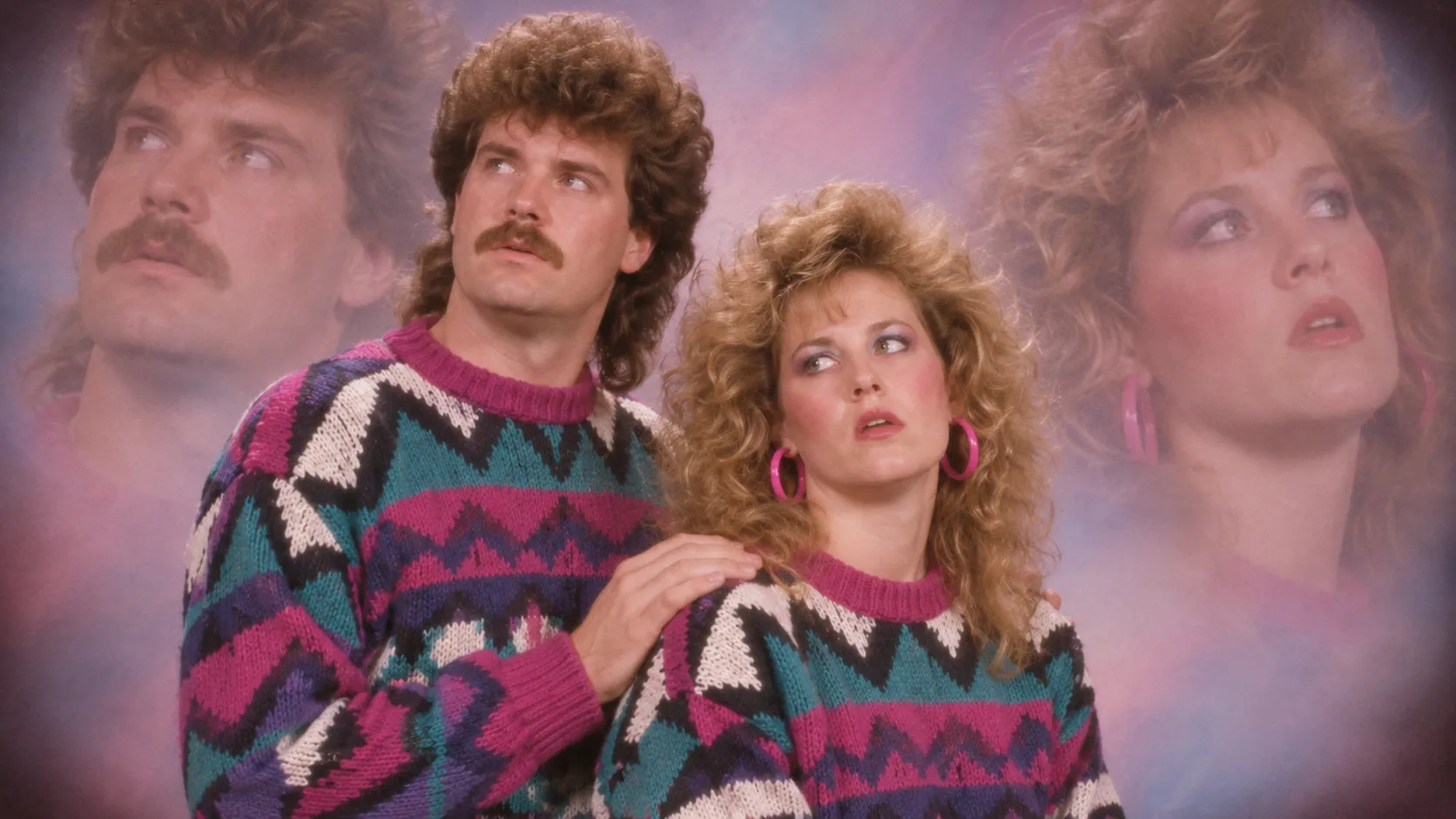
To make an authentic 80s photo with AI, you need two components: accurate retro styling (blown-out direct flash, 35mm film grain, hairspray volume, laser/muslin backdrops) and strict facial preservation. While general-purpose models like Midjourney and ChatGPT require long, multi-layered prompts and frequent re-rolls to avoid morphing your face, dedicated platforms like Movmix AI allow you to apply authentic 1980s studio and candid presets in a single click with zero facial distortion.
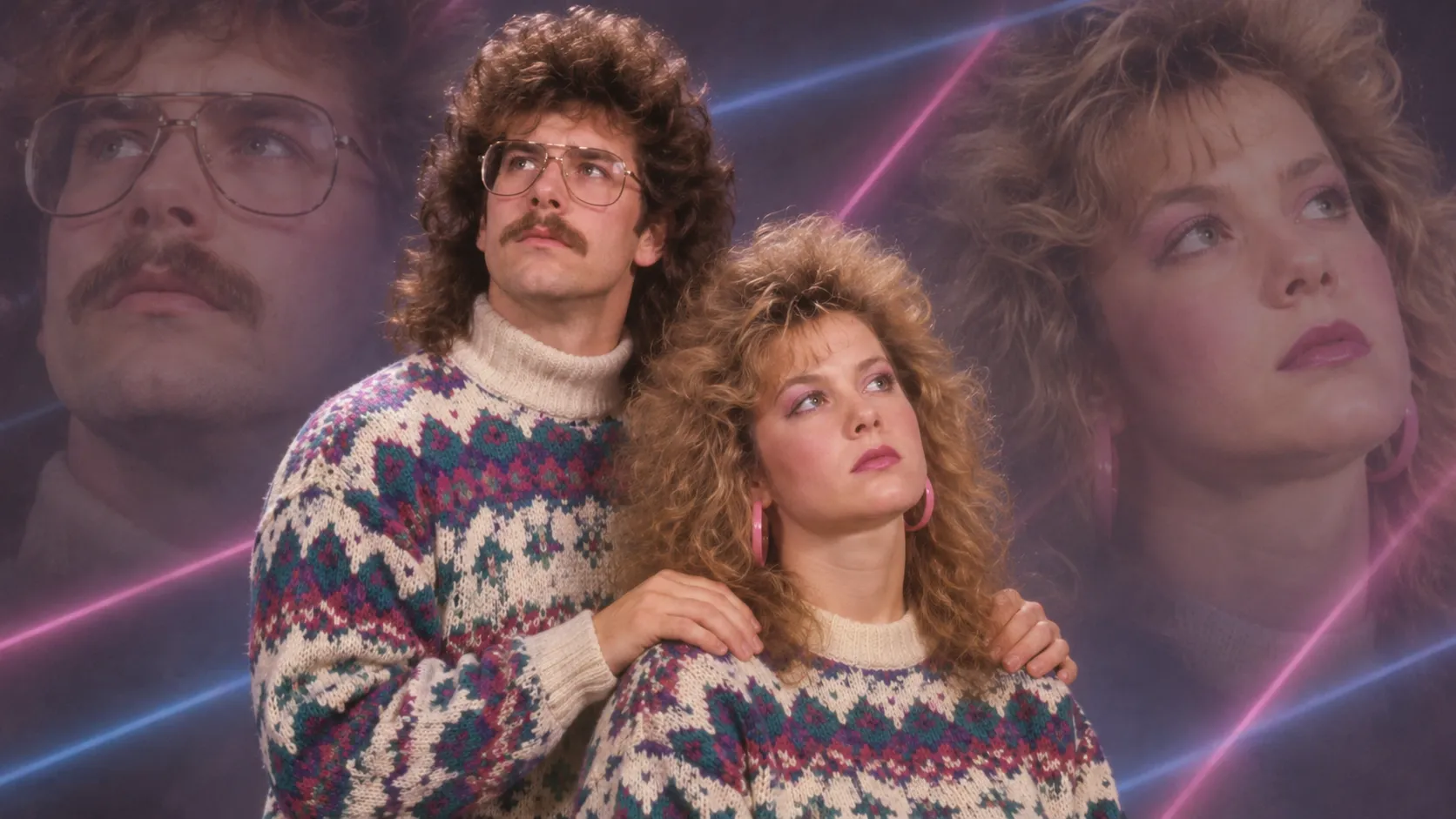
Why Most AI 80s Photos Fail (And What Actually Works)
Search for "80s AI photo" across Instagram or TikTok, and you will see two common blunders:
- The "Cyberpunk Trap": General AI models frequently confuse "1980s retro" with 2080s futuristic synthwave, drowning your picture in hyper-saturated neon cyan and purple grids.
- The "Wax Figure Trap": Modern diffusion models aggressively smooth out skin, turning a nostalgic film snap into a glossy, artificial 3D render that erases your natural features.
True 1980s photography had distinct optical and hardware characteristics:
- Direct On-Camera Flash: Harsh white lighting, sharp black cast shadows immediately behind the subject, and prominent specular highlights on foreheads.
- Warm 35mm Analog Shift: Raised shadow blacks (milky contrast), amber skin tones, and subtle halation (a soft orange-red glow bleeding around bright edges).
- Era-Specific Styling: Acid-wash denim, pastel turtlenecks, cable-knit sweaters, feathered bangs, or teased perms.
- The "Floating Head" (Double Exposure): The era's defining studio novelty—a semi-transparent portrait bust drifting dreamily in the upper corner of the frame.
The 2 Workflows: Instant 1-Click vs. Manual AI Prompting
| Feature | Method 1: Movmix AI (Recommended) | Method 2: Manual Prompting (ChatGPT / Midjourney) |
|---|---|---|
| Facial Accuracy | 95%+ (Proprietary Face-Lock Engine) | Low (Requires 5–8 re-rolls per image) |
| Setup Time | Under 15 seconds | 10–20 minutes of tweaking weights |
| Couples & Multi-Face | Automatically isolates both identities | Frequently blends faces together |
| Prompt Complexity | Zero prompt typing required | Requires 60+ words of optical tokens |
| Best For | Instant high-res portraits, couples shots, social sharing | Advanced creators wanting manual lighting experiments |
Method 1: The Instant Way with Movmix AI (Zero Prompt Engineering)
If you don't want to burn through subscription credits or spend half an hour tweaking denoise thresholds just to keep your original jawline:
- Go to the Movmix AI Vintage Photo Studio.
- Choose your preferred aesthetic:80s Mall Studio & Laser GridAwkward Couples Double Exposure (Floating Head)Retro Bollywood Cassette CoverDisposable Camera House Party
- Upload a clear, front-facing portrait (or two separate photos if making a couples shot).
- Click Generate. Movmix isolates your unique facial landmarks before applying vintage film grain, wardrobe, and retro hairstyles, delivering an authentic 80s portrait that actually looks like you.
Method 2: Manual Prompting (ChatGPT, Midjourney & Stable Diffusion)
If you prefer building your scene from scratch using universal text-to-image engines:
- Prepare your source image: Choose a clean portrait with neutral lighting. Avoid strong shadows or beauty filters.
- Lock your identity references: Set your model's face-strength parameter (e.g., --cw 100 in Midjourney or IP-Adapter weight to 0.85+ in Stable Diffusion).
- Execute the prompt: Use the tested formulas below.
4 Tested 80s Prompts (With Quick Generation Shortcuts)
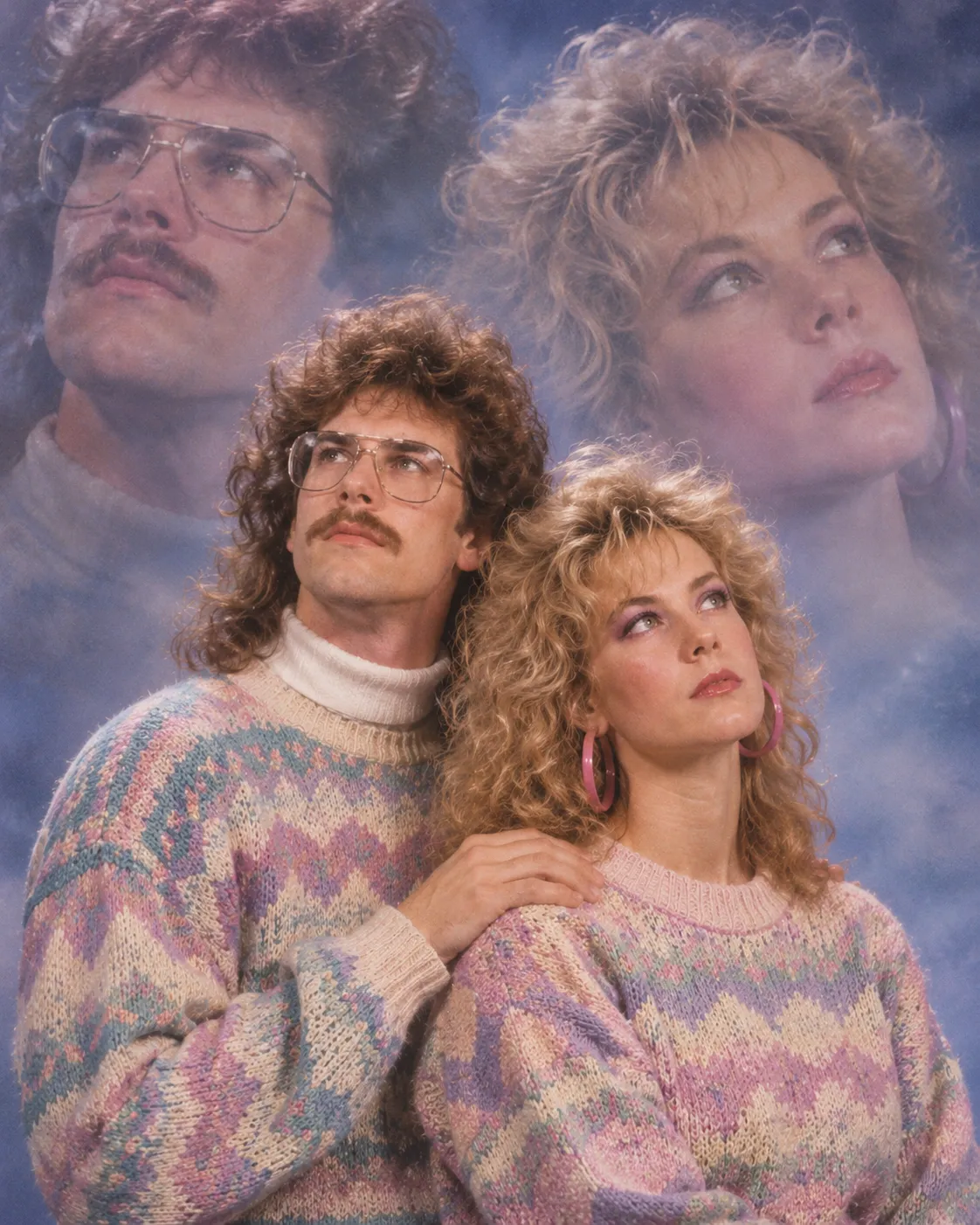
1. The Awkward 80s Couples Portrait (Floating Head Double-Exposure)
The viral sensation: stiff posture, matching knit sweaters, and a dreamy semi-transparent secondary face looking off-camera.
An authentic 1980s awkward studio couple portrait featuring [Subject 1] and [Subject 2] from reference images. Classic double-exposure effect with a dreamy, semi-transparent floating bust of both subjects looking off-camera in the upper background. Voluminous permed feathered hair, matching oversized pastel cable-knit sweaters, rigid studio pose. Soft-focus lens halation, pastel blue and lavender cloudy muslin studio backdrop. Shot on 35mm film, authentic Kodachrome color grading, light analog film grain. Maintain exact facial identities for both subjects without blending features. --ar 4:5
⚡ Skip the multi-face blending glitches:Universal models often fuse two faces into one hybrid person. You can generate this exact double-exposure style in 10 seconds using the Movmix 80s Couples Preset — no prompt typing required.
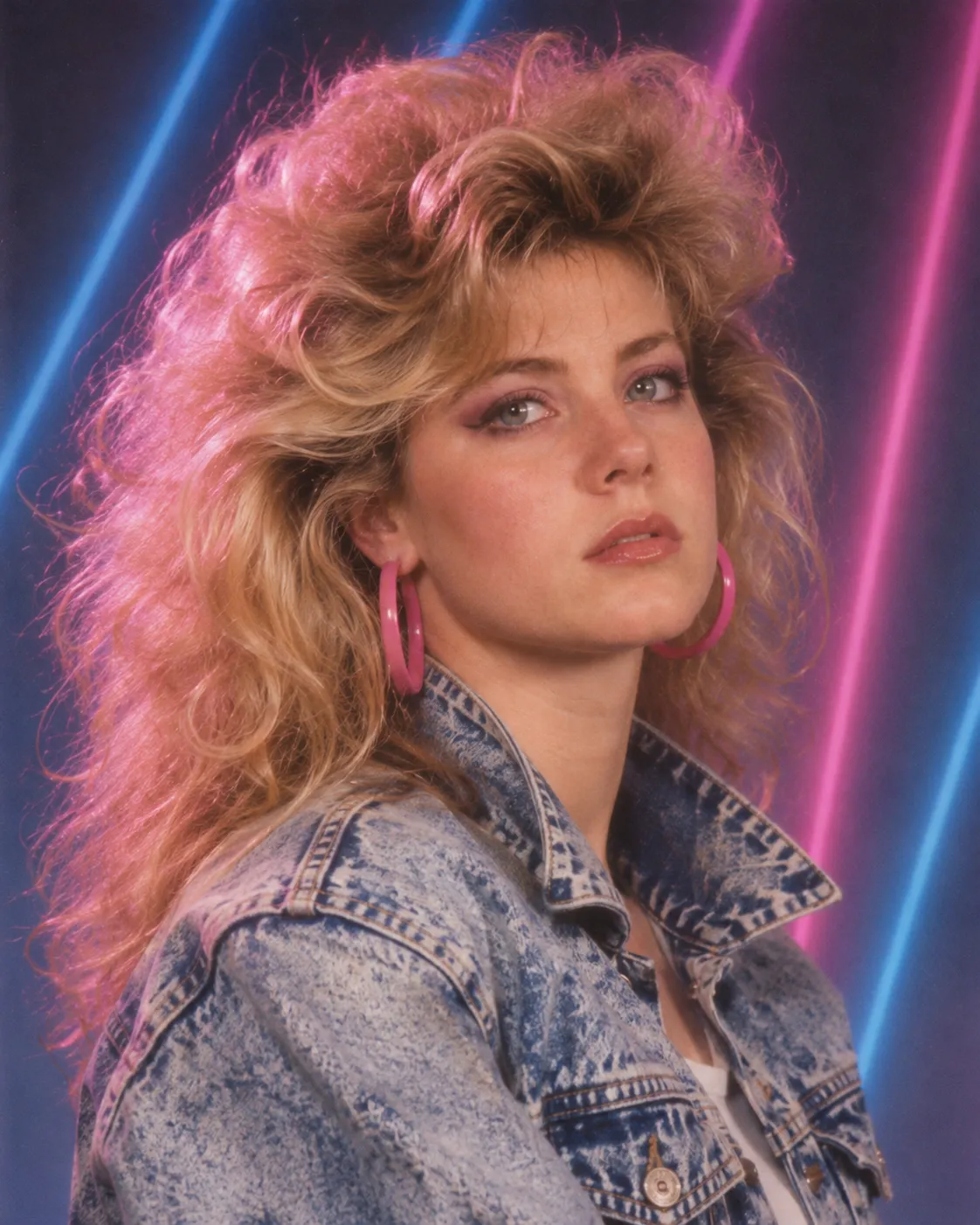
2. The 1985 Mall Studio Glamour Shot (Yearbook Laser Grid)
Best for: Classic single-person senior photos, huge hairspray volume, and neon laser backdrops.
A classic 1985 mall photography studio portrait of [Subject]. Big voluminous feathered hair with extreme hairspray lift, acid-wash denim jacket with an upturned collar. Diffused softbox key light with subtle magenta rim light. Authentic blue-and-magenta vertical laser beam studio backdrop. 35mm film stock, slight chromatic aberration, subtle analog noise, soft-focus finish. Strictly preserve the original face shape, eyes, and natural skin texture. --ar 4:5
⚡ Try it now: Upload your headshot directly to Movmix AI's Mall Studio Generator to get the authentic laser backdrop without distorting your face.
3. The Candid Disposable Camera House Party (Flash Snapshot)
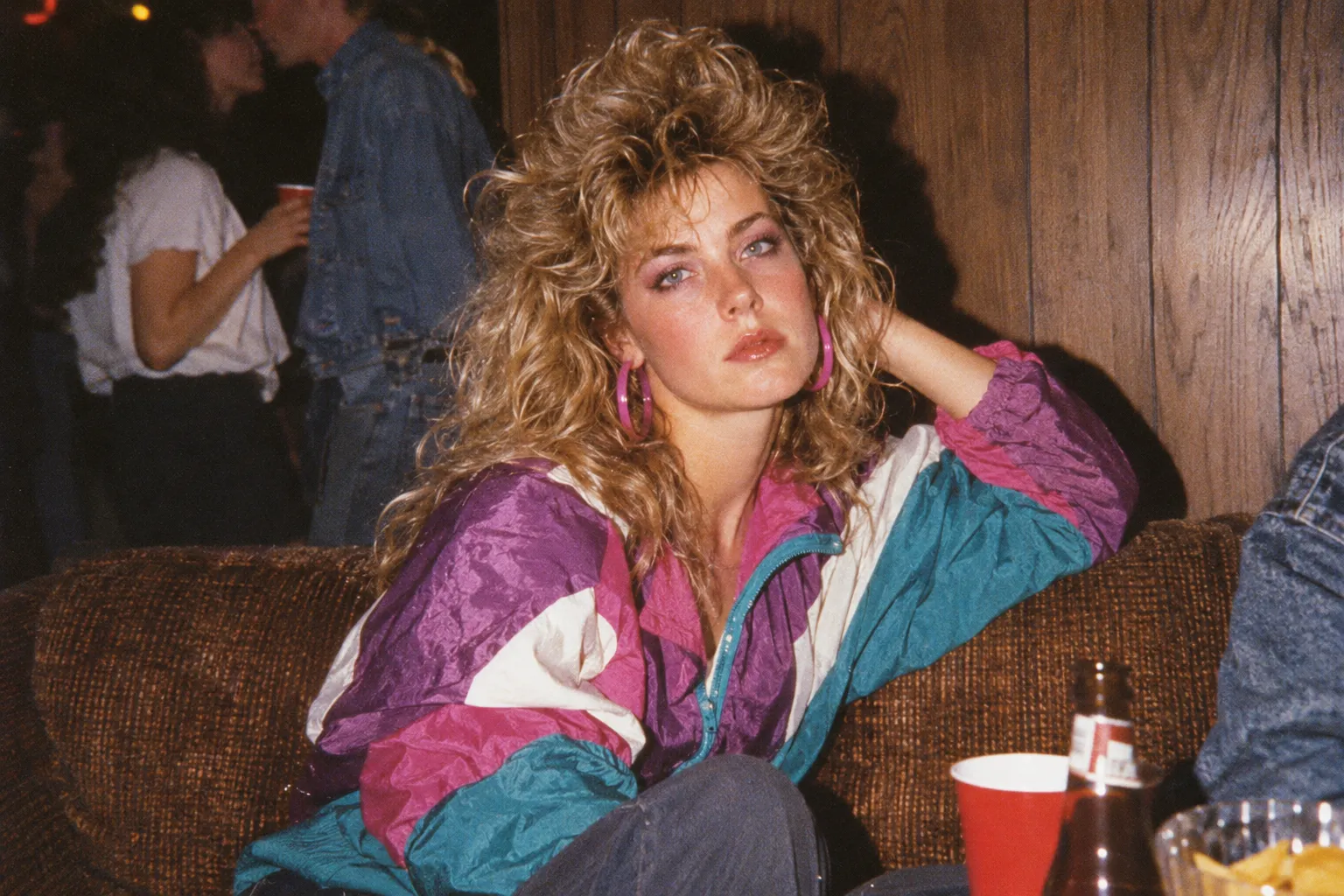
Best for: Hyper-realistic casual photos that look like they were pulled from an old family shoebox.
An authentic 1980s candid disposable camera snapshot of [Subject] sitting on a vintage brown couch at a basement house party. Wearing an oversized retro nylon color-block windbreaker. Harsh, direct on-camera flash casting a sharp black silhouette shadow against dark wood-paneled walls. Grainy 35mm film texture, slight motion blur at the edges, muted deep blacks, warm flash glare on cheeks. Unretouched, visible skin texture, natural authentic facial likeness. --ar 3:2
4. The 80s Bollywood Cassette Cover & Studio Glamour
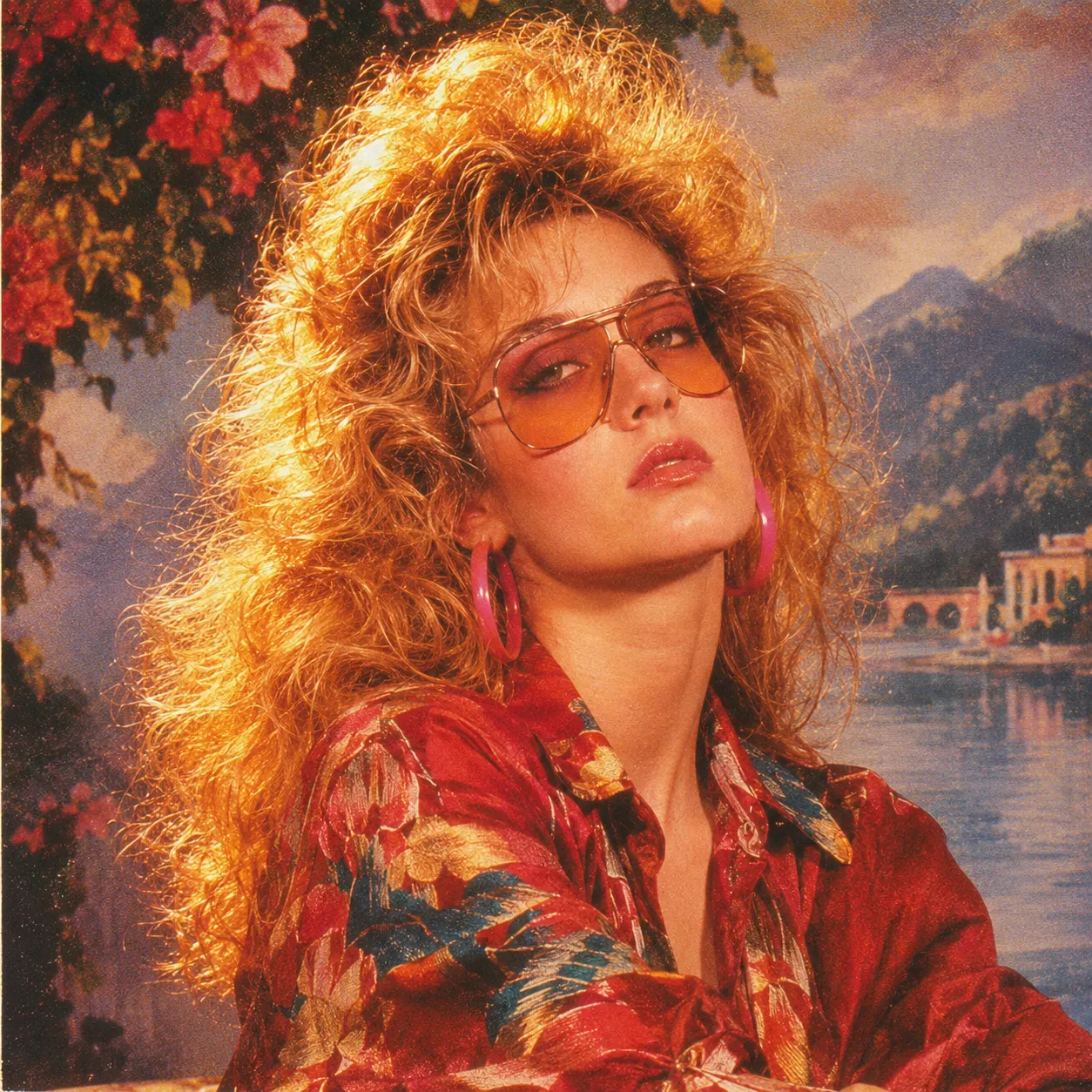
Best for: Saturated golden tones, dramatic cinema lighting, and retro Indian music album aesthetics.
A 1980s vintage Bollywood cinema studio portrait featuring [Subject]. Styled like a classic retro cassette tape album cover: oversized vintage tinted aviator sunglasses, retro silk printed shirt, dramatic golden-amber side lighting. Hand-painted romantic landscape canvas backdrop. Rich saturated reds and warm gold tones, subtle vintage lens bloom around highlights, printed halftone dot texture, visible 35mm film noise. Accurate facial preservation and authentic features. --ar 1:1
⚡ One-Click Bollywood Filter: Experience this warm-toned golden era styling with zero setup on Movmix AI.
Troubleshooting: How to Fix Common AI Generation Errors
When using general-purpose AI models, generation errors are frequent. Here is how to fix them manually, or bypass them entirely:
| Problem | Root Cause | Manual Prompt Fix | Movmix Solution |
|---|---|---|---|
| "The AI completely changed my face" | The engine prioritizes 80s styling tokens over facial landmarks. | Set face/character weight to maximum (--cw 100 or IP-Adapter 0.85+). Add: strictly preserve original facial geometry and eye shape. | Built-in Face-Lock: Movmix maps facial keypoints separately before applying retro styling. |
| "Plastic / Airbrushed Skin" | Modern AI defaults to hyper-smooth digital beauty filters. | Add to positive prompt: raw 35mm film photo, visible pores, unpolished print. Add to negative prompt: smooth plastic, 3D render, airbrushed. | Raw Film Emulation: All Movmix templates include authentic analog grain and texture curves. |
| "Faces Bleeding Together (Couples)" | Model cannot distinguish multiple face references in one prompt. | Tag subjects explicitly: Subject 1 on left, Subject 2 on right. Re-run 5–10 times. | Dual-Slot Upload: Movmix provides separate upload slots for couples, eliminating facial crossover. |
| "Turned into Cyberpunk 2077" | The AI confuses "80s retro" with futuristic synthwave neon. | Remove words like neon, synthwave, or cyberpunk. Use vintage studio muslin backdrop instead. | Era-Accurate Prompts: Every Movmix preset is pre-tuned to true 1980–1989 archival photos. |
3 Quick Edits to Make Existing Photos Look 80s (No AI Needed)
If you already took a photo in retro clothing and only want vintage color grading without altering your hair or setting:
- Fade the Blacks: In Lightroom, Snapseed, or VSCO, open the Tone Curve tool. Drag the bottom-left point (pure black) up by 8–12% to recreate washed-out, milky shadows.
- Shift to Amber-Magenta: Push Color Temperature to +6 and Tint to +4. Aging prints naturally develop a warm, reddish-yellow cast.
- Add Film Grain: Add +30 Grain with moderate roughness and reduce Clarity by -8 to mimic the soft resolving power of 1980s consumer camera lenses.
Frequently Asked Questions (FAQ)
Can I create 80s photos on my smartphone?
Yes. You can paste the prompts above into mobile AI apps, or open Movmix.ai on any mobile browser to upload your selfie and generate an 80s portrait in seconds without downloading heavy apps.
What kind of photo works best as a reference?
Use a high-resolution, front-facing portrait with even, neutral lighting. Avoid wide-angle selfies with fish-eye distortion, dark sunglasses, or heavy beauty filters, as these degrade facial recognition accuracy.
Can I turn my wedding or anniversary photo into an 80s studio portrait?
Yes. For best results, use the Awkward Couples Double Exposure prompt above, or select the 80s Couples Template on Movmix, which processes two individuals simultaneously while preserving both distinct faces.
Ready to Turn Back the Clock?
Stop wasting time on distorted faces, plastic skin, and complicated prompt engineering.
👉 Launch Movmix AI Vintage Photo Studio — Upload your picture, choose your favorite 80s vibe, and download an authentic, identity-locked 1980s portrait in under 15 seconds.