
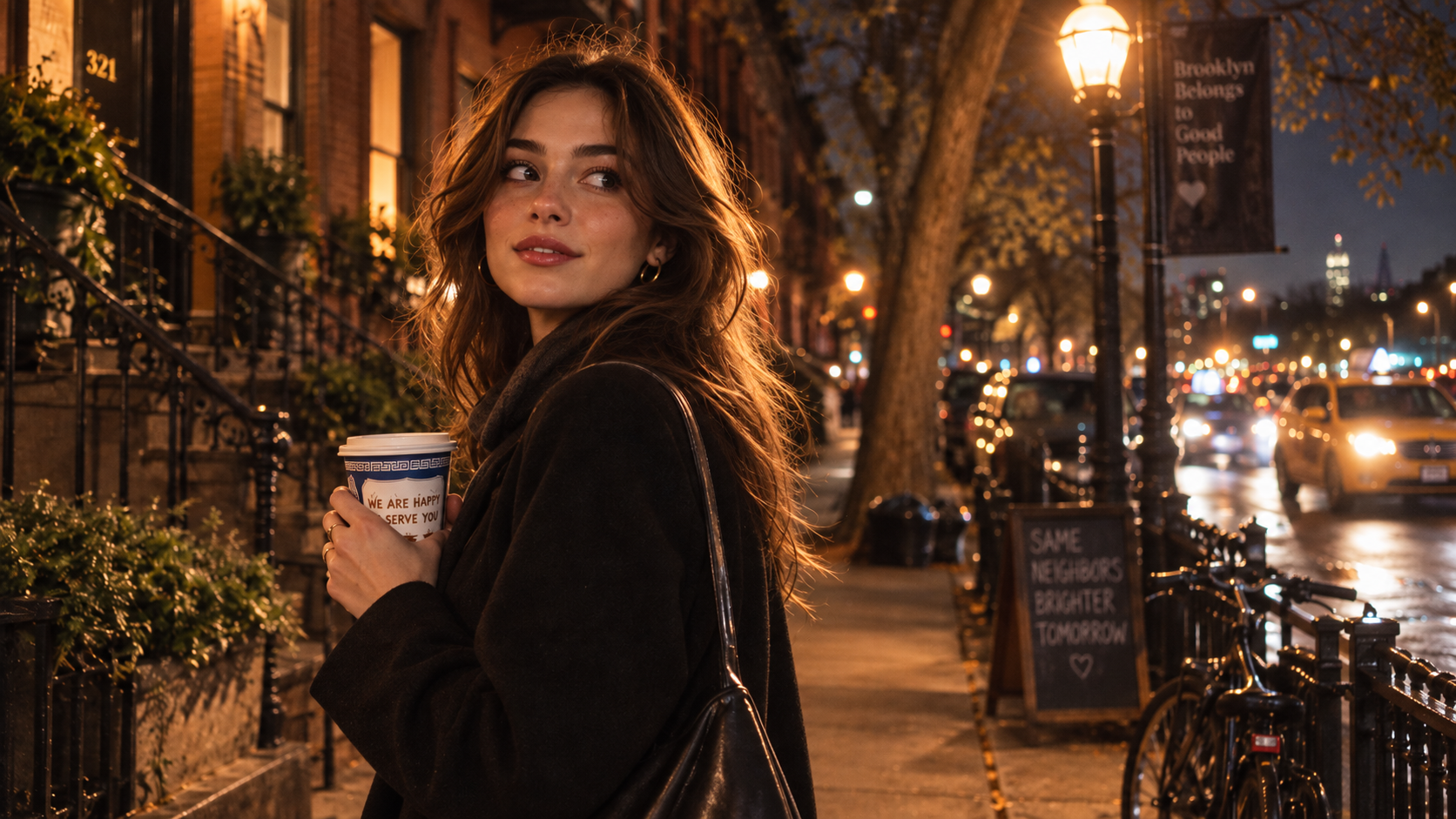
Prompting GPT Image 2.5 is no longer about throwing random adjectives at a black box. The model's upgrade lies in its strict compositional logic, exact typography rendering, and zero-drift object binding.
To get professional-grade results, you need to understand why a prompt works and how to customize it for your own workflow. Below is our complete production playbook—covering 20 tested formulas across four high-value commercial categories, complete with breakdowns and iteration ideas ready to test on the .
The Universal GPT Image 2.5 Formula
Before diving into the library, keep this core architectural syntax in mind:
[Core Subject] + [Environment & Spatial Placement] + [Exact Text in "Quotes"] + [Optics & Lighting] + [Material & Color Treatment]
(If you haven't set up your workspace yet, check our beginner walkthrough on how to use GPT Image 2.5 on Movmix.)
Category 1: Typography & Commercial Graphic Design
GPT Image 2.5 solves the dreaded "AI spelling gibberish." The key is using double quotation marks and specifying the typography style explicitly.
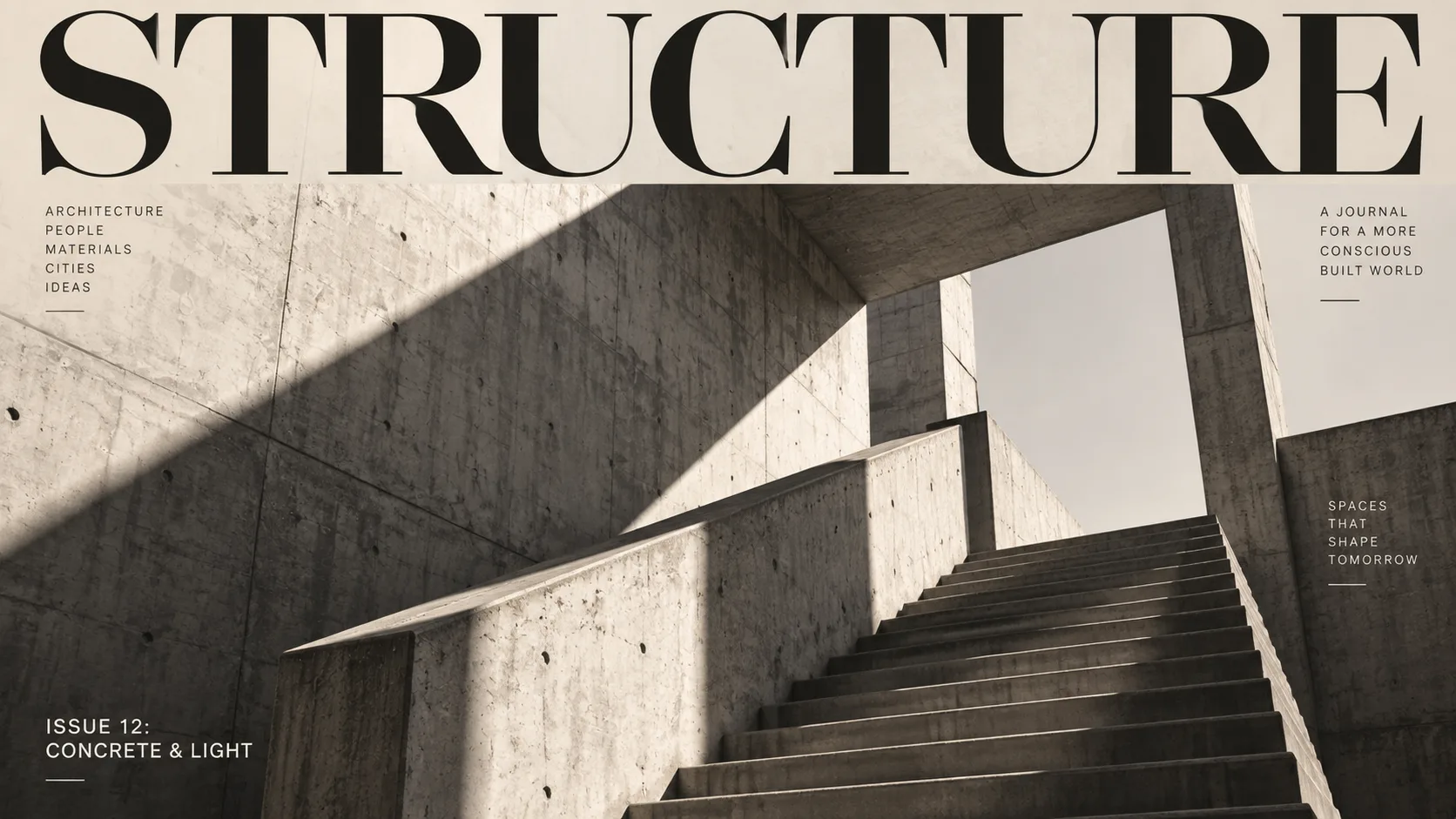
1. Minimalist Swiss Editorial Poster
Modern architectural journal cover design. An oversized clean serif header at the top strictly reads "STRUCTURE". A small bottom-left caption legibly reads "ISSUE 12: CONCRETE & LIGHT". The visual focus is a sharp, low-angle architectural photograph of a brutalist concrete staircase bathed in harsh diagonal afternoon sunlight. High-contrast monochrome with subtle warm beige undertones, strict editorial grid alignment.
- Why It Works: GPT Image 2.5 understands typographic hierarchy and multi-zone layout. Explicitly specifying "at the top" versus "bottom-left caption" keeps secondary issue specs neatly docked without colliding into complex shadow lines.
- How to Tweak It: Swap "STRUCTURE" for your publication or brand name. Change "brutalist concrete staircase" to "minimalist timber pavilion on water" for an organic modernism aesthetic.
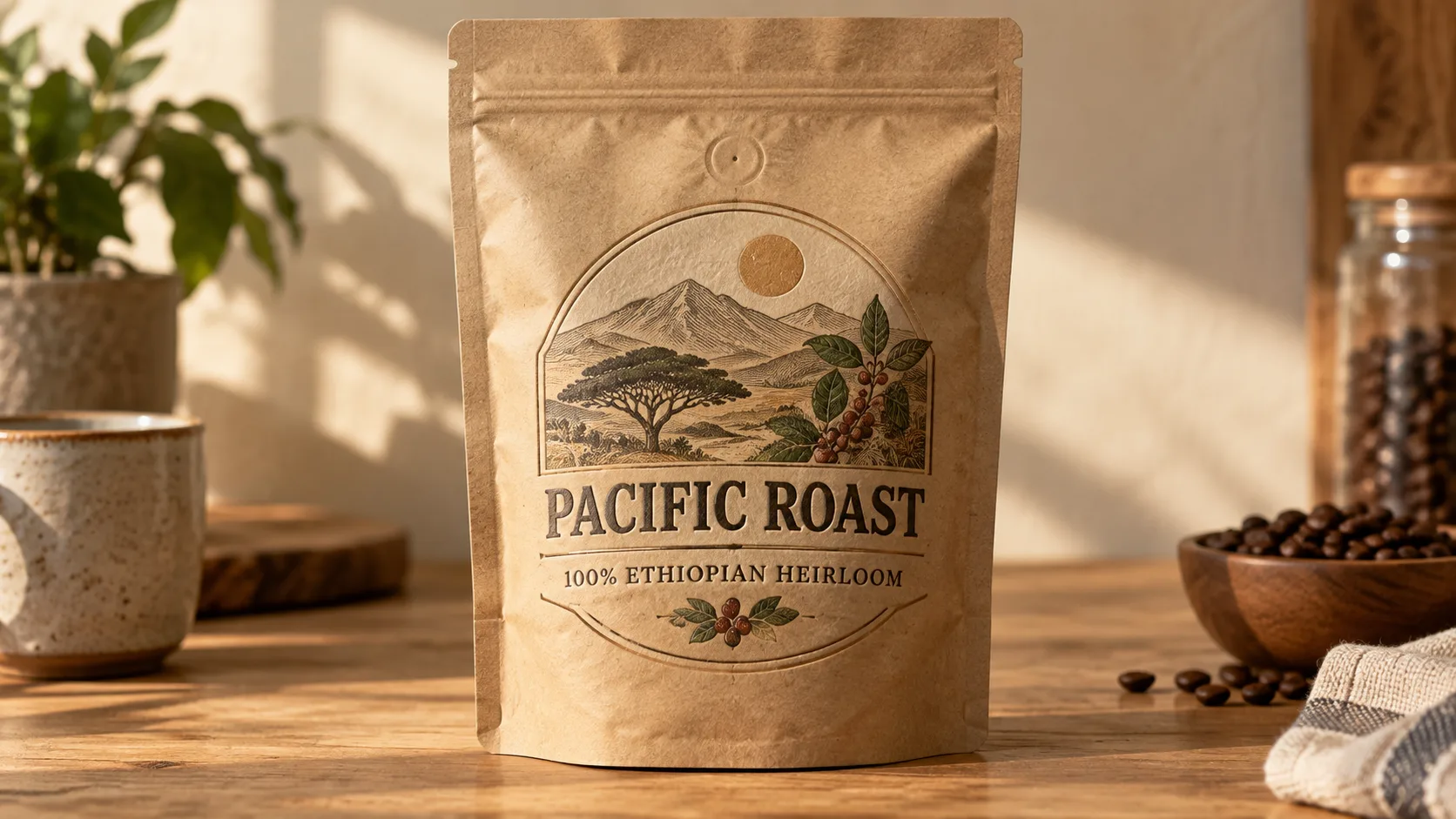
2. Specialty Craft Coffee Packaging
A craft coffee packaging pouch mockup on a neutral wooden counter. Centered on the label, vintage stamped serif lettering reads "PACIFIC ROAST", with a curved subline beneath reading "100% ETHIOPIAN HEIRLOOM". Warm earth tones, subtle embossing effect on kraft paper, soft directional morning sunlight.
- Why It Works: Specifying the printing finish ("subtle embossing effect on kraft paper") forces the model to render micro-shadows along the text edges, adding realistic physical depth.
- How to Tweak It: Replace "kraft paper" with "matte metallic foil" or "frosted glass bottle" to test packaging across different product lines.
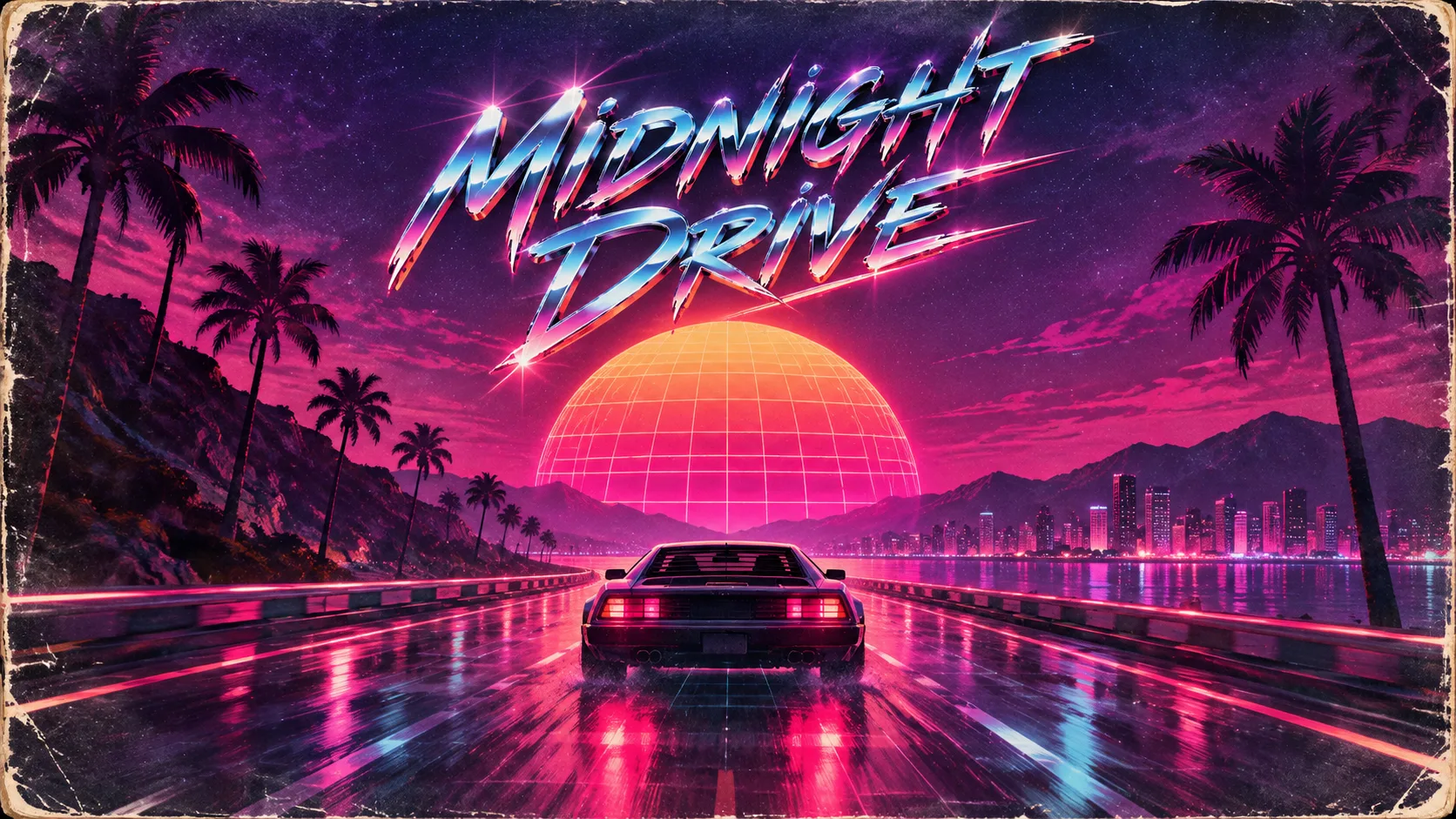
3. Retro Synthwave Vinyl Album Cover
- Why It Works: Adding tactile decay ("edge scuffs, vinyl sleeve wear") cuts through the glossy artificial sheen that plagues raw AI outputs.
- How to Tweak It: Change the vehicle to a futuristic motorcycle and modify the typography style to "chiseled stone block letters" for an 80s heavy metal aesthetic.
4. High-Fashion Editorial Magazine Cover
- Why It Works: Calling out "editorial grid layout" triggers the model's training data on magazine margins, avoiding text clipped off by canvas edges.
- How to Tweak It: Introduce seasonal color accents (e.g., "deep burgundy lips and emerald trench coat") to fit your campaign tone.

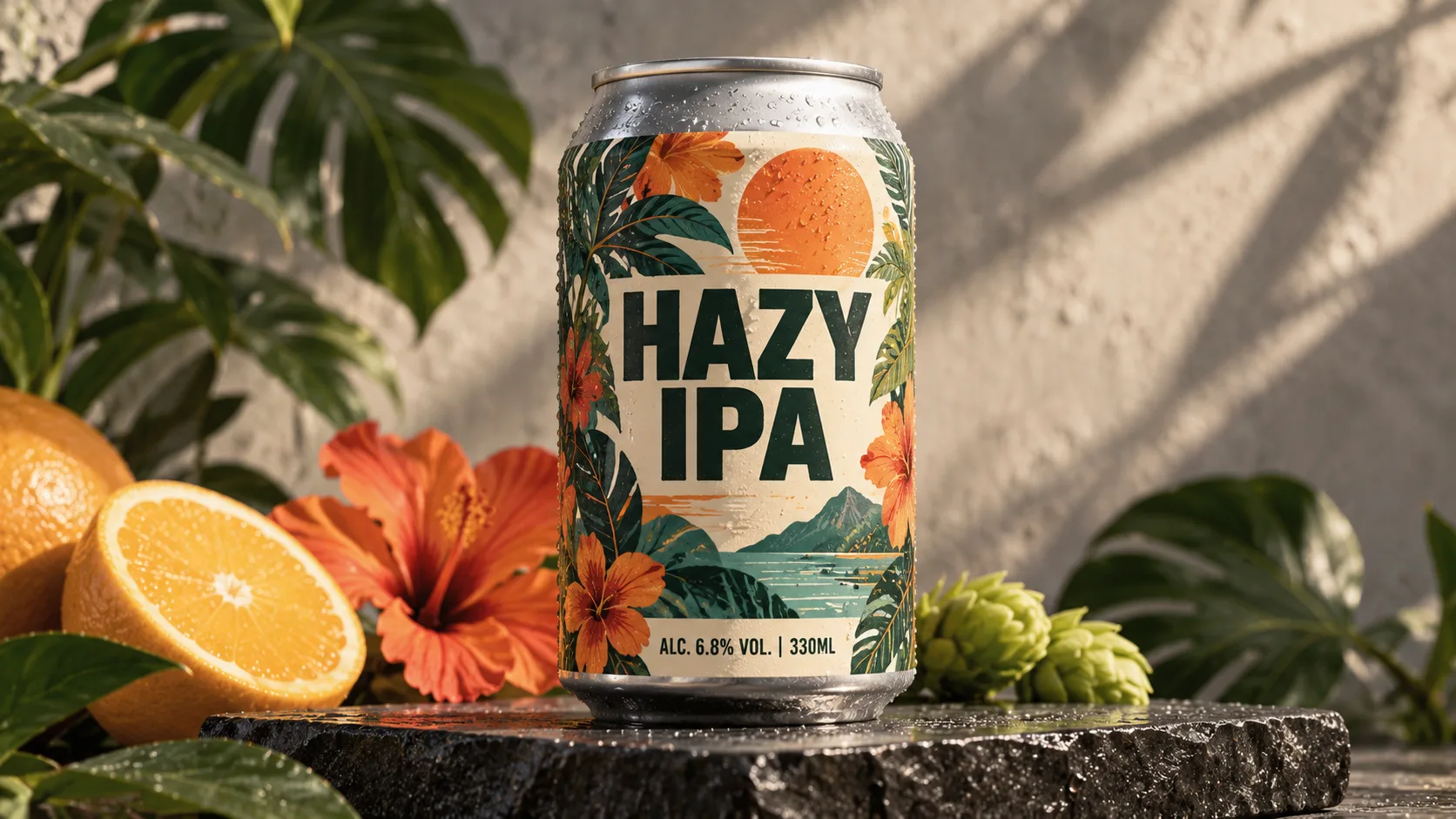
5. Craft Beverage Can Mockup with Legible Specs
- Why It Works: Multi-line text with numbers and symbols (like % and |) usually breaks older models. In 2.5, literal strings remain intact if kept brief.
- How to Tweak It: Replace "matte aluminum" with "glossy copper finish" and alter the botanical motif to a geometric vector pattern.
Category 2: E-Commerce & Product Photography
Clean studio lighting, natural caustic light refractions, and true material properties allow you to create production assets without a physical studio.
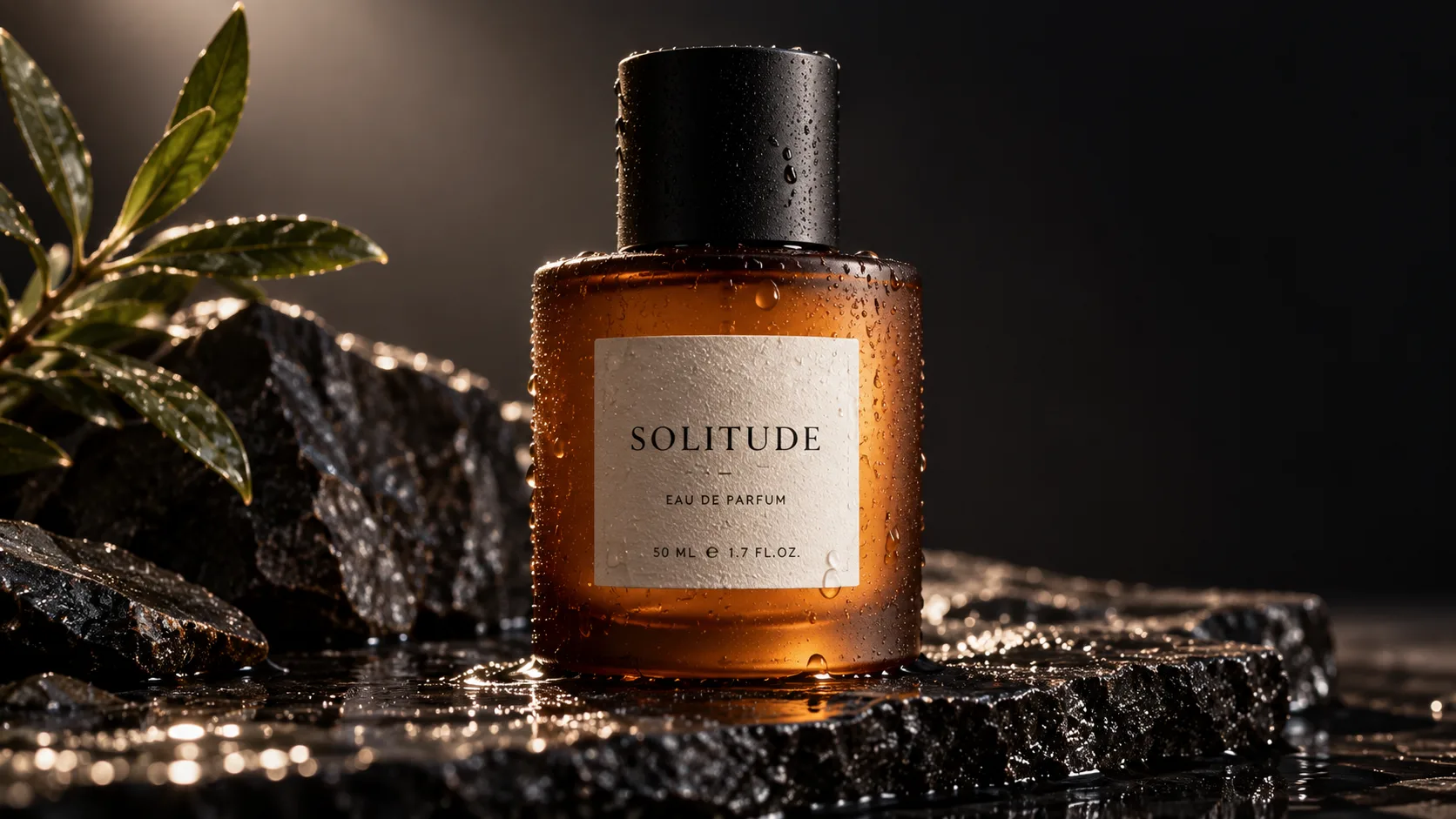
6. Luxury Perfume Glass & Caustics
- Why It Works: Mentioning "sharp water drop caustics" instructs the model to accurately trace light through glass and liquid rather than generating flat gradients.
- How to Tweak It: Change "amber glass" to "fluted crystal glass" and adjust the backdrop to "warm travertine stone" for a brighter boutique look.
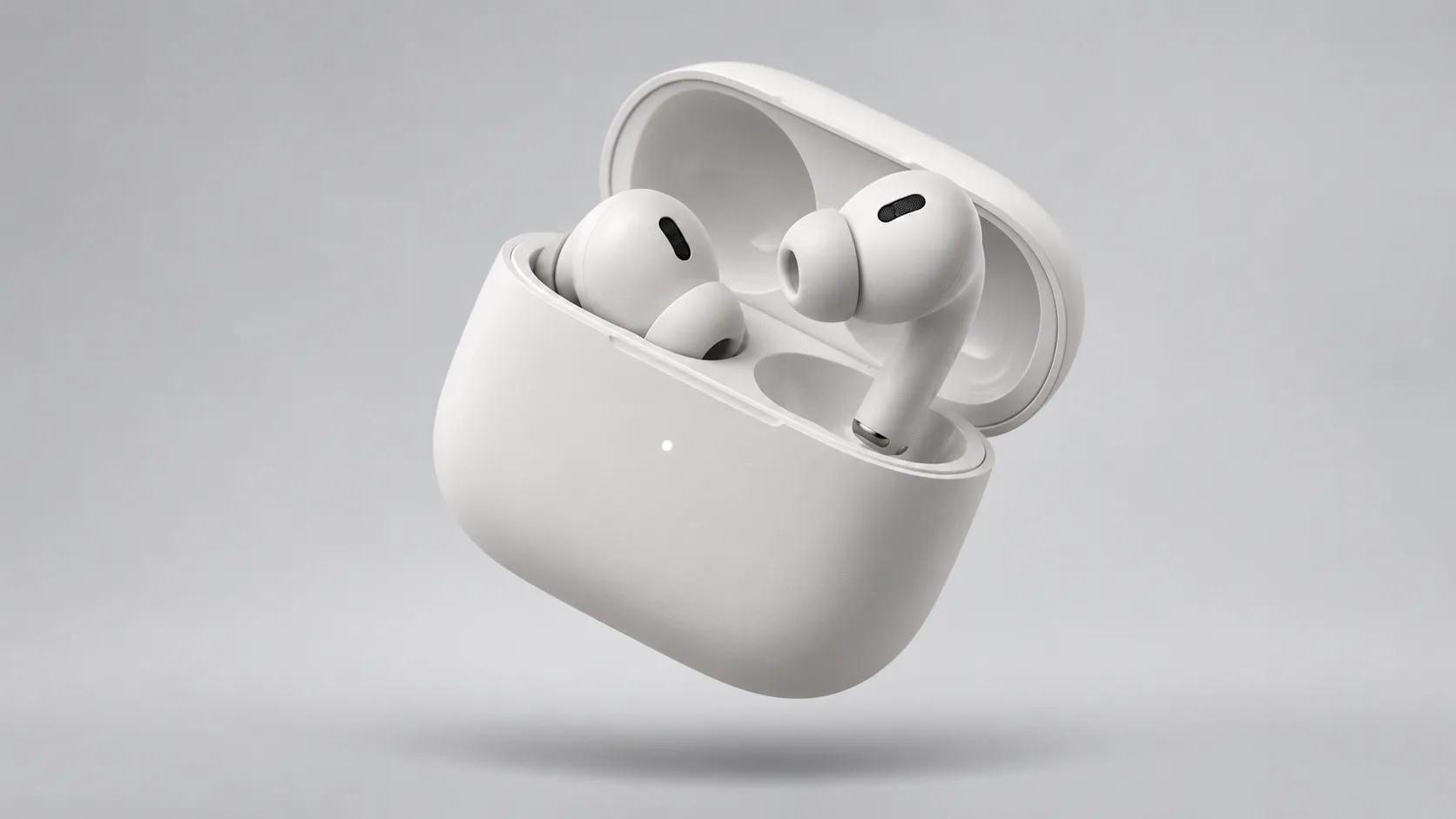
7. Floating Tech Hardware Hero Shot
- Why It Works: Specifying camera angle ("dynamic 45-degree angle") and lighting type ("diffused top softbox") avoids flat perspective and awkward foreshortening.
- How to Tweak It: Add exploded parts: append "with one earbud detached and hovering slightly forward, showing metallic charging pins".
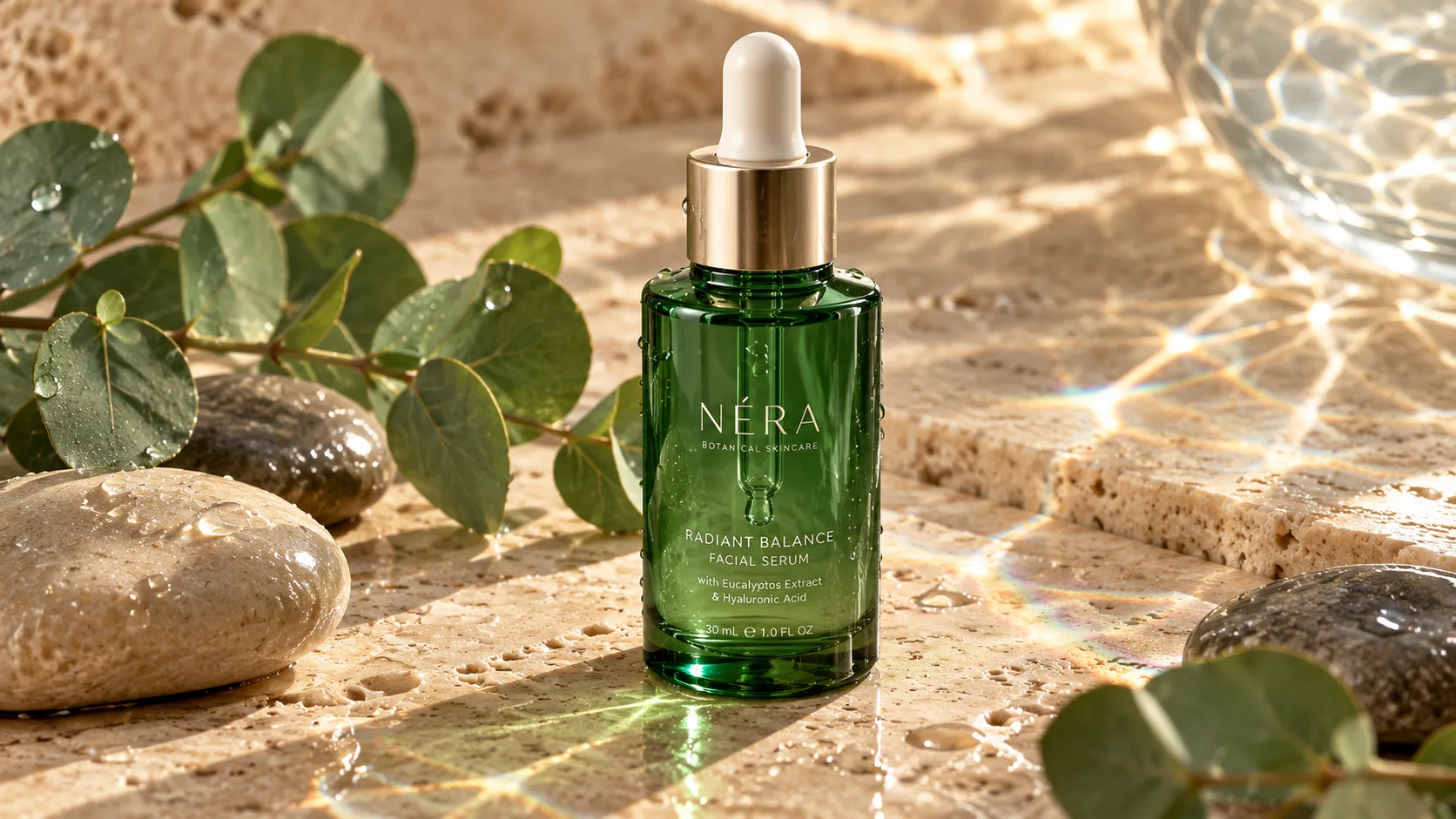
8. Organic Skincare Dropper on Travertine
- Why It Works: Balancing synthetic product packaging with organic elements (leaves, river stones) grounds the image in natural beauty branding.
- How to Tweak It: Swap eucalyptus for sliced citrus fruits or raw honey drippers to suit different active skincare ingredients.
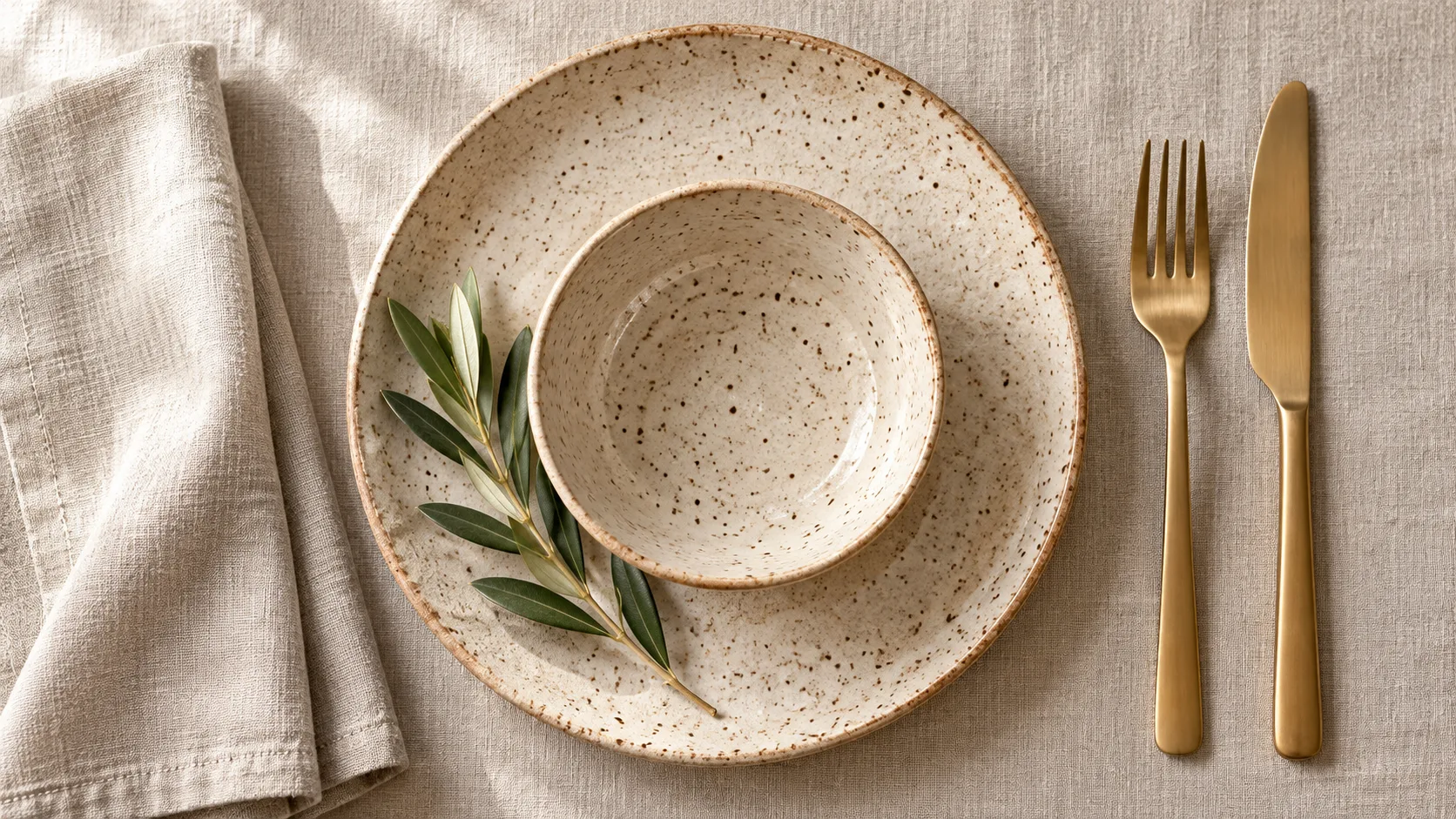
9. Flat-Lay Artisanal Tableware
- Why It Works: Directional lighting ("natural window light from the left side") creates uniform directional soft shadows, eliminating the floaty look typical of synthetic flat-lays.
- How to Tweak It: Place artisan sourdough bread or seasonal figs onto the plate for food brand marketing campaigns.
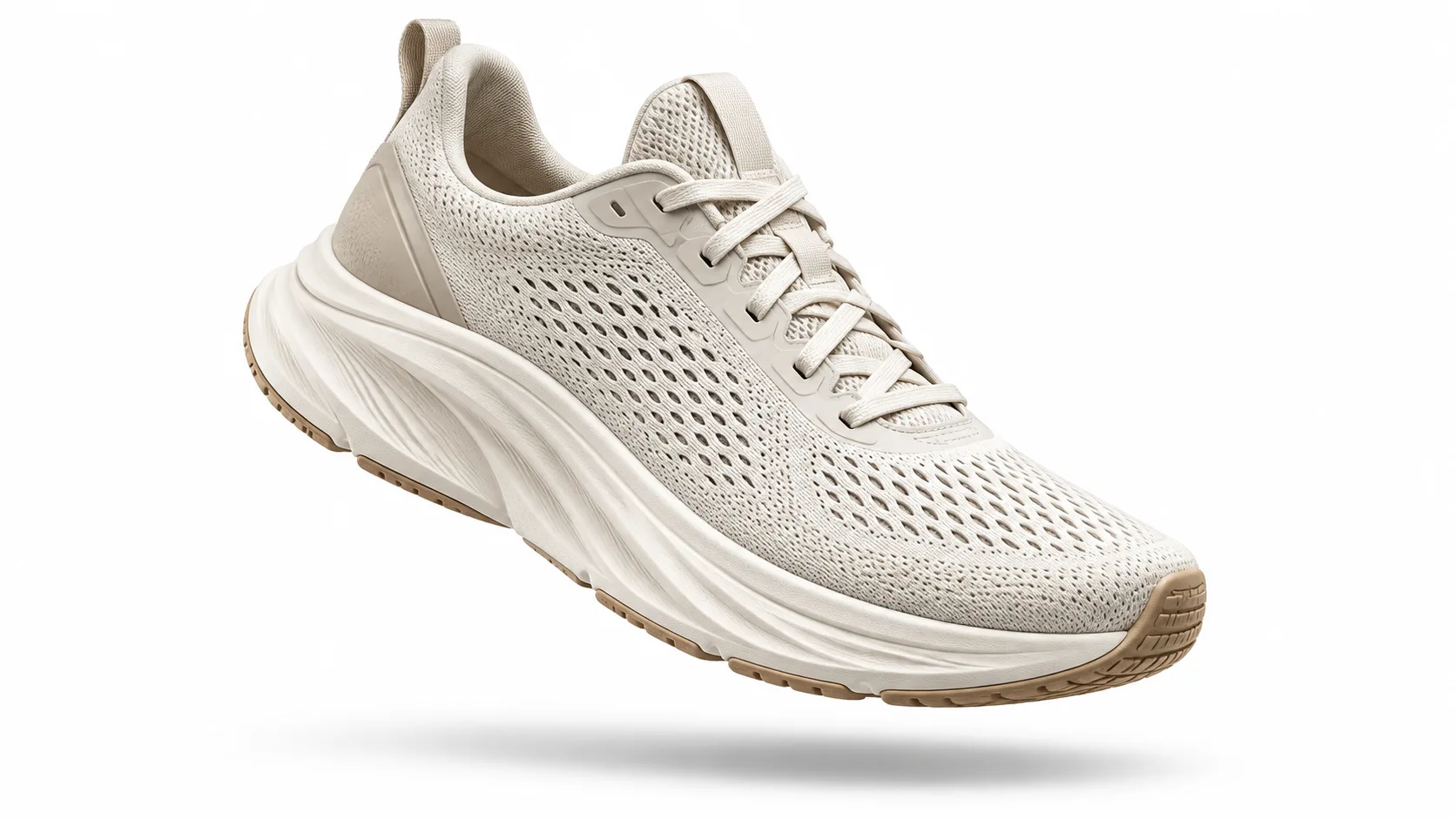
10. Athletic Footwear Action Floating Shot
- Why It Works: Requesting a "pure isolated white background with soft ground shadow" produces an e-commerce ready asset with minimal background removal effort.
- How to Tweak It: Swap the white studio background for "wet urban asphalt at dusk with neon ground reflections" for social media lifestyle creatives.
Category 3: Candid & Cinematic Photography (Anti-AI Aesthetics)
Move away from smooth, wax-like AI skin. GPT Image 2.5 excels at recreating optical physics, natural film grain, and direct flash imperfections.
11. 90s Direct Flash Night Portrait
- Why It Works: "Direct harsh camera flash" overrides the standard studio lighting defaults, yielding high-contrast snapshots popular on modern social platforms.
- How to Tweak It: Change the setting to "crowded diner booth" or "vintage car backseat" while retaining the flash parameters.
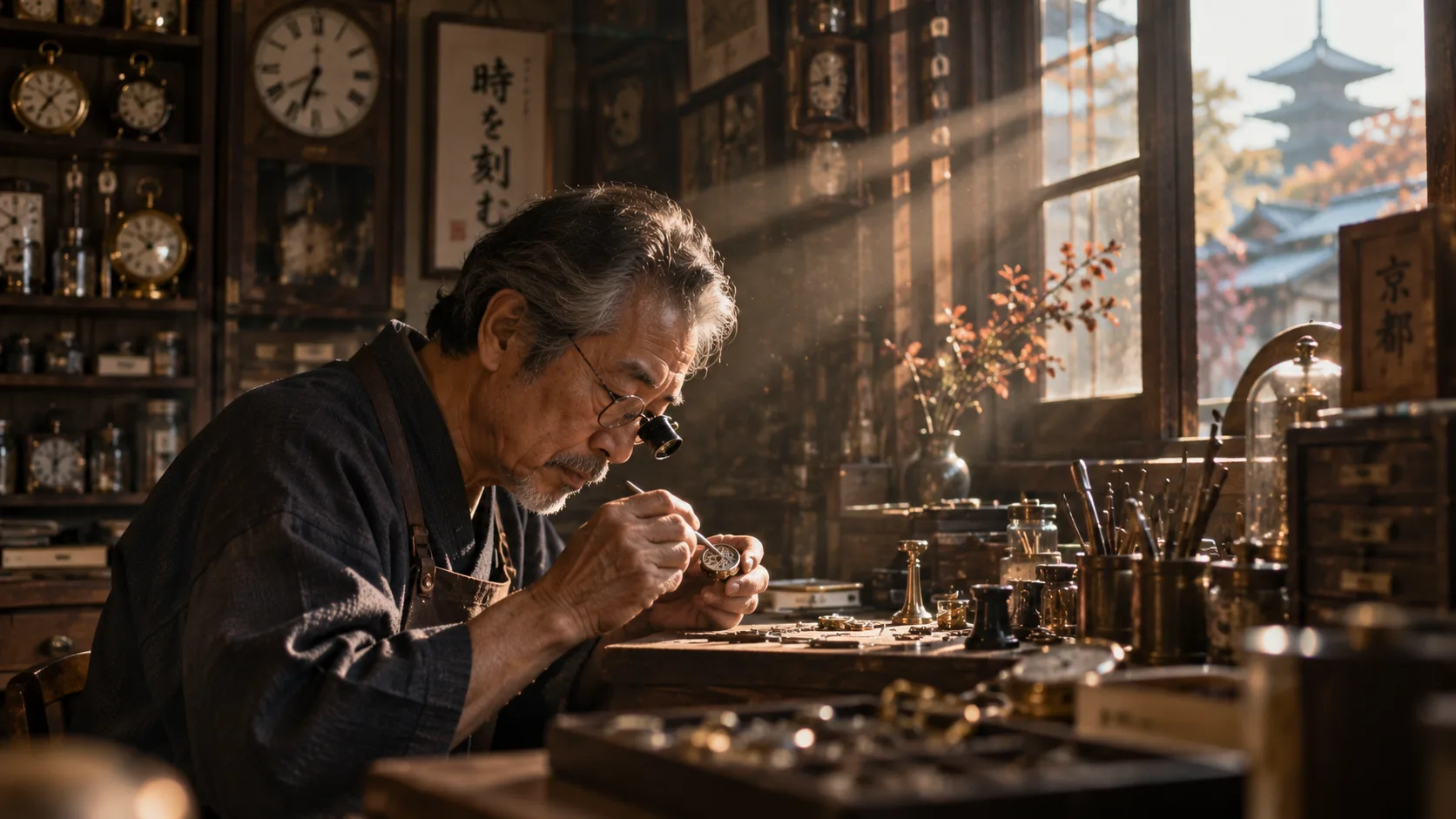
12. Golden Hour Watchmaker Documentary
- Why It Works: Specifying anamorphic focal specs controls the depth-of-field falloff and lens aberrations naturally without prompt spam.
- How to Tweak It: Change the subject to a ceramic sculptor or violin restorer to capture different artisanal textures and hands at work.
13. Rainy Neon Cyberpunk Street
Wide cinematic establishing shot of a crowded pedestrian alley in Shinjuku during a heavy midnight downpour. Vivid neon signs in Japanese and English reflecting crisply off oil-slick asphalt puddles. Steam rising from manhole covers, deep cinematic teal-and-amber grade, ultra-sharp optical reflections.
- Why It Works: Specifying reflections on "oil-slick asphalt puddles" forces optical ray-tracing behavior onto flat ground textures.
- How to Tweak It: Change the camera height to "low-angle ground-level perspective" to intensify reflections and add dramatic towering building scale.
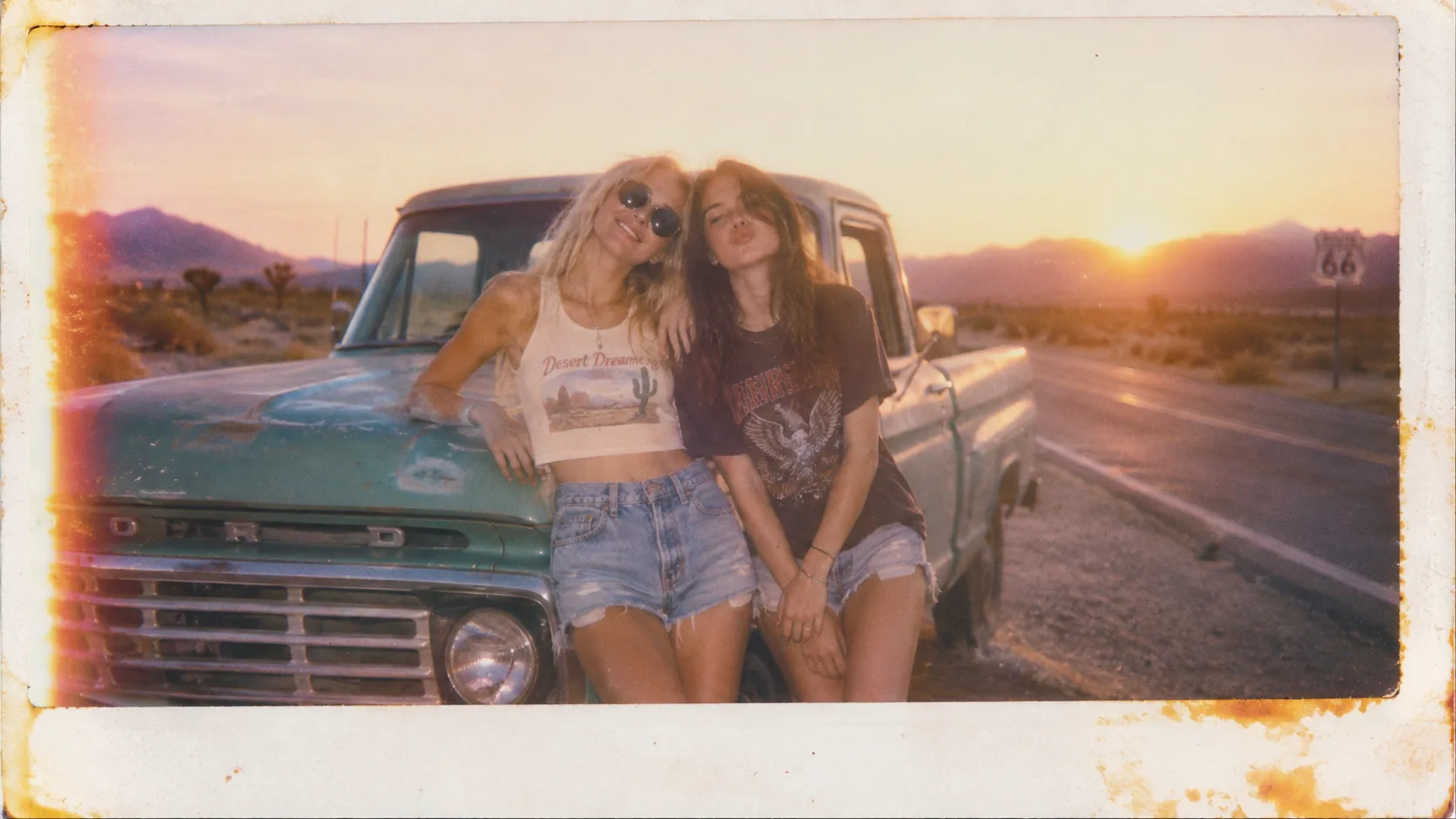
14. Nostalgic Polaroid Desert Road Trip
- Why It Works: Calling out "chemical border discoloration" and "overexposed sky" instructs the model to emulate physical vintage film chemistry over digital sharpness.
- How to Tweak It: Alter the setting to a coastal surf beach or a rooftop barbecue at dusk.
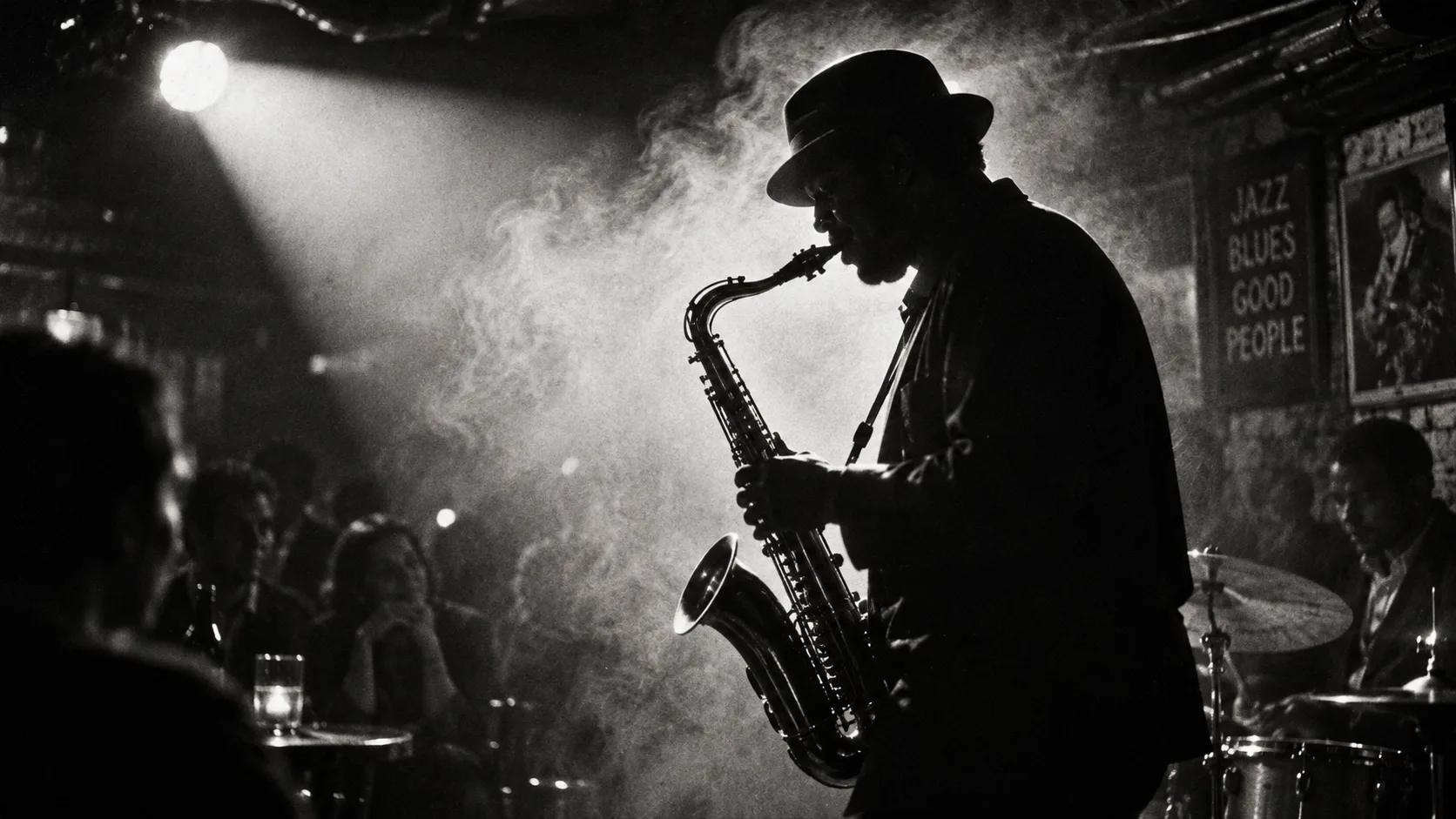
15. High-Contrast Black & White Jazz Performance
- Why It Works: Invoking "Ilford HP5 grain" primes the model for specific silver-halide tonal curves and shadow roll-offs rather than flat grayscale desaturation.
- How to Tweak It: Swap the saxophonist for a jazz pianist or double bassist, emphasizing finger movement across keys or strings.
Category 4: 3D Isometric, Spatial & Editorial Assets
These prompts leverage GPT Image 2.5's spatial accuracy and strict attribute binding to keep multi-character or multi-object scenes organized.
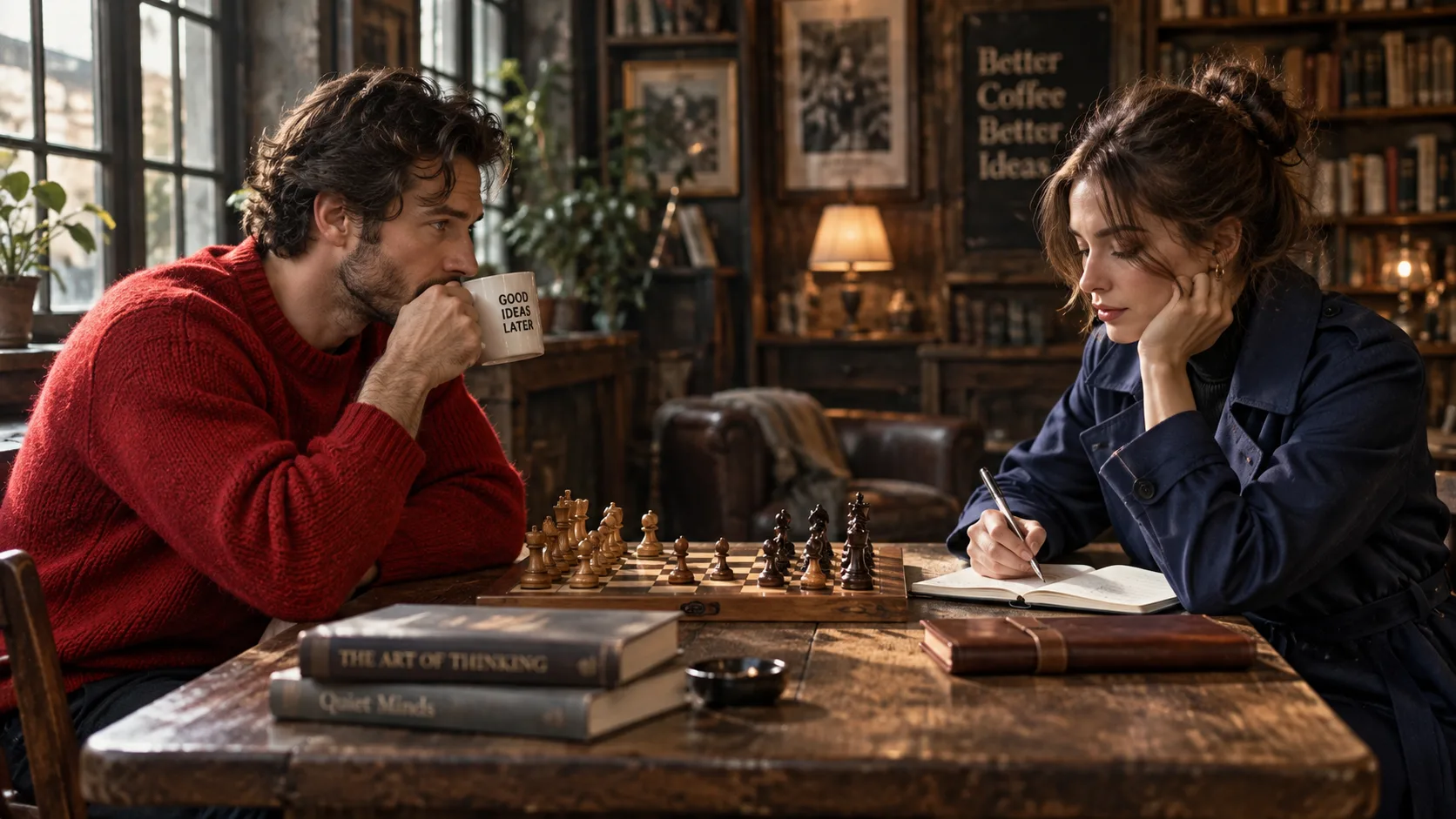
16. Strict Two-Character Color Binding
Two people sitting across each other at a wooden chess table. On the left: a man wearing a bright red wool sweater holding a white coffee mug. On the right: a woman wearing a navy blue trench coat taking notes with a silver fountain pen. Clear separation of clothing colors and props with no color bleeding.
- Why It Works: Explicit positional cues ("On the left...", "On the right...") prevent the red sweater color from bleeding onto the opposite character's coat.
- How to Tweak It: Introduce facial expressions like "man looking focused and analytical" and "woman smiling subtly".
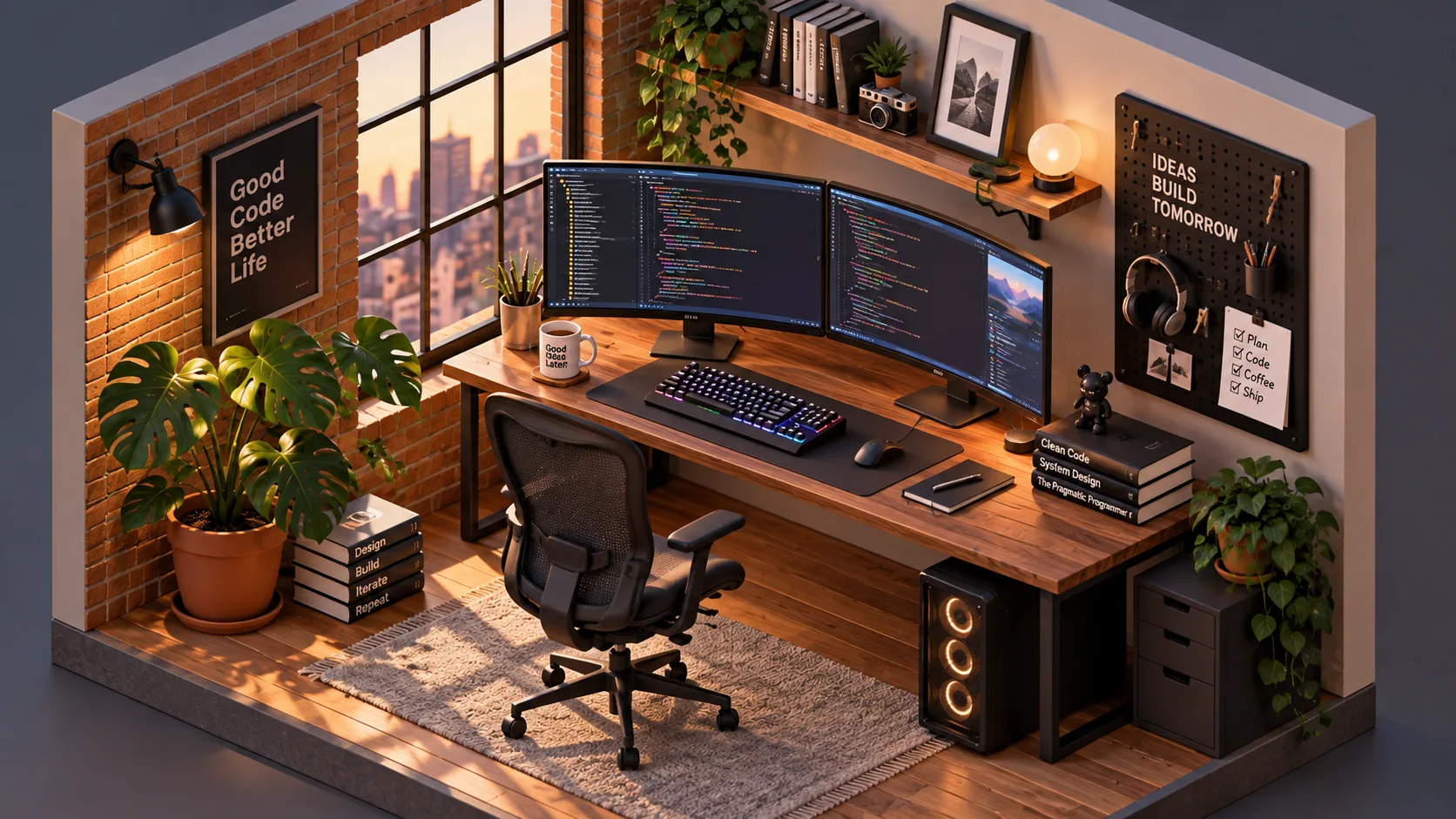
17. Isometric Cozy Developer Loft
- Why It Works: "Isometric 3D diorama" enforces orthographic perspective, eliminating wide-angle lens distortion on room edges.
- How to Tweak It: Change the profession: build an isometric botanist lab with terrariums and microscopes, or a music producer's analog synth rig.
18. Tactile Clay 3D Rocket App Icon
- Why It Works: Phrases like "polymer clay texture" and "tactile rounded edges" give the subject a warm, handmade feel suitable for modern UI asset libraries.
- How to Tweak It: Replace the rocket with a piggy bank for fintech apps or a magnifying glass for search engine branding.

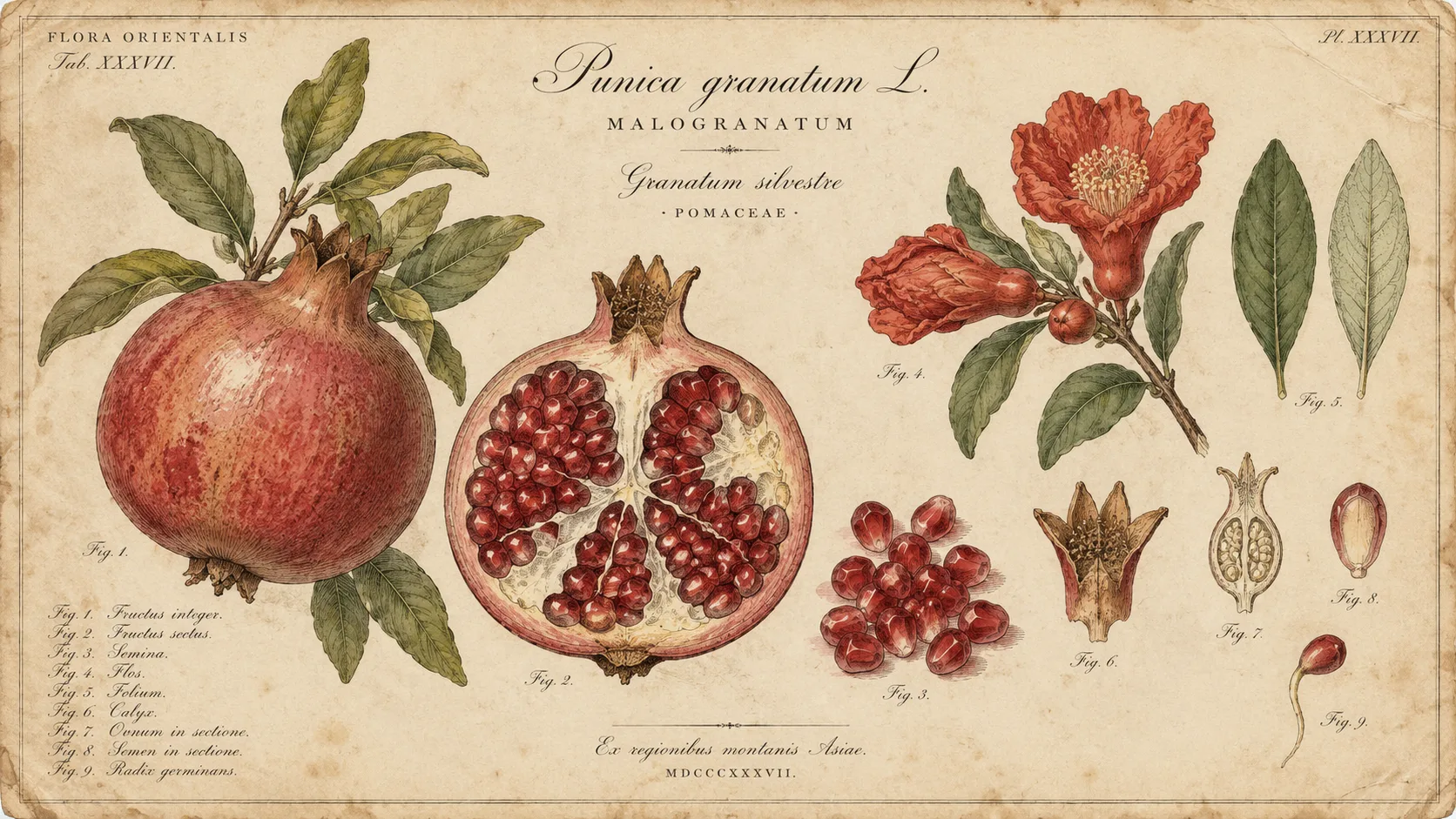
19. Scientific Botanical Parchment Plate
- Why It Works: "Dissected cross-sections" instructs the model to create instructional diagrams rather than generic still life arrangements.
- How to Tweak It: Substitute the pomegranate with medicinal herbs, exotic mushrooms, or rare sea creatures.
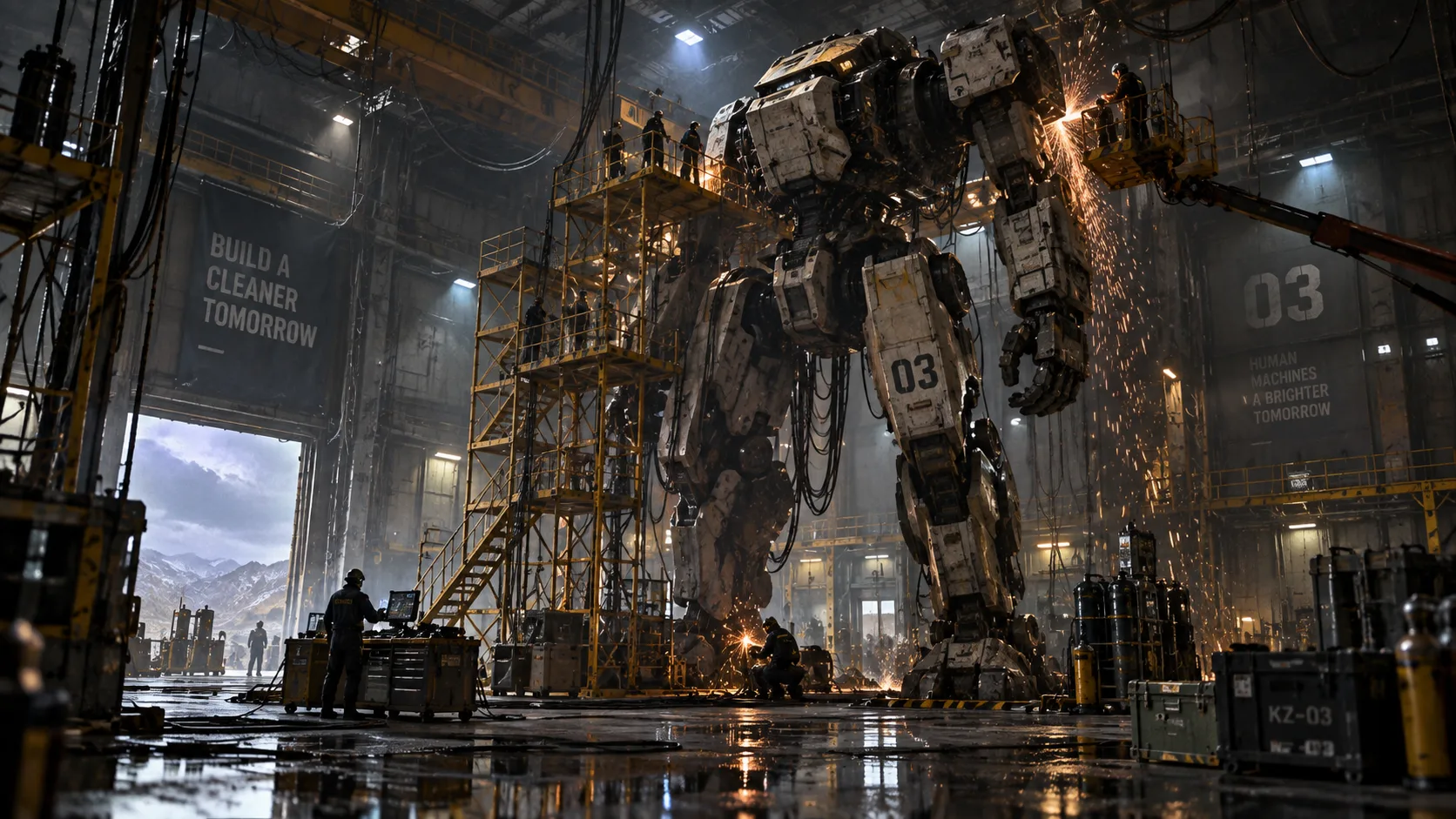
20. Futuristic Bipedal Mech Maintenance Bay
- Why It Works: Adding small environmental scale indicators (scaffolding, hanging cables) provides a sense of grandeur without muddying focal detail.
- How to Tweak It: Change lighting from "dimly lit hangar" to "harsh desert sunlight inside a destroyed hangar roof".
Pro Tip: The Zero-Drift Iteration Loop on Movmix
Generating an image is only half the battle; tweaking it without breaking the original composition is where GPT Image 2.5 stands out.
Instead of starting fresh when a detail needs adjustment, run this conversational prompt sequence on :
- Step 1 (Base Prompt): Run any of the 20 templates above (e.g., Template 6: Luxury Perfume).
- Step 2 (Precision Tweak): Send an incremental adjustment prompt:“Keep the perfume bottle shape, label text, and lighting angle 100% identical. Swap the dark slate floor with a block of polished white Carrara marble.”
By referencing what must remain unchanged, you prevent the composition from drifting while swapping textures and backgrounds on demand.
Frequently Asked Questions
Q: Why are my generated text letters still coming out blurry?
A: Ensure your target text is wrapped in standard double quotation marks ("TEXT"), not single quotes, and limit text elements to under 4 words per graphic element.
Q: Do I still need negative prompts with GPT Image 2.5?
A: Rarely. GPT Image 2.5 is trained to follow positive compositional directives. Rather than stating "no blur, no bad anatomy," specify precise framing like "macro focus, sharp edges, studio lighting."
Q: Can I run these prompts directly on Movmix?
A: Yes. All 20 formulas have been validated on the , with support for multi-turn editing and custom aspect ratios.
Ready to Put These Formulas into Practice?
Cut down iteration cycles and generate production-ready visuals now.
'%3e%3crect%20y='2.1906'%20width='26'%20height='17.4314'%20rx='1.55981'%20fill='white'/%3e%3c/g%3e%3crect%20x='0.311961'%20y='2.50256'%20width='25.3761'%20height='16.8075'%20rx='1.24784'%20stroke='%2322257C'%20stroke-width='0.623922'/%3e%3c/g%3e%3crect%20x='13.078'%20y='15.5656'%20width='10.8016'%20height='2.49569'%20rx='0.623922'%20fill='%2366B3FF'%20stroke='%2322257C'%20stroke-width='0.623922'/%3e%3crect%20x='-0.311961'%20y='0.311961'%20width='10.8016'%20height='2.49569'%20rx='0.623922'%20transform='matrix(-1%200%200%201%2012.61%2015.2536)'%20fill='%2366B3FF'%20stroke='%2322257C'%20stroke-width='0.623922'/%3e%3crect%20x='10.3093'%20y='13.3231'%20width='4.91339'%20height='6.98013'%20rx='2.45669'%20fill='%2322257C'/%3e%3cpath%20d='M18.9174%200.31543C20.5962%200.268025%2022.1261%200.655527%2023.9487%201.55762C24.0483%201.60695%2024.1137%201.71153%2024.1137%201.8291V16.502C24.1137%2016.7236%2023.8763%2016.891%2023.6499%2016.7979C21.803%2016.0377%2020.2158%2015.6963%2018.4975%2015.7705C16.8915%2015.8399%2015.1907%2016.2732%2013.0776%2017.0332V1.6709C15.4678%200.825877%2017.2746%200.36187%2018.9174%200.31543Z'%20fill='white'%20stroke='%2322257C'%20stroke-width='0.623922'/%3e%3cpath%20d='M15.3008%204.57C16.3536%203.94578%2019.2783%203.20503%2021.8909%203.94608'%20stroke='%2366B3FF'%20stroke-width='0.935883'%20stroke-linecap='round'/%3e%3cpath%20d='M15.3008%207.26054C16.3536%206.63631%2019.2783%205.89557%2021.8909%206.63661'%20stroke='%2366B3FF'%20stroke-width='0.935883'%20stroke-linecap='round'/%3e%3cpath%20d='M15.3008%209.95107C16.3536%209.32684%2019.2783%208.5861%2021.8909%209.32714'%20stroke='%2366B3FF'%20stroke-width='0.935883'%20stroke-linecap='round'/%3e%3cpath%20d='M15.3008%2012.6398C16.3536%2012.0156%2019.2783%2011.2749%2021.8909%2012.0159'%20stroke='%2366B3FF'%20stroke-width='0.935883'%20stroke-linecap='round'/%3e%3cpath%20d='M7.08257%200.31543C5.40384%200.268025%203.87393%200.655527%202.05132%201.55762C1.95165%201.60695%201.88628%201.71153%201.88628%201.8291V16.502C1.88628%2016.7236%202.12373%2016.891%202.35014%2016.7979C4.19702%2016.0377%205.78418%2015.6963%207.50249%2015.7705C9.10852%2015.8399%2010.8093%2016.2732%2012.9224%2017.0332V1.6709C10.5322%200.825877%208.72541%200.36187%207.08257%200.31543Z'%20fill='white'%20stroke='%2322257C'%20stroke-width='0.623922'/%3e%3cpath%20d='M10.6992%204.57C9.64638%203.94578%206.72175%203.20503%204.10907%203.94608'%20stroke='%2366B3FF'%20stroke-width='0.935883'%20stroke-linecap='round'/%3e%3cpath%20d='M10.6992%207.26054C9.64638%206.63631%206.72175%205.89557%204.10907%206.63661'%20stroke='%2366B3FF'%20stroke-width='0.935883'%20stroke-linecap='round'/%3e%3cpath%20d='M10.6992%209.95107C9.64638%209.32684%206.72175%208.5861%204.10907%209.32714'%20stroke='%2366B3FF'%20stroke-width='0.935883'%20stroke-linecap='round'/%3e%3cpath%20d='M10.6992%2012.6398C9.64638%2012.0156%206.72175%2011.2749%204.10907%2012.0159'%20stroke='%2366B3FF'%20stroke-width='0.935883'%20stroke-linecap='round'/%3e%3c/g%3e%3cdefs%3e%3cfilter%20x='0'%20y='2.1906'%20width='26'%20height='17.4314'%20filterUnits='userSpaceOnUse'%20color-interpolation-filters='sRGB'%3e%3cfeFlood%20flood-opacity='0'%20result='BackgroundImageFix'/%3e%3cfeBlend%20mode='normal'%20in='SourceGraphic'%20in2='BackgroundImageFix'%20result='shape'/%3e%3cfeColorMatrix%20in='SourceAlpha'%20type='matrix'%20values='0%200%200%200%200%200%200%200%200%200%200%200%200%200%200%200%200%200%20127%200'%20result='hardAlpha'/%3e%3cfeOffset%20dy='-1.24784'/%3e%3cfeComposite%20in2='hardAlpha'%20operator='arithmetic'%20k2='-1'%20k3='1'/%3e%3cfeColorMatrix%20type='matrix'%20values='0%200%200%200%200.572549%200%200%200%200%200.768627%200%200%200%200%200.976471%200%200%200%201%200'/%3e%3cfeBlend%20mode='normal'%20in2='shape'%20result='effect1_innerShadow_0_4'/%3e%3c/filter%3e%3c/defs%3e%3c/svg%3e)



