
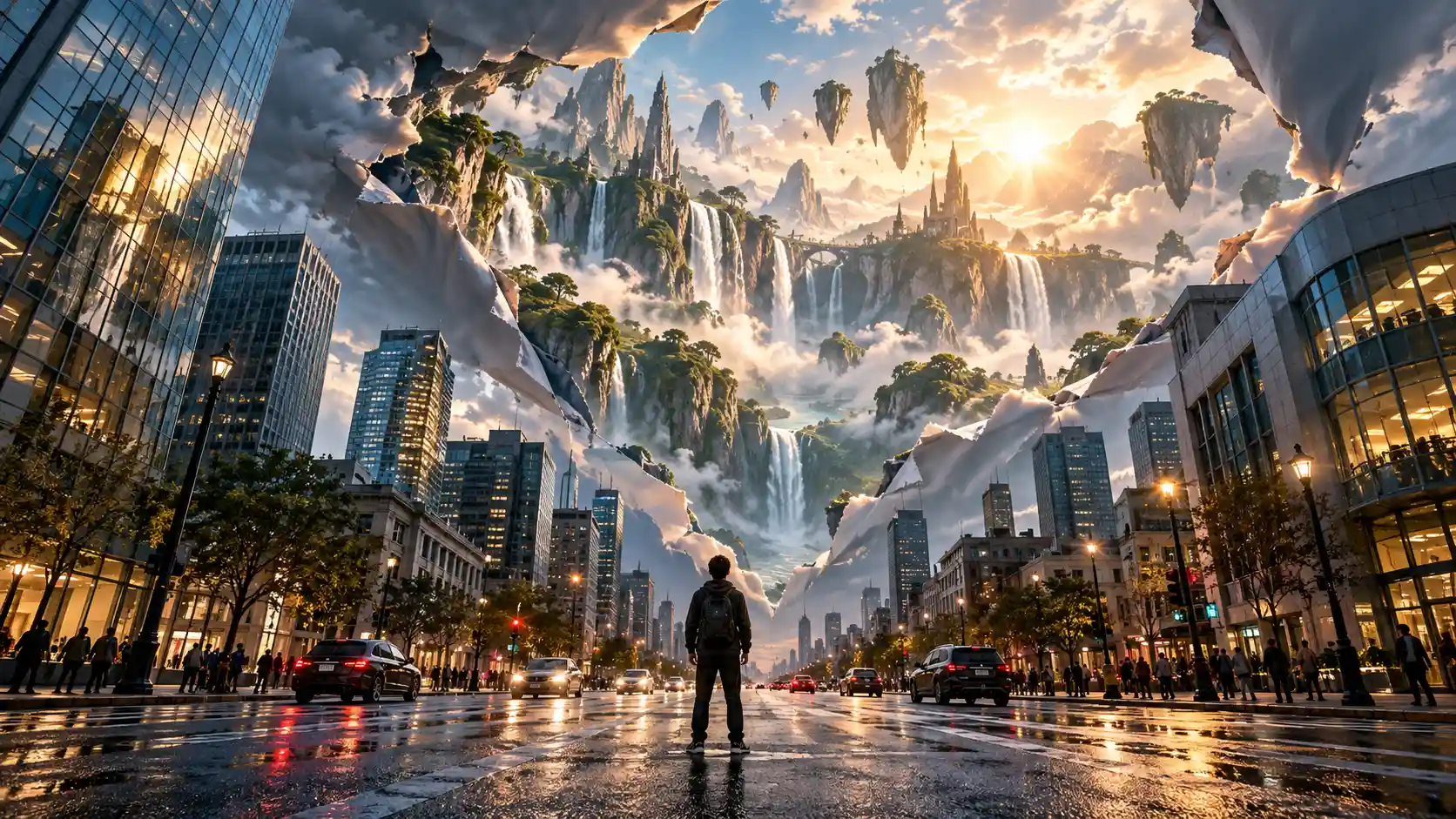
Coming up with a new Reel every day can be harder than making the video itself.
Some of the most eye-catching AI videos on Instagram and TikTok today go beyond simple realistic animation. They use giant animals, miniature worlds, impossible ASMR, surreal transformations, immersive POV scenes, and short visual stories to create something viewers instantly want to watch.
In this tutorial, you'll find 10 trending Instagram Reels ideas you can create with AI, along with reference image prompts, video prompts, and practical tips for turning each concept into your own content.
If you need more ready-to-use prompts, check out our AI Reels Prompts for more ideas you can copy and customize.
10 Trending Instagram Reels Ideas to Try With AI
1. Giant Pet in a Tiny World
Giant creatures + miniature worlds are a perfect combination for visually striking Reels. The extreme difference in scale creates an instantly recognizable visual hook, even before anything starts moving.
Reference Image Prompt
| Reference Image | Video Prompt |
|---|---|
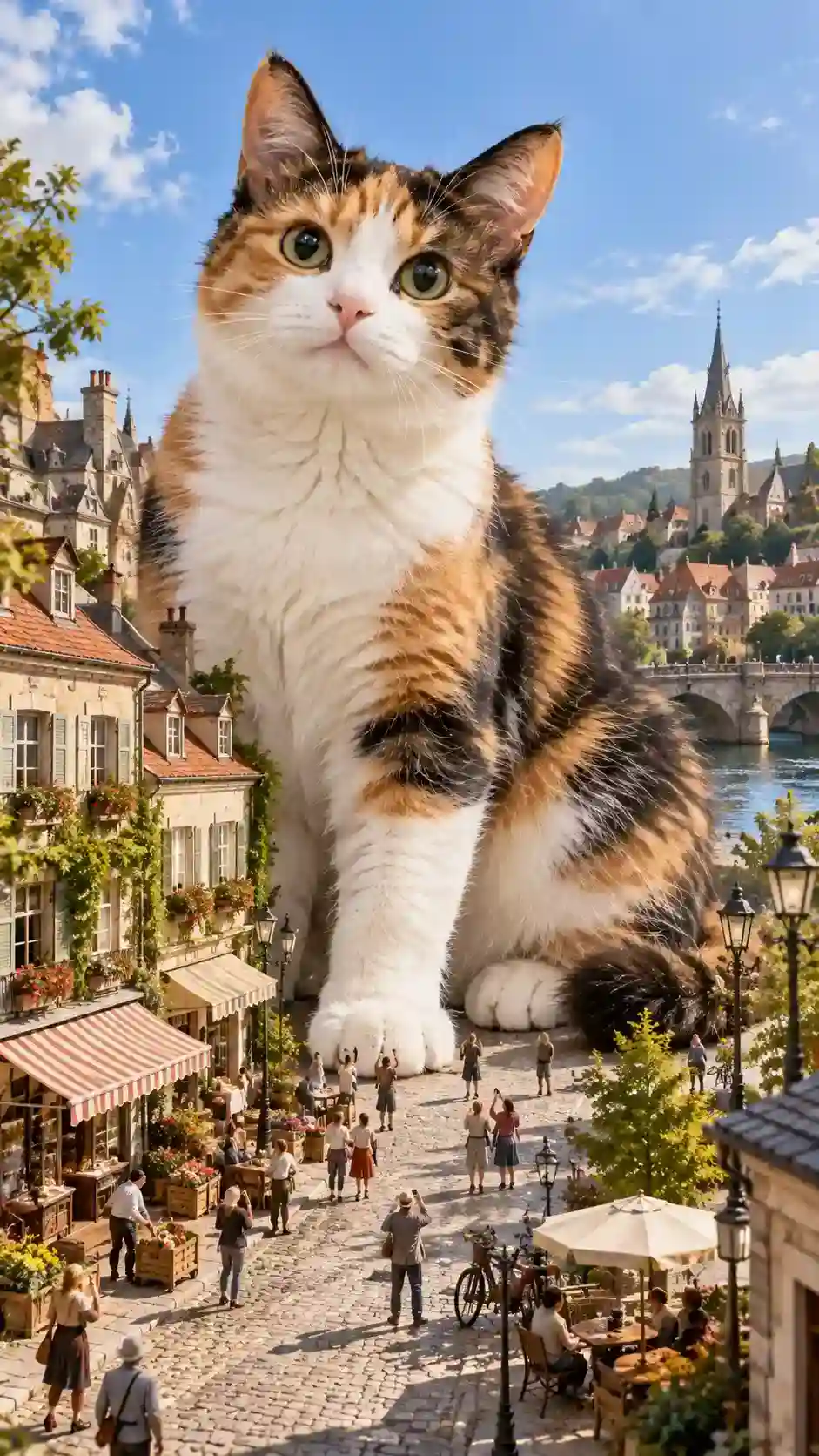 | Keep the calico cat's appearance, fur pattern, scale, lighting, and miniature city environment consistent. The camera slowly moves forward along the miniature street as the gigantic cat notices the tiny people below and gradually lowers its head toward them. As the cat moves closer, several miniature people stop and look up while others react naturally nearby. One enormous paw slowly moves from beside the buildings toward the edge of the street and stops. The cat looks down curiously at the miniature world. Continue the subtle camera push-in and end with the giant cat, its paw, the buildings, and the tiny people visible together, emphasizing the dramatic difference in scale. Natural cat movement, cinematic camera motion, rich environmental activity, immersive surreal realism. |
How to create it
The key is making the scale difference immediately obvious. Tiny people, bicycles, storefronts, and streetlights give viewers familiar size references. Then use the sequence cat approaches → people react → giant paw enters the street to turn a striking image into a short visual story.
Best for: Pet accounts / Surreal Reels / AI creators / Visual storytelling
Watch out: Keep the cat, buildings, and miniature people visible in the key shots. The clearer the scale reference, the stronger the visual impact.
2. Impossible Eating ASMR
AI eating ASMR has become a highly recognizable short-form video format because it combines familiar actions with materials and objects that could never exist as normal food.
For this example, we'll create a simple but instantly understandable concept: biting into a transparent crystal apple.
Reference Image Prompt
| Reference Image | Video Prompt |
|---|---|
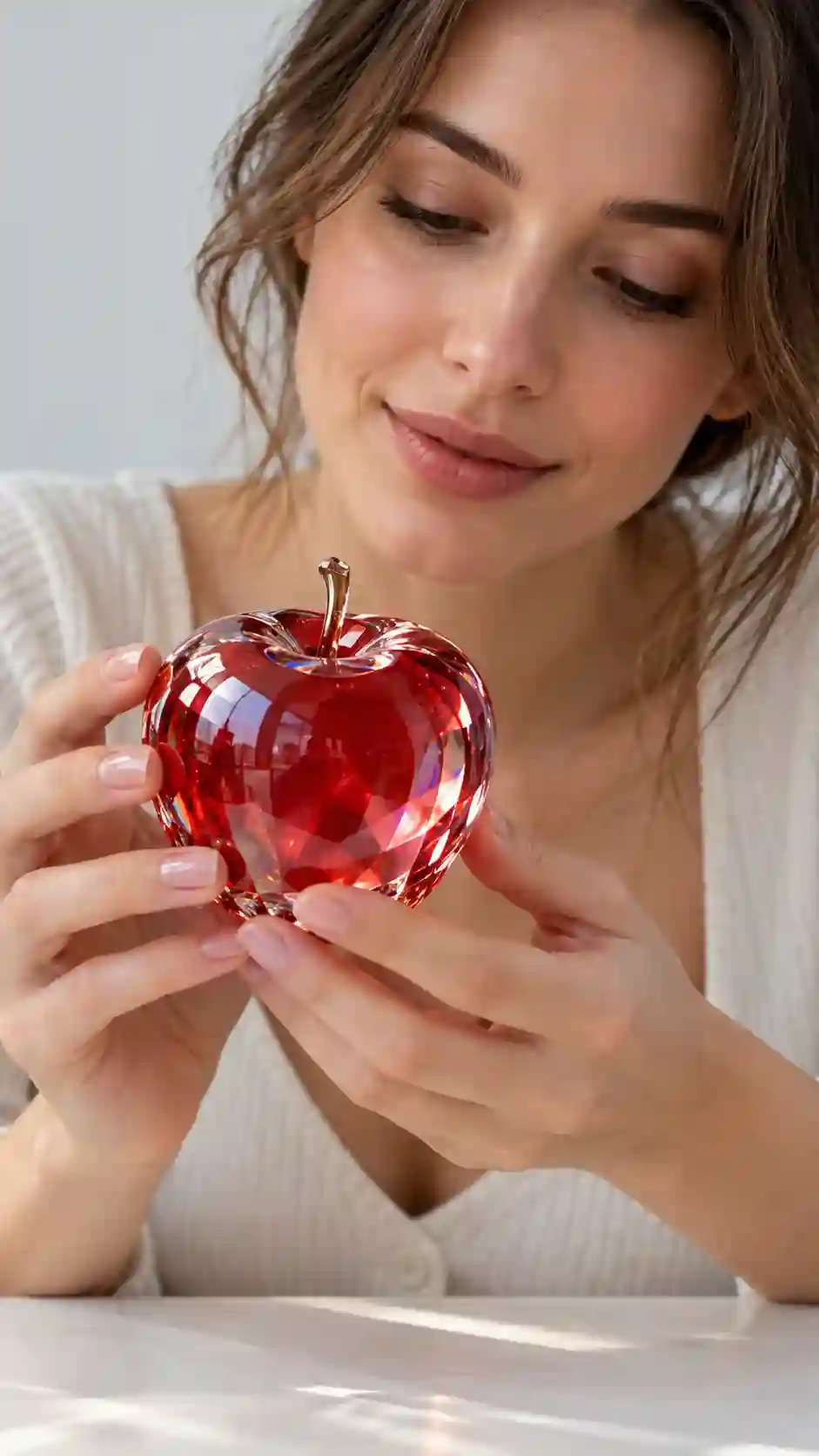 | The person slowly brings the transparent crystal apple toward her mouth and naturally takes a bite. As her teeth make contact with the apple, create a crisp, delicate crystal cracking sound. Fine realistic cracks spread across the surface and several small transparent fragments break away. Keep the camera close to capture the exact moment the teeth touch the crystal, the cracks spreading, and the transparent fragments breaking away. She then naturally chews, with detailed ASMR sound and a strong sense of material texture. |
How to create it
The hook comes from combining a familiar action with an impossible material. Everyone knows what biting an apple should look and sound like, so replacing that familiar texture with crystal creates an immediate visual and audio surprise.
Best for: ASMR accounts / Faceless content / AI visual accounts / Satisfying videos
Watch out: The bite is the payoff. Make the material reaction and ASMR sound strongest at the exact moment the teeth meet the crystal.
3. Enter a Magic Portal
Portal videos are a popular AI transition concept because they can turn an ordinary location into the beginning of a completely different world within seconds.
Reference Image Prompt
| Reference Image | Video Prompt |
|---|---|
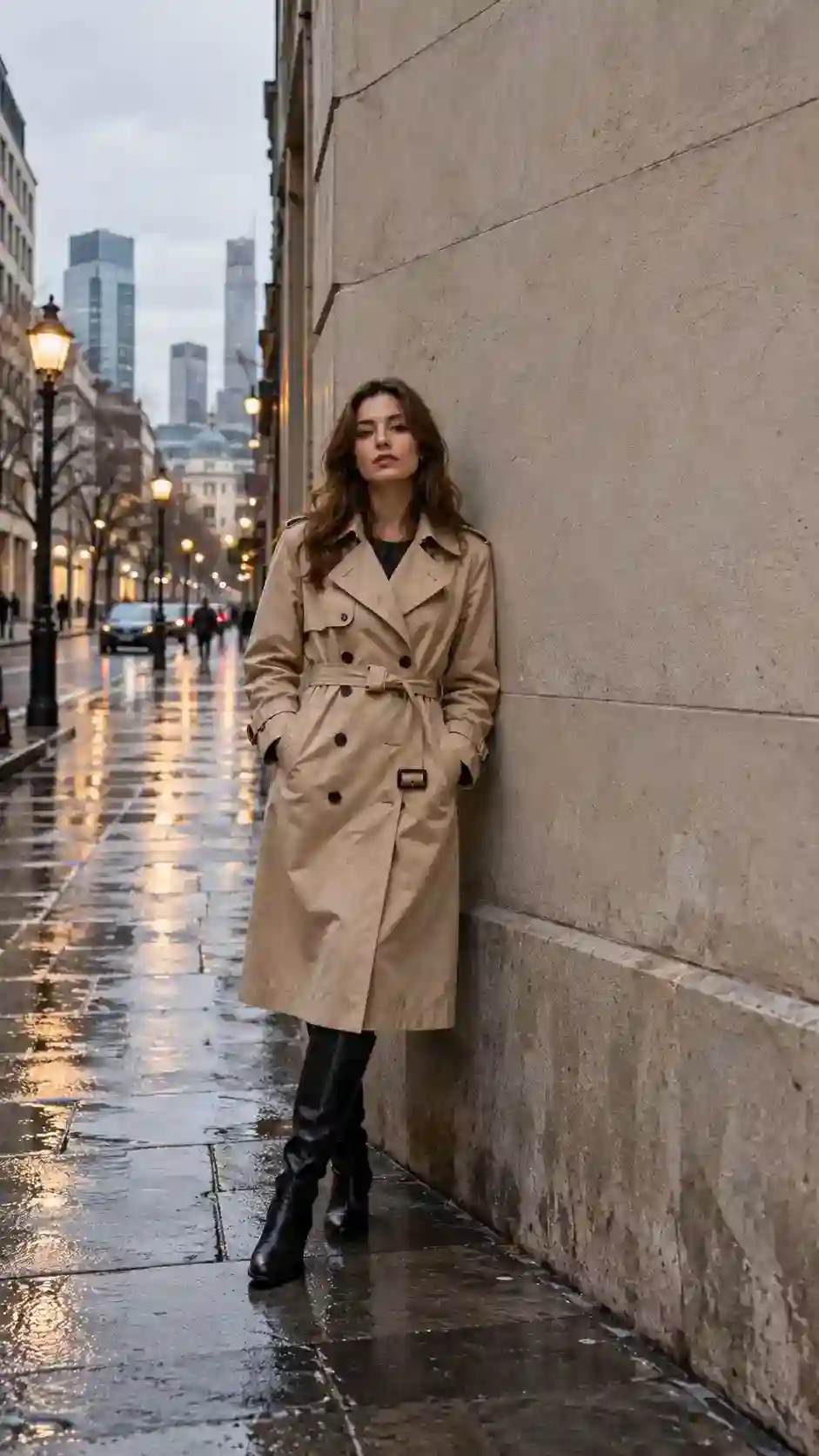 | Keep the person's identity, clothing, street environment, and lighting consistent. A glowing circular portal gradually appears on the wall behind her. Inside the portal is a bright mysterious valley filled with lush vegetation and warm sunlight. She notices the changing light behind her, slowly turns around, sees the portal, pauses briefly, then walks toward it and steps through. The camera smoothly follows her forward and eventually passes through the portal into the world on the other side, creating a seamless transition between the two environments. |
How to create it
This idea works because the visual progression is immediately clear:
Normal world → impossible doorway appears → the character enters it.
Make the world on the other side dramatically different from the starting location so the final transition feels like a real reveal.
Best for: POV stories / Fantasy content / Travel-style Reels / AI short stories
Watch out: The stronger the contrast between the two worlds, the more satisfying the portal transition feels.
4. Pet at Work
Pets acting like they have real jobs remain highly shareable social content, and AI makes it possible to turn that simple idea into a complete visual world.
Instead of another pet café, let's create a cat running a tiny flower shop.
Prompt
| Reference Image | Video Prompt |
|---|---|
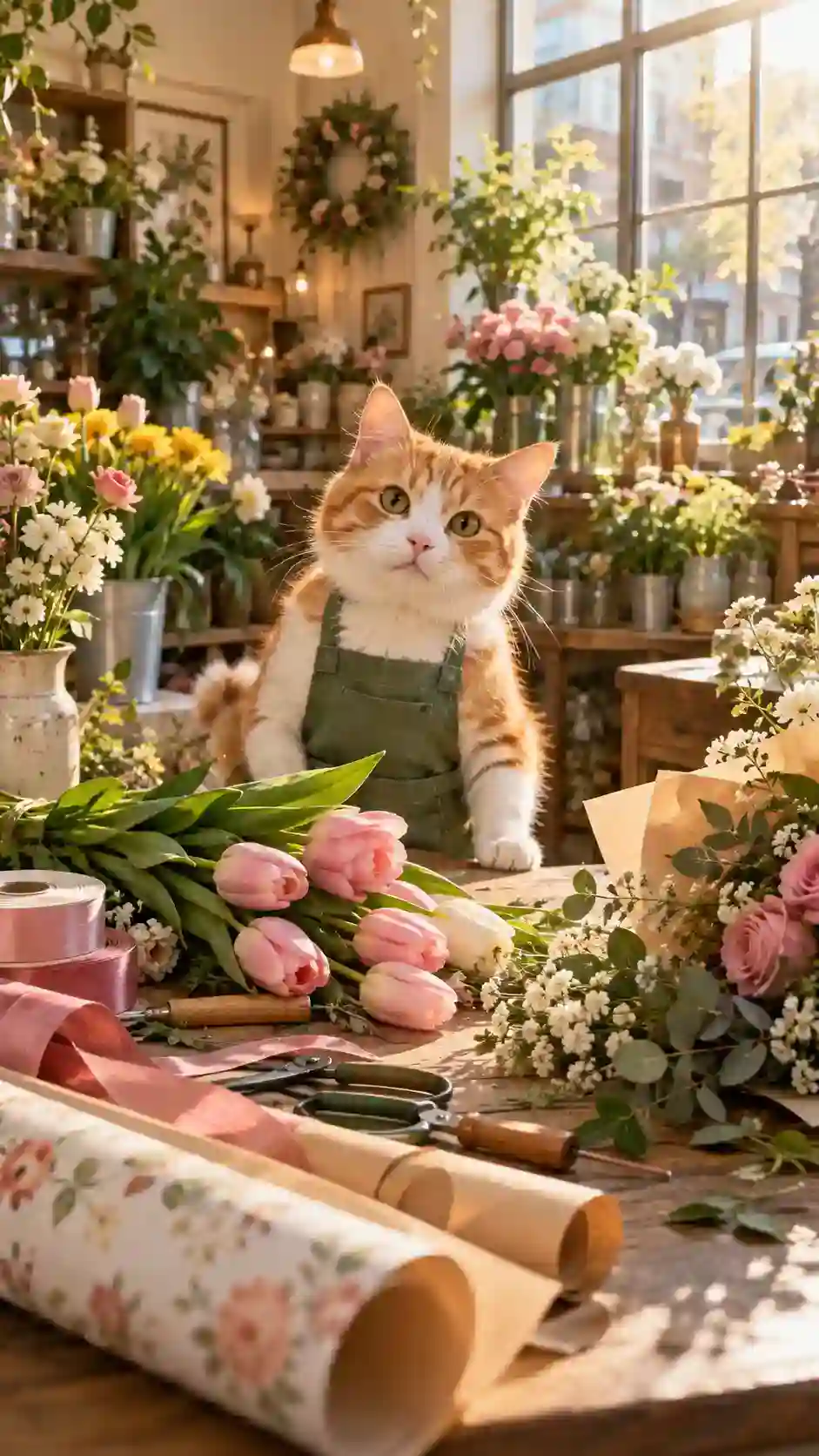 | Keep the cat's appearance, green apron, flowers, and shop environment consistent. The cat stands behind the counter and gently uses its front paws to arrange a bouquet, moving several loose flower stems toward the center. It then looks down at the bouquet, lightly touches the wrapping paper beside it with one paw, and finally looks toward the camera. Maintain the warm natural light and rich flower details, creating the feeling of a real little flower shop operated by the cat. |
How to create it
The fun comes from building a complete job scenario, not just dressing up the pet. The apron, work counter, flowers, wrapping paper, and tools immediately communicate that this cat is genuinely “at work.”
Best for: Pet accounts / Funny Reels / Brand social content / Series content
Watch out: Use props and environmental details to reinforce the job. The more recognizable the workplace is, the stronger the contrast becomes.
5. POV: Discover a Hidden World
POV Reels are naturally immersive because viewers experience the scene from the character's perspective.
For this idea, an ordinary wardrobe hides an entirely different world.
Prompt
| Reference Image | Video Prompt |
|---|---|
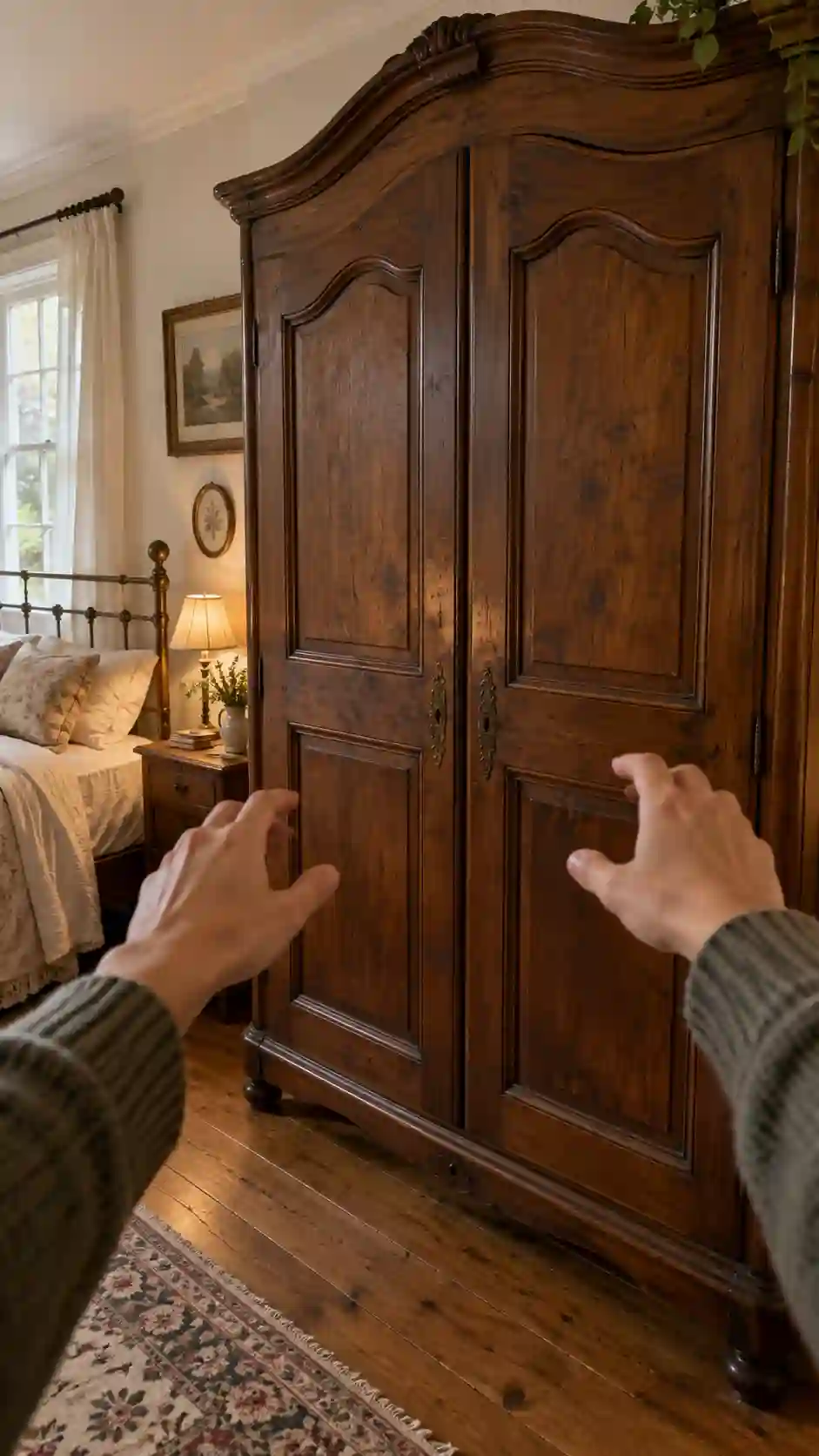 | From a first-person perspective, move slowly toward the wardrobe as both hands open the wooden doors. Instead of clothes, the wardrobe reveals a vast, bright fantasy forest filled with towering trees, soft mist, beams of sunlight, and tiny floating lights. The camera pauses briefly, then slowly moves forward through the wardrobe and enters the forest. Maintain one continuous first-person shot as the ordinary bedroom naturally transitions into the hidden fantasy world. |
How to create it
The appeal comes from placing something extraordinary behind something completely ordinary. The more familiar the bedroom feels at the beginning, the more surprising the hidden world becomes when the doors open.
Best for: POV Reels / Fantasy / Immersive content / Storytelling
Watch out: Give the bedroom and hidden world clearly different lighting, color, and atmosphere to make the reveal more dramatic.
6. Surreal City
One of the most effective formats in AI Reels is surprisingly simple:
Real world + one impossible element.
For example, imagine a gigantic whale-shaped cloud slowly floating between the skyscrapers of Manhattan.
Prompt
| Reference Image | Video Prompt |
|---|---|
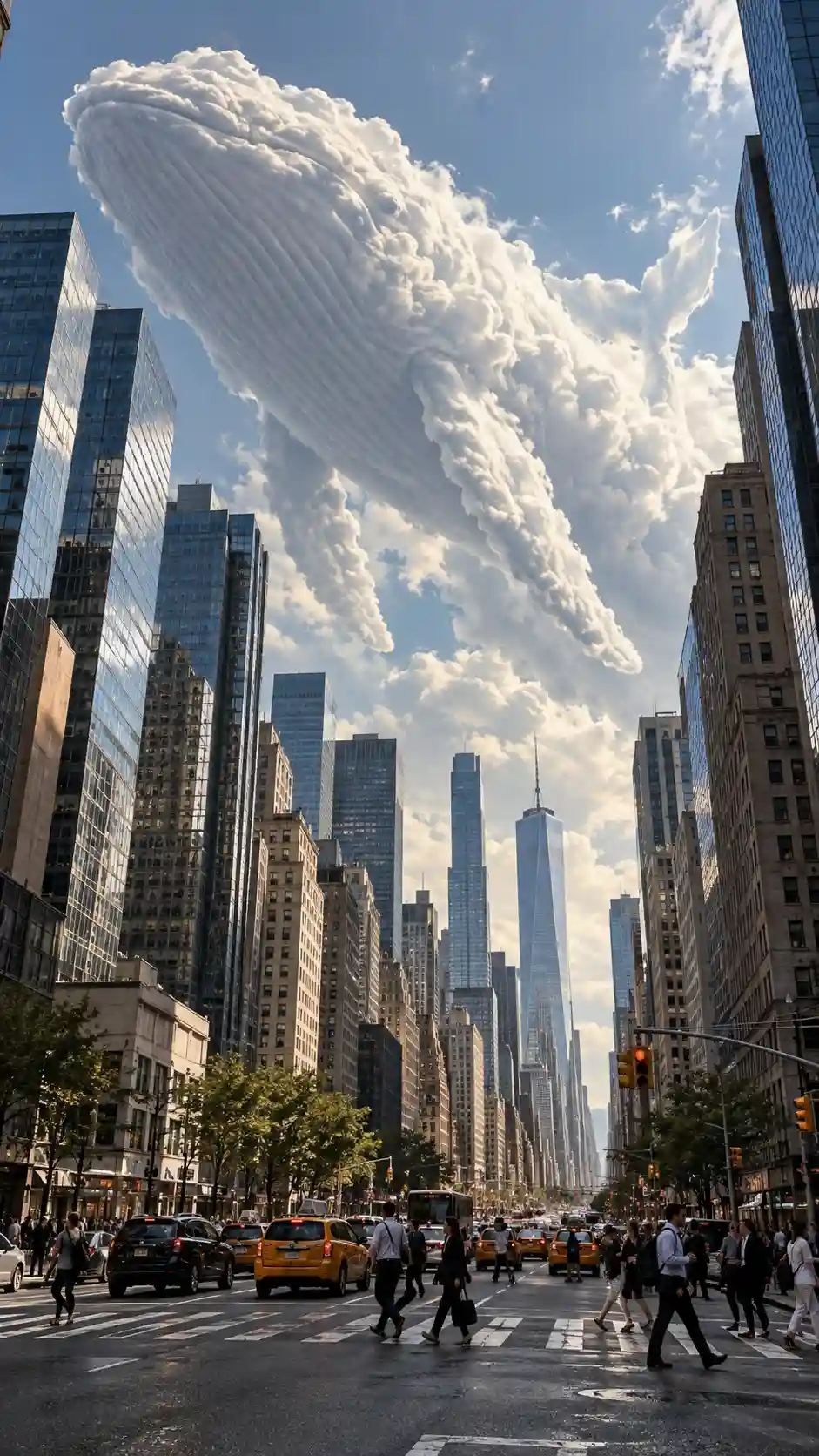 | Keep the New York street, buildings, pedestrians, and cloud whale visually consistent. The enormous whale-shaped cloud slowly floats forward between the skyscrapers. Its tail moves gently while soft cloud vapor naturally shifts around its body. Some pedestrians stop and look upward. Subtle reflections of the cloud appear across nearby glass buildings. The camera begins at a low street-level angle, slowly tilts upward, and moves forward to reveal the massive scale of the cloud whale against the skyscrapers. |
How to create it
This format works because viewers recognize the world but have never seen this version of it. A believable city makes the impossible object in the sky feel even more spectacular.
Best for: Surreal Reels / City content / AI art / Visual hooks
Watch out: Keep the environment grounded in realism. The contrast between a believable world and one impossible element is what makes the concept work.
7. Product in an Impossible Environment
AI Reels aren't only for entertainment. A growing style of product content uses spectacular environments that would be difficult or expensive to build in a traditional shoot.
For this example, we'll place a perfume bottle in the middle of a massive glacier.
Prompt
| Reference Image | Video Prompt |
|---|---|
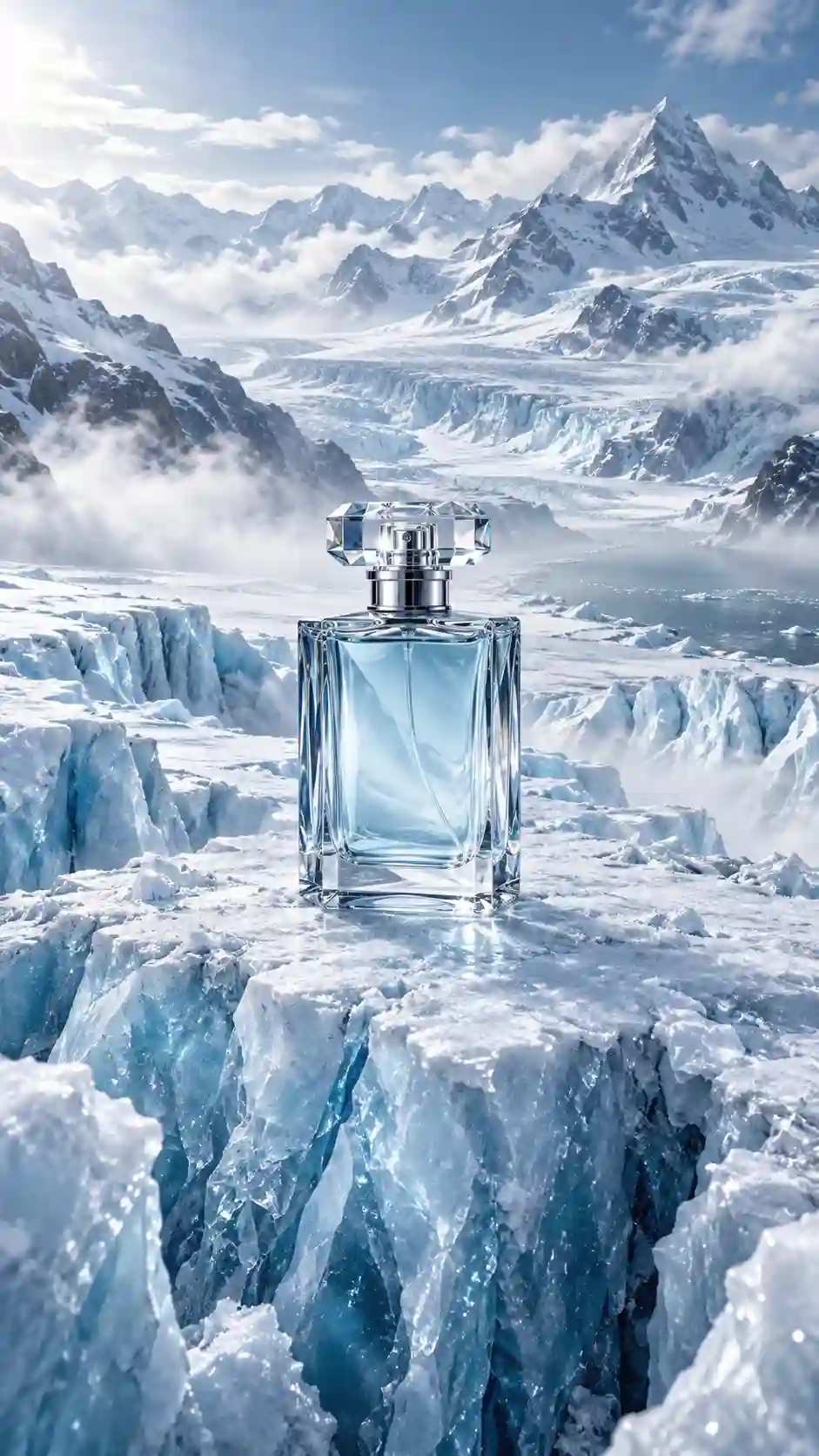 | Keep the perfume bottle design, proportions, glass material, and glacier environment consistent. The camera slowly pushes toward the product from a wider view. Tiny ice crystals shimmer across the glacier surface while cold mist gently moves around the bottle. As the camera gets closer, subtle cracks begin spreading through the ice beneath the perfume bottle. The surrounding glacier reflects soft blue light. End on a closer product shot that emphasizes the contrast between transparent glass, ice crystals, and moving mist. |
How to create it
The goal is to make the product feel like the center of an entire world. Instead of a conventional studio background, place it inside an environment that communicates its personality—ice, desert, clouds, flowers, or monumental architecture.
Best for: Brand accounts / Product ads / Ecommerce Reels / Creative campaigns
Watch out: Keep the product as the visual hero. The environment should amplify its identity, not compete with it.
8. Miniature Workers
Miniature worker videos turn familiar everyday objects into enormous working environments. It's an instantly understandable visual concept with plenty of room for detail.
Here, miniature technicians are repairing a gigantic mechanical watch.
Prompt
| Reference Image | Video Prompt |
|---|---|
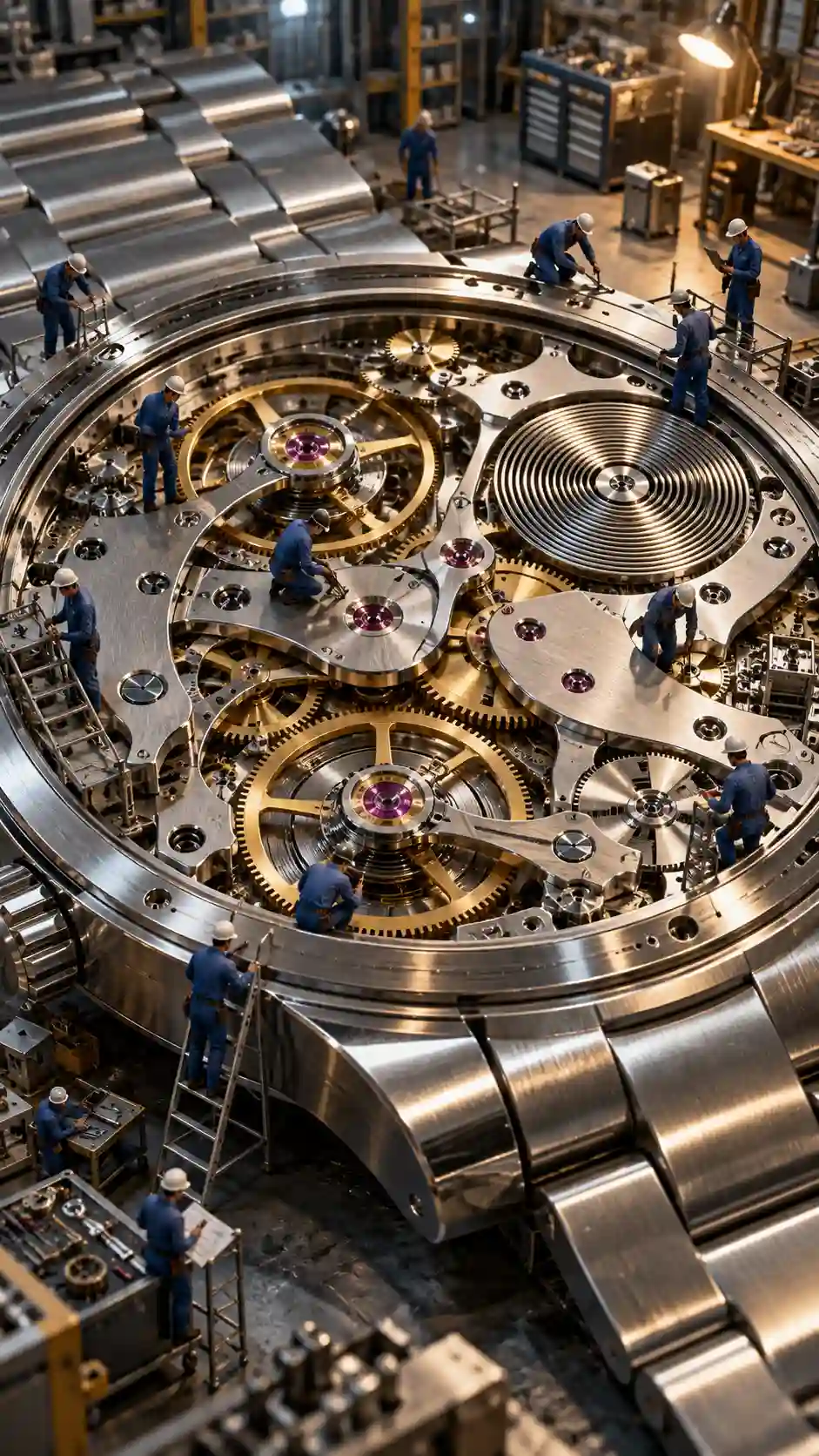 | The camera slowly moves across the surface of the enormous mechanical watch, revealing miniature technicians working across different sections. A small team pushes a large tool toward one of the gears while another technician inspects the mechanism from a ladder. Several enormous gears begin turning slowly as smaller mechanical components move naturally around them. The camera gradually approaches the intricate center mechanism, ending with a strong visual contrast between the miniature workers and the enormous precision machinery. |
How to create it
The fun comes from completely redefining the scale of an ordinary object. Watches, cameras, headphones, food, and even cups of coffee can become enormous environments filled with tiny stories.
Best for: Satisfying content / Product creativity / Miniature Reels / AI visual accounts
Watch out: Objects with interesting materials and internal structures give the miniature world more visual details for viewers to explore.
9. Fantasy Transformation
Bringing a static object to life is a great format for eye-catching AI short-form videos. At first, viewers see an ordinary painting. Seconds later, the character begins to move—and eventually steps completely out of the frame into the real world.
Prompt
| Reference Image | Video Prompt |
|---|---|
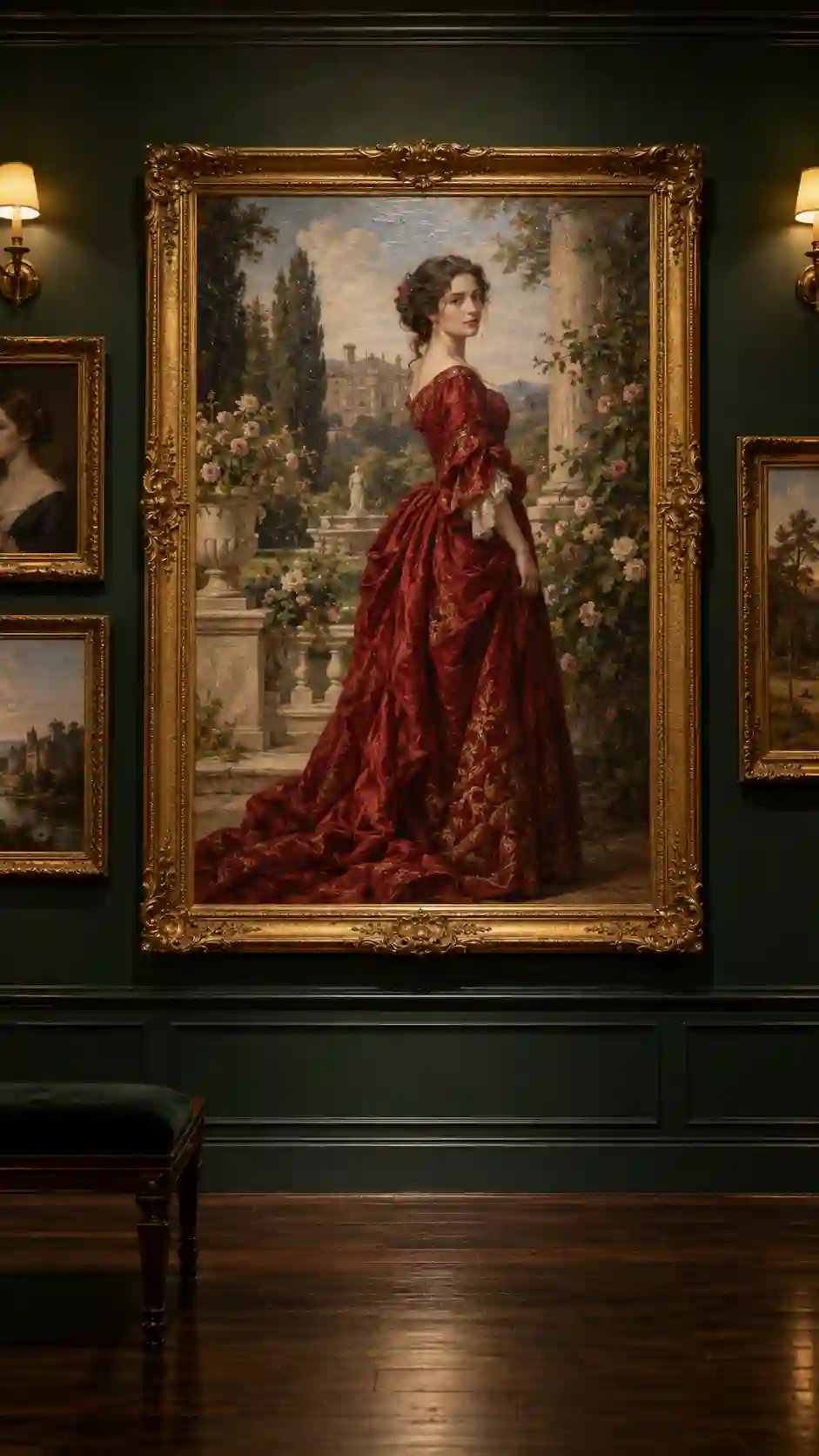 | Keep the gallery, gold frame, and character visually consistent. The camera slowly pushes toward the painting. The painted character begins completely still, then gently blinks and slowly turns her head toward the camera. She takes a step forward as her body gradually transitions from a two-dimensional oil painting into a realistic three-dimensional person. She places one hand on the edge of the gold frame and steps over the bottom of the frame into the real gallery. Once fully outside the painting, the character and her clothing become photorealistic while the estate garden remains painted inside the frame. The camera subtly pulls back to reveal her standing in front of the artwork, emphasizing the transition from painted art into the real world. |
How to create it
The hook comes from a clear progression: still painting → character starts moving → character steps into reality. Let the opening look like an ordinary gallery before a blink or head turn signals that something is wrong. The final step out of the frame becomes the main visual reveal.
Best for: Art Reels / Surreal content / AI creators / Visual storytelling
Watch out: Create a noticeable contrast between the painted texture inside the artwork and the photorealistic character after she enters the gallery. That transition is what makes the final reveal feel striking.
10. 10-Second Mystery Story
Not every engaging Reel needs a giant visual spectacle.
A short mystery with an unanswered ending can be just as effective at keeping viewers watching—and can naturally lead into the next video.
Prompt
| Reference Image | Video Prompt |
|---|---|
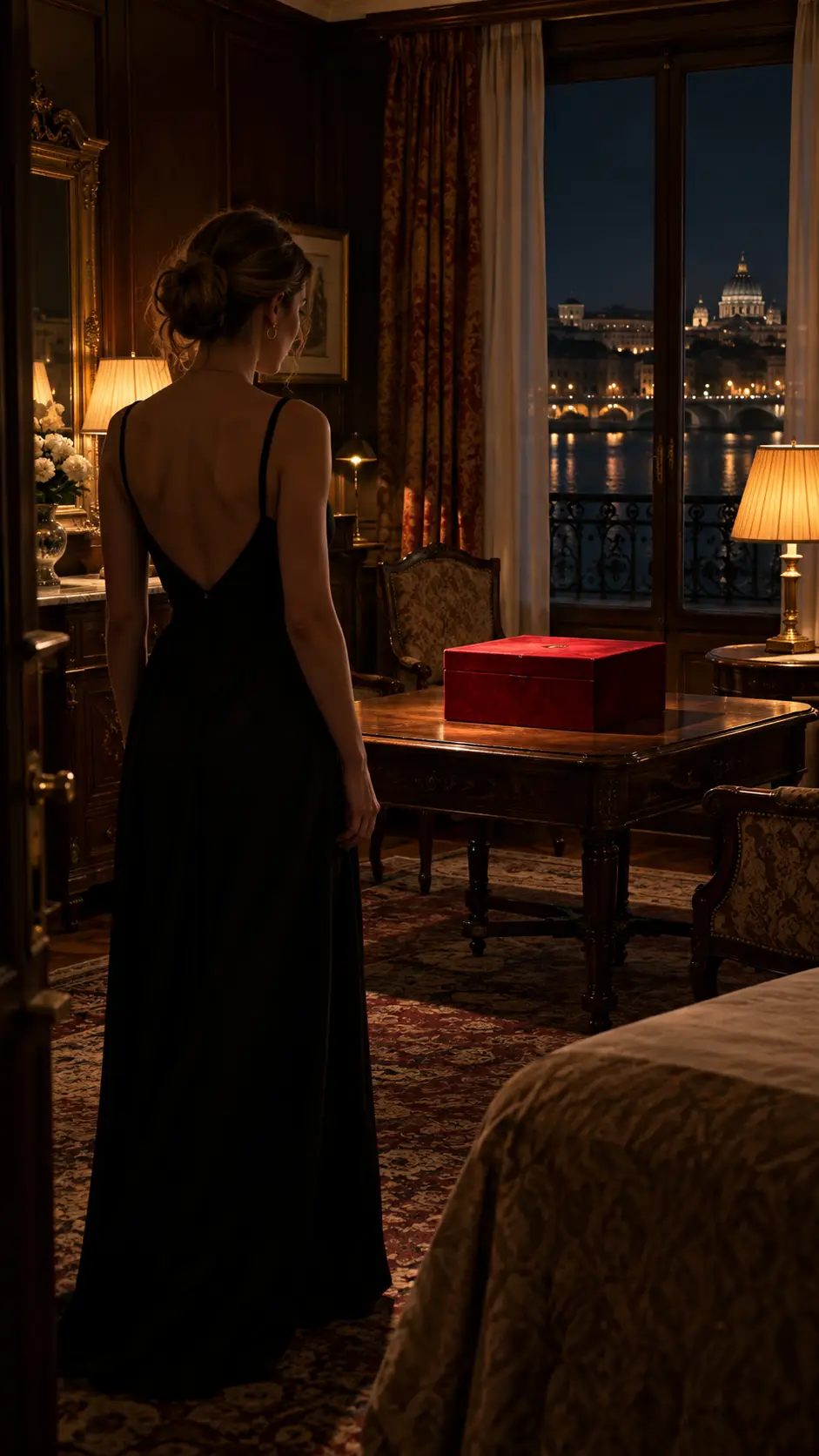 | The woman enters the hotel room and suddenly stops after noticing the red box on the table. The camera slowly pushes toward the table as she approaches the box and carefully reaches out to open the lid. The moment the box opens, an intense mysterious white light shines from inside, illuminating her face and the entire room. She reacts with surprise and looks into the box, but the camera never reveals what is actually inside. End the video immediately after the light reaches its brightest point, leaving the mystery unresolved. |
How to create it
This Reel is built around one simple question:
“What's inside the box?”
Discovery, approach, opening, and the final unrevealed answer all move the viewer toward the same payoff. You can then turn the concept into a Part 1 / Part 2 series.
Best for: Story Reels / Mystery content / Series / AI short films
Watch out: You don't always need to reveal everything. The unanswered question can become the reason viewers want to watch the next Reel.
How to Turn One Trending Reel Idea Into a Series
A strong Instagram Reel idea doesn't have to be used only once.
Take Giant Pet in a Tiny World as an example:
| Episode | Idea |
|---|---|
| 1 | Giant Calico Cat in a European Town |
| 2 | Giant Corgi in New York |
| 3 | Giant Rabbit in Tokyo |
| 4 | Giant Parrot in Paris |
The same strategy works for almost every concept in this guide.
Impossible ASMR can use new objects and materials. Miniature Workers can explore watches, cameras, headphones, food, and everyday objects. Portal Reels can connect completely different worlds. 10-Second Mystery Stories can become an ongoing narrative.
Instead of searching for a completely new concept every day, find a visual format your audience responds to and keep changing the subject, environment, action, or story.
How to Create These Instagram Reels With Movmix
Although these 10 ideas look completely different, you can use a similar workflow to create them.
Step 1: Choose Your Reel Idea
Start by choosing the type of content you want to create: Surreal, ASMR, POV, Transformation, Product, or Story.
For immediate visual impact, try Giant Pet, Surreal City, or Miniature Workers. For immersive content, start with Portal or POV Hidden World.
Step 2: Create a Strong First Frame
Use the Reference Image Prompt from your chosen example to create the starting image.
Your first frame establishes the character, pet, product, environment, scale, and overall visual style. It also gives viewers their first impression when they discover your Reel.
Step 3: Upload the Image to Movmix and Choose a Video Model
Upload your first-frame image to Movmix and select the AI video model that fits the effect you want to create.
Start with a strong first-frame image, upload it to Movmix, choose your video model, and then use the Video Prompt to control exactly what happens next.
Step 4: Add Your Video Prompt
Copy the Video Prompt from the example or customize the movement, camera motion, environment, transformation, and ending.
For more ready-to-use prompt structures, explore our AI Reels Prompts.
Step 5: Turn the Result Into a Series
If one Reel gets strong views, watch time, saves, or engagement, you don't have to abandon the concept and start over.
Keep the recognizable visual format and introduce a new subject, setting, action, or story. One successful idea can become an entire content series.
Which Instagram Reels Idea Should You Try First?
For immediate visual impact, start with Giant Pet, Surreal City, or Miniature Workers.
For satisfying content that makes people want to keep watching, try Impossible ASMR.
For stronger immersion, try POV Hidden World or Portal.
If you're creating content for a brand or product, Product in an Impossible Environment can turn a simple product image into something closer to a creative campaign.
And if you want viewers to follow the story beyond a single video, try the 10-Second Mystery Story and turn it into a series.
The goal isn't simply to copy a trending AI video. It's to take visual formats people already enjoy watching and turn them into something recognizably yours.
Choose one idea, create your first frame, and start making your next Reel.
If you're new to the process, continue with our How to Make Reels With AI tutorial for the complete workflow from first frame to finished video.
'%3e%3crect%20y='2.1906'%20width='26'%20height='17.4314'%20rx='1.55981'%20fill='white'/%3e%3c/g%3e%3crect%20x='0.311961'%20y='2.50256'%20width='25.3761'%20height='16.8075'%20rx='1.24784'%20stroke='%2322257C'%20stroke-width='0.623922'/%3e%3c/g%3e%3crect%20x='13.078'%20y='15.5656'%20width='10.8016'%20height='2.49569'%20rx='0.623922'%20fill='%2366B3FF'%20stroke='%2322257C'%20stroke-width='0.623922'/%3e%3crect%20x='-0.311961'%20y='0.311961'%20width='10.8016'%20height='2.49569'%20rx='0.623922'%20transform='matrix(-1%200%200%201%2012.61%2015.2536)'%20fill='%2366B3FF'%20stroke='%2322257C'%20stroke-width='0.623922'/%3e%3crect%20x='10.3093'%20y='13.3231'%20width='4.91339'%20height='6.98013'%20rx='2.45669'%20fill='%2322257C'/%3e%3cpath%20d='M18.9174%200.31543C20.5962%200.268025%2022.1261%200.655527%2023.9487%201.55762C24.0483%201.60695%2024.1137%201.71153%2024.1137%201.8291V16.502C24.1137%2016.7236%2023.8763%2016.891%2023.6499%2016.7979C21.803%2016.0377%2020.2158%2015.6963%2018.4975%2015.7705C16.8915%2015.8399%2015.1907%2016.2732%2013.0776%2017.0332V1.6709C15.4678%200.825877%2017.2746%200.36187%2018.9174%200.31543Z'%20fill='white'%20stroke='%2322257C'%20stroke-width='0.623922'/%3e%3cpath%20d='M15.3008%204.57C16.3536%203.94578%2019.2783%203.20503%2021.8909%203.94608'%20stroke='%2366B3FF'%20stroke-width='0.935883'%20stroke-linecap='round'/%3e%3cpath%20d='M15.3008%207.26054C16.3536%206.63631%2019.2783%205.89557%2021.8909%206.63661'%20stroke='%2366B3FF'%20stroke-width='0.935883'%20stroke-linecap='round'/%3e%3cpath%20d='M15.3008%209.95107C16.3536%209.32684%2019.2783%208.5861%2021.8909%209.32714'%20stroke='%2366B3FF'%20stroke-width='0.935883'%20stroke-linecap='round'/%3e%3cpath%20d='M15.3008%2012.6398C16.3536%2012.0156%2019.2783%2011.2749%2021.8909%2012.0159'%20stroke='%2366B3FF'%20stroke-width='0.935883'%20stroke-linecap='round'/%3e%3cpath%20d='M7.08257%200.31543C5.40384%200.268025%203.87393%200.655527%202.05132%201.55762C1.95165%201.60695%201.88628%201.71153%201.88628%201.8291V16.502C1.88628%2016.7236%202.12373%2016.891%202.35014%2016.7979C4.19702%2016.0377%205.78418%2015.6963%207.50249%2015.7705C9.10852%2015.8399%2010.8093%2016.2732%2012.9224%2017.0332V1.6709C10.5322%200.825877%208.72541%200.36187%207.08257%200.31543Z'%20fill='white'%20stroke='%2322257C'%20stroke-width='0.623922'/%3e%3cpath%20d='M10.6992%204.57C9.64638%203.94578%206.72175%203.20503%204.10907%203.94608'%20stroke='%2366B3FF'%20stroke-width='0.935883'%20stroke-linecap='round'/%3e%3cpath%20d='M10.6992%207.26054C9.64638%206.63631%206.72175%205.89557%204.10907%206.63661'%20stroke='%2366B3FF'%20stroke-width='0.935883'%20stroke-linecap='round'/%3e%3cpath%20d='M10.6992%209.95107C9.64638%209.32684%206.72175%208.5861%204.10907%209.32714'%20stroke='%2366B3FF'%20stroke-width='0.935883'%20stroke-linecap='round'/%3e%3cpath%20d='M10.6992%2012.6398C9.64638%2012.0156%206.72175%2011.2749%204.10907%2012.0159'%20stroke='%2366B3FF'%20stroke-width='0.935883'%20stroke-linecap='round'/%3e%3c/g%3e%3cdefs%3e%3cfilter%20x='0'%20y='2.1906'%20width='26'%20height='17.4314'%20filterUnits='userSpaceOnUse'%20color-interpolation-filters='sRGB'%3e%3cfeFlood%20flood-opacity='0'%20result='BackgroundImageFix'/%3e%3cfeBlend%20mode='normal'%20in='SourceGraphic'%20in2='BackgroundImageFix'%20result='shape'/%3e%3cfeColorMatrix%20in='SourceAlpha'%20type='matrix'%20values='0%200%200%200%200%200%200%200%200%200%200%200%200%200%200%200%200%200%20127%200'%20result='hardAlpha'/%3e%3cfeOffset%20dy='-1.24784'/%3e%3cfeComposite%20in2='hardAlpha'%20operator='arithmetic'%20k2='-1'%20k3='1'/%3e%3cfeColorMatrix%20type='matrix'%20values='0%200%200%200%200.572549%200%200%200%200%200.768627%200%200%200%200%200.976471%200%200%200%201%200'/%3e%3cfeBlend%20mode='normal'%20in2='shape'%20result='effect1_innerShadow_0_4'/%3e%3c/filter%3e%3c/defs%3e%3c/svg%3e)



