
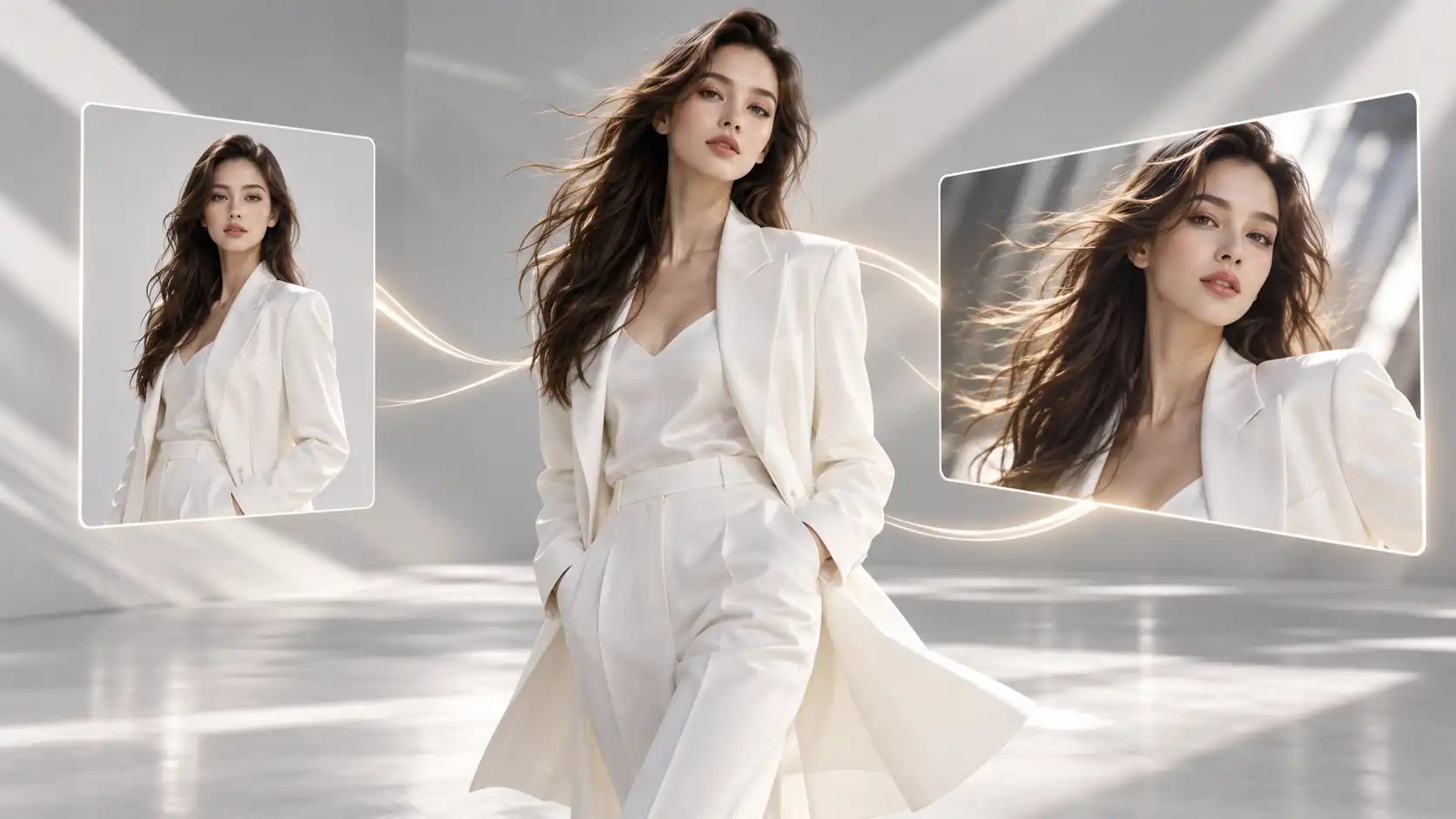
Imagine you've created a beautiful product image and found a commercial with exactly the camera movement you want.
Your goal is simple: keep the product from your image, but borrow the camera movement from the video.
Sounds easy, right?
Not always.
If you simply tell an AI video generator to "make this product move like the reference video," it might change the product's appearance, alter the background, or even introduce objects from the original clip.
The problem isn't necessarily your reference materials. It's that the model hasn't been given a clear explanation of what each reference should control.
With Movmix Reference to Video, creators can work with supported combinations of images, video clips, and other reference materials to provide more specific creative direction.
In this guide, we'll explore three practical workflows that go beyond basic character replacement:
- Creating a premium perfume commercial using a camera-motion reference.
- Producing a fashion portrait using a moving-light reference.
- Combining multiple references to create a vintage theater opening.
Each example demonstrates a different way to use reference to video AI without letting the reference materials compete with one another.
1. What Is Reference to Video AI?
Reference to Video AI is a video-generation workflow that uses existing visual or audio materials to guide the creation of a new video.
Unlike a basic image-to-video workflow, you aren't necessarily limited to providing one static image and describing the rest through text.
Depending on the selected model, you may be able to combine several reference types, assigning each one a different purpose.
| Reference Type | What It Can Provide | Creative Purpose |
|---|---|---|
| Reference Image | Subject appearance, clothing, materials, environment | Defines what the final video should feature |
| Reference Video | Motion, camera movement, action sequence | Guides how the scene should move |
| Reference Audio | Music, rhythm, environmental sound | Provides sound direction when supported |
| Video Prompt | Instructions and priorities | Explains what to preserve and what to change |
Here's the most important rule:
Don't ask every reference to control every part of the final video.
Let's say you upload an image of a perfume bottle and a video showing the camera moving around a ceramic vase.
You might only want the camera movement from that video—not the vase, its material, or its background.
Your prompt should therefore make the distinction clear:
The image controls product appearance. The video provides the camera-motion reference.
Clear reference assignments can reduce conflicts and make the generation process easier to manage, although the degree of control depends on the selected model.
2. How to Prepare Better Reference Materials
Before jumping into the examples, there's something worth remembering:
More references don't automatically mean better results.
Imagine uploading several product photos with conflicting compositions, followed by three videos featuring completely different camera movements.
You're giving the model plenty of information, but very little direction about which information matters most.
A better approach is to start with a small number of references and assign each one a specific role.
Ask yourself three questions.
1. What should appear in the final video?
Choose a clear image of your main subject. Ideally, it should show the complete structure without unnecessary obstruction.
2. What exactly do you want to borrow from the reference video?
Is it a character's movement, a camera push-in, a lighting transition, or the timing of a particular action?
Instead of writing "follow this video," identify the specific element you want to reference.
3. What must remain unchanged?
List the important details, such as product shape, clothing, scene layout, materials, or key objects.
Once these decisions are clear, writing the final Video Prompt becomes much easier.
Let's look at three different creative applications.
3. Example 1: Create a Premium Perfume Commercial With Camera-Motion References
Technique: Let the image control product appearance and the video control camera movement.
Our first example is a luxury perfume commercial.
The final scene features an amber-colored perfume bottle resting on a natural stone pedestal. The camera moves slowly from left to right, revealing subtle changes in the reflections on its glass surface and metallic cap.
We don't need the bottle to rotate. We don't need elaborate liquid effects either.
We only need two reference materials:
- Reference Image A: Defines the perfume bottle.
- Reference Video B: Provides smooth horizontal commercial camera movement.
First, create the product image.
| Reference Image Prompt | Output |
|---|---|
| 16:9 horizontal premium product photograph. An elegant transparent amber-glass perfume bottle sits at the center of a light natural stone pedestal. The bottle has a minimalist rectangular design with softly rounded edges, a refined metallic cap, and warm light-amber liquid inside. Clean modern commercial photography studio background. Soft golden side lighting highlights the transparent glass, product silhouette, and metallic reflections. Keep the entire bottle clearly visible with generous composition space around it. Realistic luxury product photography, no text, no logo, no watermark. | 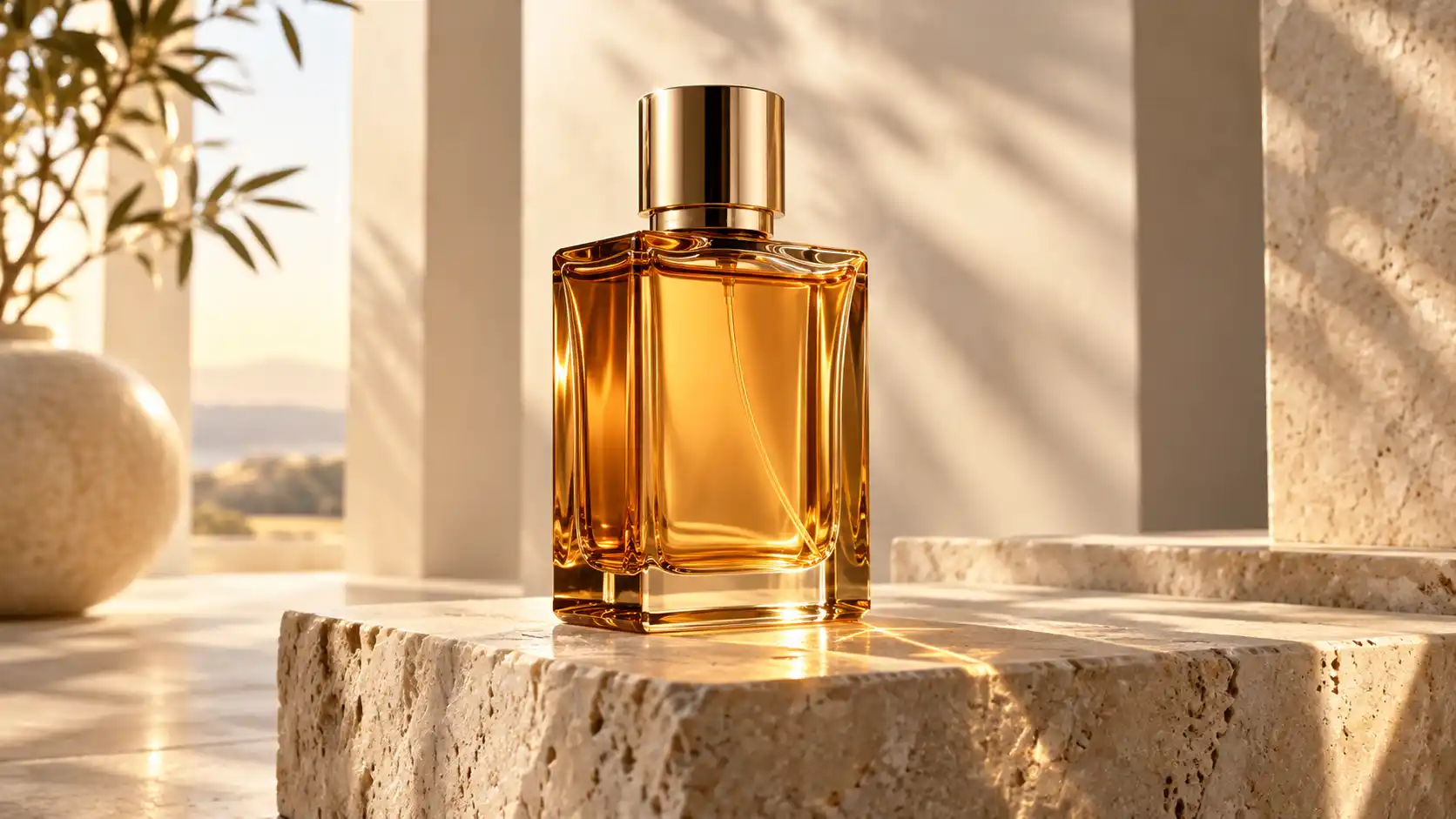 |
Final Video Prompt
Upload the perfume image and the camera-motion reference video, then clearly define their roles.
Use Reference Image A as the appearance reference for the final product. Preserve the amber-glass perfume bottle's overall shape, rounded edges, metallic cap, glass material, and liquid color. Use Reference Video B only as a guide for the camera's horizontal movement, speed, and shooting rhythm. Do not include the ceramic vase or other objects from Video B. The final scene features the perfume bottle from Image A resting on its natural stone pedestal. The camera moves slowly from a slightly left-side position toward the right, keeping the perfume bottle as the main subject throughout the shot. The product remains stationary while natural reflections move across its glass and metallic surfaces. Maintain a clean premium commercial look. Preserve the product structure and background without introducing additional objects.
What it does: Combines a static product image with camera movement from a separate reference video to produce a polished commercial-style shot.
Best for: Product Ads, Brand Campaigns, E-commerce Videos.
Watch out: Avoid instructions such as "copy everything from the reference video." Otherwise, the model may introduce the original vase or background into your perfume commercial.
Key takeaway: The subject in your reference video doesn't always need to match your final subject. What matters is clearly identifying which part of the video you want to use.
4. Example 2: Create a Fashion Portrait With a Moving-Light Reference
Technique: A reference video can guide environmental changes, not just character movement.
For our second example, let's move into fashion photography.
We want a model to remain relatively still while soft sunlight gradually moves across her face and clothing.
The effect creates a refined editorial atmosphere without requiring elaborate body movement.
This is a different way of thinking about references:
The image establishes the model and environment. The video provides a reference for changing light.
| Reference Image Prompt | Output |
|---|---|
| 16:9 horizontal premium fashion editorial photograph. A beautiful blonde woman stands in a bright modern art gallery, wearing a minimalist cream-white long coat. She has elegant facial features, naturally flowing hair, and a relaxed, confident expression. Her body is slightly turned toward the camera. The gallery features large skylights, clean architectural lines, and pale stone walls. Frame the model clearly from head to knee. Soft, even natural daylight, refined editorial composition, realistic fashion photography, no text, no logo, no watermark. | 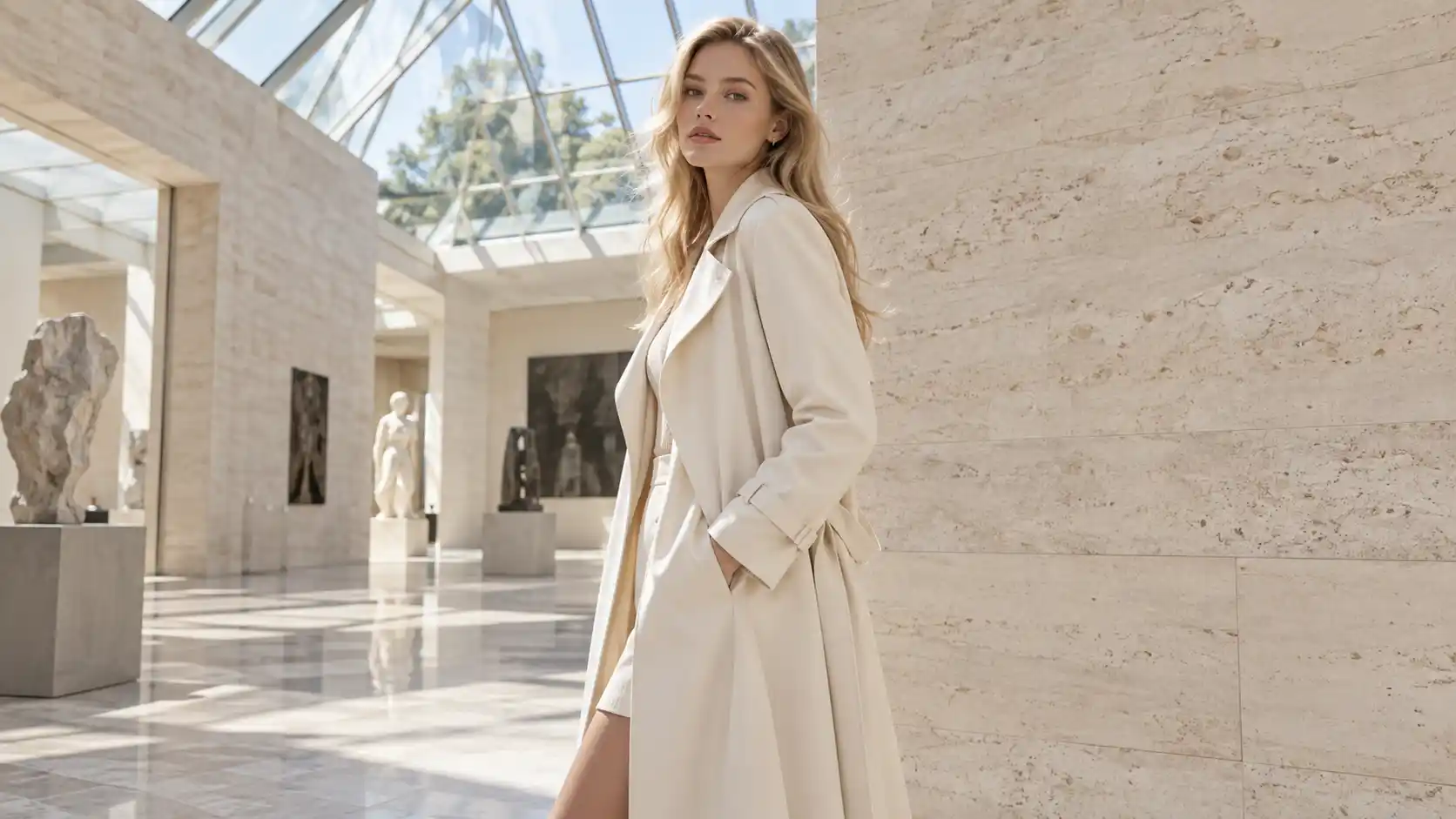 |
How to Prepare the Lighting Reference Video
We don't need another fashion video for this.
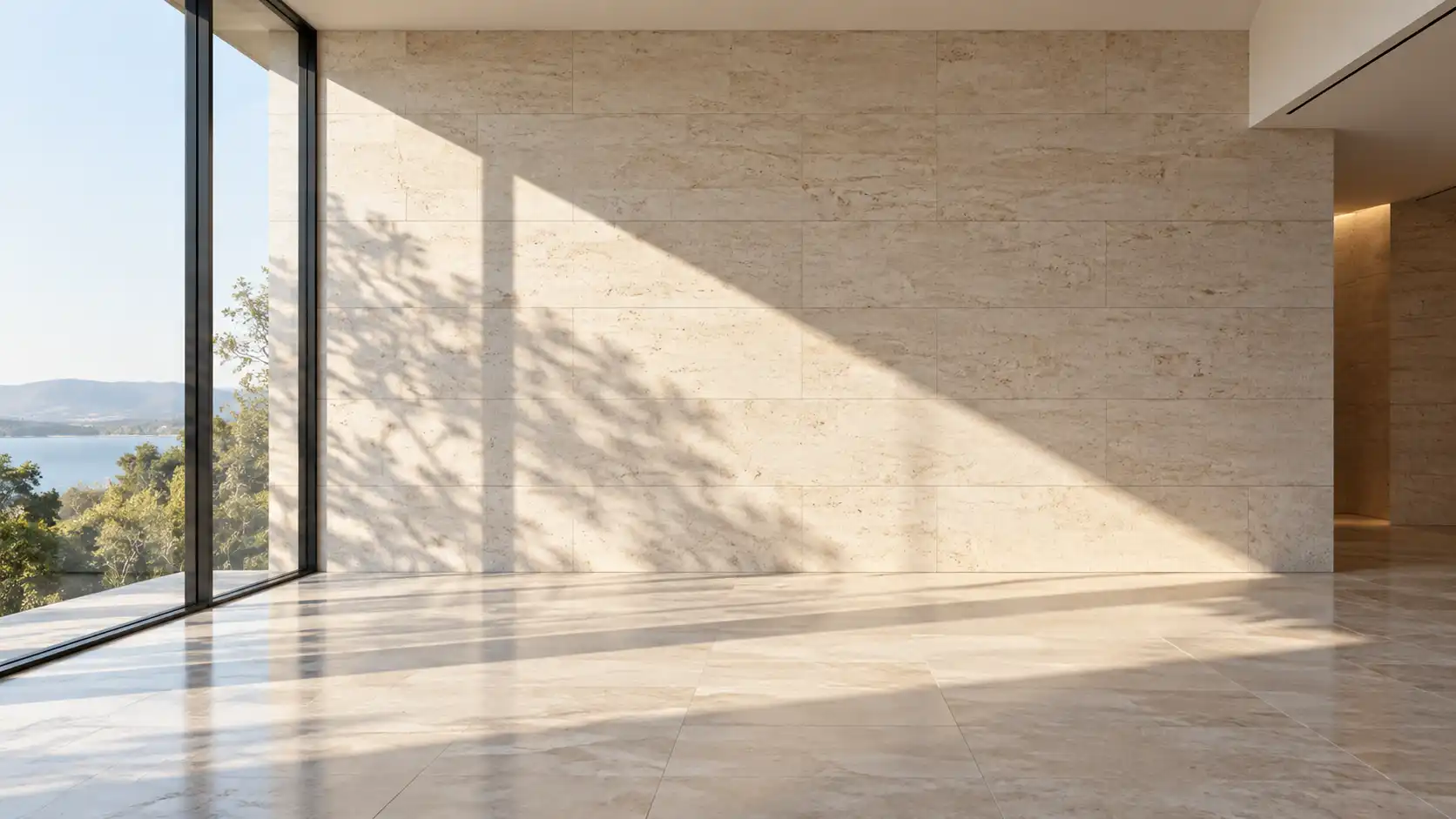
Instead, prepare a simple architectural clip showing sunlight gradually moving across a wall.
Final Video Prompt
Use Reference Image A as the appearance and environment reference for the final scene. Preserve the model's facial features, blonde hair, cream-white coat, standing pose, and modern art gallery architecture. Use Reference Video B only as a guide for the direction, brightness changes, and soft transitions of the moving sunlight. Do not copy the wall composition from Video B. A natural window-shaped light pattern slowly travels from the left side of the frame toward the right, gently passing across the model's clothing and face before continuing onto the stone wall behind her. The model maintains her original pose, with only subtle natural breathing and slight hair movement. Keep the camera fixed. Preserve the model's appearance and the gallery structure. Create a realistic premium fashion editorial atmosphere.
What it does: Combines a static fashion portrait with a separate lighting reference to create a subtle, atmospheric video.
Best for: Fashion Editorials, Brand Visuals, Portrait Photography, Social Media Content.
Watch out: Don't request dramatic character movement, rapid camera motion, and intense lighting changes simultaneously.
The visual focus of this example is the light. Everything else should remain relatively stable.
Also, reference videos do not provide equally precise lighting control in every model. Treat this as a guided creative workflow rather than a guaranteed transfer of exact lighting patterns.
Key takeaway: A reference video doesn't have to describe the entire scene. It can provide direction for one specific visual element.
5. Example 3: Combine Multiple References for a Vintage Theater Opening
Technique: Assign clear responsibilities to multiple reference materials.
Our third example is a cinematic opening sequence inside a vintage theater.
The scene begins with heavy red velvet curtains completely closed.
The curtains then slowly part, revealing an empty stage illuminated by warm golden lighting.
If your selected model supports audio references, you could also include a short orchestral crescendo to match the opening movement.
This example uses more reference materials, but each one has a clearly defined role.
| Material | Content | Purpose |
|---|---|---|
| Reference Image A | Vintage theater with closed curtains | Starting appearance and theater design |
| Reference Image B | Stage behind the curtains | Stage structure and lighting |
| Reference Video C | Red curtains opening | Curtain movement |
| Audio Reference D (Optional) | Short orchestral crescendo | Opening music atmosphere |
| Reference Image Prompt | Output |
|---|---|
| Reference Image A:16:9 horizontal grand vintage theater interior. Heavy deep-red velvet curtains hang completely closed across the center of the stage. Elegant golden carved columns decorate both sides, with intricate gold architectural details above the stage. Warm, soft theatrical lighting. Camera faces the stage directly in a symmetrical wide composition, clearly showing the complete curtains and stage edges. Realistic cinematic photography, rich fabric texture and architectural detail, no people, no text, no logo, no watermark. | 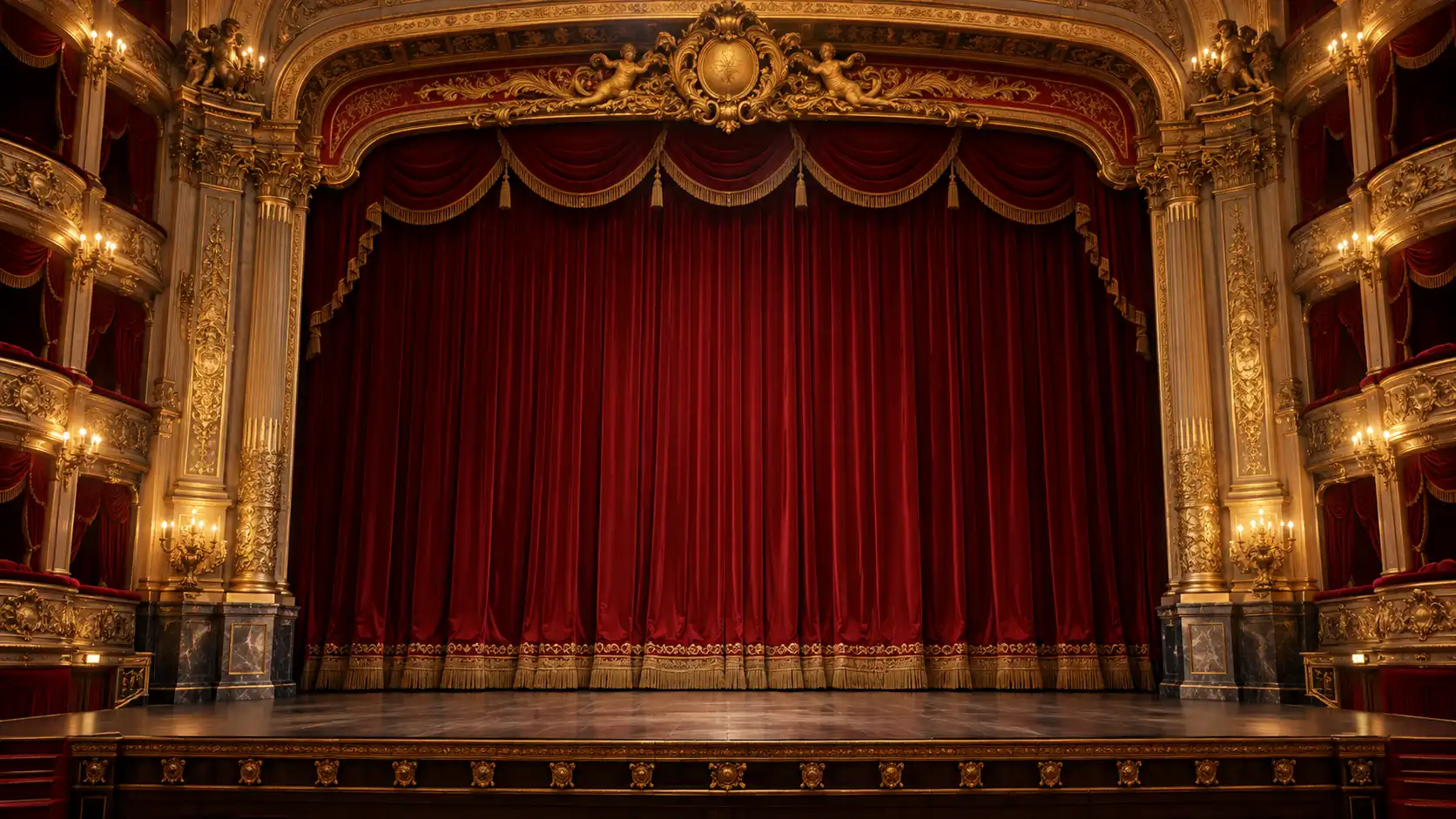 |
| Reference Image B:16:9 horizontal composition showing the same vintage theater architecture, stage proportions, and camera angle as Reference Image A. The deep-red velvet curtains are fully drawn toward both sides, revealing an empty central stage with elegant dark wooden details and warm golden stage lighting. Preserve the ornate golden columns on both sides and the decorative architecture above the stage. No people or major props on the stage. Fixed frontal camera, symmetrical wide composition, realistic cinematic photography, no text, no logo, no watermark. | 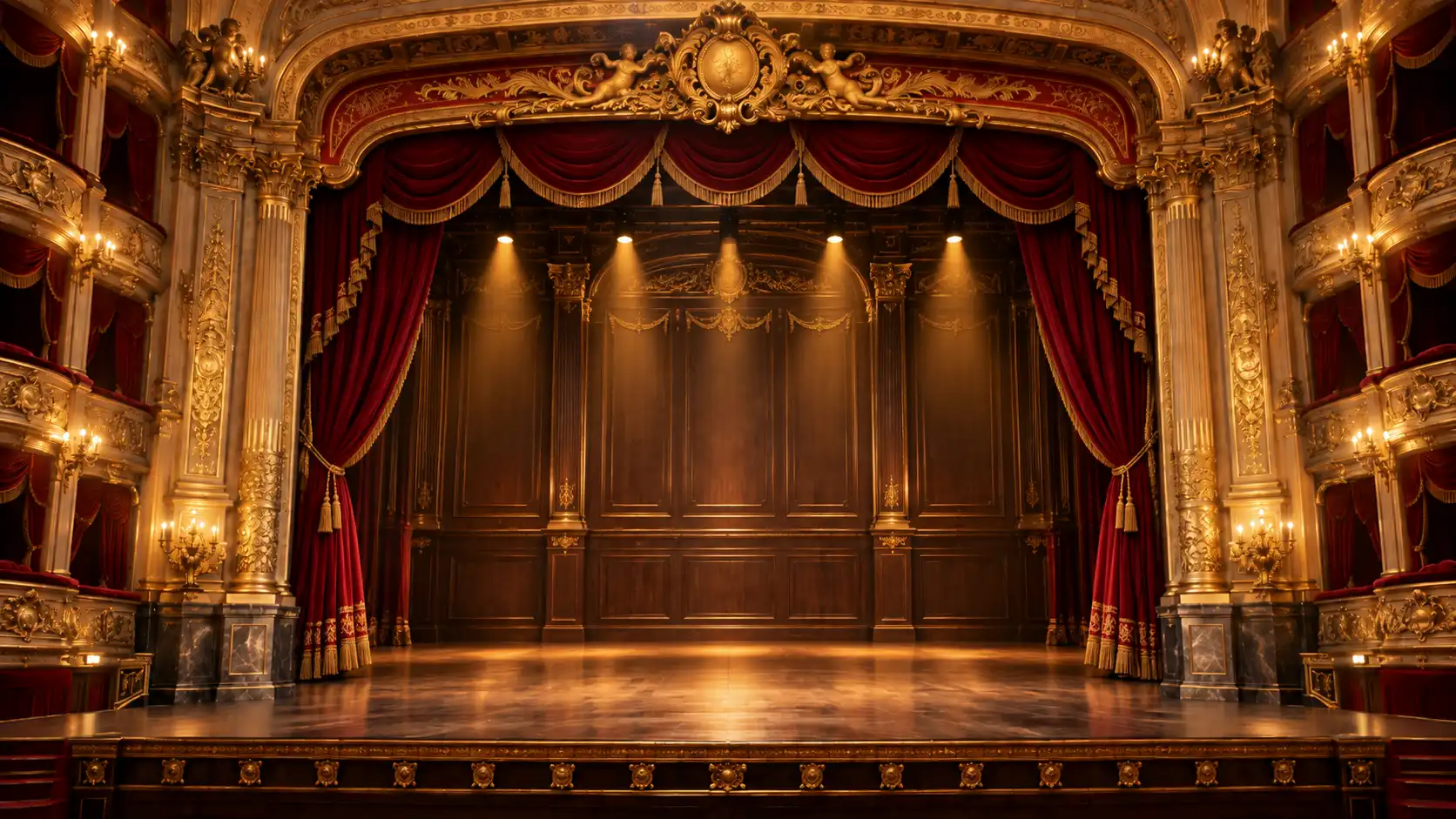 |
If the two images have noticeably different stage layouts, you can refine the second image with Movmix AI Image to Image so both references share a more consistent architectural design and viewing angle.
Final Video Prompt
Use Reference Image A as the initial theater appearance. Preserve the vintage theater's golden carved columns, deep-red velvet curtains, architectural proportions, and symmetrical frontal composition. Use Reference Image B to define the stage revealed after the curtains open. Maintain its stage structure, decorative background, and warm golden lighting. Use Reference Video C only to guide the curtain-opening movement and timing. Do not copy unrelated scene elements from Video C. Begin with the deep-red velvet curtains completely closed. The curtains slowly part toward both sides, gradually revealing the empty stage illuminated by warm golden lighting. End with a clear view of the complete stage. Keep the camera fixed. Maintain smooth, natural fabric movement and preserve the theater's architectural structure. Do not introduce additional people or major objects. If the selected model supports audio references, use Audio Reference D as the opening music guide. Let the orchestral music gradually build as the curtains open, reaching a natural musical accent when the complete stage is revealed.
What it does: Combines scene images, motion references, and optional audio to guide the visual structure and timing of a single video.
Best for: Movie Trailers, Brand Openings, Theater Promotions, Event Videos.
Watch out: Audio references aren't supported by every video model. Always check the available input types and reference limits before uploading your materials.
If your model only supports images and video, generate the visual sequence first and add music during editing.
Key takeaway: The goal of multi-reference creation isn't to upload as many materials as possible. It's to give every reference a specific job.
6. How to Use Reference to Video in Movmix
Although our three examples cover different subjects, their workflows follow the same basic structure.
Step 1: Choose a Suitable Model
Open Movmix Reference to Video and review the currently available models and reference input options.
Different models may support different combinations of reference images, videos, and audio.
Before choosing a model, ask one simple question:
Can this model accept the reference materials required for my specific project?
For example, a workflow using two images and a video needs a model that supports those inputs. Don't assume that every model offers the same capabilities.
Step 2: Prepare and Upload Your References
Organize your materials before uploading them.
For the perfume example:
- Reference A: Perfume product image.
- Reference B: Horizontal camera-motion video.
For the theater example, you'll need two scene images and a curtain-motion reference. Audio can be included if the selected model supports it.
Step 3: Assign Roles in Your Video Prompt
This is especially important when working with multiple references.
Avoid vague instructions such as:
"Use all uploaded materials to create a premium commercial."
Instead, use a clearer structure:
Reusable Reference-to-Video Prompt Template:
Reference Image A: Use this to define the final subject's appearance, colors, materials, and overall structure.
Reference Video B: Use this only to guide the specified motion or camera movement. Do not copy unrelated subjects or background elements.
Final Video: Describe the intended action, camera behavior, and visual sequence.
Preserve: Specify which subject details, background elements, and important objects must remain unchanged.
Replace these general descriptions with details specific to your project.
Step 4: Generate and Review the Result
After generating the video, evaluate more than its overall visual appeal.
Check whether each reference performed its intended role.
| Example | What to Check |
|---|---|
| Perfume Commercial | Is the correct product shown? Does the camera follow the intended movement? |
| Fashion Portrait | Is the model consistent? Does the lighting change naturally? |
| Vintage Theater | Do the curtains open correctly? Does the stage remain visually consistent? |
If something looks wrong, identify which reference may have caused the problem before rewriting the entire prompt.
Changing every reference at once makes troubleshooting much harder.
7. Common Reference-to-Video Problems and How to Fix Them
Problem 1: Objects From the Reference Video Appear in the Final Result
For example, your perfume commercial unexpectedly includes the ceramic vase from the motion reference.
The model may be mixing information from both materials.
Corrective Prompt:
The final scene must feature only the product shown in Reference Image A. Preserve its original appearance. Use Reference Video B exclusively to guide camera movement. Do not include objects, backgrounds, or other visual elements from Video B.
Problem 2: The Main Subject Changes Appearance
Perhaps the perfume bottle's cap or overall proportions no longer match the reference image.
Corrective Prompt:
Strictly preserve the subject's original structure, color, materials, proportions, and key details from Reference Image A. Only perform the requested camera movement and environmental changes. Do not redesign the subject.
Problem 3: Different References Conflict With Each Other
For example, one image suggests a fixed frontal composition, while another video shows rapid rotational camera movement.
You need to establish priorities.
Decide which reference determines the final composition, then specify how much movement should be borrowed from the video.
If the model continues to struggle, remove unnecessary references and simplify the task.
Problem 4: The Final Motion Doesn't Match the Reference Video
A reference video provides motion information, but it doesn't guarantee frame-by-frame reproduction.
If you need a specific movement, start with a slower, simpler reference.
For the perfume commercial, a gentle horizontal camera move is a more manageable starting point than a complete 360-degree orbit.
Clearer references and fewer conflicting instructions make it easier to evaluate and refine the generated result.
8. Reference to Video vs. Image to Video: What's the Difference?
Both approaches use reference materials to create videos, but their workflows are different.
| Comparison | Image to Video | Reference to Video |
|---|---|---|
| Main Input | A starting image | Supported combinations of reference materials |
| Visual Starting Point | Based on the uploaded image | Determined by references and prompt instructions |
| Motion Direction | Primarily described through a Video Prompt | May also draw from an existing motion reference |
| Typical Use | Animating a static image | Creating videos with additional motion, camera, or material references |
| Preparation Focus | First-frame composition and starting pose | Clear responsibilities for different references |
If you simply want to animate a product image, a standard Image to Video workflow may already be enough.
But if you have an existing commercial with camera movement you'd like to use as inspiration for your product, Reference to Video offers another creative approach.
FAQ: Reference to Video AI
Do I always need to upload both an image and a video?
Not necessarily. Input requirements depend on the selected model and its supported reference types. Check the available options before preparing your materials.
Does the subject in my reference video need to match my reference image?
Not always. If you're only borrowing camera movement or a specific environmental effect, the reference video can feature a different subject. Make sure your prompt clearly explains what should be referenced.
Will uploading more reference images improve the result?
Not automatically. References with conflicting compositions, appearances, or motion directions can make the task harder. Start with a small number of relevant materials and give each one a clear role.
Can I use my own music as a reference?
Some multimodal video models support audio references. Availability, supported formats, and duration limits depend on the selected model.
Can Reference to Video reproduce an existing video exactly?
Reference materials can guide generation, but they don't guarantee an identical frame-by-frame result. If you need a specific movement or camera effect, describe exactly which elements should be preserved and refine the result through testing.
Final Thoughts: Better References Mean Clearer Creative Direction
The value of reference to video AI isn't simply the ability to upload more materials.
It's the opportunity to give your video generation process a clearer creative direction.
Our three examples demonstrate how different references can work together:
In the perfume commercial, the image defines the product, while the video guides camera movement.
In the fashion portrait, the image establishes the model and environment, while the video provides a lighting reference.
And in the vintage theater opening, we combine scene images, curtain movement, and optional audio to create a more coordinated result.
The principle behind all three workflows is the same:
Define what each reference should do before asking AI to combine them.
If you only need to animate a single image, you can also start with Movmix AI Image to Video.
When your creative goal requires more precise direction, gradually introduce additional references rather than making the task unnecessarily complicated from the beginning.
Better references don't mean more references. They mean clearer creative direction.
'%3e%3crect%20y='2.1906'%20width='26'%20height='17.4314'%20rx='1.55981'%20fill='white'/%3e%3c/g%3e%3crect%20x='0.311961'%20y='2.50256'%20width='25.3761'%20height='16.8075'%20rx='1.24784'%20stroke='%2322257C'%20stroke-width='0.623922'/%3e%3c/g%3e%3crect%20x='13.078'%20y='15.5656'%20width='10.8016'%20height='2.49569'%20rx='0.623922'%20fill='%2366B3FF'%20stroke='%2322257C'%20stroke-width='0.623922'/%3e%3crect%20x='-0.311961'%20y='0.311961'%20width='10.8016'%20height='2.49569'%20rx='0.623922'%20transform='matrix(-1%200%200%201%2012.61%2015.2536)'%20fill='%2366B3FF'%20stroke='%2322257C'%20stroke-width='0.623922'/%3e%3crect%20x='10.3093'%20y='13.3231'%20width='4.91339'%20height='6.98013'%20rx='2.45669'%20fill='%2322257C'/%3e%3cpath%20d='M18.9174%200.31543C20.5962%200.268025%2022.1261%200.655527%2023.9487%201.55762C24.0483%201.60695%2024.1137%201.71153%2024.1137%201.8291V16.502C24.1137%2016.7236%2023.8763%2016.891%2023.6499%2016.7979C21.803%2016.0377%2020.2158%2015.6963%2018.4975%2015.7705C16.8915%2015.8399%2015.1907%2016.2732%2013.0776%2017.0332V1.6709C15.4678%200.825877%2017.2746%200.36187%2018.9174%200.31543Z'%20fill='white'%20stroke='%2322257C'%20stroke-width='0.623922'/%3e%3cpath%20d='M15.3008%204.57C16.3536%203.94578%2019.2783%203.20503%2021.8909%203.94608'%20stroke='%2366B3FF'%20stroke-width='0.935883'%20stroke-linecap='round'/%3e%3cpath%20d='M15.3008%207.26054C16.3536%206.63631%2019.2783%205.89557%2021.8909%206.63661'%20stroke='%2366B3FF'%20stroke-width='0.935883'%20stroke-linecap='round'/%3e%3cpath%20d='M15.3008%209.95107C16.3536%209.32684%2019.2783%208.5861%2021.8909%209.32714'%20stroke='%2366B3FF'%20stroke-width='0.935883'%20stroke-linecap='round'/%3e%3cpath%20d='M15.3008%2012.6398C16.3536%2012.0156%2019.2783%2011.2749%2021.8909%2012.0159'%20stroke='%2366B3FF'%20stroke-width='0.935883'%20stroke-linecap='round'/%3e%3cpath%20d='M7.08257%200.31543C5.40384%200.268025%203.87393%200.655527%202.05132%201.55762C1.95165%201.60695%201.88628%201.71153%201.88628%201.8291V16.502C1.88628%2016.7236%202.12373%2016.891%202.35014%2016.7979C4.19702%2016.0377%205.78418%2015.6963%207.50249%2015.7705C9.10852%2015.8399%2010.8093%2016.2732%2012.9224%2017.0332V1.6709C10.5322%200.825877%208.72541%200.36187%207.08257%200.31543Z'%20fill='white'%20stroke='%2322257C'%20stroke-width='0.623922'/%3e%3cpath%20d='M10.6992%204.57C9.64638%203.94578%206.72175%203.20503%204.10907%203.94608'%20stroke='%2366B3FF'%20stroke-width='0.935883'%20stroke-linecap='round'/%3e%3cpath%20d='M10.6992%207.26054C9.64638%206.63631%206.72175%205.89557%204.10907%206.63661'%20stroke='%2366B3FF'%20stroke-width='0.935883'%20stroke-linecap='round'/%3e%3cpath%20d='M10.6992%209.95107C9.64638%209.32684%206.72175%208.5861%204.10907%209.32714'%20stroke='%2366B3FF'%20stroke-width='0.935883'%20stroke-linecap='round'/%3e%3cpath%20d='M10.6992%2012.6398C9.64638%2012.0156%206.72175%2011.2749%204.10907%2012.0159'%20stroke='%2366B3FF'%20stroke-width='0.935883'%20stroke-linecap='round'/%3e%3c/g%3e%3cdefs%3e%3cfilter%20x='0'%20y='2.1906'%20width='26'%20height='17.4314'%20filterUnits='userSpaceOnUse'%20color-interpolation-filters='sRGB'%3e%3cfeFlood%20flood-opacity='0'%20result='BackgroundImageFix'/%3e%3cfeBlend%20mode='normal'%20in='SourceGraphic'%20in2='BackgroundImageFix'%20result='shape'/%3e%3cfeColorMatrix%20in='SourceAlpha'%20type='matrix'%20values='0%200%200%200%200%200%200%200%200%200%200%200%200%200%200%200%200%200%20127%200'%20result='hardAlpha'/%3e%3cfeOffset%20dy='-1.24784'/%3e%3cfeComposite%20in2='hardAlpha'%20operator='arithmetic'%20k2='-1'%20k3='1'/%3e%3cfeColorMatrix%20type='matrix'%20values='0%200%200%200%200.572549%200%200%200%200%200.768627%200%200%200%200%200.976471%200%200%200%201%200'/%3e%3cfeBlend%20mode='normal'%20in2='shape'%20result='effect1_innerShadow_0_4'/%3e%3c/filter%3e%3c/defs%3e%3c/svg%3e)



