
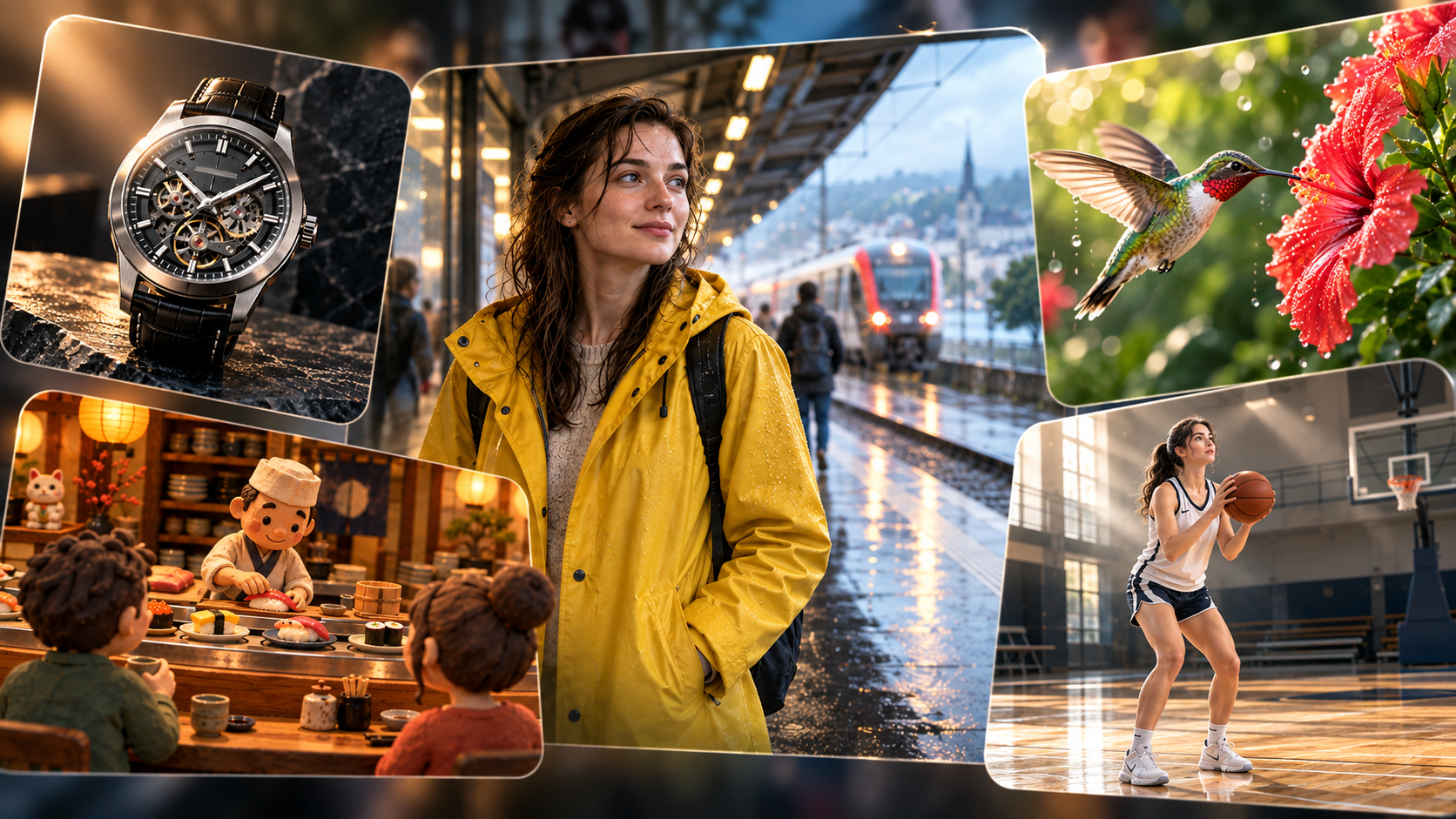
Writing a Sora 2 prompt does not have to feel like directing a three-hour blockbuster.
You already have the reference image.
Now you only need to tell the model:
What happens next?
A useful Sora 2 image-to-video prompt usually comes down to a few things:
Subject → Action → Camera → Environment → Audio → Keep
That is enough.
No need to write “cinematic masterpiece ultra realistic award-winning 8K” fourteen times.
Here are eight Sora 2 video prompt examples you can actually use.
1. Morning Bakery Rush
This first example is all about natural human movement and simple action sequencing.
The baker picks up three fresh loaves and places them into the wooden basket one by one. She wipes flour from her hands, hears the oven timer, then turns toward the oven. Use a gentle handheld medium shot with subtle natural movement. Warm morning sunlight remains consistent. Add soft kitchen ambience, paper sounds and a quiet timer bell. Keep her face, apron, counter layout and bakery interior unchanged.
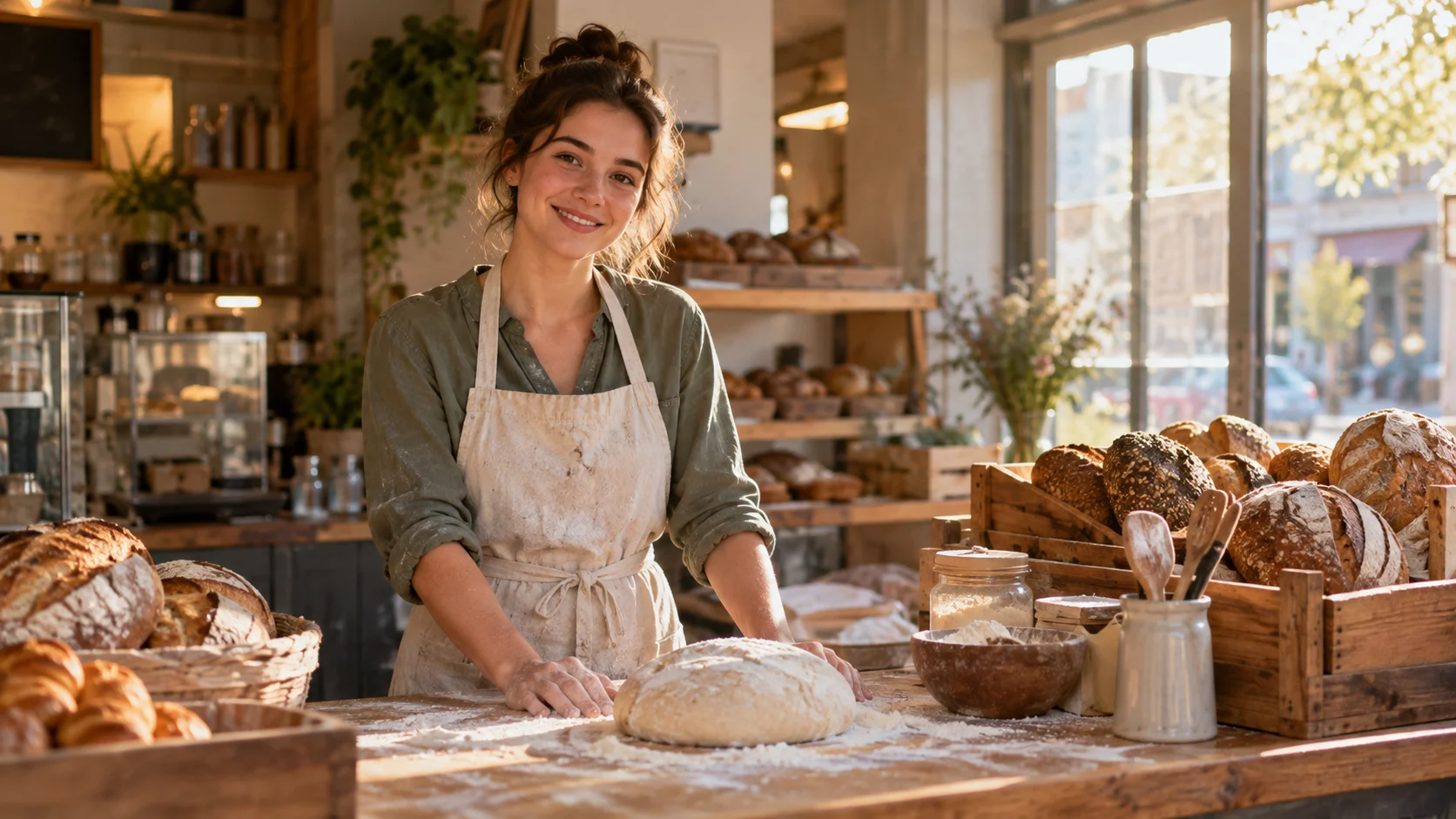
What it does: Tests whether Sora 2 can handle several small human actions in a clear sequence without turning a normal bakery shift into an action movie.
Best for: Lifestyle videos, brand storytelling, cafés, restaurants, small businesses, everyday commercial scenes.
Watch out: Do not stack too many actions into one short clip. Pick up → place → wipe hands → turn is enough. Add five more steps and your baker may need overtime.
2. Raincoat in the Wind
A reference image already defines the person, clothes and location. The video prompt only needs to animate the moment.
A light gust of wind moves the edge of her yellow raincoat and a few strands of hair. She looks toward the approaching train, adjusts the strap of her travel bag, then gives a small relaxed smile. The camera slowly pushes closer from a medium shot. Add soft rain, distant train sounds and quiet station ambience. Keep her face, raincoat, bag and train platform unchanged.
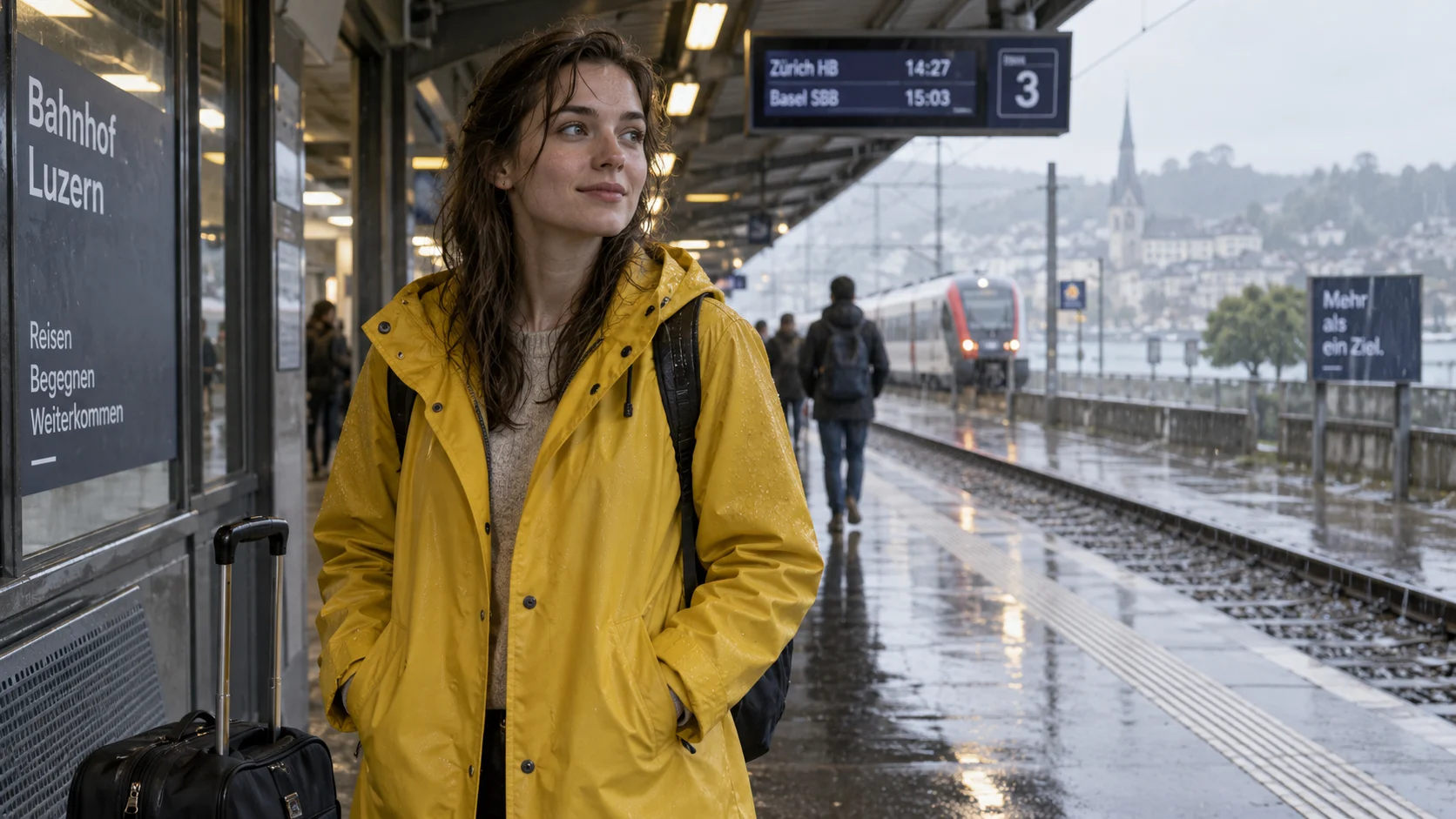
What it does: Shows how a still portrait can become a believable micro-scene using only a few subtle movements.
Best for: Fashion, travel, lifestyle clips, character videos, social media visuals, atmospheric storytelling.
Watch out: If your reference image already looks good, do not redesign it inside the video prompt. Let the image handle appearance and let the prompt handle motion.
3. Basketball Miss
AI videos do not always need perfect victories.
Sometimes missing the shot looks more believable.
The player shoots the basketball toward the hoop. The ball hits the back rim, bounces upward, drops onto the wooden floor and slowly rolls toward the sideline. He watches the missed shot, exhales and gives a small amused smile. Use a wide static camera. Keep the gym, player appearance and lighting consistent. Add shoe squeaks, basketball impacts and a light indoor echo.
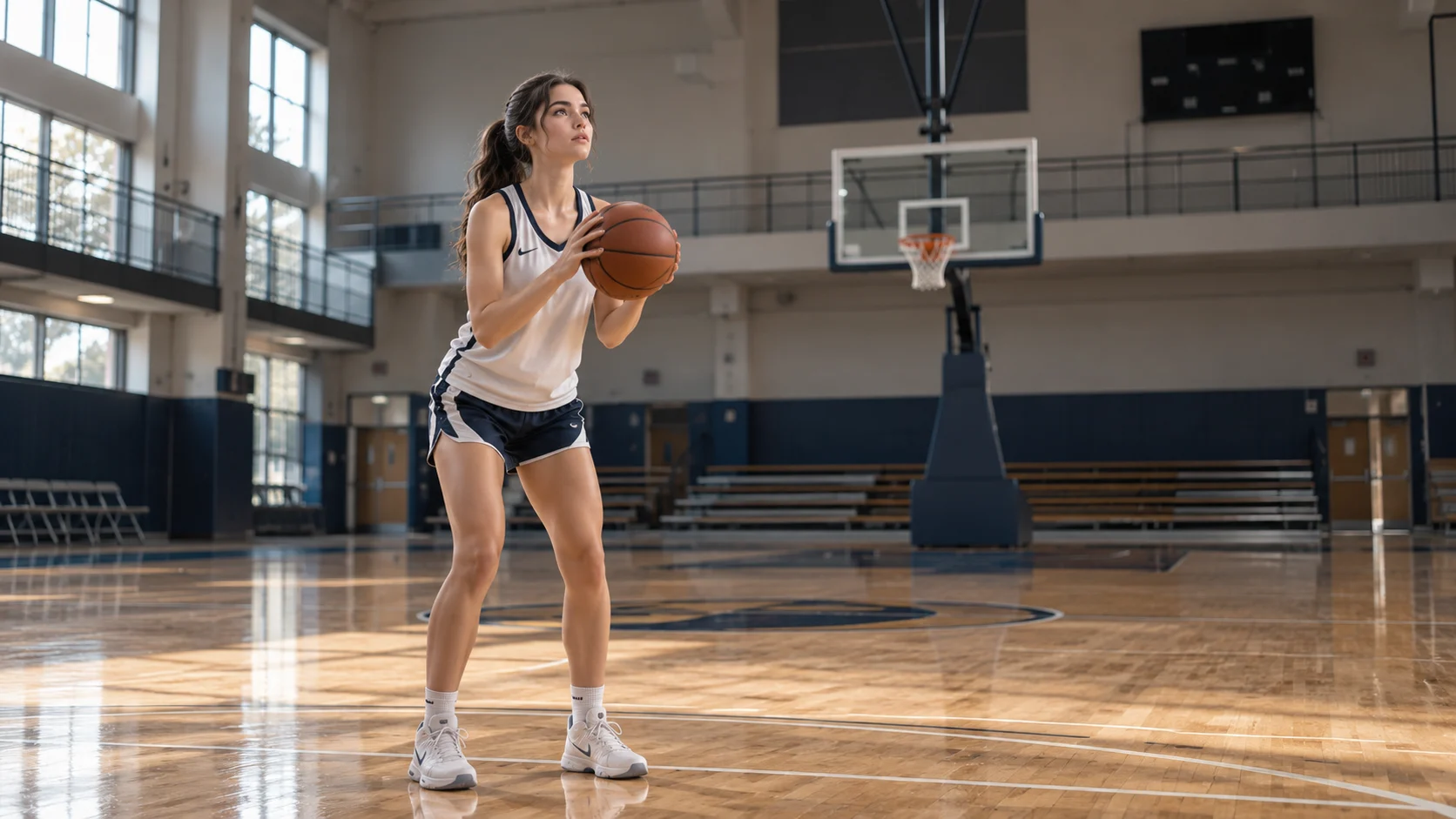
What it does: Tests object motion, impact, bouncing and a natural human reaction in the same shot.
Best for: Sports videos, realistic motion tests, physical interactions, training content, casual storytelling.
Watch out: Describe what happens after the ball hits the rim. Just writing “he misses the shot” gives the model a lot of creative freedom — and sometimes the ball develops ambitions of its own.
4. Mechanical Watch Product Shot
For product videos, fewer movements usually look more expensive.
The second hand begins moving smoothly while the camera slowly pushes toward the watch. The crown makes a subtle rotation and a soft highlight travels across the brushed metal case, revealing the dial details. End on a clean close-up hero shot. Keep the exact watch shape, materials, dial layout and stone surface unchanged. Add subtle mechanical ticking and quiet studio ambience.
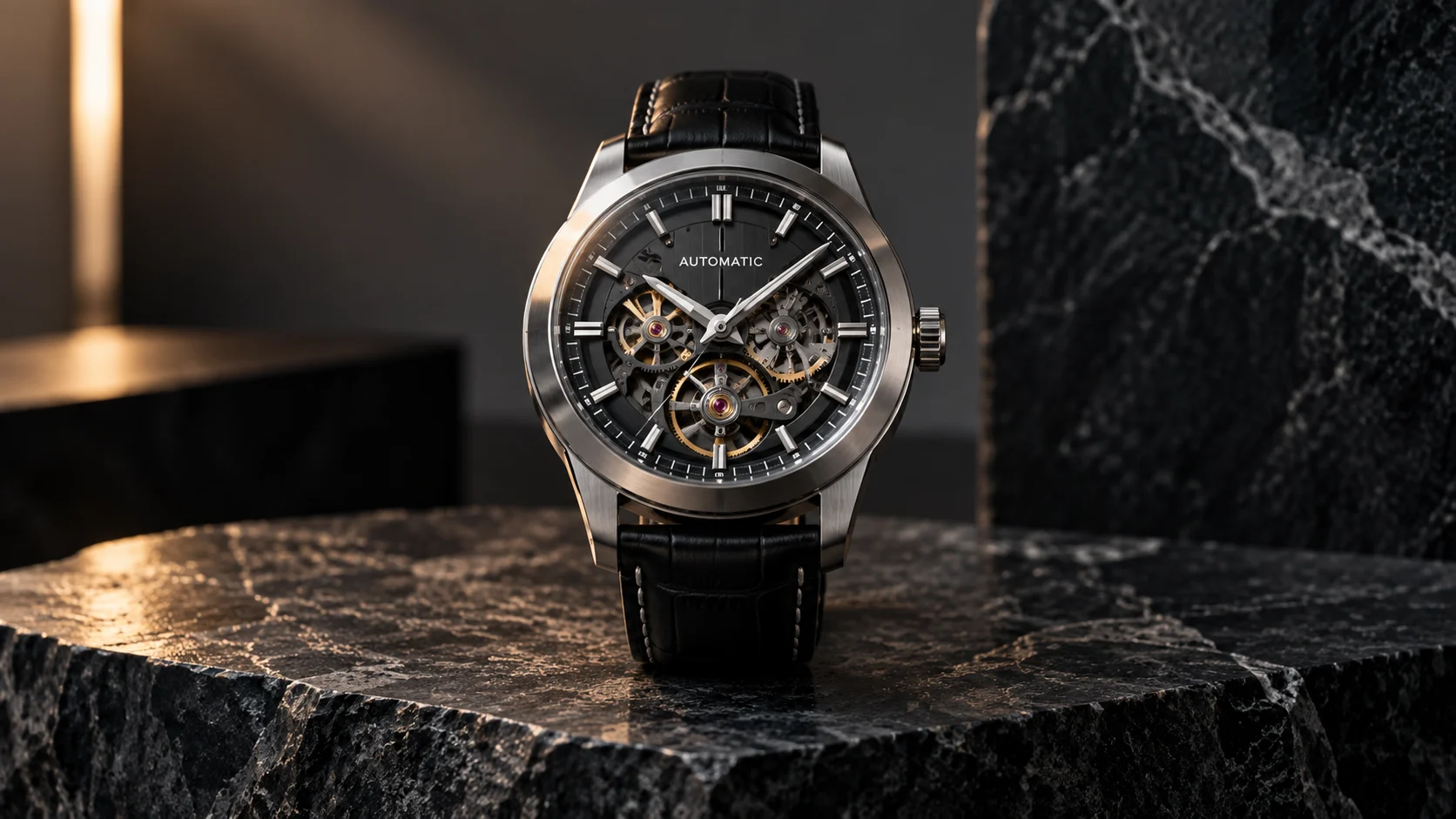
What it does: Turns a static product image into a clean premium advertisement without changing the product itself.
Best for: Watches, electronics, cosmetics, accessories, e-commerce, landing pages, product campaigns.
Watch out: Do not ask the product to rotate, explode, rebuild itself and fly toward the camera in the same clip. Luxury products usually look more expensive when they behave themselves.
5. Clay Sushi Bar
Not every Sora 2 video needs to look photorealistic.
This one goes full miniature stop-motion.
The clay chef places one piece of salmon sushi onto the miniature conveyor belt. The plate slowly moves toward the two seated clay customers. One customer raises a tiny hand excitedly as the sushi approaches. Use a fixed medium-wide camera with visible stop-motion movement. Add soft plate clicks, tiny kitchen sounds and quiet restaurant ambience. Keep every character and object made from the same clay material.
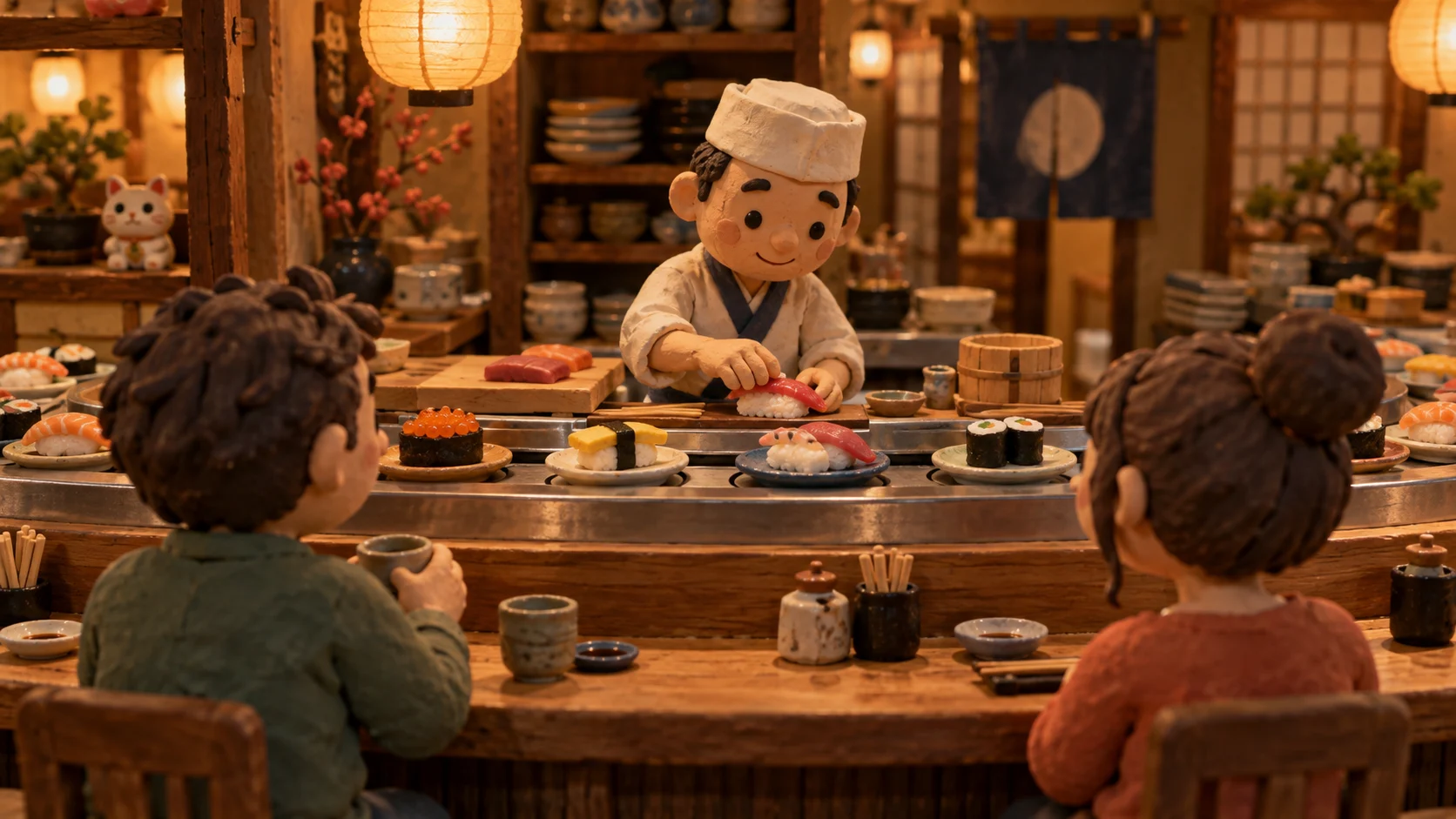
What it does: Tests whether Sora 2 can maintain a consistent stylized material while animating characters and objects.
Best for: Creative ads, food content, playful brand campaigns, miniature worlds, stop-motion concepts.
Watch out: Specify the material consistently. Otherwise your clay chef may start the video as clay and finish it looking suspiciously human.
6. Elevator Conversation
A little dialogue can make an AI video feel much more alive.
You do not need a five-minute monologue.
The woman briefly looks toward the floor numbers and asks, “Long day?” The man turns slightly toward her, gives a tired smile and replies, “You have no idea.” They both laugh quietly as the elevator doors open. Use a fixed medium two-shot with natural facial expressions and subtle body movement. Add quiet elevator hum, a soft arrival chime and natural dialogue timing. Keep both characters, clothing and elevator interior consistent.
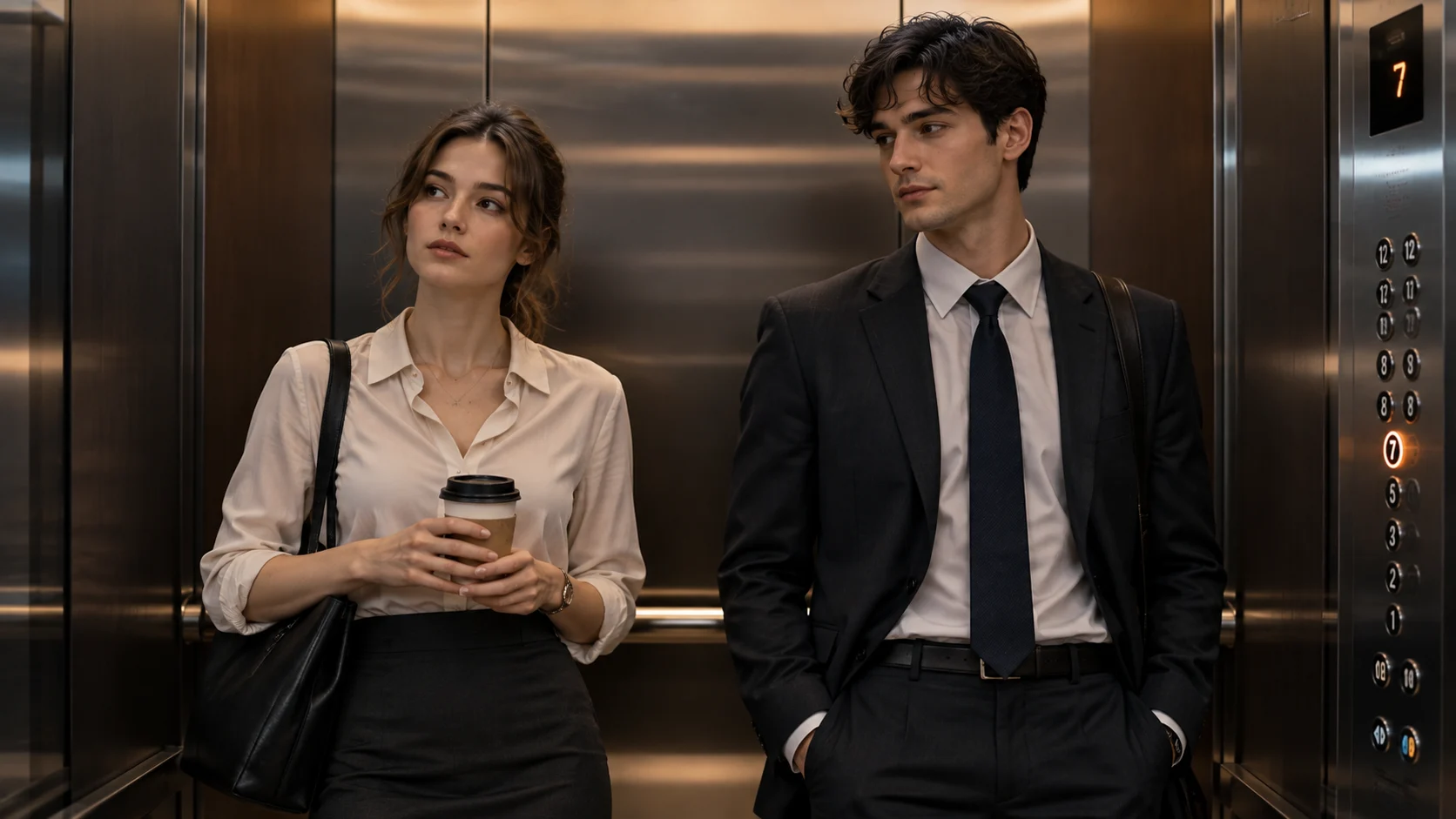
What it does: Combines facial reactions, short dialogue, environmental sound and subtle character interaction.
Best for: Short stories, social videos, workplace scenes, ads with dialogue, character-driven content.
Watch out: Keep dialogue short. Two clean lines are usually more useful than asking your characters to solve their entire relationship before the elevator reaches Floor 8.
7. Hummingbird Macro Shot
Small subject. Fast movement. Very little room for error.
Perfect.
The hummingbird hovers steadily beside the red flower while its wings beat rapidly. It leans forward to drink nectar for a moment, pulls backward, then quickly exits the frame. Use subtle macro camera tracking with shallow depth of field. Keep the flower, garden lighting and hummingbird appearance consistent. Add gentle garden ambience, insects and rapid wing sounds.
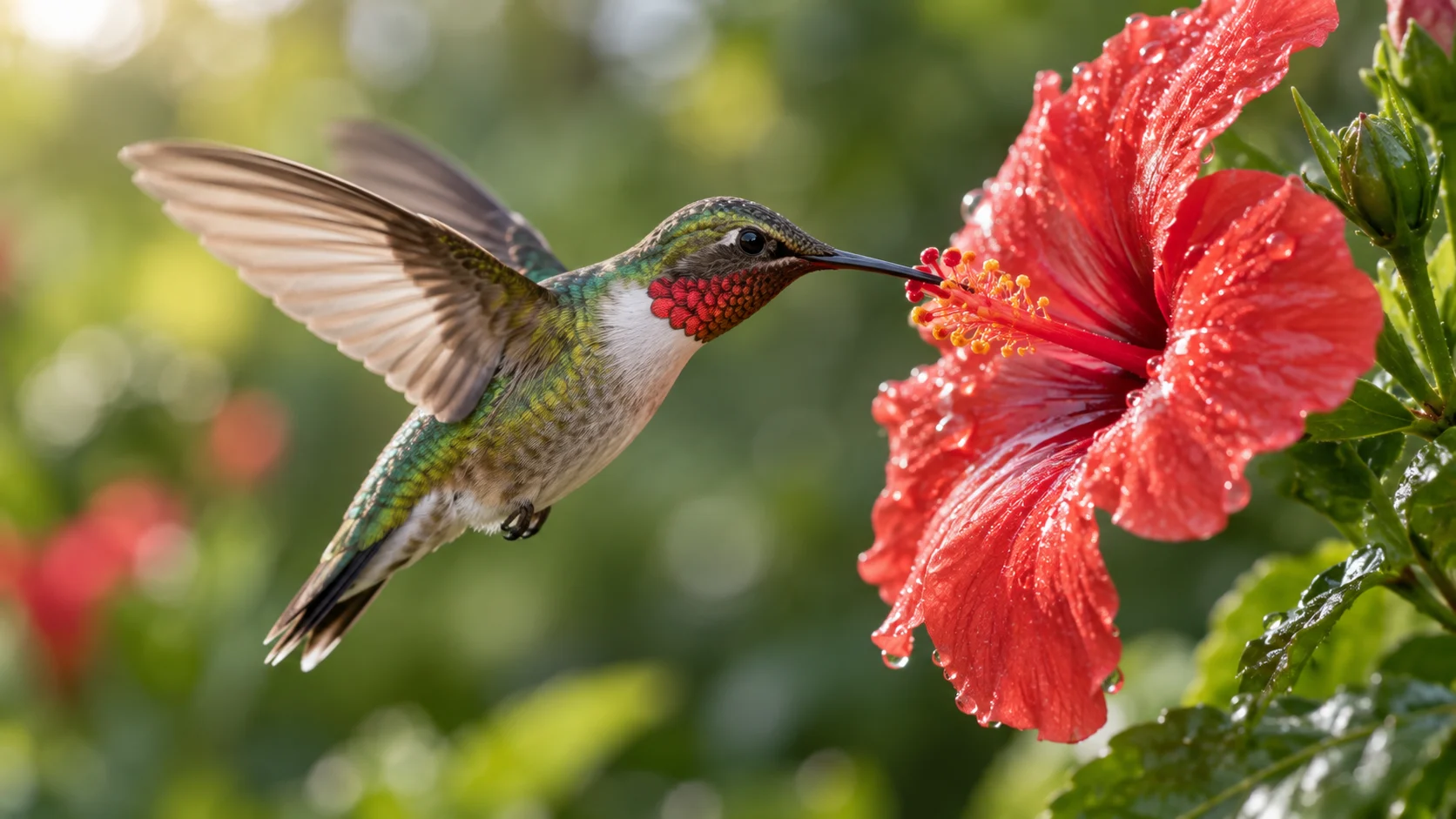
What it does: Tests fast organic movement, macro framing and shallow depth of field.
Best for: Nature videos, wildlife concepts, macro advertising, educational visuals, atmospheric short clips.
Watch out: Use clear verbs: hover → drink → move back → exit. “A beautiful magical hummingbird moves gracefully” sounds lovely, but it gives the model almost no choreography.
8. One Lantern, Three Shots
The final example pushes things a little further.
Instead of one continuous moment, this one uses three connected shots.
Create a three-shot short sequence using the reference images. Shot 1: The woman stands beside the quiet river holding the unlit lantern. A light breeze moves her coat and hair while the camera slowly moves closer. Shot 2: She carefully lights the candle inside the lantern. Warm orange light gradually illuminates her face as she looks down at it. Shot 3: She releases the glowing lantern and watches it rise slowly above the river. The camera gently tilts upward following the lantern. Keep the woman's face, beige coat, hairstyle, lantern design, riverbank and dusk atmosphere consistent. Add soft water ambience, light wind and subtle paper movement.
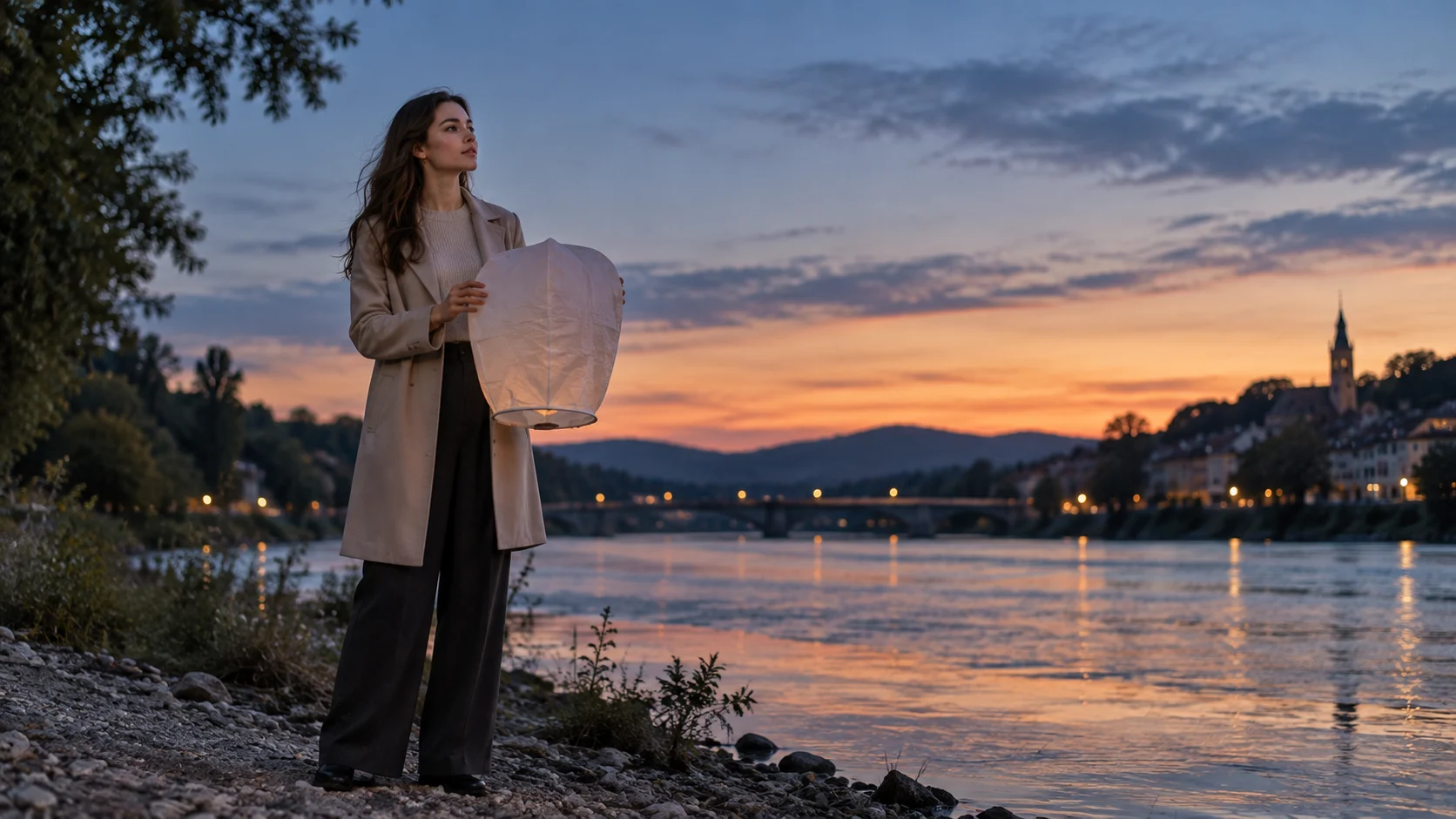
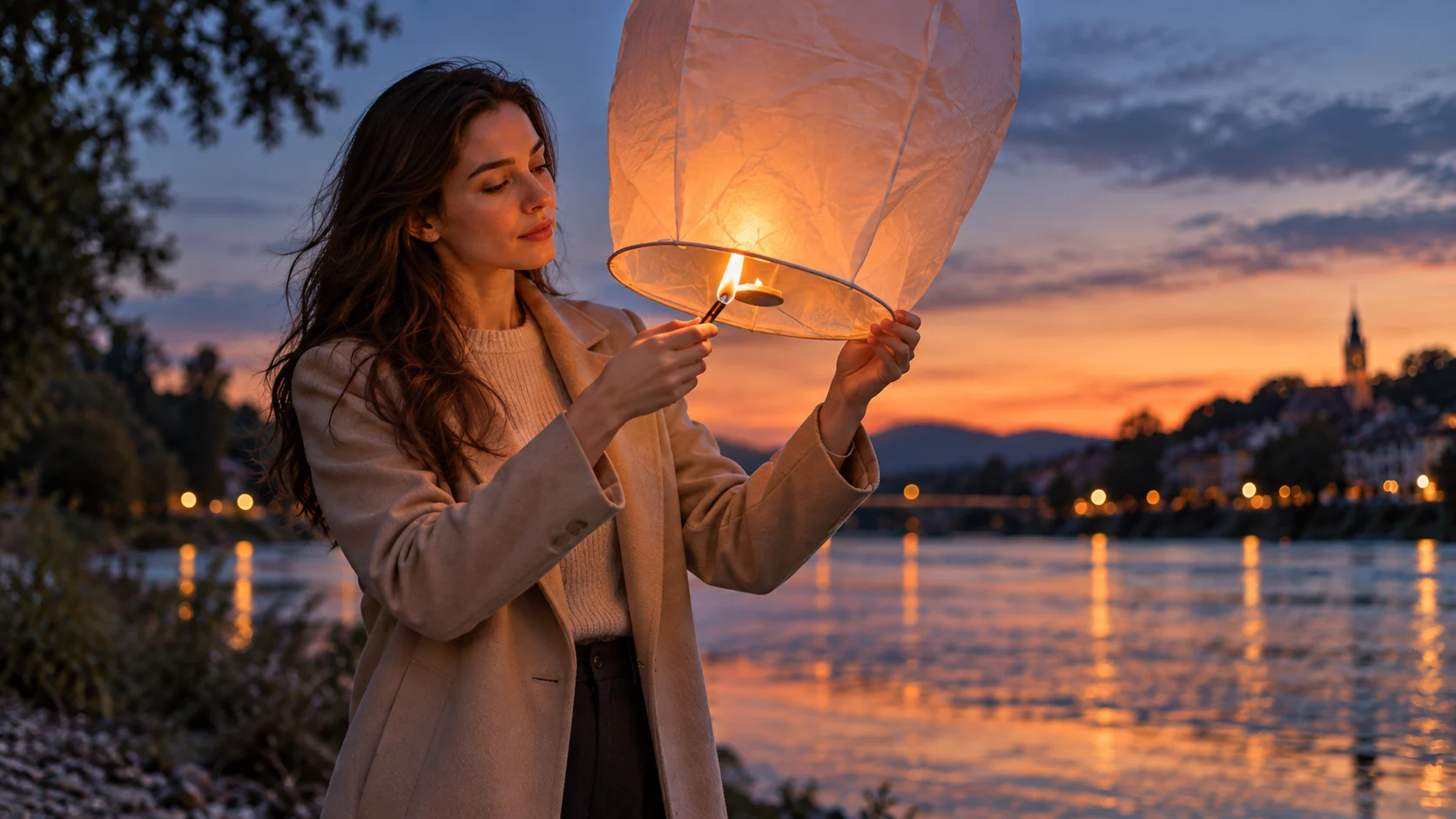
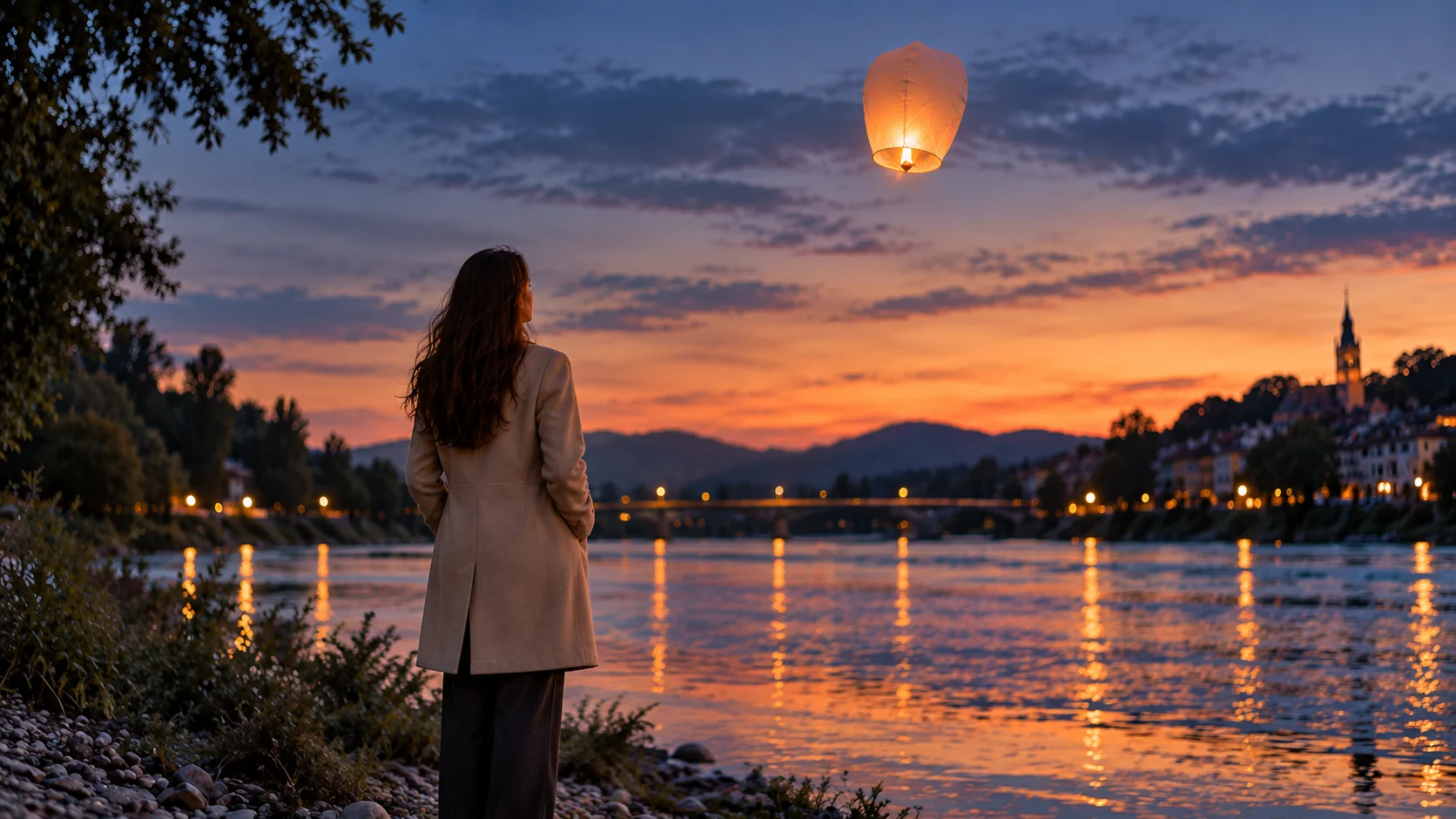
What it does: Tests visual continuity across several connected shots: same adult character, same clothes, same prop and same environment.
Best for: Short films, emotional storytelling, branded narratives, music visuals, cinematic sequences.
Watch out: Continuity is the whole challenge here. Repeat the important details across every reference image. Otherwise Shot 3 may feature the same river, same lantern and somebody else's coat.
A sequence like this works best around 10–12 seconds, giving the final lantern release enough time to breathe.
A Simple Sora 2 Prompt Formula
You do not need a giant template every time.
Start with:
Subject → Action → Camera → Environment → Audio → Keep
For example:
Adult woman → turns toward the train → slow push-in → rainy platform → rain and train ambience → keep face and clothing unchanged
That already gives the model something useful to work with.
The trick is not writing more.
The trick is giving each sentence a job.
Better Prompts, Fewer Rerolls
The best Sora 2 video prompts are not necessarily the longest ones.
They simply make the important decisions before generation starts:
Who moves?
What happens first?
How does the camera behave?
What should stay unchanged?
Get those right and you spend less time generating Version 17 while quietly wondering why the watch suddenly has three crowns.
Start with a strong reference image, keep the movement clear, and let Sora 2 handle the motion instead of asking it to redesign the entire world.
'%3e%3crect%20y='2.1906'%20width='26'%20height='17.4314'%20rx='1.55981'%20fill='white'/%3e%3c/g%3e%3crect%20x='0.311961'%20y='2.50256'%20width='25.3761'%20height='16.8075'%20rx='1.24784'%20stroke='%2322257C'%20stroke-width='0.623922'/%3e%3c/g%3e%3crect%20x='13.078'%20y='15.5656'%20width='10.8016'%20height='2.49569'%20rx='0.623922'%20fill='%2366B3FF'%20stroke='%2322257C'%20stroke-width='0.623922'/%3e%3crect%20x='-0.311961'%20y='0.311961'%20width='10.8016'%20height='2.49569'%20rx='0.623922'%20transform='matrix(-1%200%200%201%2012.61%2015.2536)'%20fill='%2366B3FF'%20stroke='%2322257C'%20stroke-width='0.623922'/%3e%3crect%20x='10.3093'%20y='13.3231'%20width='4.91339'%20height='6.98013'%20rx='2.45669'%20fill='%2322257C'/%3e%3cpath%20d='M18.9174%200.31543C20.5962%200.268025%2022.1261%200.655527%2023.9487%201.55762C24.0483%201.60695%2024.1137%201.71153%2024.1137%201.8291V16.502C24.1137%2016.7236%2023.8763%2016.891%2023.6499%2016.7979C21.803%2016.0377%2020.2158%2015.6963%2018.4975%2015.7705C16.8915%2015.8399%2015.1907%2016.2732%2013.0776%2017.0332V1.6709C15.4678%200.825877%2017.2746%200.36187%2018.9174%200.31543Z'%20fill='white'%20stroke='%2322257C'%20stroke-width='0.623922'/%3e%3cpath%20d='M15.3008%204.57C16.3536%203.94578%2019.2783%203.20503%2021.8909%203.94608'%20stroke='%2366B3FF'%20stroke-width='0.935883'%20stroke-linecap='round'/%3e%3cpath%20d='M15.3008%207.26054C16.3536%206.63631%2019.2783%205.89557%2021.8909%206.63661'%20stroke='%2366B3FF'%20stroke-width='0.935883'%20stroke-linecap='round'/%3e%3cpath%20d='M15.3008%209.95107C16.3536%209.32684%2019.2783%208.5861%2021.8909%209.32714'%20stroke='%2366B3FF'%20stroke-width='0.935883'%20stroke-linecap='round'/%3e%3cpath%20d='M15.3008%2012.6398C16.3536%2012.0156%2019.2783%2011.2749%2021.8909%2012.0159'%20stroke='%2366B3FF'%20stroke-width='0.935883'%20stroke-linecap='round'/%3e%3cpath%20d='M7.08257%200.31543C5.40384%200.268025%203.87393%200.655527%202.05132%201.55762C1.95165%201.60695%201.88628%201.71153%201.88628%201.8291V16.502C1.88628%2016.7236%202.12373%2016.891%202.35014%2016.7979C4.19702%2016.0377%205.78418%2015.6963%207.50249%2015.7705C9.10852%2015.8399%2010.8093%2016.2732%2012.9224%2017.0332V1.6709C10.5322%200.825877%208.72541%200.36187%207.08257%200.31543Z'%20fill='white'%20stroke='%2322257C'%20stroke-width='0.623922'/%3e%3cpath%20d='M10.6992%204.57C9.64638%203.94578%206.72175%203.20503%204.10907%203.94608'%20stroke='%2366B3FF'%20stroke-width='0.935883'%20stroke-linecap='round'/%3e%3cpath%20d='M10.6992%207.26054C9.64638%206.63631%206.72175%205.89557%204.10907%206.63661'%20stroke='%2366B3FF'%20stroke-width='0.935883'%20stroke-linecap='round'/%3e%3cpath%20d='M10.6992%209.95107C9.64638%209.32684%206.72175%208.5861%204.10907%209.32714'%20stroke='%2366B3FF'%20stroke-width='0.935883'%20stroke-linecap='round'/%3e%3cpath%20d='M10.6992%2012.6398C9.64638%2012.0156%206.72175%2011.2749%204.10907%2012.0159'%20stroke='%2366B3FF'%20stroke-width='0.935883'%20stroke-linecap='round'/%3e%3c/g%3e%3cdefs%3e%3cfilter%20x='0'%20y='2.1906'%20width='26'%20height='17.4314'%20filterUnits='userSpaceOnUse'%20color-interpolation-filters='sRGB'%3e%3cfeFlood%20flood-opacity='0'%20result='BackgroundImageFix'/%3e%3cfeBlend%20mode='normal'%20in='SourceGraphic'%20in2='BackgroundImageFix'%20result='shape'/%3e%3cfeColorMatrix%20in='SourceAlpha'%20type='matrix'%20values='0%200%200%200%200%200%200%200%200%200%200%200%200%200%200%200%200%200%20127%200'%20result='hardAlpha'/%3e%3cfeOffset%20dy='-1.24784'/%3e%3cfeComposite%20in2='hardAlpha'%20operator='arithmetic'%20k2='-1'%20k3='1'/%3e%3cfeColorMatrix%20type='matrix'%20values='0%200%200%200%200.572549%200%200%200%200%200.768627%200%200%200%200%200.976471%200%200%200%201%200'/%3e%3cfeBlend%20mode='normal'%20in2='shape'%20result='effect1_innerShadow_0_4'/%3e%3c/filter%3e%3c/defs%3e%3c/svg%3e)



