


'%3e%3ccircle%20cx='16'%20cy='16'%20r='16'%20fill='%23fff'%20fill-opacity='.04'/%3e%3cpath%20d='M11.839%2010.219a.5.5%200%200%201%200%201H9.677a1.5%201.5%200%200%200-1.5%201.5v8.531a1.5%201.5%200%200%200%201.5%201.5h12.646a1.5%201.5%200%200%200%201.5-1.5v-8.531a1.5%201.5%200%200%200-1.5-1.5H16a.5.5%200%200%201%200-1h6.323a2.5%202.5%200%200%201%202.5%202.5v8.531a2.5%202.5%200%200%201-2.5%202.5H9.677a2.5%202.5%200%200%201-2.5-2.5v-8.531a2.5%202.5%200%200%201%202.5-2.5h2.162zm3.473%202.953a3.812%203.812%200%201%201%200%207.625%203.812%203.812%200%200%201%200-7.625zm0%201a2.813%202.813%200%201%200%200%205.625%202.813%202.813%200%200%200%200-5.625zm6.313-2a1%201%200%201%201%200%202%201%201%200%200%201%200-2zM15.062%208.25a.5.5%200%200%201%200%201h-2.75a.5.5%200%200%201%200-1h2.75z'%20fill='%23fff'/%3e%3ccircle%20cx='27.188'%20cy='27.188'%20r='3.688'%20fill='%23fff'/%3e%3cpath%20d='M27.188%2025.1a.5.5%200%200%201%20.5.5v1.087h1.087a.5.5%200%200%201%200%201h-1.087v1.088a.5.5%200%200%201-1%200v-1.087H25.6a.5.5%200%200%201%200-1h1.087V25.6a.5.5%200%200%201%20.5-.5z'%20fill='%23090A0A'/%3e%3c/g%3e%3cdefs%3e%3cclipPath%20id='clip0_0_4'%3e%3cpath%20fill='%23fff'%20d='M0%200h32v32H0z'/%3e%3c/clipPath%3e%3c/defs%3e%3c/svg%3e)
The Crow Drinks Water

AI Story Generator
- 01 Create Story
- 02 Story Setup
- 03 Storyboard
- 04 Preview & Export
01 Create StoryDescribe your story idea, and AI will build the script structure, characters, and scene assets.
Upload
Cat Knight and the Monster
The Monkey and the Crocodile
Magical Halloween Night
A gentle wolf in sheep's clothing
Animal Arbor Day
From Story Text to a Cohesive AI Story Video
Step into AI storytelling with zero learning curve. Simply enter your written story outline and character traits, and watch our engine automatically craft consistent storyboard frames, animate camera moves, and render a complete 30-second narrative video.
Original Image 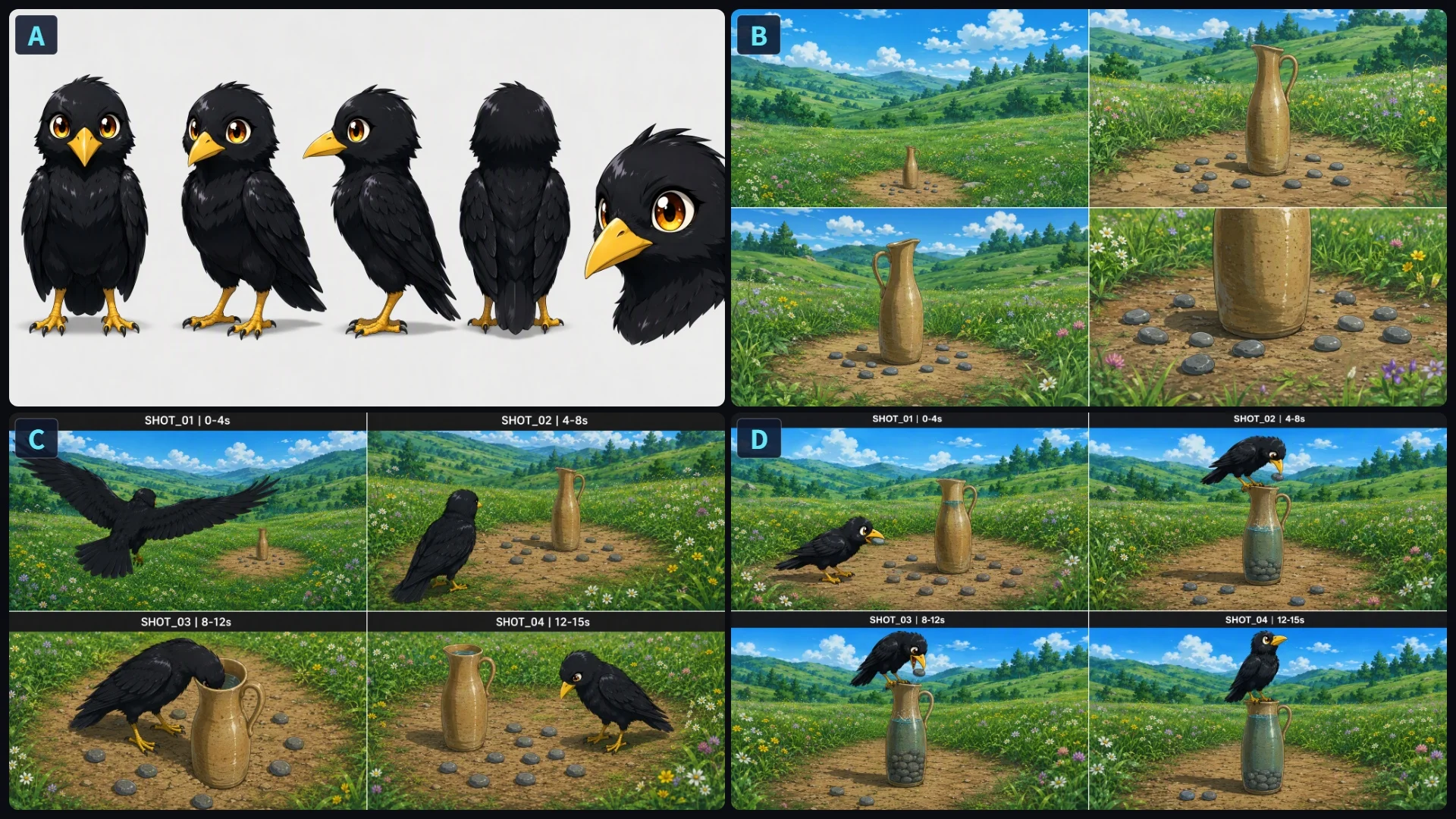
Prompt
A 30-second continuous narrative animated story video in high-end Studio Ghibli anime style, based on Aesop's fable "The Crow and the Pitcher". Shot 1: A cute black crow with glossy feathers and bright yellow beak glides down over a lush green meadow with rolling hills toward an earthen clay pitcher surrounded by small pebbles . Shot 2: The crow lands on the bare dirt path beside the pitcher and dips its head into the narrow neck, unable to reach the shallow water . Shot 3: The clever crow picks up smooth pebbles one by one in its beak, hops onto the rim of the pitcher, and drops them inside . Shot 4: The water level rises to the brim, and the crow happily perches on top to drink, looking at the camera with joyful eyes . Fluid animation, 100% character and background consistency, bright sunny daylight, 4k resolution, 60fps.
'%3e%3cpath%20d='M19.0977%2019.7656L26.832%2027.5L19.0977%2035.2344'%20stroke='%23D3FF00'%20stroke-width='5.625'%20stroke-linecap='round'/%3e%3c/g%3e%3cg%20id='Vector%201298'%20filter='url(%23filter1_d_2049_10892)'%3e%3cpath%20d='M32.4648%2019.7656L40.1992%2027.5L32.4648%2035.2344'%20stroke='%23D3FF00'%20stroke-width='5.625'%20stroke-linecap='round'/%3e%3c/g%3e%3c/g%3e%3cdefs%3e%3cfilter%20id='filter0_d_2049_10892'%20x='4.28516'%20y='8.95312'%20width='38.5234'%20height='45.0938'%20filterUnits='userSpaceOnUse'%20color-interpolation-filters='sRGB'%3e%3cfeFlood%20flood-opacity='0'%20result='BackgroundImageFix'/%3e%3cfeColorMatrix%20in='SourceAlpha'%20type='matrix'%20values='0%200%200%200%200%200%200%200%200%200%200%200%200%200%200%200%200%200%20127%200'%20result='hardAlpha'/%3e%3cfeOffset%20dy='4'/%3e%3cfeGaussianBlur%20stdDeviation='6'/%3e%3cfeComposite%20in2='hardAlpha'%20operator='out'/%3e%3cfeColorMatrix%20type='matrix'%20values='0%200%200%200%200.827451%200%200%200%200%201%200%200%200%200%200%200%200%200%200.33%200'/%3e%3cfeBlend%20mode='normal'%20in2='BackgroundImageFix'%20result='effect1_dropShadow_2049_10892'/%3e%3cfeBlend%20mode='normal'%20in='SourceGraphic'%20in2='effect1_dropShadow_2049_10892'%20result='shape'/%3e%3c/filter%3e%3cfilter%20id='filter1_d_2049_10892'%20x='17.6523'%20y='8.95312'%20width='38.5234'%20height='45.0938'%20filterUnits='userSpaceOnUse'%20color-interpolation-filters='sRGB'%3e%3cfeFlood%20flood-opacity='0'%20result='BackgroundImageFix'/%3e%3cfeColorMatrix%20in='SourceAlpha'%20type='matrix'%20values='0%200%200%200%200%200%200%200%200%200%200%200%200%200%200%200%200%200%20127%200'%20result='hardAlpha'/%3e%3cfeOffset%20dy='4'/%3e%3cfeGaussianBlur%20stdDeviation='6'/%3e%3cfeComposite%20in2='hardAlpha'%20operator='out'/%3e%3cfeColorMatrix%20type='matrix'%20values='0%200%200%200%200.827451%200%200%200%200%201%200%200%200%200%200%200%200%200%200.33%200'/%3e%3cfeBlend%20mode='normal'%20in2='BackgroundImageFix'%20result='effect1_dropShadow_2049_10892'/%3e%3cfeBlend%20mode='normal'%20in='SourceGraphic'%20in2='effect1_dropShadow_2049_10892'%20result='shape'/%3e%3c/filter%3e%3c/defs%3e%3c/svg%3e)
Video Original
OriginalPrompt
A 30-second continuous narrative animated story video in high-end Studio Ghibli anime style, based on Aesop's fable "The Crow and the Pitcher". Shot 1: A cute black crow with glossy feathers and bright yellow beak glides down over a lush green meadow with rolling hills toward an earthen clay pitcher surrounded by small pebbles . Shot 2: The crow lands on the bare dirt path beside the pitcher and dips its head into the narrow neck, unable to reach the shallow water . Shot 3: The clever crow picks up smooth pebbles one by one in its beak, hops onto the rim of the pitcher, and drops them inside . Shot 4: The water level rises to the brim, and the crow happily perches on top to drink, looking at the camera with joyful eyes . Fluid animation, 100% character and background consistency, bright sunny daylight, 4k resolution, 60fps.
Step 1: Upload Reference Assets & Write the Adventure Prompt
A cinematic 3D animated adventure story in Pixar style: In a sun-drenched enchanted forest with ancient mossy trees, a tiny ginger Cat Knight wearing full silver steel plate armor and a red-plumed helmet patrols the dirt trail with a glowing blue energy sword. Suddenly, a massive green scaly one-eyed troll crashes through fallen logs to block the path. The brave Cat Knight unsheathes his glowing blade, leaps nimbly over the raging beast, and delivers a decisive glowing strike directly onto its central eye, sending the giant monster tumbling into a peaceful slumber while the victorious little hero poses proudly. Photorealistic 3D textures, dynamic cinematic lighting, natural forest sunlight, 4k resolution, 60fps.
Step 2: Auto-Generate Story Outline & Lock Character Assets
Based on your story outline and locked assets, the AI automatically breaks the adventure into timed, multi-shot storyboard panels (Shot 01 to Shot 04).
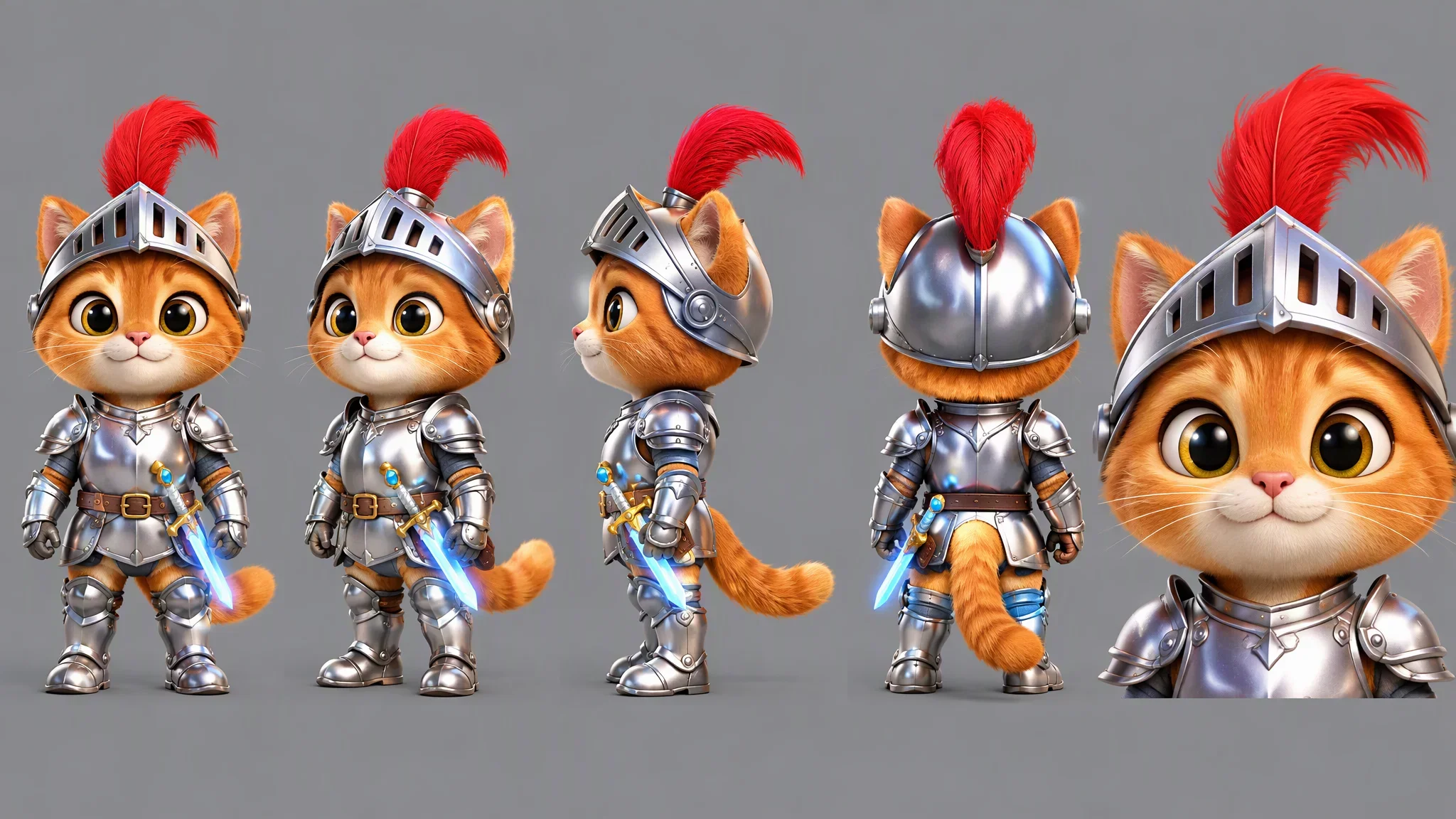
Cat Knight character image
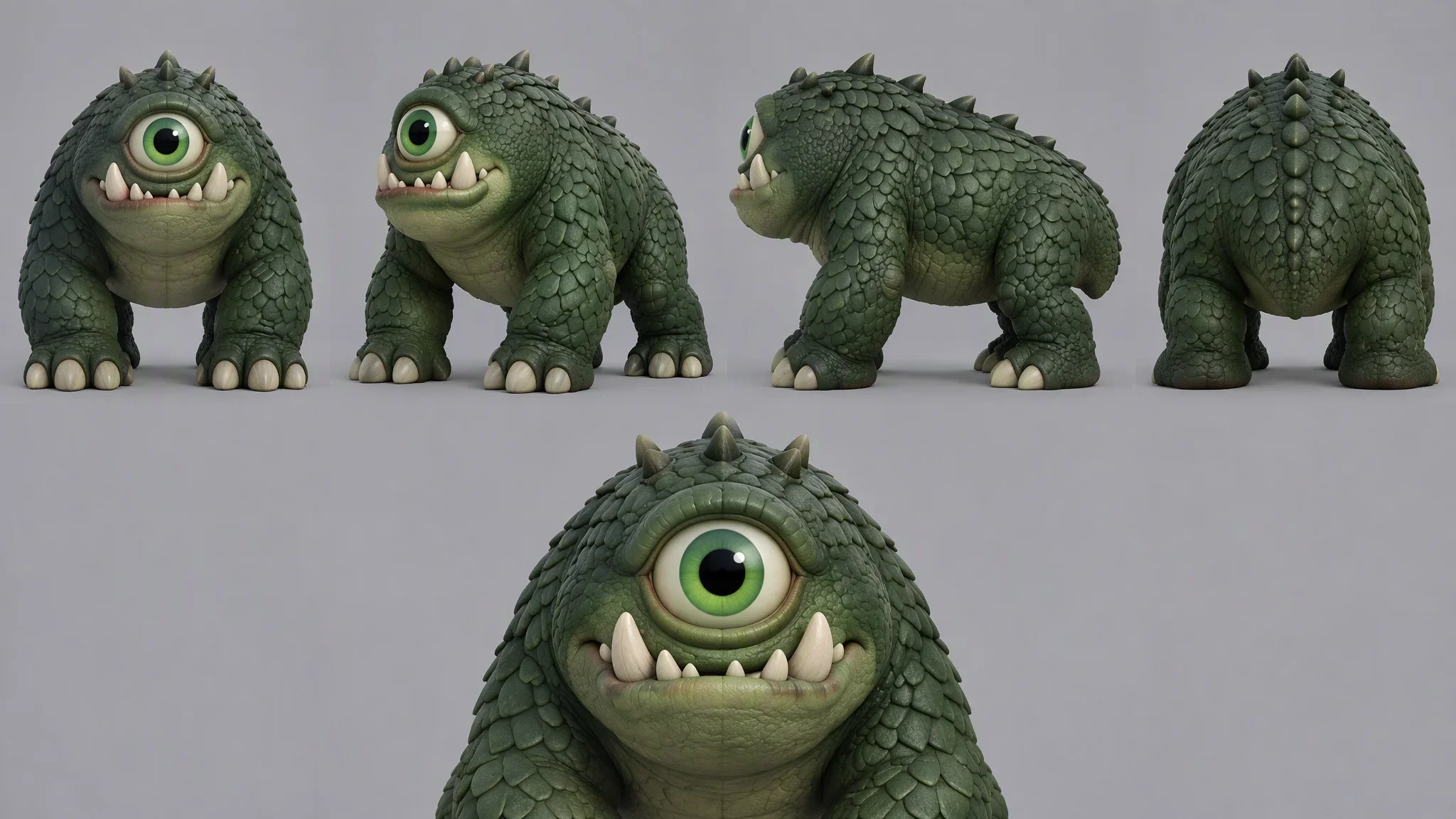
Monster design illustration
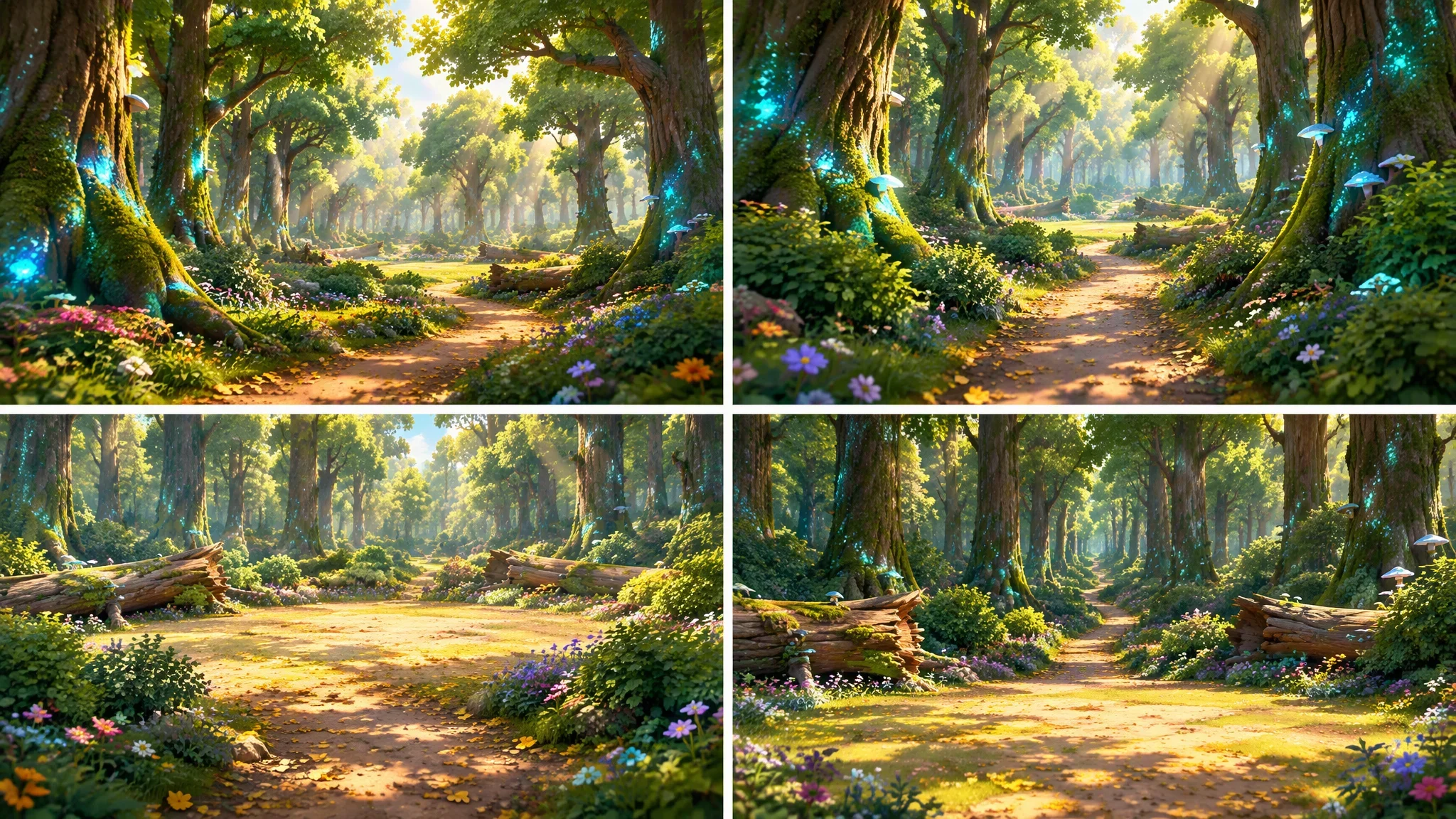
Scene Graph
Step 3: Animate Storyboard Frames with Camera Control
Convert your static storyboard panels into dynamic animated clips. Apply camera pans, zooms, and dynamic combat trajectories to bring characters and monsters to life.
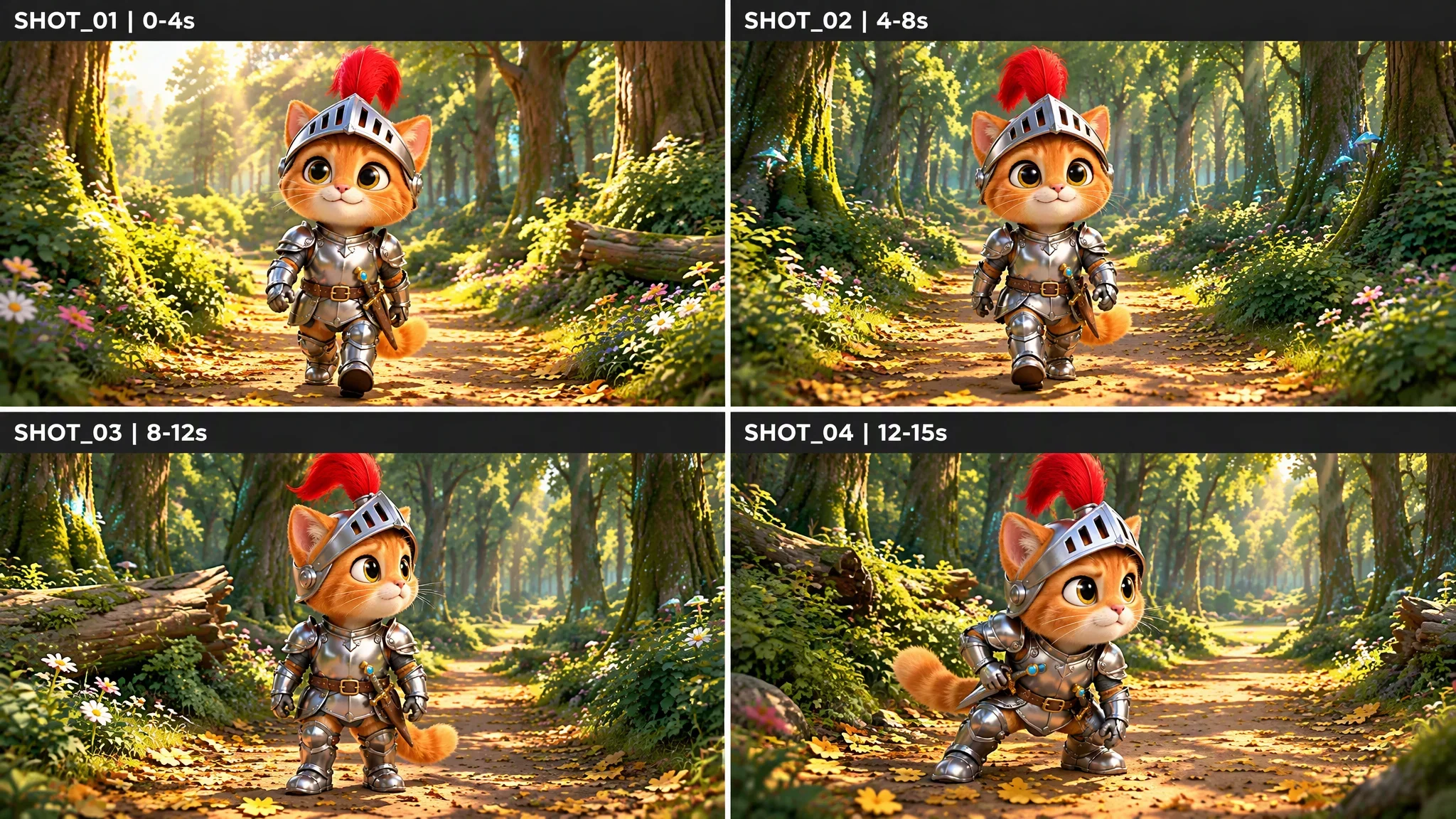
Clip 1: Patrol in the Enchanted Woods
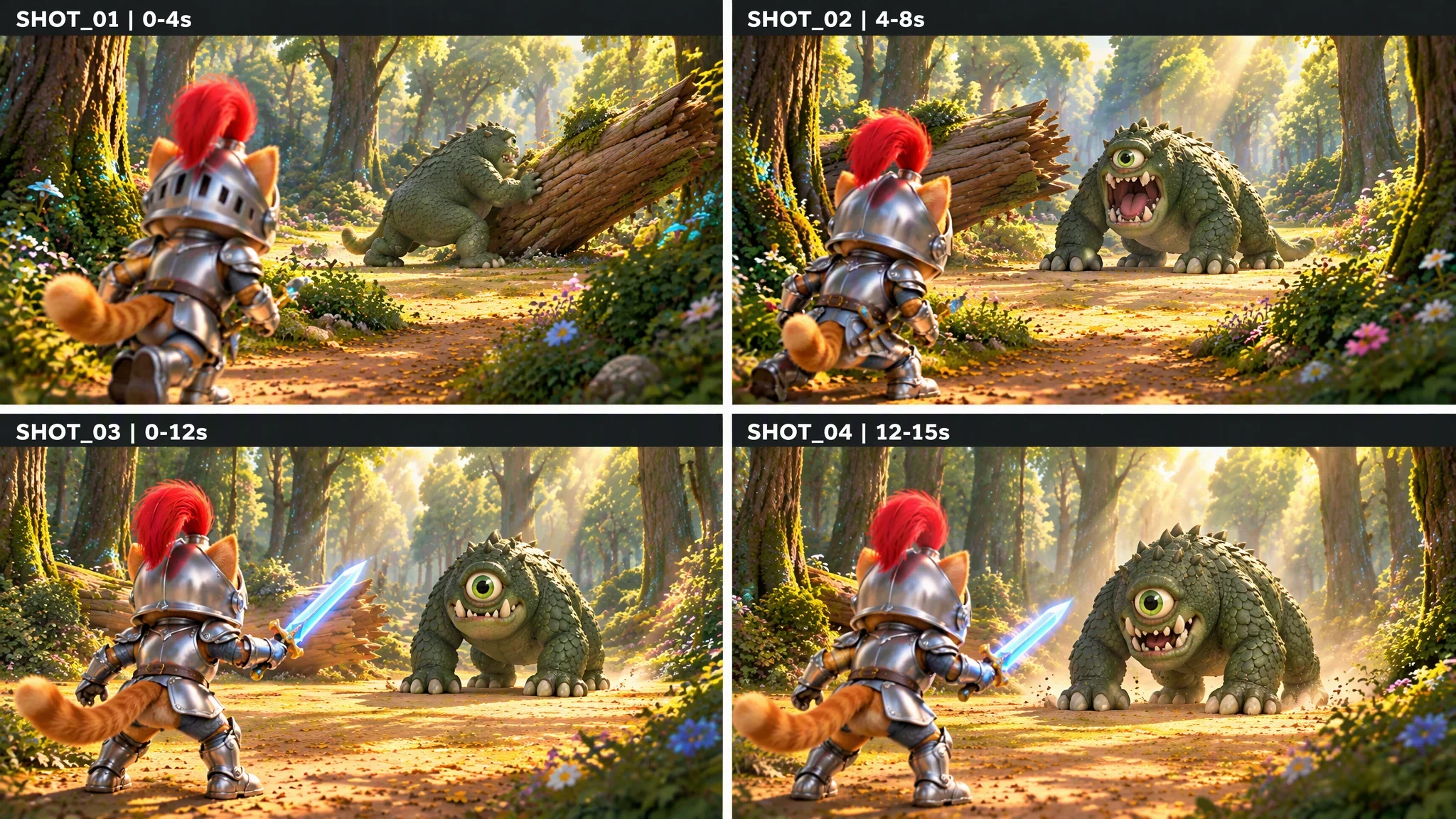
Clip 2: Confronting the One-Eyed Troll
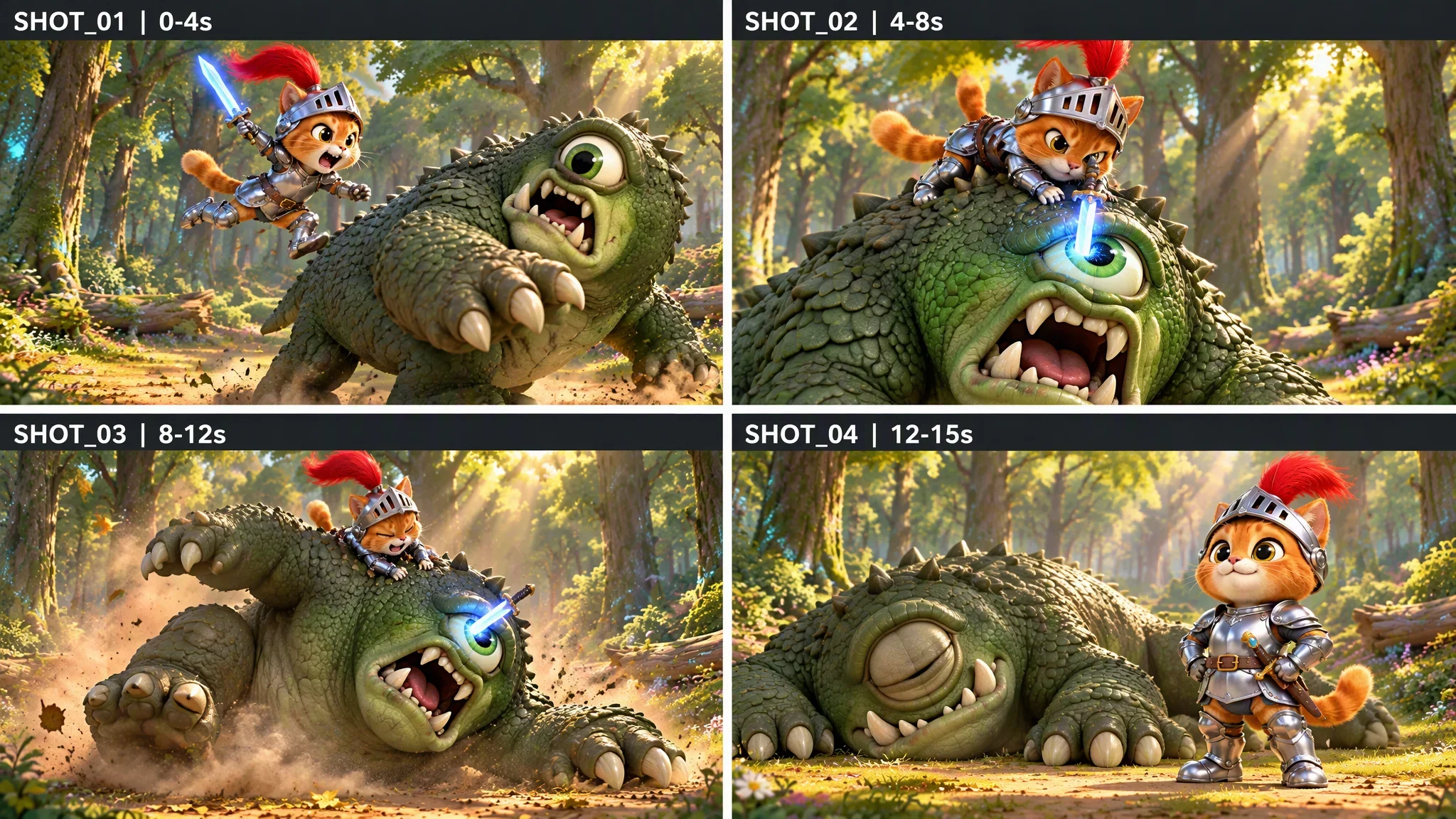
Clip 3: Heroic Leap & Subduing the Monster
Step 4: Animate Storyboard Frames with Camera Control
Convert your static storyboard panels into dynamic animated clips. Apply camera pans, zooms, and dynamic combat trajectories to bring characters and monsters to life.
Movmix AI Story Generator vs. Traditional Video Tools
| Feature | Movmix AI Story Generator | Traditional AI Video Tools |
|---|---|---|
| Workflow | 4-Step Pipeline: Create Story ➔ Story Setup ➔ Storyboard ➔ Export | Single disjointed clip generation with no narrative continuity |
| Character Consistency | Multi-angle asset locking; characters remain identical across cuts | Faces and outfits morph randomly across every new shot |
| Storyboarding | Automatic plot parsing into timed, multi-shot storyboard panels | Requires manual script chopping and separate prompt generation |
| Export & Audio | One-click multi-scene long video with synchronized SFX & audio | Isolated short silent clips requiring third-party video editors |
| Iteration & Editing | Regenerate individual shots without restarting the entire project | No local editing; changing one frame requires re-rendering everything |
Guides & Tutorials You Might Need
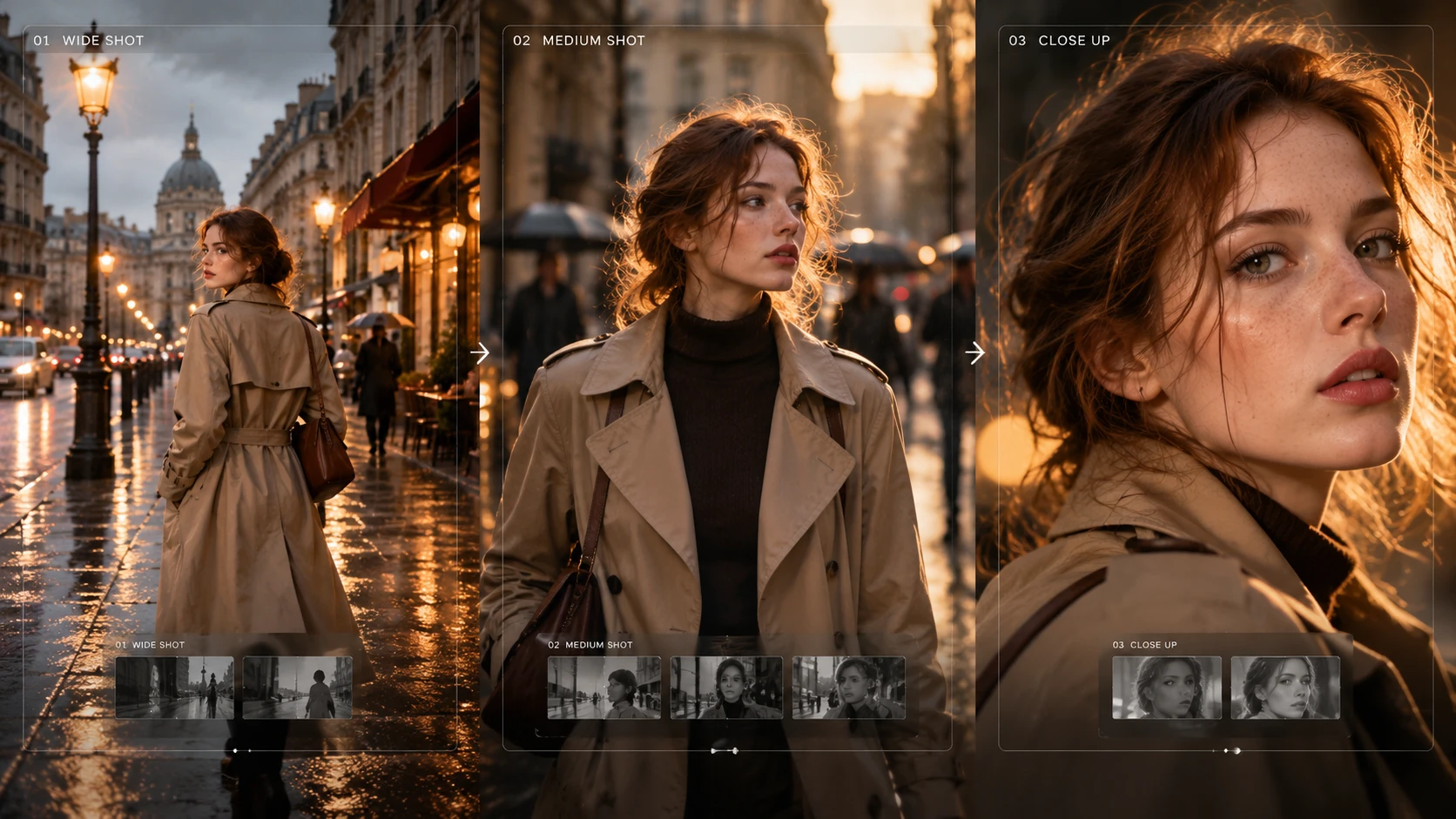
Trusted by Global Creators & Studios
'%3e%3cpath%20d='M81.2%2081.2C733.589%20227.736%201087.78%20231.952%201695.95%2081.2V368.2C1071.86%20240.221%20717.942%20247.431%2081.2%20368.2V81.2Z'%20fill='%2393B200'%20fill-opacity='0.2'/%3e%3c/g%3e%3cdefs%3e%3cfilter%20id='filter0_f_0_6'%20x='0'%20y='0'%20width='1777.15'%20height='449.4'%20filterUnits='userSpaceOnUse'%20color-interpolation-filters='sRGB'%3e%3cfeFlood%20flood-opacity='0'%20result='BackgroundImageFix'/%3e%3cfeBlend%20mode='normal'%20in='SourceGraphic'%20in2='BackgroundImageFix'%20result='shape'/%3e%3cfeGaussianBlur%20stdDeviation='40.6'%20result='effect1_foregroundBlur_0_6'/%3e%3c/filter%3e%3c/defs%3e%3c/svg%3e)
'%3e%3cpath%20d='M19%2019C671.389%20132.748%201025.58%20136.02%201633.75%2019V241.782C1009.66%20142.439%20655.742%20148.036%2019%20241.782V19Z'%20fill='%23485700'%20fill-opacity='0.1'/%3e%3c/g%3e%3cdefs%3e%3cfilter%20id='filter0_f_0_5'%20x='0'%20y='0'%20width='1652.75'%20height='260.782'%20filterUnits='userSpaceOnUse'%20color-interpolation-filters='sRGB'%3e%3cfeFlood%20flood-opacity='0'%20result='BackgroundImageFix'/%3e%3cfeBlend%20mode='normal'%20in='SourceGraphic'%20in2='BackgroundImageFix'%20result='shape'/%3e%3cfeGaussianBlur%20stdDeviation='9.5'%20result='effect1_foregroundBlur_0_5'/%3e%3c/filter%3e%3c/defs%3e%3c/svg%3e)
'%20style='mix-blend-mode:plus-lighter'%3e%3cpath%20d='M77.1%2077.1C729.489%20134.784%201083.68%20136.443%201691.85%2077.1V190.077C1067.76%20139.698%20713.842%20142.536%2077.1%20190.077V77.1Z'%20fill='url(%23paint0_linear_0_4)'%20fill-opacity='0.5'/%3e%3c/g%3e%3cdefs%3e%3cfilter%20id='filter0_f_0_4'%20x='0'%20y='0'%20width='1768.95'%20height='267.177'%20filterUnits='userSpaceOnUse'%20color-interpolation-filters='sRGB'%3e%3cfeFlood%20flood-opacity='0'%20result='BackgroundImageFix'/%3e%3cfeBlend%20mode='normal'%20in='SourceGraphic'%20in2='BackgroundImageFix'%20result='shape'/%3e%3cfeGaussianBlur%20stdDeviation='38.55'%20result='effect1_foregroundBlur_0_4'/%3e%3c/filter%3e%3clinearGradient%20id='paint0_linear_0_4'%20x1='77.1'%20y1='133.588'%20x2='1691.85'%20y2='133.588'%20gradientUnits='userSpaceOnUse'%3e%3cstop%20stop-color='white'/%3e%3cstop%20offset='0.5'%20stop-color='white'%20stop-opacity='0.5'/%3e%3cstop%20offset='1'%20stop-color='white'/%3e%3c/linearGradient%3e%3c/defs%3e%3c/svg%3e)
100%Character Consistency
4-StepAI Story Workflow
