
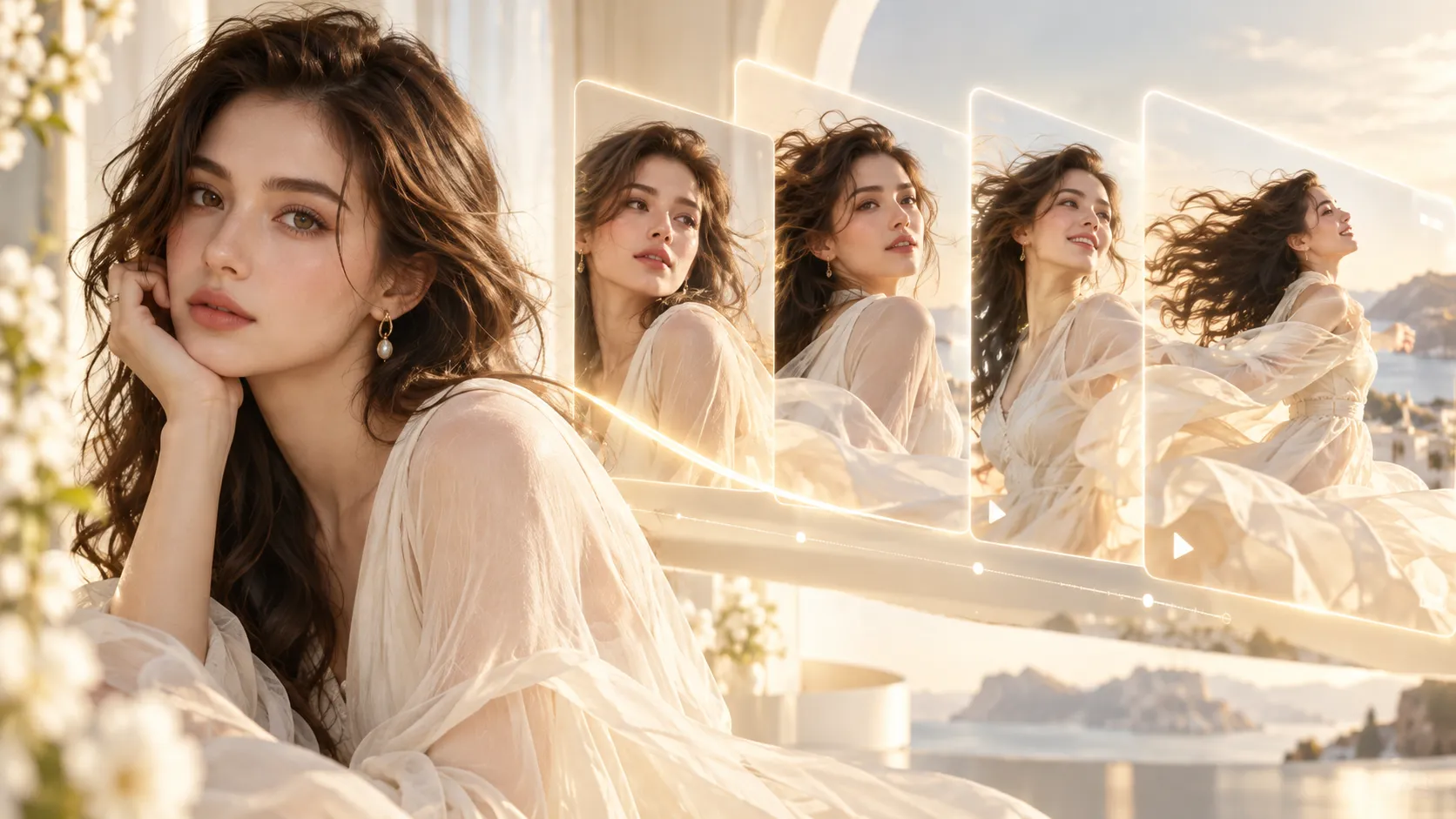
Google has released plenty of impressive AI models lately, but the most interesting part of its latest Gemini update may not be a single model.
It is the workflow.
Google is now explicitly showing creators how to pair Nano Banana 2 Lite with Gemini Omni Flash: generate or refine the image first, then pass that image into Omni and turn it into video.
In other words:
Get the first frame right. Then make it move.
That may sound obvious, but it solves one of the biggest problems with AI video: asking one model to invent the character, composition, environment, motion, camera and final shot all at the same time.
Google describes Nano Banana 2 Lite as its fastest and most cost-efficient Nano Banana image model, while Gemini Omni Flash is designed for video generation and conversational editing using combinations of text, images and video inputs. Google specifically recommends chaining the two models together for end-to-end media workflows.
And because both workflows are available on Movmix, you can follow the same idea without constantly downloading files and jumping between unrelated tools.
First, What Did Google Actually Release?
There are two pieces to this update.
Nano Banana 2 Lite is built for fast image generation and editing. Google says it can produce a 1K text-to-image result in around four seconds and is optimized for high-volume, low-latency workflows.
If you are starting from scratch, you can use Nano Banana 2 Lite Text to Image to create the first frame.
Already have a photo or product image? Use Nano Banana 2 Lite Image to Image to change the scene, styling or composition without rebuilding everything from zero.
Then comes Gemini Omni Flash.
Google positions Omni Flash as a multimodal video generation and editing model. It supports conversational editing, multimodal references, real-world knowledge and synchronization between text, graphics and actions.
But the most useful part for everyday creators is simpler:
you can give it the image you already like and focus the video prompt on what should happen next.
The Real Shift: Stop Asking the Video Model to Do Everything
A lot of bad AI videos start with a bad first frame.
Maybe the face is slightly wrong.
Maybe the product is at the wrong angle.
Maybe the room looks nothing like what you imagined.
Then we write an even longer video prompt and hope the video model somehow fixes everything while also animating it.
That is asking a lot.
A better first frame to video workflow separates the jobs.
The image model answers:
What should this scene look like?
The video model answers:
What should happen next?
Once you think this way, prompts become much easier to write.
Instead of spending half your video prompt describing a bottle, a model, a room or an outfit that is already visible, you can spend those words on motion, timing and camera behavior.
That is exactly why Google's decision to connect Nano Banana 2 Lite and Gemini Omni Flash matters more than another benchmark chart.
How to Recreate the Workflow on Movmix
Let's use a simple product ad.
You want to turn one skincare image into a short promotional video.
Step 1: Create the First Frame With Nano Banana 2 Lite
Start with the image.
For example:
| Prompt | Image |
|---|---|
| Premium skincare bottle on a smooth stone platform beside fresh green leaves, soft morning light, subtle water droplets, clean natural background, elegant product photography, 16:9, no text, no logo. |  |
At this stage, forget motion completely.
Look at the result and ask: Is the bottle shape right? Is the composition good? Do I like the lighting? Is the background clean enough?
If not, fix the image now.
That is much easier than discovering the problem after you have already generated the video.
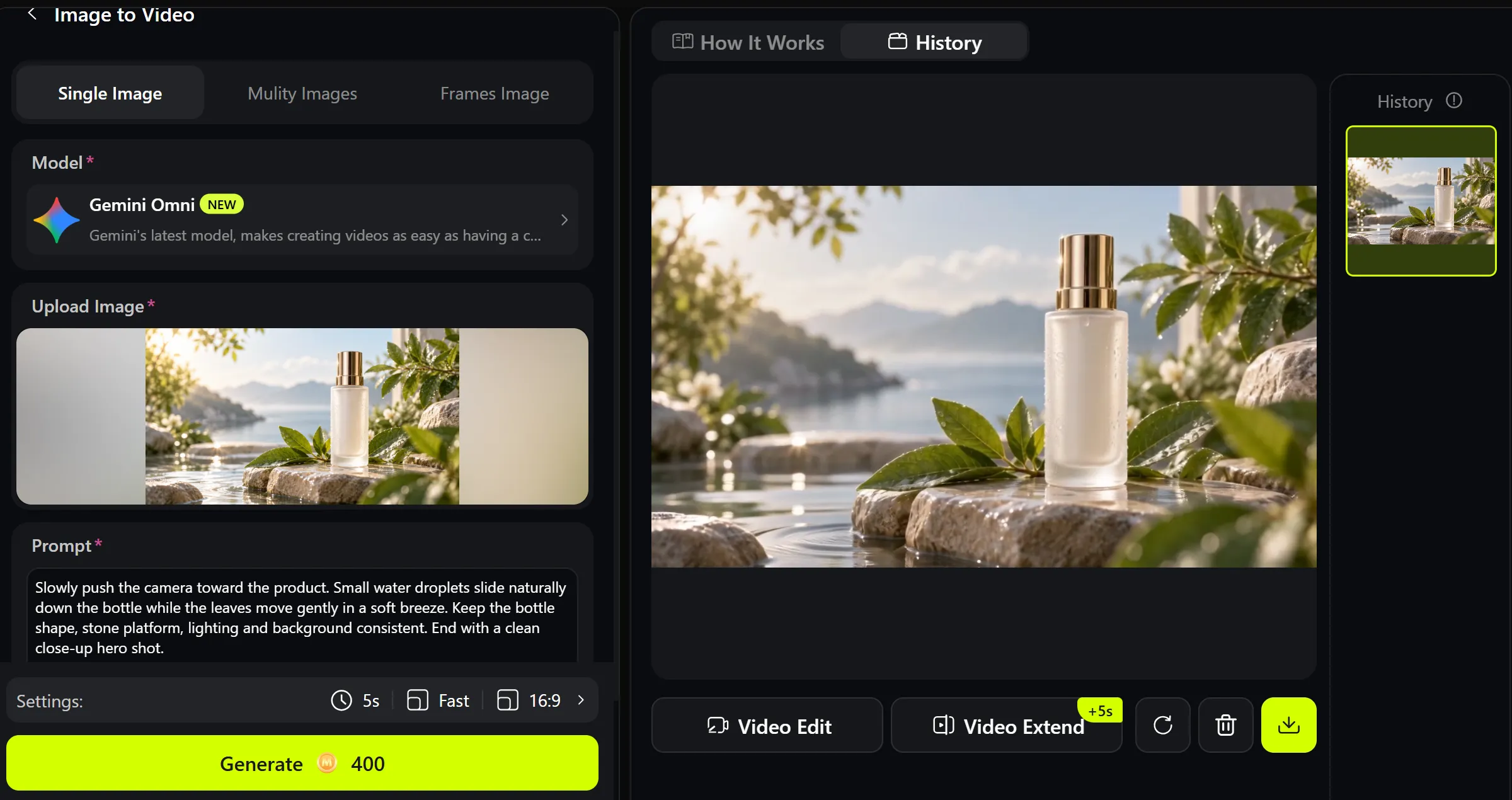
Step 2: Turn the Image Into Video With Gemini Omni
Once the first frame looks right, upload it to Gemini Omni Image to Video.
Now the prompt can stay focused:
Notice what is missing?
We are not describing the bottle all over again.
The image already did that job.
The video prompt mainly controls:
motion → camera → consistency → ending
That is a much cleaner division of labor.
Step 3: Refine the Motion, Not the Whole Project
Suppose the first video looks good, but you do not like the camera movement.
Do not regenerate the image.
Just change:
Slow camera push-in
to something like:
Slow clockwise camera orbit around the product
Or maybe you want the composition completely locked:
Keep the camera fixed. Only the leaves and water droplets move.
This sounds simple, but it changes the way you work.
Instead of restarting the whole project whenever something goes wrong, you fix the stage that actually has the problem.
If the generated clip is already close and only needs a visual adjustment, you can also continue with the Gemini Omni AI Video Editor rather than recreating everything.
Google Is Already Showing Where This Workflow Makes Sense
Google created several demos specifically to show how Nano Banana 2 Lite and Gemini Omni work together.
One is Anywhere. You upload a selfie or photo, Nano Banana 2 Lite moves the person into different locations, and once you choose an image, Gemini Omni animates it into a video.
The workflow is basically:
Photo → New Scene → Animated Clip
That is a very practical way to animate AI generated images because the creative decision happens before the animation begins.
Another demo is Space Lift. Nano Banana 2 Lite first redesigns an uploaded room, then Gemini Omni turns the chosen interior concept into a cinematic moving showcase.
Instead of asking the video model to redesign the room while simultaneously moving the camera, you first decide what the room should become.
Then you animate it.
Google's third example may be the most commercially useful: Omni Product Studio converts static product imagery from Nano Banana 2 Lite into e-commerce videos using Gemini Omni.
That is essentially an AI product video workflow:
Generate product image → approve product image → animate product image → refine video
For marketers and online stores, this is much more useful than blindly generating a completely different product shot every time.
It Also Goes Beyond Basic Image-to-Video
The interesting thing about Omni is that this workflow does not have to stop at one static image.
If your project depends on additional visual references or motion guidance, Movmix also has a Gemini Omni Reference to Video workflow.
That opens the door to a different kind of creation:
one asset can tell the model what the subject looks like, while another helps communicate how the shot should move.
That is where multimodal video starts becoming much more useful than traditional “upload one picture and hope for the best” image-to-video.
Gemini Omni Flash Still Has Limits
This is still a new model, and Google is quite clear about the current limitations.
Gemini Omni Flash currently generates 10-second videos. Google also says uploaded audio references and scene extension are not yet supported through the Gemini API. Video references up to three seconds may be accepted by the API schema, but are not yet correctly processed by the model, and character consistency can still weaken during scene changes or larger panning movements.
So this is not yet:
“Upload anything, make a perfect two-minute film, and go home.”
For now, the strongest use case is much more focused:
build a strong first frame, give it a clear movement, generate a short clip, then refine.
And honestly, that is already useful.
Why This Matters More Than Another New AI Model
The biggest change here is not that Google has another image model and another video model.
It is that the boundary between them is disappearing.
Image generation becomes part of video generation.
Video editing becomes part of generation.
References become part of prompting.
And instead of searching for one mythical model that does absolutely everything perfectly, creators can use different tools for different stages of the same idea.
For a practical workflow, that makes much more sense.
Need a brand-new image? Start with Nano Banana 2 Lite Text to Image.
Already have an image worth keeping? Refine it.
When the first frame is ready, send it into Gemini Omni and tell the scene what to do next.
Google's new workflow can be reduced to one sentence:
Create the frame you actually want first. Then make it move.
For AI video creation in 2026, that may be a much bigger shift than it sounds.
'%3e%3crect%20y='2.1906'%20width='26'%20height='17.4314'%20rx='1.55981'%20fill='white'/%3e%3c/g%3e%3crect%20x='0.311961'%20y='2.50256'%20width='25.3761'%20height='16.8075'%20rx='1.24784'%20stroke='%2322257C'%20stroke-width='0.623922'/%3e%3c/g%3e%3crect%20x='13.078'%20y='15.5656'%20width='10.8016'%20height='2.49569'%20rx='0.623922'%20fill='%2366B3FF'%20stroke='%2322257C'%20stroke-width='0.623922'/%3e%3crect%20x='-0.311961'%20y='0.311961'%20width='10.8016'%20height='2.49569'%20rx='0.623922'%20transform='matrix(-1%200%200%201%2012.61%2015.2536)'%20fill='%2366B3FF'%20stroke='%2322257C'%20stroke-width='0.623922'/%3e%3crect%20x='10.3093'%20y='13.3231'%20width='4.91339'%20height='6.98013'%20rx='2.45669'%20fill='%2322257C'/%3e%3cpath%20d='M18.9174%200.31543C20.5962%200.268025%2022.1261%200.655527%2023.9487%201.55762C24.0483%201.60695%2024.1137%201.71153%2024.1137%201.8291V16.502C24.1137%2016.7236%2023.8763%2016.891%2023.6499%2016.7979C21.803%2016.0377%2020.2158%2015.6963%2018.4975%2015.7705C16.8915%2015.8399%2015.1907%2016.2732%2013.0776%2017.0332V1.6709C15.4678%200.825877%2017.2746%200.36187%2018.9174%200.31543Z'%20fill='white'%20stroke='%2322257C'%20stroke-width='0.623922'/%3e%3cpath%20d='M15.3008%204.57C16.3536%203.94578%2019.2783%203.20503%2021.8909%203.94608'%20stroke='%2366B3FF'%20stroke-width='0.935883'%20stroke-linecap='round'/%3e%3cpath%20d='M15.3008%207.26054C16.3536%206.63631%2019.2783%205.89557%2021.8909%206.63661'%20stroke='%2366B3FF'%20stroke-width='0.935883'%20stroke-linecap='round'/%3e%3cpath%20d='M15.3008%209.95107C16.3536%209.32684%2019.2783%208.5861%2021.8909%209.32714'%20stroke='%2366B3FF'%20stroke-width='0.935883'%20stroke-linecap='round'/%3e%3cpath%20d='M15.3008%2012.6398C16.3536%2012.0156%2019.2783%2011.2749%2021.8909%2012.0159'%20stroke='%2366B3FF'%20stroke-width='0.935883'%20stroke-linecap='round'/%3e%3cpath%20d='M7.08257%200.31543C5.40384%200.268025%203.87393%200.655527%202.05132%201.55762C1.95165%201.60695%201.88628%201.71153%201.88628%201.8291V16.502C1.88628%2016.7236%202.12373%2016.891%202.35014%2016.7979C4.19702%2016.0377%205.78418%2015.6963%207.50249%2015.7705C9.10852%2015.8399%2010.8093%2016.2732%2012.9224%2017.0332V1.6709C10.5322%200.825877%208.72541%200.36187%207.08257%200.31543Z'%20fill='white'%20stroke='%2322257C'%20stroke-width='0.623922'/%3e%3cpath%20d='M10.6992%204.57C9.64638%203.94578%206.72175%203.20503%204.10907%203.94608'%20stroke='%2366B3FF'%20stroke-width='0.935883'%20stroke-linecap='round'/%3e%3cpath%20d='M10.6992%207.26054C9.64638%206.63631%206.72175%205.89557%204.10907%206.63661'%20stroke='%2366B3FF'%20stroke-width='0.935883'%20stroke-linecap='round'/%3e%3cpath%20d='M10.6992%209.95107C9.64638%209.32684%206.72175%208.5861%204.10907%209.32714'%20stroke='%2366B3FF'%20stroke-width='0.935883'%20stroke-linecap='round'/%3e%3cpath%20d='M10.6992%2012.6398C9.64638%2012.0156%206.72175%2011.2749%204.10907%2012.0159'%20stroke='%2366B3FF'%20stroke-width='0.935883'%20stroke-linecap='round'/%3e%3c/g%3e%3cdefs%3e%3cfilter%20x='0'%20y='2.1906'%20width='26'%20height='17.4314'%20filterUnits='userSpaceOnUse'%20color-interpolation-filters='sRGB'%3e%3cfeFlood%20flood-opacity='0'%20result='BackgroundImageFix'/%3e%3cfeBlend%20mode='normal'%20in='SourceGraphic'%20in2='BackgroundImageFix'%20result='shape'/%3e%3cfeColorMatrix%20in='SourceAlpha'%20type='matrix'%20values='0%200%200%200%200%200%200%200%200%200%200%200%200%200%200%200%200%200%20127%200'%20result='hardAlpha'/%3e%3cfeOffset%20dy='-1.24784'/%3e%3cfeComposite%20in2='hardAlpha'%20operator='arithmetic'%20k2='-1'%20k3='1'/%3e%3cfeColorMatrix%20type='matrix'%20values='0%200%200%200%200.572549%200%200%200%200%200.768627%200%200%200%200%200.976471%200%200%200%201%200'/%3e%3cfeBlend%20mode='normal'%20in2='shape'%20result='effect1_innerShadow_0_4'/%3e%3c/filter%3e%3c/defs%3e%3c/svg%3e)



