Home/Blogs/GPT-6.1 Terra AI Video Prompts: 50 Camera Moves to Try
GPT-6.1 Terra AI Video Prompts: 50 Camera Moves to Try
2026/11/02 20:00:00
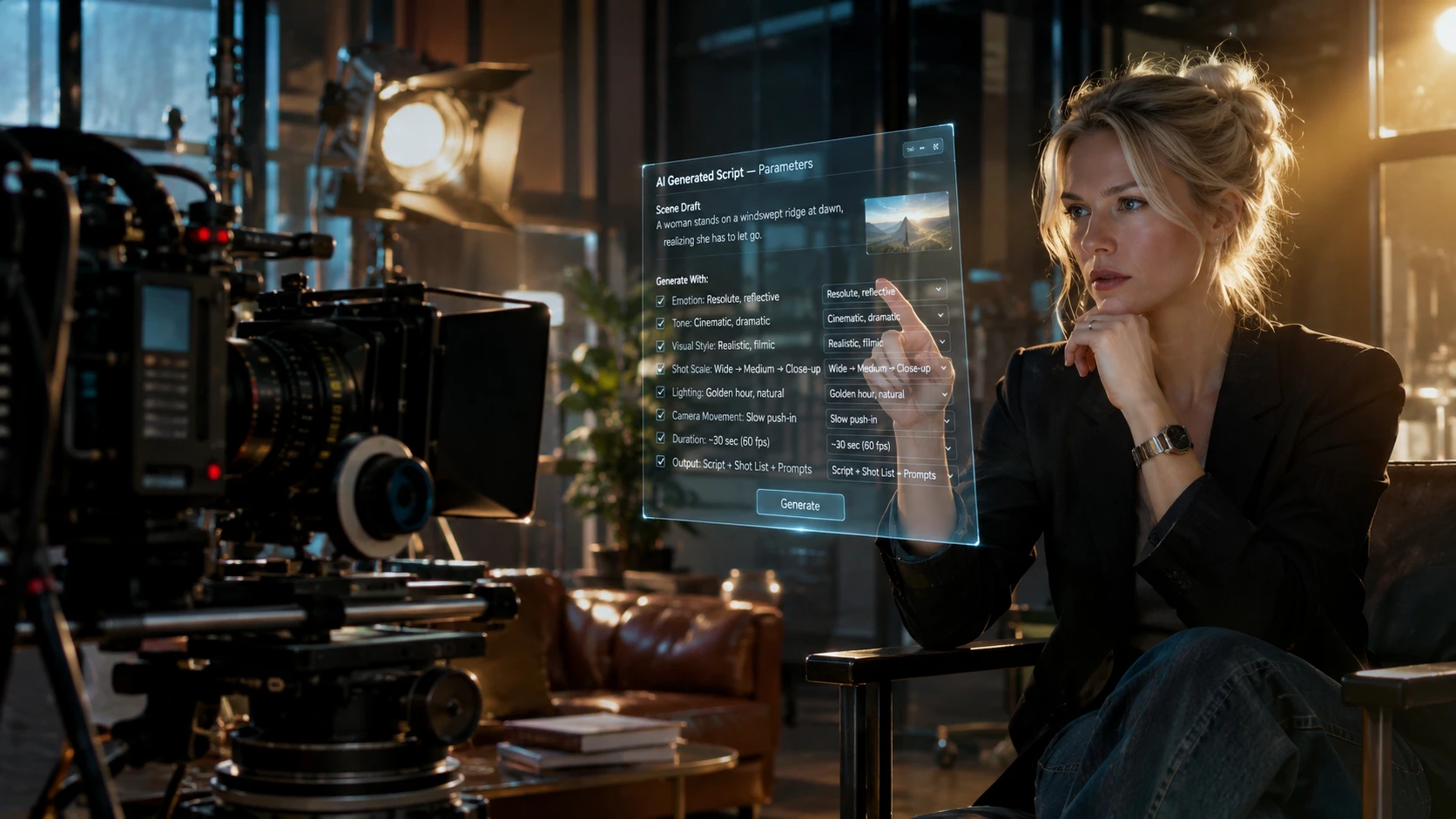
GPT-6.1 Terra is getting plenty of attention, especially for its visual reasoning and writing capabilities. But there's another creative use worth exploring: writing better prompts for AI video generators.
Have you ever asked an AI video model to make a cinematic shot, only to get an awkward zoom or a camera movement that wasn't quite what you imagined? The problem may be how the scene was described.
We can use GPT-6.1 Terra to turn a simple video idea into a more structured prompt, including camera direction, subject movement, lighting, and timing. We can use GPT-6.1 Terra to turn a simple video idea into a more structured prompt, including camera direction, subject movement, lighting, and timing. Then, we can bring that prompt into Movmix, choose an available AI video generation model, and turn the idea into a video.
In this guide, we've collected 50 AI video prompts across 10 shooting styles, from close-ups and tracking shots to POV sequences and visual effects. You can copy the prompts, customize them, and try them directly with Movmix AI Video Generator.
I. Emotional Close-Up Prompts
For emotional scenes, keeping the camera movement minimal is key to capturing subtle facial expressions.
Crying in Cafe: [85mm] A short-haired girl sitting by a cafe window, eyes slightly red. [Natural soft light] Extremely slow dolly in to her eyes. [Timeline] A tear rolls down her cheek. Negative: deformed facial features, incorrect eye structure.
Makeup Touch-up: [50mm] A blonde woman applying lipstick in front of a vanity mirror. [Warm dressing room light] Static shot, slight breathing effect. [Timeline] She presses her lips together and focuses her gaze. Negative: fingers passing through face, distorted mirror reflection.
Tired Sigh: [85mm] A man in a suit leaning against a train seat. [Dynamic passing streetlights] Slight truck sideways. [Timeline] He closes his eyes, sighs, and exhales visible breath. Negative: melting face, flickering background.
Warm Smile: [85mm] A mother looking at her child in the distance. [Sunset backlight, hair rim light] Short arc shot. [Timeline] Corners of her mouth turn up, gentle gaze. Negative: stiff smile, incorrect teeth anatomy.
Extreme Panic: [35mm] A young man turning his head abruptly in the dark. [Harsh directional flashlight] Crash zoom. [Timeline] Pupils dilate, mouth opens in a gasp. Negative: facial stretching, excessive motion blur.
When tracking a moving subject, lock the camera trajectory to prevent the background from warping or glitching.
Rainy Walk: [35mm] A woman in a trench coat walking in the rain with an umbrella. [Neon lights reflecting on puddles] Horizontal tracking shot from the side. [Timeline] Raindrops hit the umbrella and splash. Negative: sliding footsteps, intersecting legs.
Morning Run: [50mm] A man in sportswear jogging on a tree-lined path. [Dappled sunlight through leaves] Follow shot from behind. [Timeline] Fallen leaves are crushed underfoot. Negative: disproportionate limbs, distorted background trees.
Through the Crowd: [24mm] A teenager in a hoodie weaving through a crowded market. [Chaotic stall lighting] Steadicam dolly out from the front. [Timeline] Pedestrians pass by in the foreground, creating wipe transitions. Negative: foreground clipping, blurry faces.
Street Corner Collision: [50mm] Two people bumping into each other at a corner, dropping papers. [Harsh midday sun] Slow pan. [Timeline] Both crouch down simultaneously to pick up the items. Negative: overlapping deformed hands, floating objects.
Looking Up at Skyscrapers: [14mm] A girl standing in the middle of a crosswalk looking up. [Urban neon top light] Low angle arc. [Timeline] She spins in place, skirt flaring. Negative: collapsing buildings, perspective errors.
Everyday actions require precise interaction between hands and objects. Keep the pacing natural and focus on the details.
Pouring Hot Coffee: [50mm] A woman in a loose sweater pouring coffee in the kitchen. [Morning light from window] Slow pan. [Timeline] Steam rises from the coffee as the liquid fills the mug. Negative: liquid clipping through cup, melting cup edges.
Reading an Old Book: [35mm] An old man sitting in a rocking chair, looking through a photo album. [Warm fireplace glow] High angle, extremely slow dolly in. [Timeline] Rough fingers turn a paper page. Negative: extra fingers, pages merging.
Petting a Cat: [50mm] A girl petting a ginger cat on a sofa. [Soft living room top light] Static macro shot. [Timeline] The cat closes its eyes in enjoyment, fingers run through the fur. Negative: cat with extra legs, blocky fur texture.
Typing on Keyboard: [85mm] A programmer typing intensely on a mechanical keyboard late at night. [Cold blue screen light reflecting on glasses] Side close-up. [Timeline] Fingers typing rapidly. Negative: warped keyboard, broken fingers.
Making the Bed: [35mm] A young woman shaking out a crisp white bedsheet. [Bright natural bedroom light] Slow motion. [Timeline] The sheet falls, creating wavy folds. Negative: fabric passing through body, unnatural physics.
These are advanced shots. Push your prompt parameters to create seamless transitions and dramatic scene reveals.
Passing Through a Mirror: [24mm] A finger touches a mirror, causing water ripples on the glass. [Minimalist cold light] Push through the mirror. [Timeline] The mirror turns to liquid as the camera passes into it. Negative: space tearing, broken reflections.
Vertigo Effect (Dolly Zoom): [85mm to 14mm] A man standing on a rooftop looking down at the street. [Harsh sunlight] Dolly zoom. [Timeline] The man remains the same size while the background rapidly stretches away. Negative: subject deformation, fractured background.
Wipe Transition: [50mm] A red double-decker bus drives directly in front of the lens. [Overcast diffused light] Static camera. [Timeline] The bus completely covers the frame, and as it drives off, it reveals an entirely new scene. Negative: bus clipping through background, skipped frames.
Falling Underwater: [14mm] The camera drops rapidly and smashes into the ocean. [Direct sunlight, underwater refraction] High angle follow. [Timeline] Water splashes violently on impact, then the frame fills with bubbles. Negative: broken splash physics, incorrect lighting.
Eye Opening Transition: [35mm] The screen is pitch black, then pulls apart like eyelids opening. [Blinding bright light] Human eye waking simulation. [Timeline] The vision goes from blurry to sharply focused. Negative: flickering screen tearing.
How to Write Your Own AI Video Prompts With GPT-6.1 Terra
This is a prompt you can feed into GPT-6.1 Terra
Act as an AI video prompt assistant.
I will give you a simple video idea.
Turn it into a clear, detailed prompt for an AI video generator.
Include:
1. Main subject and setting
2. Subject movement
3. Camera angle and movement
4. Lighting and visual style
5. How the action develops over time
6. Details that should remain consistent
Keep the prompt natural, visual, and easy for a video generation model to interpret.
My video idea: [Insert your idea here]
Hardcore Prompt Formulas for Specific Scenes
Different camera movements call for different prompting strategies. Instead of adding more technical terms, it often helps to describe one clear movement and keep the subject's action simple.
Here are two practical examples you can adapt with GPT-6.1 Terra.
1Formula 1: Slow Dolly In for Cinematic Close-Ups
Base Idea: A Siamese cat watching the rain from a window.
What It Does: The camera begins with a wider composition and gradually moves toward the cat's face. This helps direct the viewer's attention without changing the scene too dramatically.
What to Check: Watch whether the camera moves smoothly, the window frame stays stable, and the cat's appearance remains consistent.
Let's see the actual rendering effect:
2Formula 2: Slow Camera Arc for Natural Expressions
Base Idea: A woman reading a book in a cozy room.
What It Does: The camera moves through a small arc while the woman lifts her gaze from the book and gives a subtle smile. A limited camera movement can help keep the facial expression as the main focus.
What to Check: Look for natural facial movement, stable hands, and a consistent background.
Both examples can be adapted for different video generation models. Results will vary depending on the model, reference image, and prompt details.
Here is the actual rendering effect:
Fixing Continuity with Long Context
When generating multiple shots, small differences in character appearance, clothing, or camera movement can make the final sequence feel disconnected.
GPT-6.1 Terra can help review and revise the prompts. Save a few key frames from the generated clips, describe what went wrong, and provide the original prompts as context.
For example, if the camera moves too quickly or a character's outfit changes between shots, ask Terra to rewrite the instructions with slower movement and consistent character details.
A good AI video often starts with a clear instruction. GPT-6.1 Terra can help you describe the scene, organize the camera movement, and refine the details before generation.
Start with one of the 50 prompts above, or use Terra to create your own. Then bring that prompt into Movmix and see how your idea looks in motion.
Need more control over your shots? Our first-frame guide for AI video explains how to build a stronger visual starting point.
Ethan Brooks is a content writer at Movmix AI, specializing in AI video and image generation. He turns complex creative workflows into clear, hands-on guides for makers of every level.
Privacy Matters
We use cookies to personalize your MOVMIX experience and analyze our traffic.