
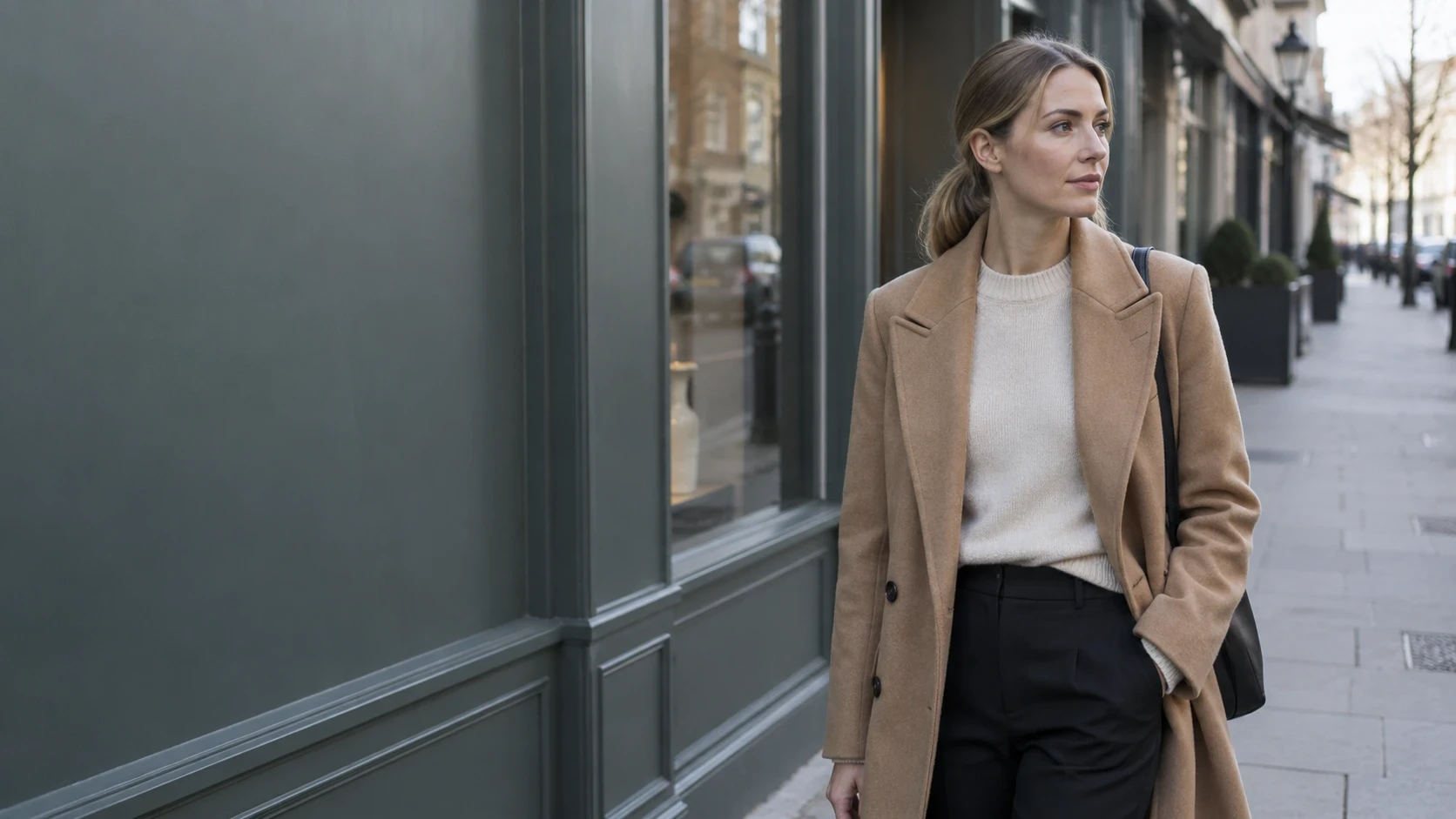
You already have a photo. What you want is AI video from a photo — a short clip you can post, not a storyboard and not a reshoot. This is how to create AI video from a photo on Movmix: send the still into MiniMax H3 under Video and let the room keep behaving like a room.
Wind that only moves a jacket, while the leaves outside stay frozen, looks like a sticker. Water that ripples while the window glare never shifts looks like a loop. The still still has to be sharp. The sentence has to mention the small things that would move with the main thing.
MiniMax H3 takes the photo as frame one. The first clip is 5 seconds, the shortest run on the site. Some pages return sound with the picture; use the switch if you see one.
Start with a photo MiniMax H3 can actually move
AI video from a photo is decided before upload. Put the moving side in frame: cuff and hem, waterline, both feet. Include one neighbor in the same air — a branch outside the glass, a curtain corner, shop signs down the street — so the prompt has something true to attach to.
When you can read the weave, the chair back, and the leaves, open Video.
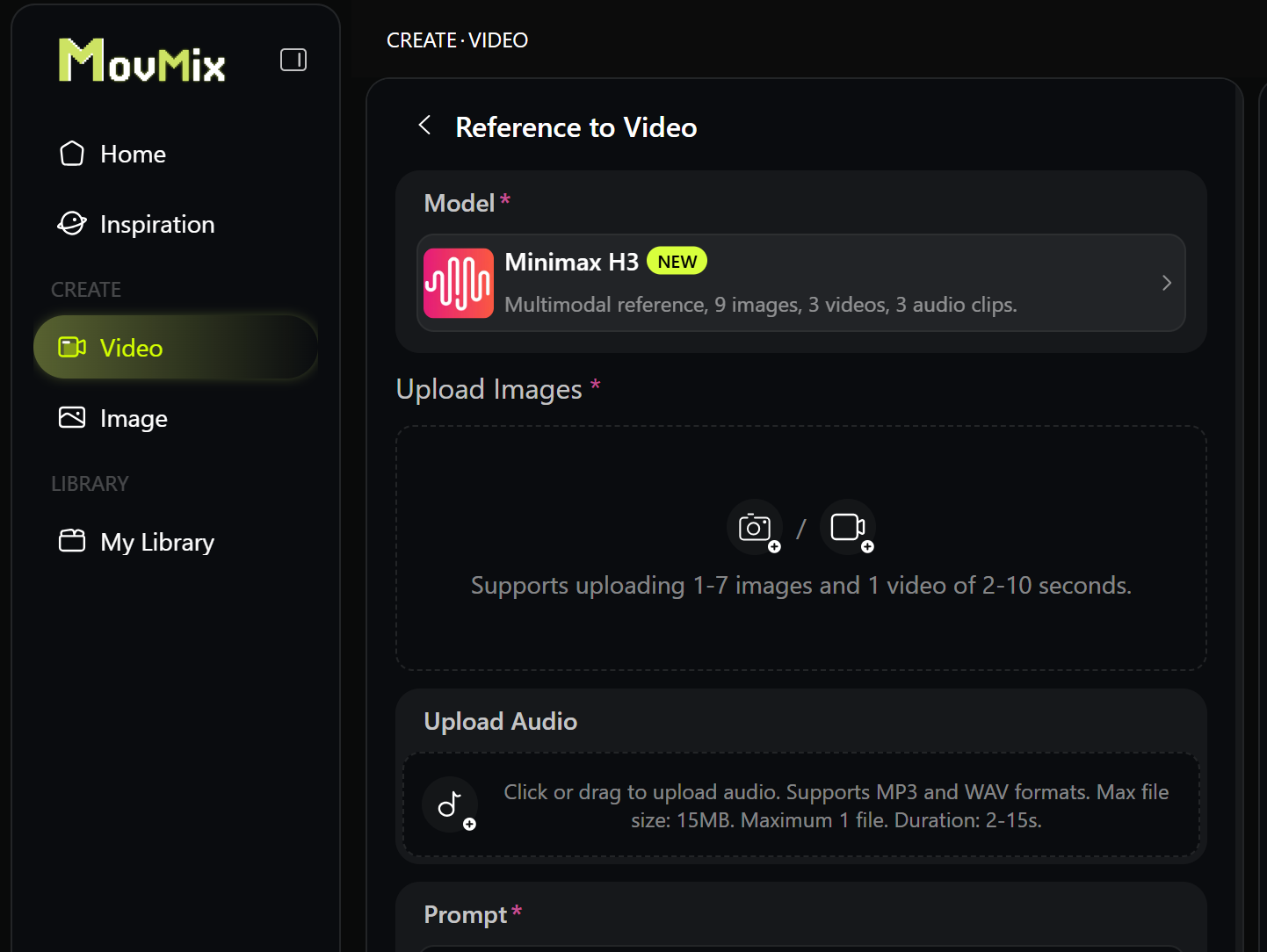
How to create AI video from a photo on Movmix
Open Video, upload the photo, choose MiniMax H3, set 5 seconds. Do not rebuild the jacket’s color or the man’s age. Add the secondary motion that belongs in that room.
Order: hold the subject → one main move + the natural side-move → 5 seconds → what stays locked.
Change one line per run.
Example 1 — A jacket in daylight
If air comes through the window, the sleeve moves and the branch outside moves. The chair stays on the floor.
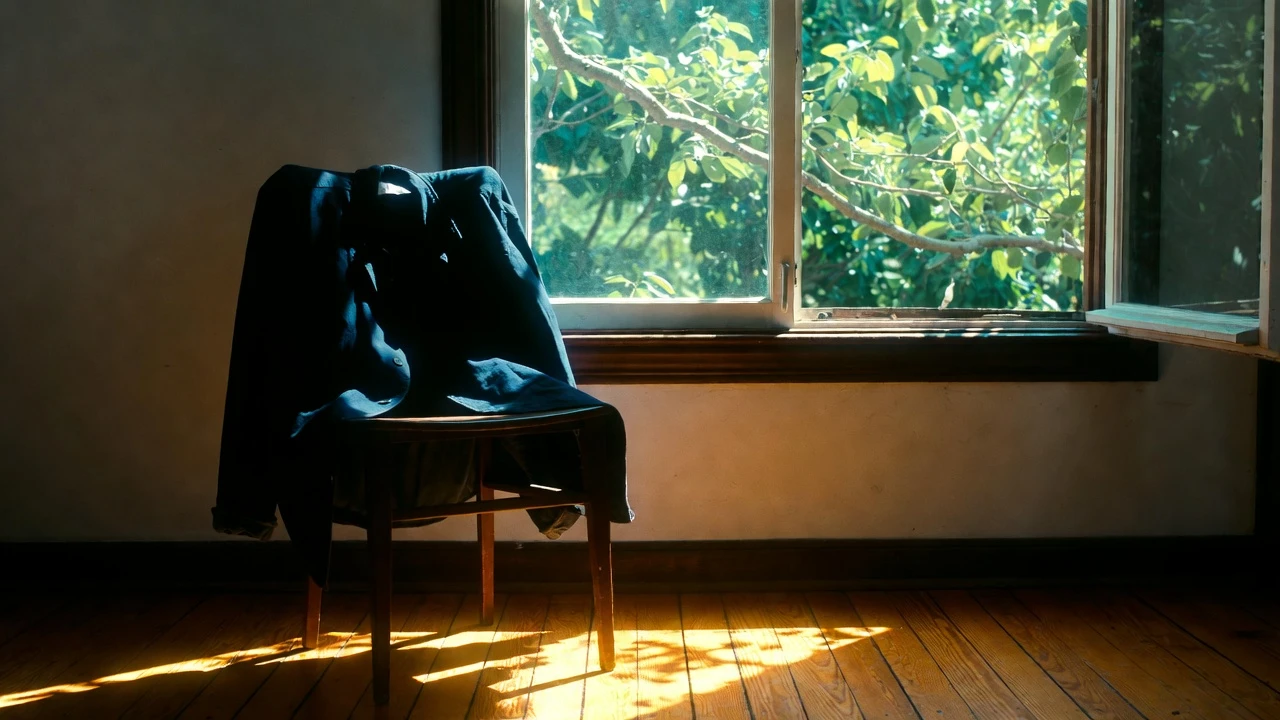
Keep the same navy jacket on the same wooden chair and the same open window. The jacket moves first: the sleeve sways, the hem lifts and drops, the fabric wrinkles in a breeze from the window. The leaves outside shake at the same time. While that is happening, the viewpoint travels slowly left to right. The chair stays nailed to the floor. The jacket stays on the chair. It does not freeze. 5 seconds. No people. Do not replace the jacket.
Example 2 — A cup on a table
The ripple is small. Light on the waterline can tick. The table and the glass stay planted.
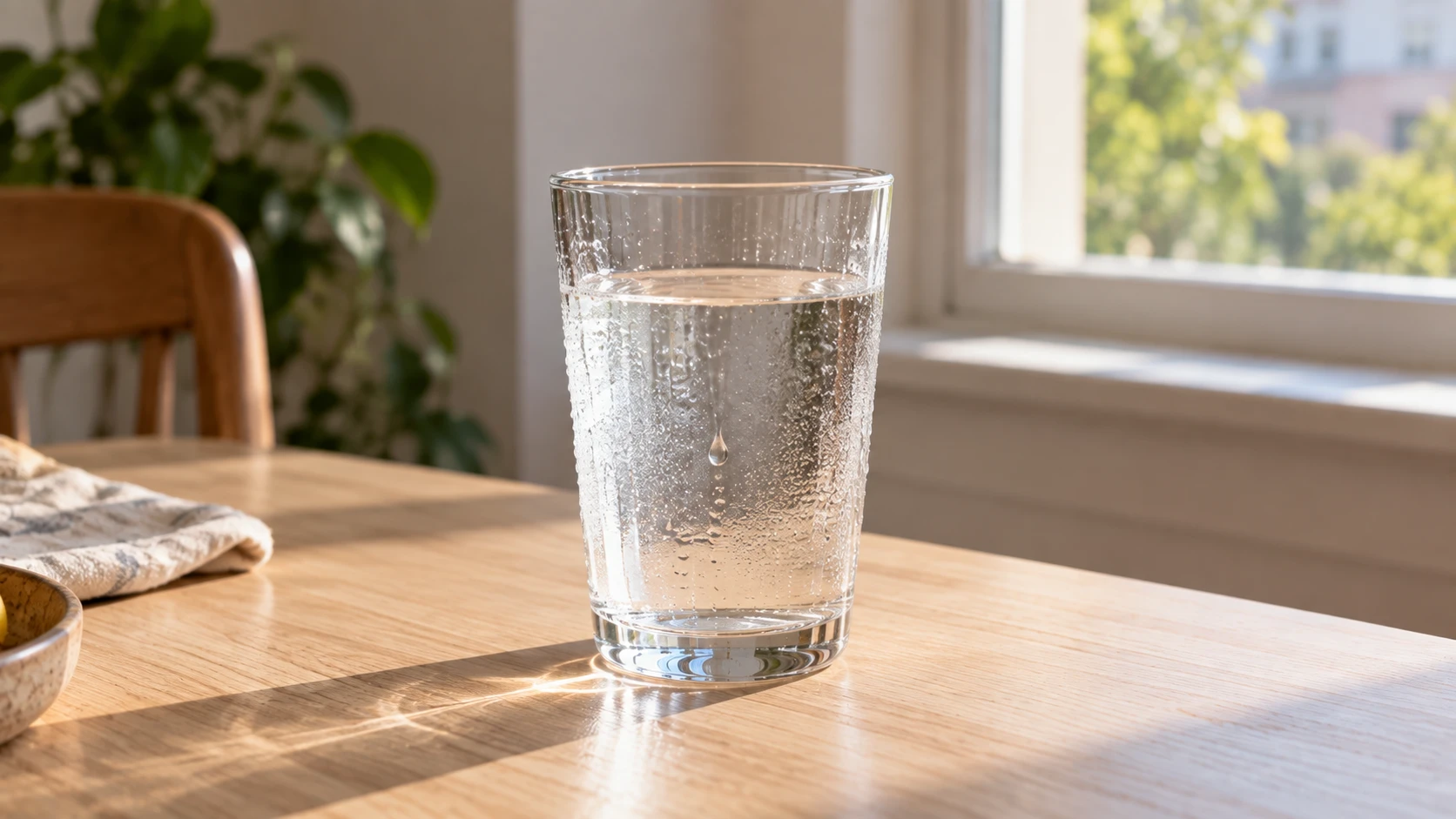
Keep the same glass, the same waterline, and the same wood table. One condensation drop on the outside of the glass slides slowly down the front and stops near the table. The water inside stays still. No new drops appear. The table stays dry wood. The glass does not move or change shape. 5 seconds. No people.
Example 3 — A street still
Two steps, and the street keeps living: a flag, leaves, or a distant walker far enough not to steal the face.

Keep the same man, the same grey sweater, and the same brick street. He walks two steps forward at a normal pace. Arms swing a little. The cloth flag on the shop moves once in the same breeze. Leaves at the curb shift. His face stays the same. The shops stay behind him. No extra person walks through the foreground. 5 seconds.
When AI video from a photo ignores the still
| What you see | Change this first |
|---|---|
| New jacket or new face | keep the same… and cut appearance adjectives |
| Glass melts | Larger glass in the still; do not change the glass |
| Jacket moves, leaves frozen | Name the leaves in the same breeze |
| Extra person in front | no extra person in the foreground |
| Whole table takes off | light breeze, small ripple, two steps |
Hold MiniMax H3 and 5 seconds. Change one line.
What this MiniMax H3 path is for
The jacket, the glass, and the street are one problem: can AI video from a photo move for 5 seconds and still be that photo, including the air around it.
Open Video, choose MiniMax H3, run the photo you have for 5 seconds. Watch the subject first, then the thing beside it that should have moved too.
FAQ
Does the first clip have to be 5 seconds?
Yes for the first pass — it is the shortest run on the site.
Should the prompt describe the whole photo?
Name the subject and the neighbor that would move with it. Do not rebuild the outfit.
What if there is no sound switch?
Judge the picture. Add audio later.
Can one photo become a full story?
Not here. Get one motion right in 5 seconds first.
'%3e%3crect%20y='2.1906'%20width='26'%20height='17.4314'%20rx='1.55981'%20fill='white'/%3e%3c/g%3e%3crect%20x='0.311961'%20y='2.50256'%20width='25.3761'%20height='16.8075'%20rx='1.24784'%20stroke='%2322257C'%20stroke-width='0.623922'/%3e%3c/g%3e%3crect%20x='13.078'%20y='15.5656'%20width='10.8016'%20height='2.49569'%20rx='0.623922'%20fill='%2366B3FF'%20stroke='%2322257C'%20stroke-width='0.623922'/%3e%3crect%20x='-0.311961'%20y='0.311961'%20width='10.8016'%20height='2.49569'%20rx='0.623922'%20transform='matrix(-1%200%200%201%2012.61%2015.2536)'%20fill='%2366B3FF'%20stroke='%2322257C'%20stroke-width='0.623922'/%3e%3crect%20x='10.3093'%20y='13.3231'%20width='4.91339'%20height='6.98013'%20rx='2.45669'%20fill='%2322257C'/%3e%3cpath%20d='M18.9174%200.31543C20.5962%200.268025%2022.1261%200.655527%2023.9487%201.55762C24.0483%201.60695%2024.1137%201.71153%2024.1137%201.8291V16.502C24.1137%2016.7236%2023.8763%2016.891%2023.6499%2016.7979C21.803%2016.0377%2020.2158%2015.6963%2018.4975%2015.7705C16.8915%2015.8399%2015.1907%2016.2732%2013.0776%2017.0332V1.6709C15.4678%200.825877%2017.2746%200.36187%2018.9174%200.31543Z'%20fill='white'%20stroke='%2322257C'%20stroke-width='0.623922'/%3e%3cpath%20d='M15.3008%204.57C16.3536%203.94578%2019.2783%203.20503%2021.8909%203.94608'%20stroke='%2366B3FF'%20stroke-width='0.935883'%20stroke-linecap='round'/%3e%3cpath%20d='M15.3008%207.26054C16.3536%206.63631%2019.2783%205.89557%2021.8909%206.63661'%20stroke='%2366B3FF'%20stroke-width='0.935883'%20stroke-linecap='round'/%3e%3cpath%20d='M15.3008%209.95107C16.3536%209.32684%2019.2783%208.5861%2021.8909%209.32714'%20stroke='%2366B3FF'%20stroke-width='0.935883'%20stroke-linecap='round'/%3e%3cpath%20d='M15.3008%2012.6398C16.3536%2012.0156%2019.2783%2011.2749%2021.8909%2012.0159'%20stroke='%2366B3FF'%20stroke-width='0.935883'%20stroke-linecap='round'/%3e%3cpath%20d='M7.08257%200.31543C5.40384%200.268025%203.87393%200.655527%202.05132%201.55762C1.95165%201.60695%201.88628%201.71153%201.88628%201.8291V16.502C1.88628%2016.7236%202.12373%2016.891%202.35014%2016.7979C4.19702%2016.0377%205.78418%2015.6963%207.50249%2015.7705C9.10852%2015.8399%2010.8093%2016.2732%2012.9224%2017.0332V1.6709C10.5322%200.825877%208.72541%200.36187%207.08257%200.31543Z'%20fill='white'%20stroke='%2322257C'%20stroke-width='0.623922'/%3e%3cpath%20d='M10.6992%204.57C9.64638%203.94578%206.72175%203.20503%204.10907%203.94608'%20stroke='%2366B3FF'%20stroke-width='0.935883'%20stroke-linecap='round'/%3e%3cpath%20d='M10.6992%207.26054C9.64638%206.63631%206.72175%205.89557%204.10907%206.63661'%20stroke='%2366B3FF'%20stroke-width='0.935883'%20stroke-linecap='round'/%3e%3cpath%20d='M10.6992%209.95107C9.64638%209.32684%206.72175%208.5861%204.10907%209.32714'%20stroke='%2366B3FF'%20stroke-width='0.935883'%20stroke-linecap='round'/%3e%3cpath%20d='M10.6992%2012.6398C9.64638%2012.0156%206.72175%2011.2749%204.10907%2012.0159'%20stroke='%2366B3FF'%20stroke-width='0.935883'%20stroke-linecap='round'/%3e%3c/g%3e%3cdefs%3e%3cfilter%20x='0'%20y='2.1906'%20width='26'%20height='17.4314'%20filterUnits='userSpaceOnUse'%20color-interpolation-filters='sRGB'%3e%3cfeFlood%20flood-opacity='0'%20result='BackgroundImageFix'/%3e%3cfeBlend%20mode='normal'%20in='SourceGraphic'%20in2='BackgroundImageFix'%20result='shape'/%3e%3cfeColorMatrix%20in='SourceAlpha'%20type='matrix'%20values='0%200%200%200%200%200%200%200%200%200%200%200%200%200%200%200%200%200%20127%200'%20result='hardAlpha'/%3e%3cfeOffset%20dy='-1.24784'/%3e%3cfeComposite%20in2='hardAlpha'%20operator='arithmetic'%20k2='-1'%20k3='1'/%3e%3cfeColorMatrix%20type='matrix'%20values='0%200%200%200%200.572549%200%200%200%200%200.768627%200%200%200%200%200.976471%200%200%200%201%200'/%3e%3cfeBlend%20mode='normal'%20in2='shape'%20result='effect1_innerShadow_0_4'/%3e%3c/filter%3e%3c/defs%3e%3c/svg%3e)



