
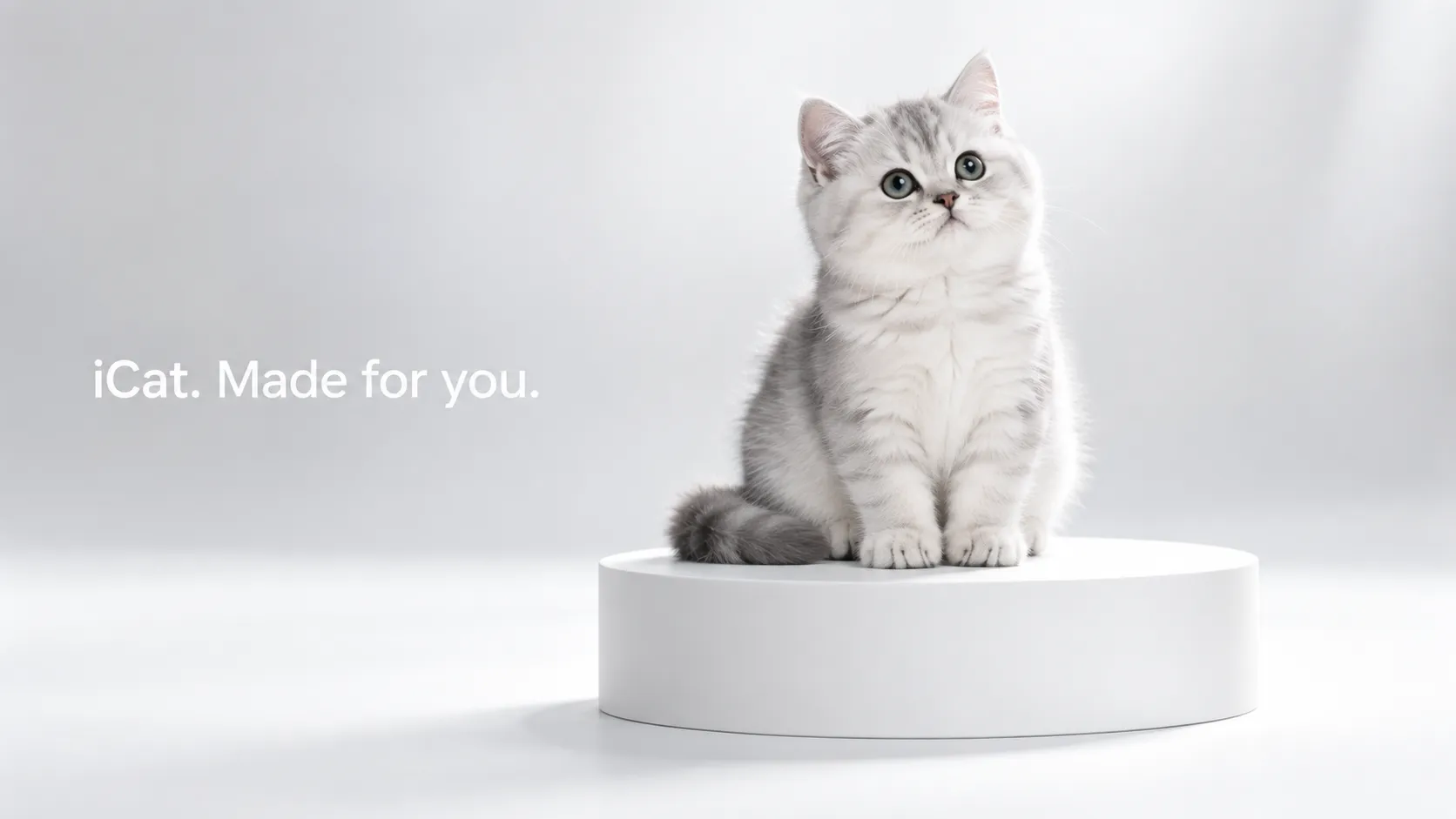
What if your cat were introduced like a brand-new flagship product?
Instead of a normal pet clip, the video opens with close-up shots of fur and ears, moves into a clean full-body reveal, shows the pet from different angles, and ends with a polished hero shot:
“iCat. Made for you.”
That is the idea behind an AI pet launch video.
The humor comes from treating something naturally cute and unpredictable with the extremely serious visual language of a premium technology launch.
You do not need a studio or a perfectly trained pet. A clear pet photo is enough to get started.
In this tutorial, we will use a silver-shaded British Shorthair kitten and show two different workflows:
Reference to Video: Use an existing launch-style video to guide the structure and motion.
Image to Video: Build the entire product-launch sequence from one pet photo and a detailed prompt.
Method 1: Create an AI Pet Launch Video from a Reference Video
This method is useful when you have already found a product-launch video with a structure you like.
You need two inputs:
Image A: Your pet photo.
This controls the kitten's identity, face, coat pattern, proportions, and overall appearance.
Video B: Your reference video.
This controls the visual language of the final video, such as shot order, pacing, camera movement, product presentation, close-ups, floating shots, and lineup scenes.
The important idea is simple:
Your image controls the pet. The video controls the presentation.
Step 1: Choose a Clear Pet Reference
Your source image should ideally show:
a clear face, visible ears, recognizable coat pattern, natural body proportions, and minimal obstruction.
For this example, the subject is a silver-shaded kitten, so we want to preserve:
silver-white and light-gray fur, round face, large eyes, upright ears, fluffy short coat, and natural tail shape.
Do not simply describe the subject as:
cat
Use a more specific description such as:
silver-shaded British Shorthair kitten
This gives the video model a stronger identity target.
Step 2: Assign a Clear Role to the Reference Video
Do not simply upload both files and write:
Make my cat like this video.
That leaves too much open to interpretation.
Instead, tell the model exactly what the video should control:
shot structure, pacing, camera movement, composition, product-display logic, and studio presentation.
The reference video should guide the filmmaking, not replace the identity of your pet.
Step 3: Use a Focused Reference-to-Video Prompt
Notice that this prompt does not ask the model to generate new captions. The reference video is being used mainly for its visual structure and motion.
Reference-to-Video Prompt:
Create a premium minimalist technology product-launch video based on the two reference assets I provide. Image A is the subject reference: the silver-shaded British Shorthair kitten shown in the image, with silver-white and light-gray fur, a round face, large eyes, upright ears, fluffy short fur, and stable body proportions. Video B is the visual structure reference. Use Image A to control the kitten's identity and appearance. Use Video B only as a reference for shot structure, pacing, camera movement, composition, product presentation, minimalist white studio design, macro close-ups, floating and rotation shots, multi-subject lineup shots, negative-space composition, and overall premium product-ad rhythm. Do not copy the original subject's identity, face, coat color, breed, or appearance from Video B. Keep the kitten in every shot visually consistent with Image A. Preserve the same silver-white and light-gray coat, round face, large eyes, upright ears, body proportions, tail appearance, fur length, and fur texture throughout the entire video. Use a seamless white-to-light-gray studio background with no visible horizon line. Use a large soft key light from the upper front and a subtle rim light from behind to separate the silver-gray fur from the background. Keep a soft light-gray contact shadow beneath the kitten. Maintain a minimalist, refined, premium technology product-launch aesthetic throughout the video. Follow the product-advertising logic and visual rhythm of Video B, but rebuild the final result around the silver-shaded kitten from Image A. When multiple kittens appear, each kitten must remain a separate complete individual with clear spacing between bodies. No overlapping bodies, merged limbs, duplicated heads, extra legs, abnormal tails, body intersections, or major appearance changes. Keep all movement controlled, clean, elegant, and physically readable. Keep the video silent. Do not add music, sound effects, voices, or narration. The final result should feel like a high-end flagship product-launch commercial, except the product being introduced is the silver-shaded kitten from Image A.
This approach is useful because you do not need to design every camera shot yourself.
The reference video already gives the model a visual framework.
Your main job is to protect your pet's identity.
Method 2: Create the Entire iCat Launch Video from One Image
If you do not have a reference video, you can still build the whole AI cat launch video from a single pet photo.
In this workflow, the prompt has to do more work.
It needs to define:
the opening close-up, full reveal, floating product shot, interaction, lineup, launch captions, and final hero shot.
This is also where the English launch captions need to be written directly into the prompt.
Step 1: Upload Your Pet Photo
Use the same type of clear pet image described above.
For this example, the uploaded image shows a silver-shaded kitten.
The video should preserve the same:
face, eyes, ears, coat color, fur texture, body proportions, and tail.
Step 2: Use Short Product-Launch Captions
The captions should feel more like premium launch slogans than normal advertising copy.
For this example:
Silver Shaded. Big on charm.
Cute. With presence.
Carry joy with you.
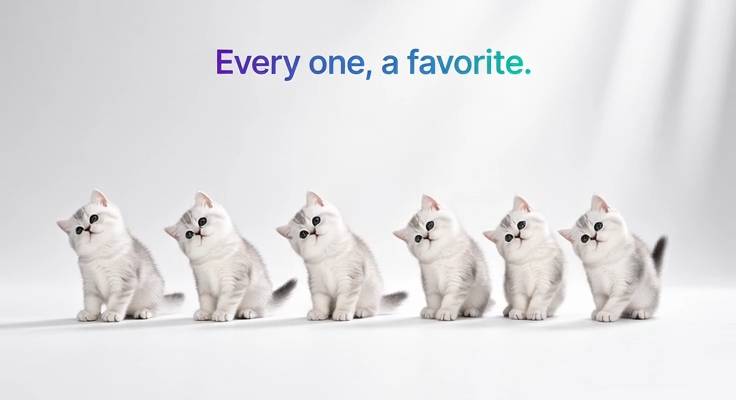
Every one, a favorite.
iCat. Made for you.
Short lines work better because they preserve the clean visual rhythm of the video.
Step 3: Use the Full Image-to-Video Prompt
AI Pet Launch Video Prompt:
Create an approximately 15-second, 16:9 horizontal premium product-launch video featuring the silver-shaded British Shorthair kitten from the reference image. Use a minimalist technology launch-film aesthetic with a seamless white studio, generous negative space, macro material close-ups, smooth floating rotation, clean editing, and organized product lineup shots. Keep the entire video silent with no music, sound effects, voices, or narration. The product subject is the silver-shaded kitten from the reference image. Use a seamless white-to-light-gray background and floor with no visible horizon line. Use a large soft key light from the upper front, subtle rim lighting from behind, and a soft light-gray contact shadow beneath the kitten. Keep the kitten clearly separated from the background while preserving the natural silver-gray fur texture and darker fur details. Use medium-telephoto perspective, macro shallow depth of field, and controlled camera movement with clear starts and smooth deceleration. Use premium modern sans-serif launch typography, medium-bold weight, clean spacing, and simple single-line captions. Keep text height around 3%-4% of the frame, leave generous negative space, and never cover the kitten's face or main body. Captions should fade in and out as complete lines with no outline, shadow, glow, or typewriter animation. 0-1.0s: Extreme macro close-up of the kitten's head fur and rounded silhouette. The frame is partially filled and does not reveal the full face. Use side-back rim light to define the fur edge. 1.0-2.2s: Cut to a macro close-up of the ear and face. Move the camera gently along the ear and face while shifting focus from the foreground fur toward the eye and head contour. Let the highlight move softly along the fur edge. 2.2-4.0s: Cut to a slightly wider composition and gradually pull back to reveal the round head, facial features, white chest fur, front legs, and paws. End with the kitten fully visible from the front, centered, sitting calmly with a soft shadow underneath. From 3.2s, fade in the caption above the kitten: “Silver Shaded. Big on charm.” Fade it out before 3.9s. 4.0-5.8s: The kitten floats slightly above the ground, leans back gently, briefly turns its white paws toward the camera, then slowly rotates into a three-quarter side view. The entire body rotates as one complete form while the legs and tail follow with slight natural delay. Clearly show the silver-gray fur, face contour, and body proportions. 5.8-6.5s: Cut to a clean white empty frame. Fade in the centered caption: “Cute. With presence.” Fade it out before the shot ends. 6.5-8.6s: White background. A person is partially visible on the right side from the waist area only. One hand gently supports the kitten and lifts it upward from a loose jacket pocket. Reveal the head first, then the body and paws, with the legs moving naturally. Fade in the caption on the left: “Carry joy with you.” Fade it out before 8.5s. 8.6-10.0s: Close-up. One hand supports the kitten in the lower-right area while the other hand gently strokes once from the forehead toward the top of the head. The fur compresses slightly and then naturally returns to its original shape. Keep the face and facial features stable. Use a very subtle camera push-in to emphasize the silver-gray fur texture and expression. 10.0-12.3s: Five identical versions of the same silver-shaded kitten enter from the right side one by one and form a clean horizontal lineup in the center. Each kitten must remain a complete separate individual with clear spacing and no overlap or merging. Some may tilt very slightly left or right while remaining stable. Each kitten has its own soft contact shadow. Fade in the centered caption above them: “Every one, a favorite.” Fade it out before 12.2s. 12.3-15.0s: Cut to a single central kitten hero shot. The kitten faces forward in the center with generous white negative space around it. Use an extremely subtle pull-back for a calm premium flagship-launch ending. From 13.0s, fade in the final caption: “iCat. Made for you.” Keep it visible until the end. Keep the kitten identical to the reference image throughout the entire video. Preserve the same silver-white and light-gray coat, round face, large eyes, upright ears, fluffy short fur, natural tail, and stable body proportions. Do not change the breed, face shape, coat color, eyes, ears, or body size. Do not add unrelated props. Do not change the minimalist white studio environment. Do not generate any extra text. When multiple kittens appear, each kitten must remain a separate complete individual. Avoid merged bodies, intersecting limbs, duplicated heads, extra legs, abnormal tails, fur-color changes, face changes, misaligned eyes, captions covering the face, sudden background changes, chaotic camera movement, or unrelated objects.
This workflow gives you more creative control, but the prompt also has to define the entire video structure.
That is why it is much more detailed than the reference-video version.
Which Workflow Should You Choose?
| Workflow | What You Need | Best For |
|---|---|---|
| Reference to Video | Pet image + reference video | Recreating a launch-video structure you already like |
| Image to Video | One pet image | Building an original iCat product reveal directly from a photo |
Choose Reference to Video when the visual structure is already the thing you want to reuse.
Choose Image to Video when you want the AI to build the whole product launch from your pet photo.
How to Make an AI Pet Launch Video Look More Premium
1. Keep the Background Simple
White and light gray work especially well.
Large areas of negative space make the pet feel more like a product reveal and less like a normal pet clip.
2. Do Not Reveal the Full Pet Immediately
A premium product commercial often starts with details.
Do the same with your pet:
fur → ear → eye → full-body reveal
That creates much more anticipation than showing the entire cat in the first frame.
3. Keep Captions Short
Compare:
Cute. With presence.
with:
This adorable silver-shaded kitten has a beautiful appearance and a lovely personality.
The first feels like a product launch.
The second feels like ordinary advertising copy.
4. Simplify Movement When Multiple Pets Appear
When five kittens appear at once, keep their movement simple:
line up, float gently, tilt slightly, or move slowly into position.
Avoid giving every kitten a complicated action at the same time.
More subjects should usually mean simpler motion.
How to Fix Common Generation Problems
If the kitten's face changes between shots, add:
Keep the exact same kitten identity in every shot. Preserve the same face, eye shape, ear shape, coat pattern and body proportions.
If multiple kittens merge together, add:
Each kitten remains a separate complete individual with clear spacing. No overlapping bodies, merged limbs or duplicated heads.
If the floating shot causes body distortion, reduce the rotation.
Instead of asking for a full spin, use:
Slowly rotate from front view to a three-quarter side view.
If generated captions become unreliable, shorten them.
Simple lines such as:
Cute. With presence.
or:
iCat. Made for you.
are easier to display cleanly than long sentences.
Turn Your Pet Into the Product
A good AI pet launch video does not need dozens of effects.
The joke works because everything else is treated seriously:
the lighting is serious, the camera is serious, the typography is serious, the product lineup is serious.
But the “flagship product” is simply your cat.
Start with one good pet photo.
Use a reference video if you already have a launch style you love, or use the complete image-to-video prompt to build your own.
Then finish with the only product tagline that really matters:
iCat. Made for you.
'%3e%3crect%20y='2.1906'%20width='26'%20height='17.4314'%20rx='1.55981'%20fill='white'/%3e%3c/g%3e%3crect%20x='0.311961'%20y='2.50256'%20width='25.3761'%20height='16.8075'%20rx='1.24784'%20stroke='%2322257C'%20stroke-width='0.623922'/%3e%3c/g%3e%3crect%20x='13.078'%20y='15.5656'%20width='10.8016'%20height='2.49569'%20rx='0.623922'%20fill='%2366B3FF'%20stroke='%2322257C'%20stroke-width='0.623922'/%3e%3crect%20x='-0.311961'%20y='0.311961'%20width='10.8016'%20height='2.49569'%20rx='0.623922'%20transform='matrix(-1%200%200%201%2012.61%2015.2536)'%20fill='%2366B3FF'%20stroke='%2322257C'%20stroke-width='0.623922'/%3e%3crect%20x='10.3093'%20y='13.3231'%20width='4.91339'%20height='6.98013'%20rx='2.45669'%20fill='%2322257C'/%3e%3cpath%20d='M18.9174%200.31543C20.5962%200.268025%2022.1261%200.655527%2023.9487%201.55762C24.0483%201.60695%2024.1137%201.71153%2024.1137%201.8291V16.502C24.1137%2016.7236%2023.8763%2016.891%2023.6499%2016.7979C21.803%2016.0377%2020.2158%2015.6963%2018.4975%2015.7705C16.8915%2015.8399%2015.1907%2016.2732%2013.0776%2017.0332V1.6709C15.4678%200.825877%2017.2746%200.36187%2018.9174%200.31543Z'%20fill='white'%20stroke='%2322257C'%20stroke-width='0.623922'/%3e%3cpath%20d='M15.3008%204.57C16.3536%203.94578%2019.2783%203.20503%2021.8909%203.94608'%20stroke='%2366B3FF'%20stroke-width='0.935883'%20stroke-linecap='round'/%3e%3cpath%20d='M15.3008%207.26054C16.3536%206.63631%2019.2783%205.89557%2021.8909%206.63661'%20stroke='%2366B3FF'%20stroke-width='0.935883'%20stroke-linecap='round'/%3e%3cpath%20d='M15.3008%209.95107C16.3536%209.32684%2019.2783%208.5861%2021.8909%209.32714'%20stroke='%2366B3FF'%20stroke-width='0.935883'%20stroke-linecap='round'/%3e%3cpath%20d='M15.3008%2012.6398C16.3536%2012.0156%2019.2783%2011.2749%2021.8909%2012.0159'%20stroke='%2366B3FF'%20stroke-width='0.935883'%20stroke-linecap='round'/%3e%3cpath%20d='M7.08257%200.31543C5.40384%200.268025%203.87393%200.655527%202.05132%201.55762C1.95165%201.60695%201.88628%201.71153%201.88628%201.8291V16.502C1.88628%2016.7236%202.12373%2016.891%202.35014%2016.7979C4.19702%2016.0377%205.78418%2015.6963%207.50249%2015.7705C9.10852%2015.8399%2010.8093%2016.2732%2012.9224%2017.0332V1.6709C10.5322%200.825877%208.72541%200.36187%207.08257%200.31543Z'%20fill='white'%20stroke='%2322257C'%20stroke-width='0.623922'/%3e%3cpath%20d='M10.6992%204.57C9.64638%203.94578%206.72175%203.20503%204.10907%203.94608'%20stroke='%2366B3FF'%20stroke-width='0.935883'%20stroke-linecap='round'/%3e%3cpath%20d='M10.6992%207.26054C9.64638%206.63631%206.72175%205.89557%204.10907%206.63661'%20stroke='%2366B3FF'%20stroke-width='0.935883'%20stroke-linecap='round'/%3e%3cpath%20d='M10.6992%209.95107C9.64638%209.32684%206.72175%208.5861%204.10907%209.32714'%20stroke='%2366B3FF'%20stroke-width='0.935883'%20stroke-linecap='round'/%3e%3cpath%20d='M10.6992%2012.6398C9.64638%2012.0156%206.72175%2011.2749%204.10907%2012.0159'%20stroke='%2366B3FF'%20stroke-width='0.935883'%20stroke-linecap='round'/%3e%3c/g%3e%3cdefs%3e%3cfilter%20x='0'%20y='2.1906'%20width='26'%20height='17.4314'%20filterUnits='userSpaceOnUse'%20color-interpolation-filters='sRGB'%3e%3cfeFlood%20flood-opacity='0'%20result='BackgroundImageFix'/%3e%3cfeBlend%20mode='normal'%20in='SourceGraphic'%20in2='BackgroundImageFix'%20result='shape'/%3e%3cfeColorMatrix%20in='SourceAlpha'%20type='matrix'%20values='0%200%200%200%200%200%200%200%200%200%200%200%200%200%200%200%200%200%20127%200'%20result='hardAlpha'/%3e%3cfeOffset%20dy='-1.24784'/%3e%3cfeComposite%20in2='hardAlpha'%20operator='arithmetic'%20k2='-1'%20k3='1'/%3e%3cfeColorMatrix%20type='matrix'%20values='0%200%200%200%200.572549%200%200%200%200%200.768627%200%200%200%200%200.976471%200%200%200%201%200'/%3e%3cfeBlend%20mode='normal'%20in2='shape'%20result='effect1_innerShadow_0_4'/%3e%3c/filter%3e%3c/defs%3e%3c/svg%3e)



