
If your current workflow with MiniMax H3 image to video is just “upload image, type something vague, hope for magic,” this article is here to save you from that lifestyle.
Because let’s be honest: writing MiniMax H3 prompts is not about sounding fancy. It is about being clear. If the model knows who is in the shot, what happens first, what happens next, how the camera moves, and what must stay consistent, your results usually get much better.
So instead of another boring list of generic prompt tips, here are 10 examples you can actually use. Some are playful, some are weird, and at least one of them treats a pet like a flagship consumer product. Which, frankly, is how more AI videos should begin.
How to Write Better MiniMax H3 Prompts
Before jumping into examples, keep this simple structure in mind:
Subject + Action + Camera + Audio + Keep
That means:
- Subject: who or what is the star
- Action: what happens, in order
- Camera: how the shot moves
- Audio: what should be heard
- Keep: what should not change
For reference-based generation, the logic becomes even simpler:
Image controls appearance. Video controls motion.
If you remember those two ideas, you already know more than the average person writing “make it cinematic” and praying.
1. iCat: Turn Your Cat Into a Product Launch
Remember the iCat example from our previous tutorial? We turned a silver-shaded kitten into the star of a premium product-launch video, using close-ups, clean studio shots, gentle motion, and a final hero reveal.
It is still one of the easiest ways to understand how a good MiniMax H3 prompt works: give the subject a clear role, keep the motion simple, and describe the shot sequence instead of relying on vague style words.
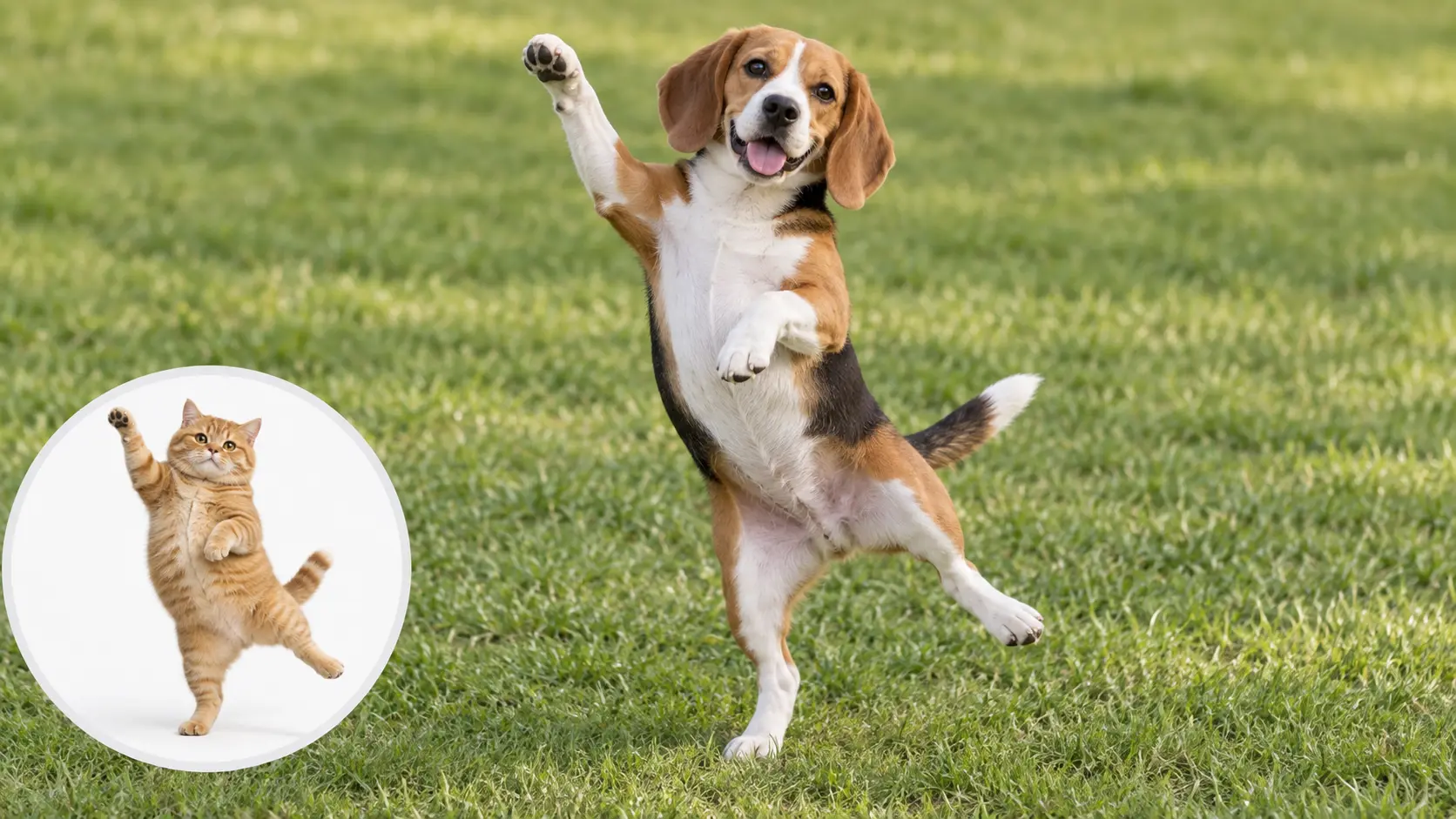
2. iDog: Give a Dog Its Own Adventure Edition Launch
If the cat gets a launch, the dog gets one too. This time, instead of a white studio reveal, we go for an outdoor “active lifestyle flagship” feel.
Turn the dog into a playful outdoor product reveal. The dog first looks toward the camera, then takes two confident steps forward as a light breeze moves its fur. Use a slow low-angle camera push-in. The dog pauses, turns its head slightly to the side, then looks back at the camera with a happy expression. Keep the same face, fur color, body proportions, collar, and environment throughout the video. Add soft outdoor ambience, light footsteps, and gentle wind sound. End with the dog standing confidently in the center of the frame.

Why it works
This one proves an important point: the subject does not need to do ten things. Two steps, a head turn, and a clean pause can already feel polished.
3. A Flat Paper Town Becomes a Miniature World
Now let’s move away from animals and test a different kind of animation: transformation.
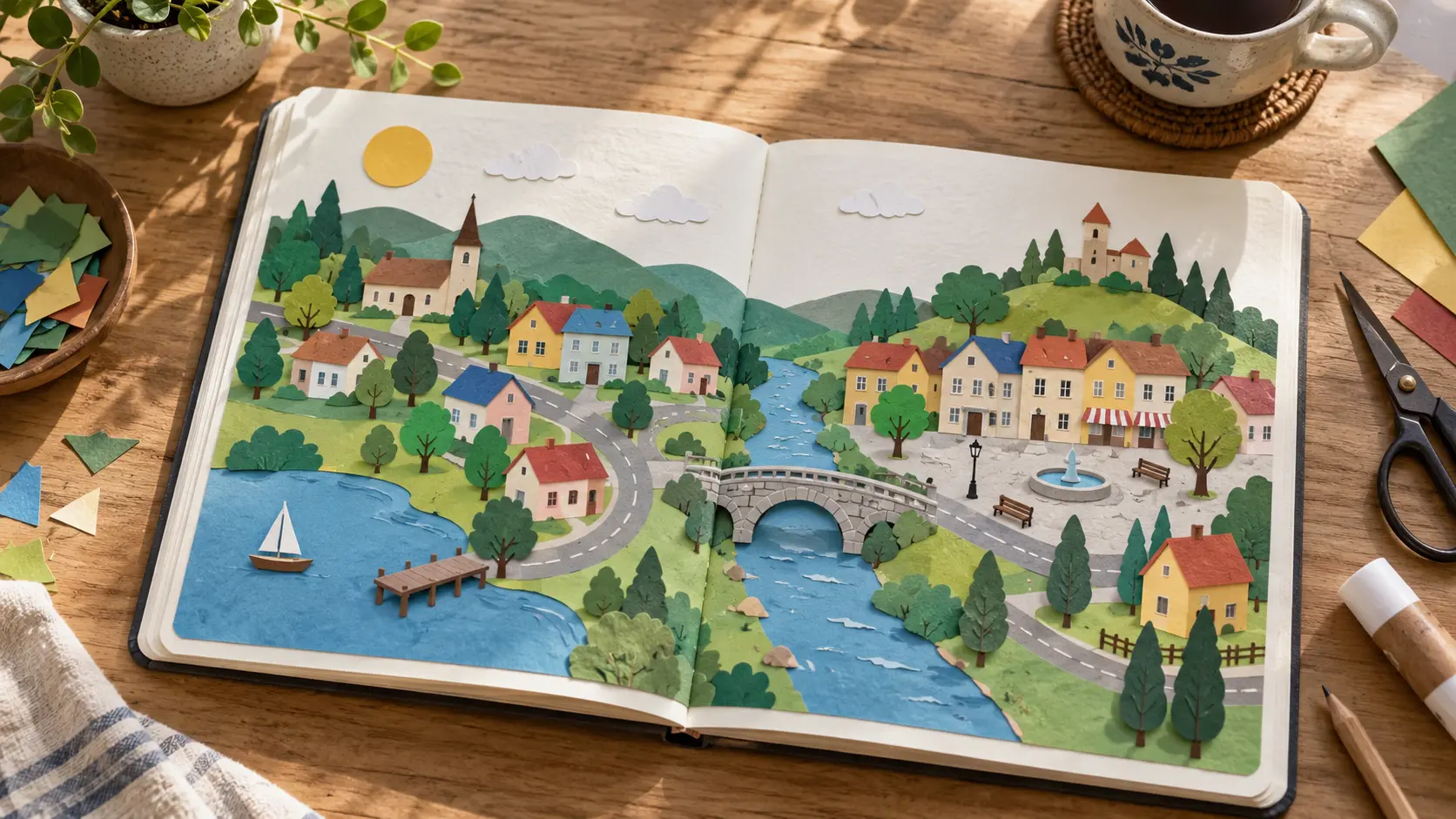
Animate the flat paper illustration into a miniature paper town. The small houses fold upward from the page one by one, followed by the trees and the tiny bridge. Keep every element made from the same printed paper material. Use slow clear stop-motion-like movement with a gentle camera push-in. Add soft paper folding sounds and quiet room ambience. End with the complete miniature paper town standing above the open sketchbook.
Why it works
The order is easy to understand: houses first → trees → bridge → final town. That is much easier for the model than simply saying “make it come alive.”
4. A Vending Machine Reveals a Tiny Rainy Street
This one is a little odd, which is exactly why it is fun.
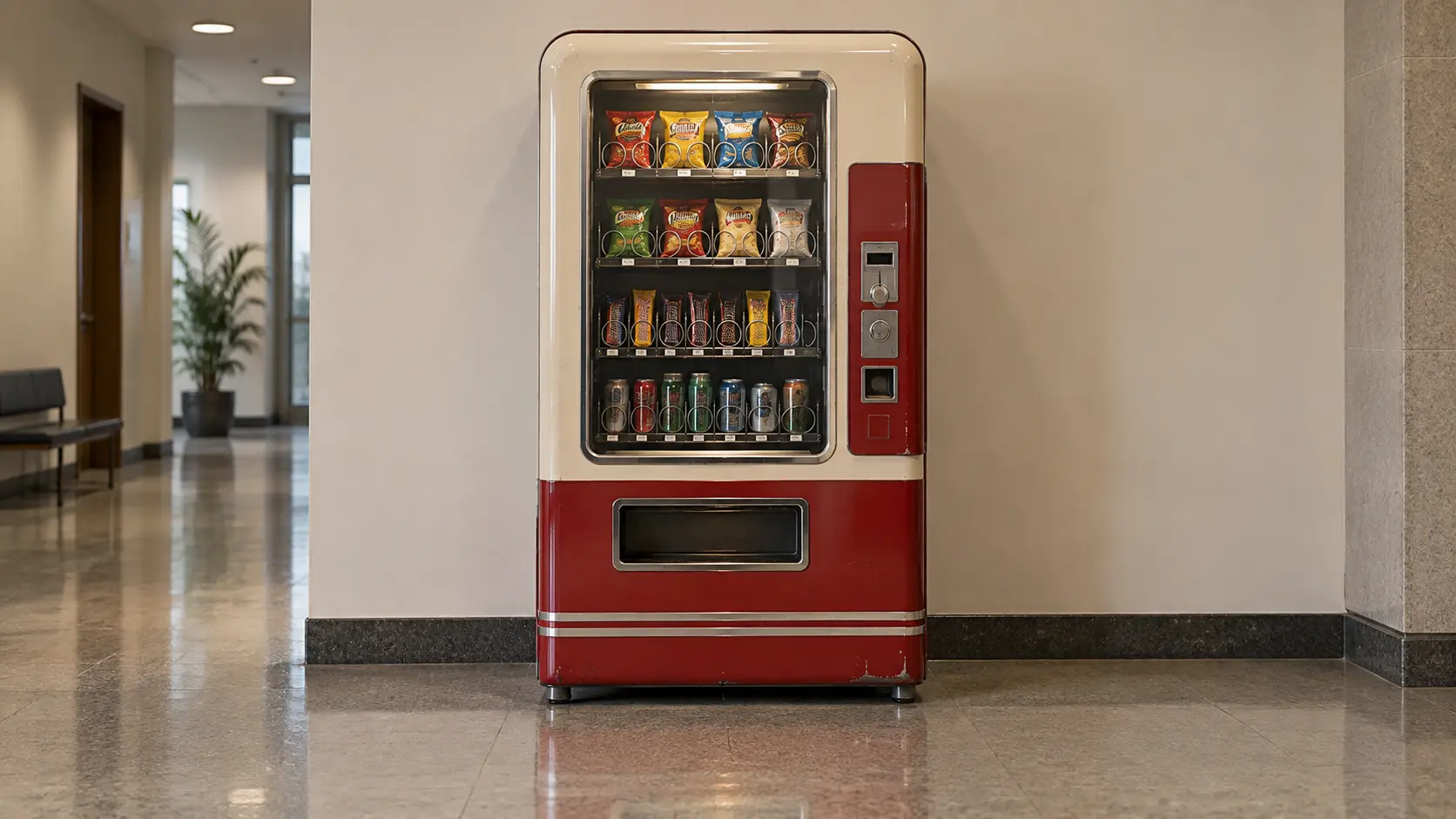
The vending machine activates with a soft mechanical click. One lower compartment opens and a tiny miniature rainy street scene slowly slides out on a small platform, including a wet road, two tiny street lamps, and miniature umbrellas. The street lamps turn on as small raindrops begin falling inside the miniature scene only. Keep the vending machine and hallway unchanged. Use a slow camera push-in. Add soft machine sounds, light rain, and a quiet indoor ambience. End with the miniature rainy street fully revealed beneath the vending machine.
Why it works
It uses clear event logic: click → open → reveal → rain begins. That makes it easier for the model to connect picture, motion, and sound.
5. Make a Kitten Copy a Capybara Performance
This one is probably my favorite.
The reference video shows a capybara dressed like a mariachi musician, standing upright and playing a guitar. Instead of recreating the whole scene from scratch, we use a kitten as the new character and let it copy the capybara’s performance.
The result? Same performance. Much fluffier musician.
Use Image A as the character reference and replace the capybara in Video B with the kitten. Keep the kitten's face, gray-and-white fur, ears, eyes, and body proportions recognizable. Follow the same upright pose, guitar-playing movements, timing, camera framing, outfit style, and performance rhythm from Video B. Keep the guitar interaction natural and preserve the overall warm mariachi performance atmosphere. The final character must remain the kitten, not the capybara.
Why it works
This example makes MiniMax H3 reference to video prompts very easy to understand:
Kitten image = who performs
Capybara video = how it performs
You are not asking MiniMax H3 to invent a guitar performance. The reference video already provides the pose, timing, hand movement, camera framing, and rhythm.
You are basically saying:
“Great performance. Now let the cat do it.”
And that is exactly where Reference to Video becomes fun.
6. Snow Globe Comes Alive
This is a great one for users who want a magical result without asking for chaotic motion.
| Reference Image | Video Prompt |
|---|---|
 | Bring the snow globe gently to life. Soft snow begins falling inside the globe, the tiny house windows light up one by one, and the miniature train slowly moves along its track. Keep the glass globe, village layout, table and background unchanged. Use a slow subtle camera push-in. Add soft room ambience, faint train sounds and gentle winter wind inside the globe. |
Why it works
This is a very controlled environment. Small actions, clear focus, and nothing needs to sprint across the screen like it is late for a meeting.
7. A Mechanical Flower Opens
If you want something elegant and visually clean, this is a good test.
| Reference Image | Video Prompt |
|---|---|
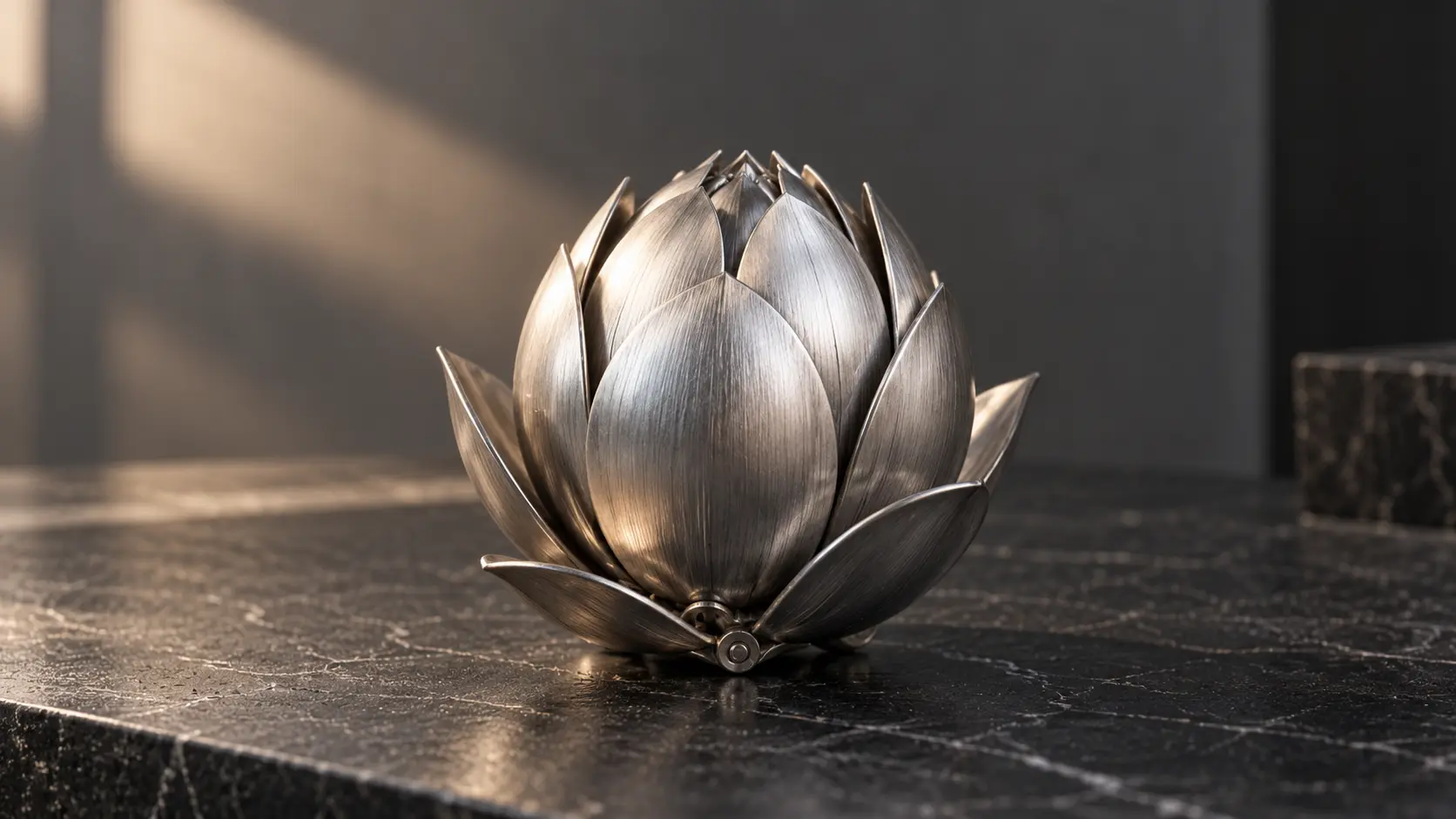 | The mechanical flower slowly opens. The outer metal petals unfold first, followed by the inner petals, revealing a softly glowing center. Keep the flower base, metal texture and background unchanged. Use a fixed camera with a very subtle push-in. Add quiet mechanical clicks as each layer opens. |
Why it works
The motion is structural, not chaotic. The model only needs to handle a clean unfolding sequence, which is far easier than trying to direct a full action scene.
8. A Clay Frog Makes One Small Jump
Simple. Cute. Low risk. Honestly, a very respectable prompt.
| Reference Image | Video Prompt |
|---|---|
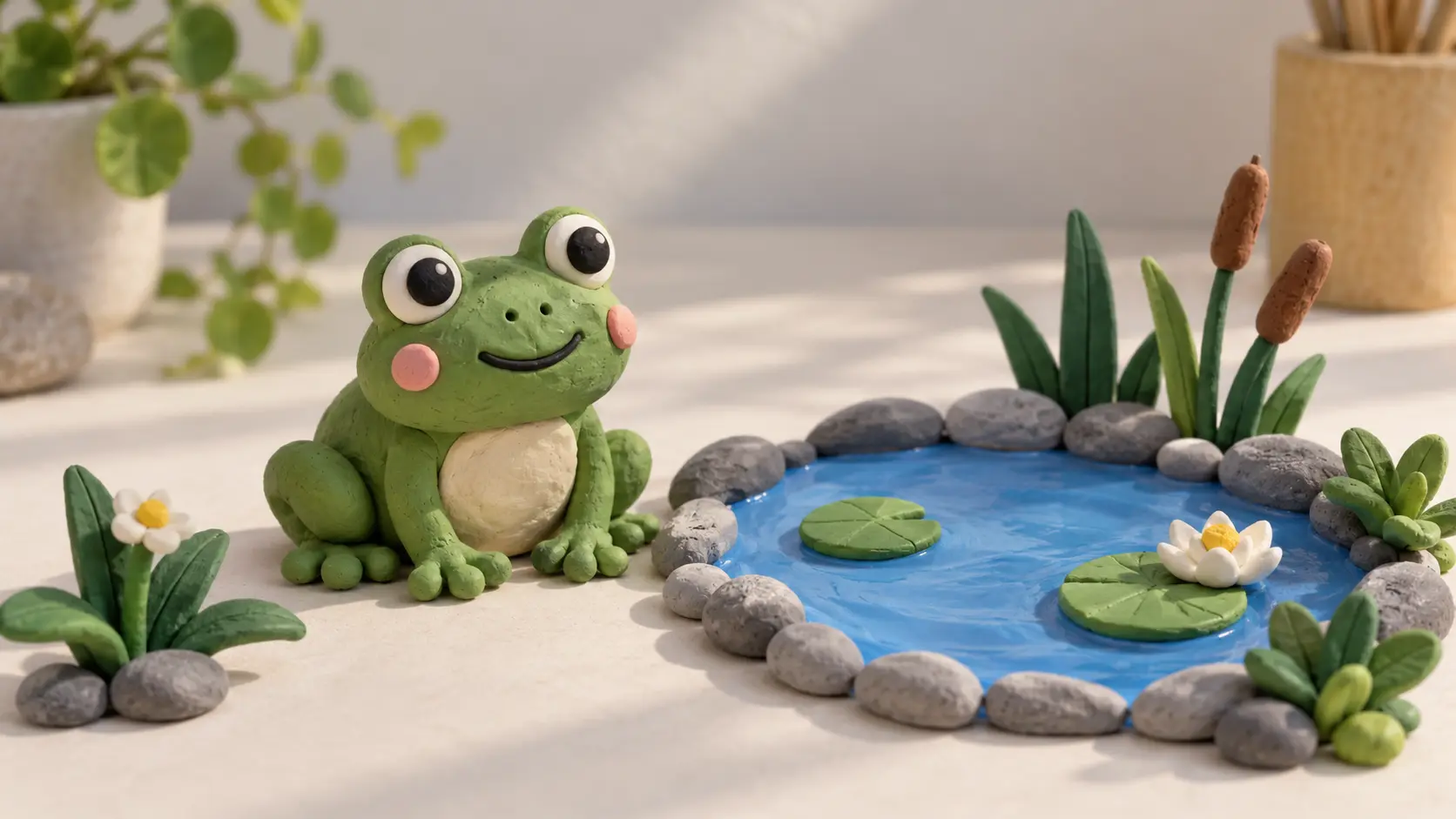 | Animate the clay frog in a simple stop-motion style. The frog looks toward the pond, crouches slightly, then makes one small jump and lands beside the water. Use visible frame-by-frame movement with tiny pauses. Keep the frog design, clay texture, pond and background consistent. Add a soft clay movement sound and a small landing sound. |
Why it works
You are only asking for one jump. Not a dance battle. One jump is a reasonable life goal for a clay frog.
9. A Miniature Greenhouse Wakes Up
This one is gentle, atmospheric, and very usable for design-focused content.
| Reference Image | Video Prompt |
|---|---|
 | Bring the miniature greenhouse gently to life. The small interior lights turn on, a light mist forms on the glass, and several plant leaves slowly move as if touched by a soft breeze. Keep the greenhouse structure, plants and desk unchanged. Use a slow camera push-in with quiet room ambience and subtle leaf movement sounds. |
Why it works
It relies on subtle environmental changes rather than big motion. That often makes videos feel more polished.
10. A Paper Airplane Takes Off
This is one of the easiest examples for users to test on their own.
| Reference Image | Video Prompt |
|---|---|
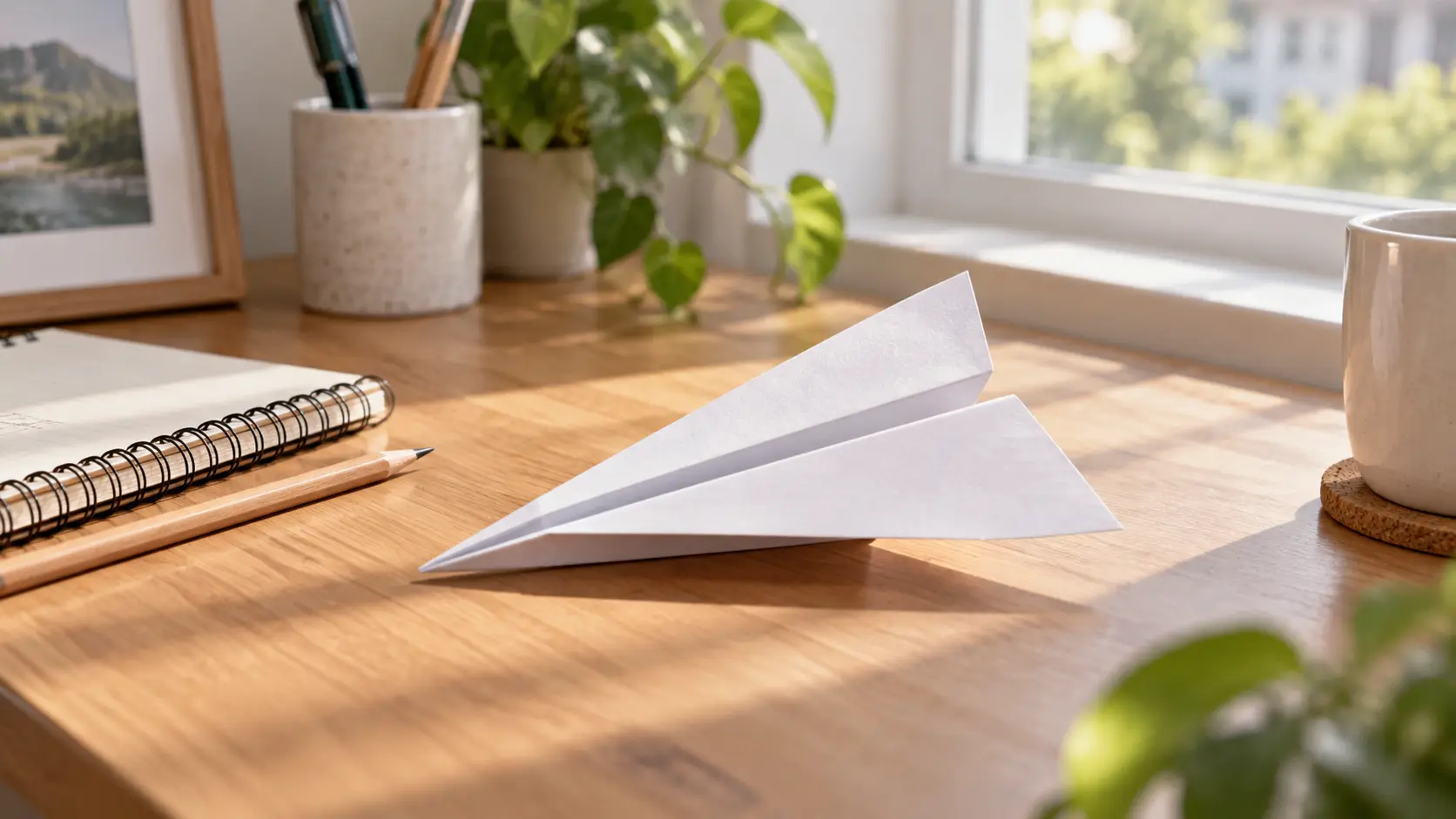 | The paper airplane slowly lifts from the desk, tilts slightly upward, and glides smoothly across the frame before landing gently on the other side of the table. Keep the paper shape, desk, notebook and lighting unchanged. Use a fixed camera. Add soft paper movement and light room ambience. |
Why it works
It is a simple motion arc: lift → glide → land. Very clean, very readable, very hard to misunderstand.
How to Use These Examples
If you want to test these prompts yourself, the workflow is simple:
For image-to-video examples
- Generate the image first using the image prompt.
- Upload that image to MiniMax H3 Image to Video.
- Paste the matching video prompt.
- Adjust only one thing at a time if you want a variation.
For reference-to-video examples
- Prepare a subject image.
- Prepare a motion reference video.
- Tell MiniMax H3 exactly which asset controls appearance and which controls motion.
- Generate the result.
If you change five things at once and the result breaks, congratulations: you now have no idea which change caused it.
Common Mistakes When Writing MiniMax H3 Prompts
The prompt is too abstract
“Make it dynamic” is not a useful instruction.
“Walk forward, stop, look left” is.
The camera directions are fighting each other
If you ask for orbit, zoom, handheld shake, and a dramatic push-in all in one short clip, the model has every right to look confused.
The reference roles are unclear
If you upload an image and a video, say what each one is for. Never assume the model will read your mind.
The consistency rules are missing
If you care about the face, product shape, material, coat color, or background, say so directly.
Final Tip
A good MiniMax H3 prompt is not a school essay. It does not win by being long. It wins by being clear.
So before you write:
beautiful, amazing, cinematic, masterpiece, ultra-detailed...
pause for two seconds and ask:
What actually happens in this shot?
If you can answer that clearly, your prompt is already heading in the right direction.
And if you want to go beyond still-image animation and start borrowing motion from other clips, try MiniMax H3 reference to video and keep the logic simple: one asset for identity, one asset for motion.
'%3e%3crect%20y='2.1906'%20width='26'%20height='17.4314'%20rx='1.55981'%20fill='white'/%3e%3c/g%3e%3crect%20x='0.311961'%20y='2.50256'%20width='25.3761'%20height='16.8075'%20rx='1.24784'%20stroke='%2322257C'%20stroke-width='0.623922'/%3e%3c/g%3e%3crect%20x='13.078'%20y='15.5656'%20width='10.8016'%20height='2.49569'%20rx='0.623922'%20fill='%2366B3FF'%20stroke='%2322257C'%20stroke-width='0.623922'/%3e%3crect%20x='-0.311961'%20y='0.311961'%20width='10.8016'%20height='2.49569'%20rx='0.623922'%20transform='matrix(-1%200%200%201%2012.61%2015.2536)'%20fill='%2366B3FF'%20stroke='%2322257C'%20stroke-width='0.623922'/%3e%3crect%20x='10.3093'%20y='13.3231'%20width='4.91339'%20height='6.98013'%20rx='2.45669'%20fill='%2322257C'/%3e%3cpath%20d='M18.9174%200.31543C20.5962%200.268025%2022.1261%200.655527%2023.9487%201.55762C24.0483%201.60695%2024.1137%201.71153%2024.1137%201.8291V16.502C24.1137%2016.7236%2023.8763%2016.891%2023.6499%2016.7979C21.803%2016.0377%2020.2158%2015.6963%2018.4975%2015.7705C16.8915%2015.8399%2015.1907%2016.2732%2013.0776%2017.0332V1.6709C15.4678%200.825877%2017.2746%200.36187%2018.9174%200.31543Z'%20fill='white'%20stroke='%2322257C'%20stroke-width='0.623922'/%3e%3cpath%20d='M15.3008%204.57C16.3536%203.94578%2019.2783%203.20503%2021.8909%203.94608'%20stroke='%2366B3FF'%20stroke-width='0.935883'%20stroke-linecap='round'/%3e%3cpath%20d='M15.3008%207.26054C16.3536%206.63631%2019.2783%205.89557%2021.8909%206.63661'%20stroke='%2366B3FF'%20stroke-width='0.935883'%20stroke-linecap='round'/%3e%3cpath%20d='M15.3008%209.95107C16.3536%209.32684%2019.2783%208.5861%2021.8909%209.32714'%20stroke='%2366B3FF'%20stroke-width='0.935883'%20stroke-linecap='round'/%3e%3cpath%20d='M15.3008%2012.6398C16.3536%2012.0156%2019.2783%2011.2749%2021.8909%2012.0159'%20stroke='%2366B3FF'%20stroke-width='0.935883'%20stroke-linecap='round'/%3e%3cpath%20d='M7.08257%200.31543C5.40384%200.268025%203.87393%200.655527%202.05132%201.55762C1.95165%201.60695%201.88628%201.71153%201.88628%201.8291V16.502C1.88628%2016.7236%202.12373%2016.891%202.35014%2016.7979C4.19702%2016.0377%205.78418%2015.6963%207.50249%2015.7705C9.10852%2015.8399%2010.8093%2016.2732%2012.9224%2017.0332V1.6709C10.5322%200.825877%208.72541%200.36187%207.08257%200.31543Z'%20fill='white'%20stroke='%2322257C'%20stroke-width='0.623922'/%3e%3cpath%20d='M10.6992%204.57C9.64638%203.94578%206.72175%203.20503%204.10907%203.94608'%20stroke='%2366B3FF'%20stroke-width='0.935883'%20stroke-linecap='round'/%3e%3cpath%20d='M10.6992%207.26054C9.64638%206.63631%206.72175%205.89557%204.10907%206.63661'%20stroke='%2366B3FF'%20stroke-width='0.935883'%20stroke-linecap='round'/%3e%3cpath%20d='M10.6992%209.95107C9.64638%209.32684%206.72175%208.5861%204.10907%209.32714'%20stroke='%2366B3FF'%20stroke-width='0.935883'%20stroke-linecap='round'/%3e%3cpath%20d='M10.6992%2012.6398C9.64638%2012.0156%206.72175%2011.2749%204.10907%2012.0159'%20stroke='%2366B3FF'%20stroke-width='0.935883'%20stroke-linecap='round'/%3e%3c/g%3e%3cdefs%3e%3cfilter%20x='0'%20y='2.1906'%20width='26'%20height='17.4314'%20filterUnits='userSpaceOnUse'%20color-interpolation-filters='sRGB'%3e%3cfeFlood%20flood-opacity='0'%20result='BackgroundImageFix'/%3e%3cfeBlend%20mode='normal'%20in='SourceGraphic'%20in2='BackgroundImageFix'%20result='shape'/%3e%3cfeColorMatrix%20in='SourceAlpha'%20type='matrix'%20values='0%200%200%200%200%200%200%200%200%200%200%200%200%200%200%200%200%200%20127%200'%20result='hardAlpha'/%3e%3cfeOffset%20dy='-1.24784'/%3e%3cfeComposite%20in2='hardAlpha'%20operator='arithmetic'%20k2='-1'%20k3='1'/%3e%3cfeColorMatrix%20type='matrix'%20values='0%200%200%200%200.572549%200%200%200%200%200.768627%200%200%200%200%200.976471%200%200%200%201%200'/%3e%3cfeBlend%20mode='normal'%20in2='shape'%20result='effect1_innerShadow_0_4'/%3e%3c/filter%3e%3c/defs%3e%3c/svg%3e)



