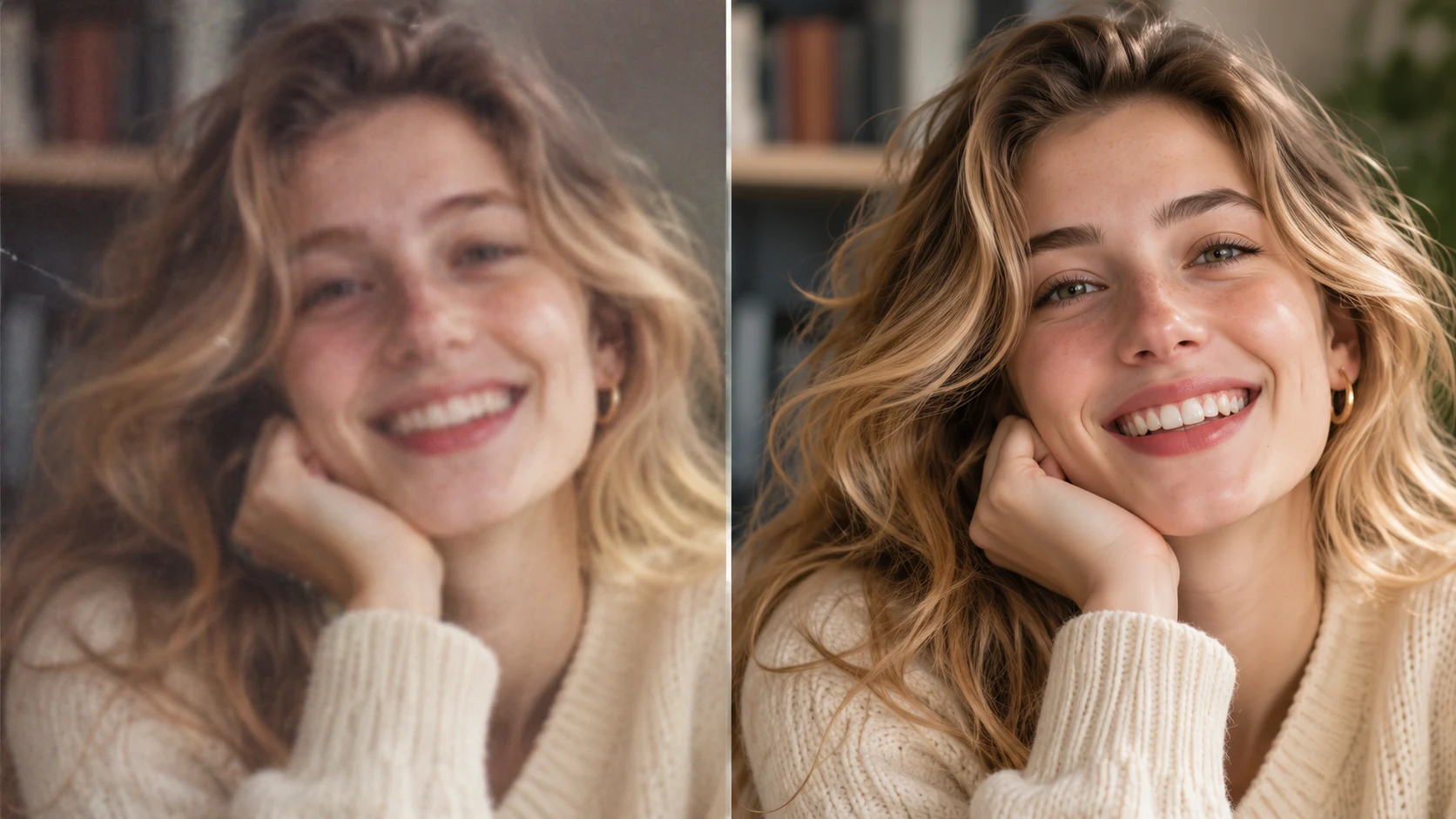
Improving a photo with AI isn't just about asking for "high resolution." If the instruction is too vague, the result often looks artificial, loses key details, or completely alters the identity of the person or product you wanted to preserve.
The key is to structure the prompt with precision: explaining what is flawed in the image, what level of sharpness or lighting you need, and which elements must remain intact. This allows you to correct blurry, noisy, or low-resolution photos without ruining their original essence. When you are looking for a prompts to improve image quality, the key is to structure the message with precision.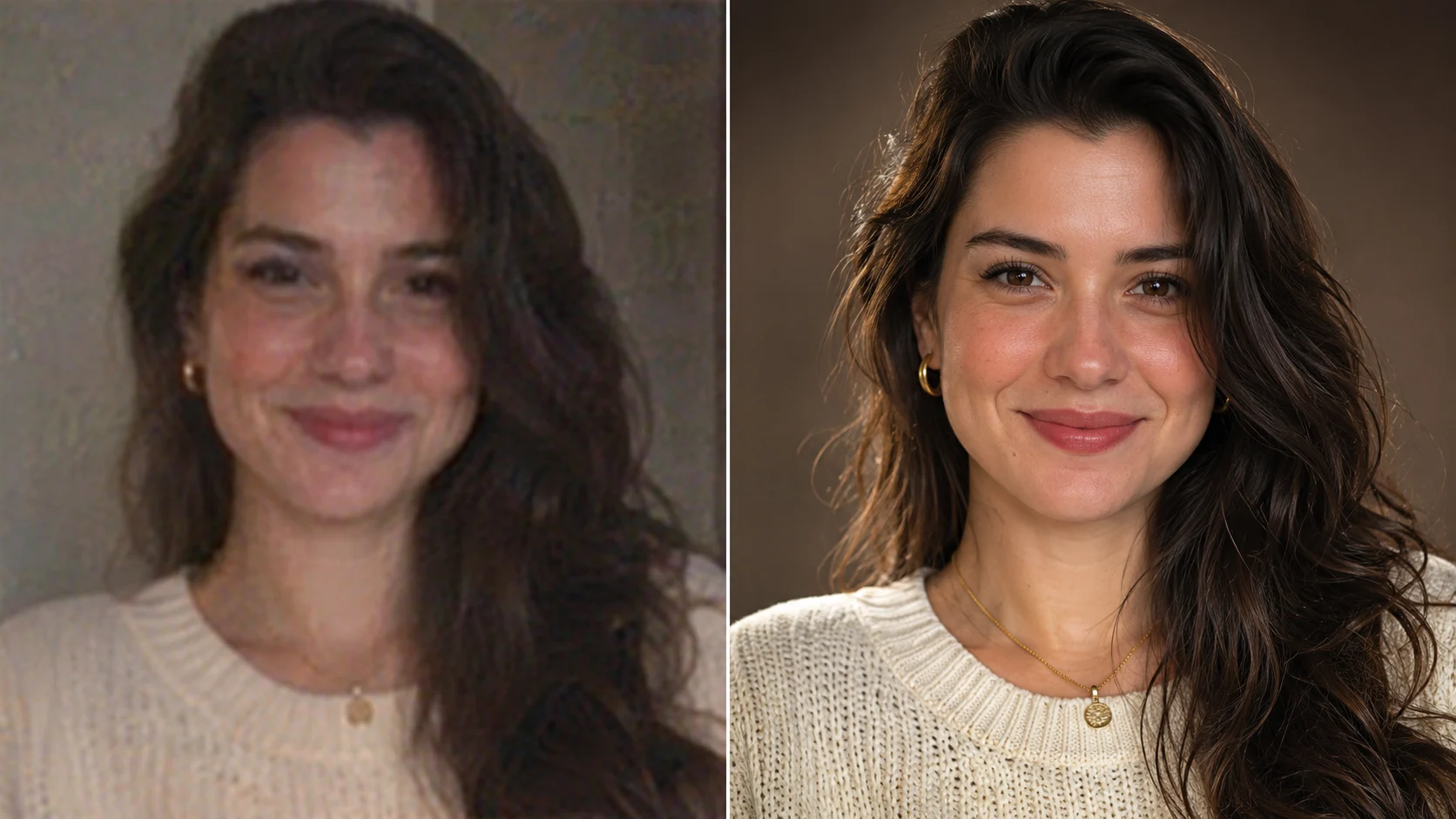
TL;DR: What You Need to Know in 10 Seconds
A good prompt to improve an image must include five essential elements:
- Image Type: Product, portrait, landscape, old photo, screenshot, etc.
- Problem to Correct: Low resolution, blur, digital noise, poor lighting, or dull colors.
- Expected Improvement: Higher sharpness, balanced lighting, finer details, and a professional look.
- Elements to Preserve: Face, product proportions, colors, framing, background, or original style.
- End Use: E-commerce, social media, ads, printing, covers, or presentations.
If what you are looking for is to increase size and net definition, you can rely directly on an AI Image Upscaler. If you also need to adjust the light, background, or specific visual details, using an AI Photo Editor will grant you much more precise control.
Quick Prompt Table by Objective
If you need to find the exact instruction immediately, consult the following objective table and copy it directly into your workflow:
| Objective | Recommended Prompt |
| Improve general sharpness | Improve the overall quality of this image. Increase sharpness, reduce visual noise, balance contrast, and enhance details without changing the original composition. Maintain a clean, realistic, and professional photographic finish. |
| Increase resolution | Increase the resolution of this image while keeping natural edges, realistic textures, and faithful colors. |
| Correct blurry photo | Reduce blur, improve the definition of the main subject, and maintain a natural look. Avoid over-editing and keep the original framing. |
| Improve product photo | Clean the background, improve lighting, increase product clarity, and preserve its true shape. The result should look professional, realistic, and ready for an e-commerce product page. |
| Improve portrait | Improve facial lighting, reduce digital noise, and strictly preserve facial features, expression, skin tone, and realistic skin texture. Do not change the person's identity. |
| Prepare for social media | Make the image look clearer, more attractive, and ready to post on social media without over-editing. Optimize contrast and brightness to make it stand out on digital screens. |
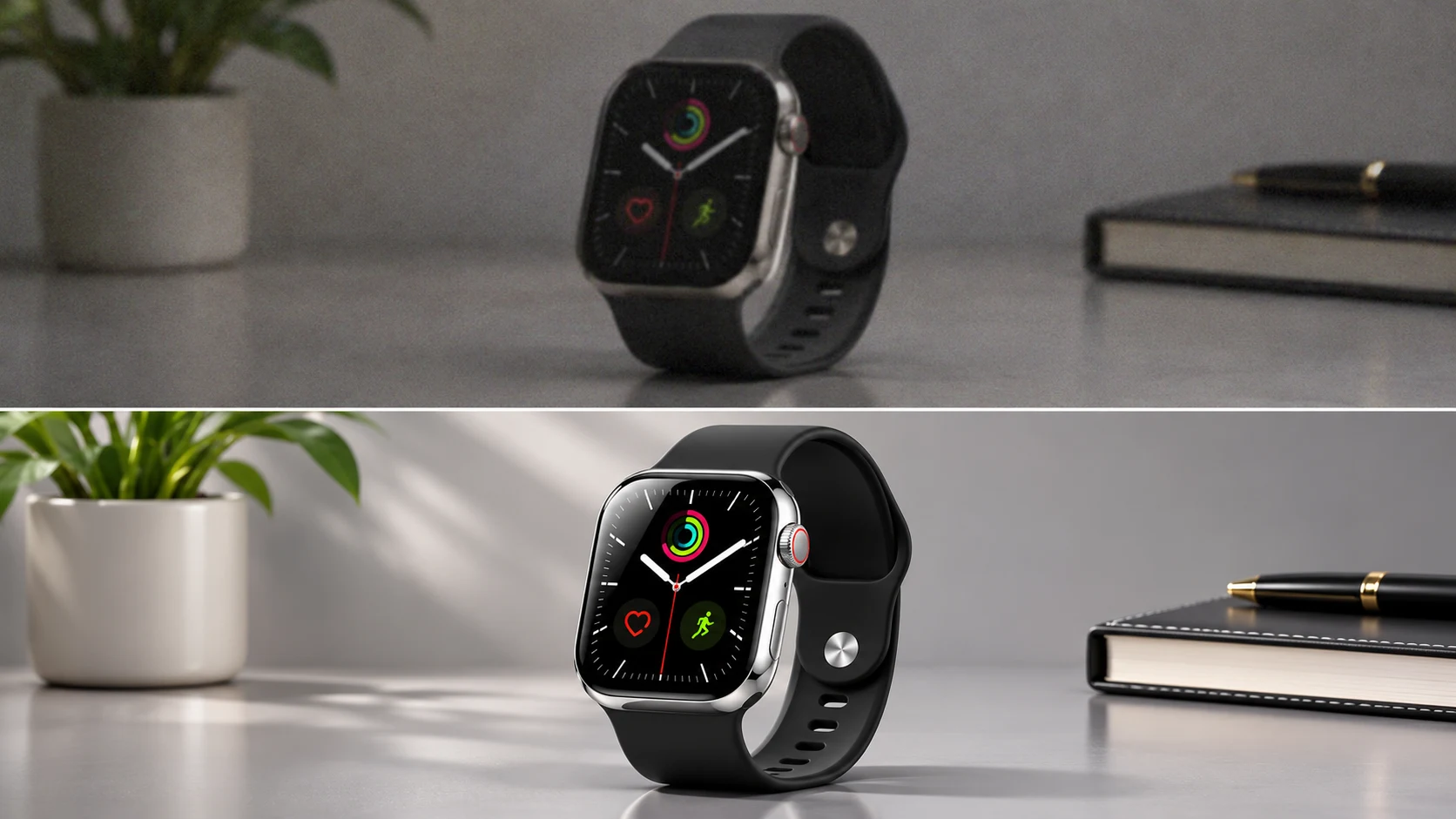
Prompts Classified by Image Type
1. General Sharpness and Clarity Prompt
Prompt: "Mejora la calidad general de esta imagen. Aumenta la nitidez, reduce el ruido visual, equilibra el contraste y mejora los detalles sin cambiar la composición original. Mantén un acabado limpio, realista y con calidad fotográfica profesional."
2. Prompt to Increase Resolution Without Losing Quality
Prompt: "Aumenta la resolución de esta imagen manteniendo bordes naturales, texturas realistas y colores fieles."(Note: You can also achieve this result smoothly and without technical complications by optimizing image resolución de imágenes directly through AI Image Upscaler tools).
3. Prompt to Correct Blurry Photos
Prompt: "Reduce el desenfoque, mejora la definición del sujeto principal y conserva un aspecto natural. Evita la sobre-edición y mantén el encuadre original."
4. Prompt for E-commerce Product Photography
Prompt: "Limpia el fondo, mejora la iluminación, aumenta la claridad del producto y conserva su forma real. El resultado debe verse profesional, realista y listo para una ficha de producto."
5. Prompt for Portraits and Faces
Prompt: "Mejora la luz del rostro, reduce el ruido digital y conserva estrictamente los rasgos faciales, la expresión, el tono de piel y la textura realista. No cambies la identidad de la persona."(For an automated retoque de piel automatizado or a cleaner finish, you can complement this step with Beauty Enhancement features).
6. Prompt to Optimize for Social Media
Prompt: "Haz que la imagen se vea más clara, atractiva y lista para publicar en redes, sin sobreeditarla. Optimiza el contraste y el brillo para que destaque en pantallas digitales."
7. Prompt to Restore Old Photographs
Prompt: "Restaura esta fotografía antigua. Reduce el ruido, elimina pequeñas manchas o arañazos visibles, mejora la nitidez y equilibra la luz. Respeta la estética original de la época y evita un acabado excesivamente moderno o digital."
8. Prompt for Landscapes and Outdoor Shots
Prompt: "Mejora la resolución de esta fotografía de paisaje. Aumenta la definición de los elementos lejanos, reduce la bruma digital y equilibra el rango dinámico del cielo y las sombras. Conserva la paleta de colores y la atmósfera natural original."
Improve Image Quality with Movmix AI
Base Formula for Writing a Perfect Enhancement Prompt
To prevent artificial intelligence from altering essential elements of your file, use this expert-validated structure:
"Mejora la calidad de esta imagen de [tipo de imagen]. Corrige [problema: desenfoque, ruido, oscuridad], aumenta la nitidez y los detalles finos, pero conserva exactamente [elementos intactos: rostro, colores, proporciones del producto]. El resultado debe verse natural, profesional y listo para [uso final]."
Practical Applied Example:
"Mejora la calidad de esta foto de producto para ecommerce. Corrige el desenfoque ligero, aumenta la nitidez y limpia el ruido visual. Conserva exactamente la forma, el color, la textura y el diseño original del producto. El resultado debe verse profesional, realista y sin sobreedición."
Common Mistakes to Avoid When Writing Your Prompts
- Asking only for "improve quality": It is too ambiguous. The AI won't know if you are looking for more light, less noise, higher resolution, or a different aesthetic direction.
- Forgetting the preservation clause: If you omit indicating that it should maintain the face or structure of the object, you risk the neural network regenerating the image from scratch.
- Seeking artificial perfection: Forcing instructions like "maximum perfection" or "ultra hyperrealistic" often generates plastic finishes. It is much safer to request a "natural and professional" result.
Frequently Asked Questions (FAQ)
What is the best prompts to improve image quality?
The best prompt is one that combines technical defect correction (such as blur, darkness, or noise) with an explicit preservation command ("keep the original composition and identity"). You can test these instructions directly in an Image to Image environment or experiment with concepts from scratch via Text to Image.
Can I recover a severely blurry photo?
Artificial intelligence can reconstruct textures and significantly improve definition, but it faces physical limits if the original visual information has been completely lost. It is advised to ask for a natural enhancement rather than extreme reconstruction.
How do I prevent the AI from changing my face in a portrait?
Always add strict guidelines at the beginning or end of your command, such as: "Strictly preserve the identity, skin texture, and facial features of the reference person". If you want to explore variations while maintaining subject consistency, tools like AI Cosplay Generator or Anime Generation also offer fun alternatives.
Why does a photo lose quality after multiple consecutive edits?
If you download a processed image and upload it repeatedly to apply new corrections, a cumulative degradation of data occurs. The ideal approach is to make all adjustments in a single pass or always start from the uncompressed original file.
How can I transform an enhanced image into a video?
Once you obtain the perfect image with the desired sharpness and colors, you can take it directly to a Video Generator or employ long video models to give movement to the scene.
Does this method work for optimizing images before generating multimedia content?
Yes. Starting from a clean, sharp image with correct lighting ensures that subsequent animation or editing processes maintain a professional standard in your creative projects.
Conclusion
Mastering the use of a good prompts to improve image quality allows you to overcome the barriers of traditional editing software. By clearly specifying what needs to be corrected and what must remain unaltered, you will transform blurry or low-resolution photographs into flawless visual pieces, ready for any professional platform.