
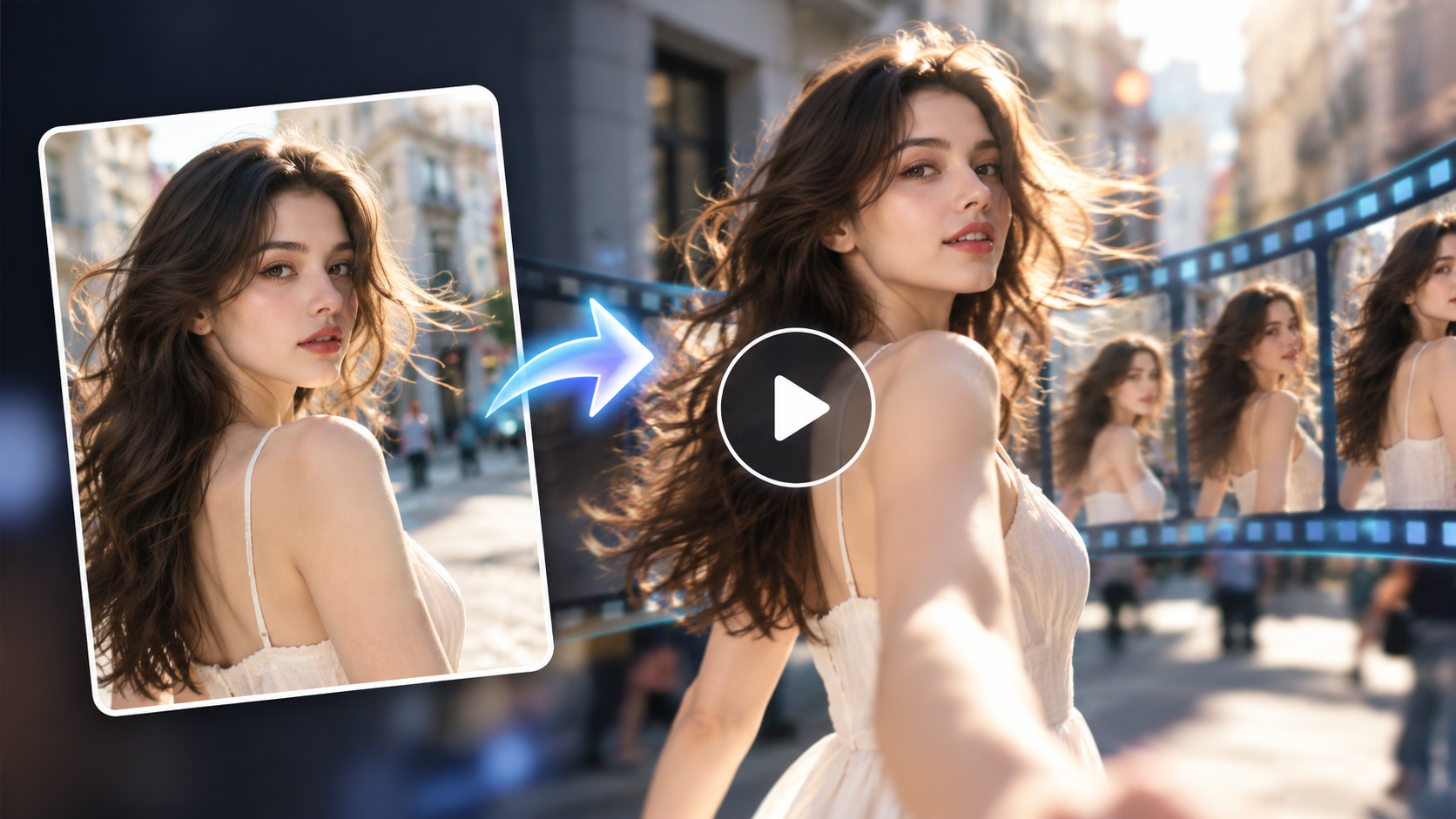
When you open an AI video platform with several different models, the hardest part is often not writing the prompt.
It is deciding:
“Which model should I actually use for this video?”
Wan, Seedance, and Kling can all generate video, but that does not mean they should be used in exactly the same way.
A product commercial has different problems from a fashion Reel. A story-driven scene needs different controls from a simple image-to-video clip. Once dialogue, multiple characters, reference motion, or complex interactions appear, your model choice matters even more.
So when choosing an AI video model for different use cases, do not start by asking which model is the most powerful.
Start with a better question:
What is the hardest part of the video I am trying to create?
On Movmix, you can first prepare a strong first frame with image models such as GPT Image 2.5, Nano Banana, Grok Image, or Seedream, then move into the video-generation stage.
A practical workflow looks like this:
Prepare the image → Choose the video model → Describe motion and camera → Generate → Fix the actual problem
You can start from Movmix AI Video Generator and choose the model based on the scenario rather than the model name.
Quick Guide: Which AI Video Model Fits Your Scenario?
| Video scenario | Models to try first | What matters most |
|---|---|---|
| Animate a single image naturally | Wan / Kling | Simple motion, first-frame consistency |
| Product advertising | Wan | Product structure, camera, lighting |
| Fashion, Reels, character clips | Kling / Wan | Face, clothing, body movement |
| Transfer motion from a reference video | Kling / Seedance / Wan | Character identity vs. reference motion |
| Multi-shot storytelling | Seedance | Timing, shot progression, continuity |
| Multi-character dialogue | Kling / Seedance | Speaker order, voice, timing |
| Complex action or multiple people | Seedance / Kling | Movement relationships, physical consistency |
| Multi-reference creative workflow | Seedance | Clear roles for image, video, and audio references |
This is not an absolute ranking.
The same scene can often be created with more than one model. The real question is which part of the task you need the model to handle best.
Scenario 1: You Have One Image and Just Want It to Move Naturally
This is the most common image-to-video use case.
Maybe you have a portrait and only want the person to turn toward the camera. Maybe you want a pet to raise its head, or a city photo to gain subtle movement from people, trees, and light.
You do not need a complicated story.
Try Wan or Kling
For this kind of task, the important structure is:
One subject + one main action + one simple camera move
Your reference image already tells the model what the person, product, or environment looks like.
The video prompt should focus on:
What happens next?
For example:
The character slowly raises their head and naturally looks toward the camera. A light breeze creates subtle movement in the hair while the camera remains stable and slowly pushes forward. Keep the character's face, hairstyle, clothing, body proportions, and background consistent throughout the video.
There is no need to produce a full demo video for this section. The principle itself is more useful:
Do not make the video prompt repeat everything the image already shows.
Scenario 2: You Need a Product Ad and the Product Must Not Change
Perfume, headphones, skincare, shoes, appliances, drinks—the main problem is usually not how to make the product move.
It is how to stop the product from changing.
If a bottle cap changes shape after four seconds or a pair of headphones suddenly gets redesigned, the video may still look attractive, but it is no longer useful as an ad.
Try Wan first
For this type of workflow, a useful rule is:
Keep the product still. Let the camera, lighting, and reflections move.
Full Workflow 1: Premium Headphone Commercial
Step 1: Prepare the first frame
If you already have a good product image, use it directly.
If not, first create a strong commercial-style image with one of Movmix's image-generation models.
| First-Frame Image Prompt | Output Image |
|---|---|
| A premium pair of over-ear wireless headphones placed in the center of a light gray natural stone display pedestal, dark gray metal frame and soft leather ear cushions clearly visible, minimalist modern studio background, soft side lighting emphasizing the materials, realistic commercial product photography, low-angle close-up, clean composition, 16:9, no text, no logo, no watermark. | 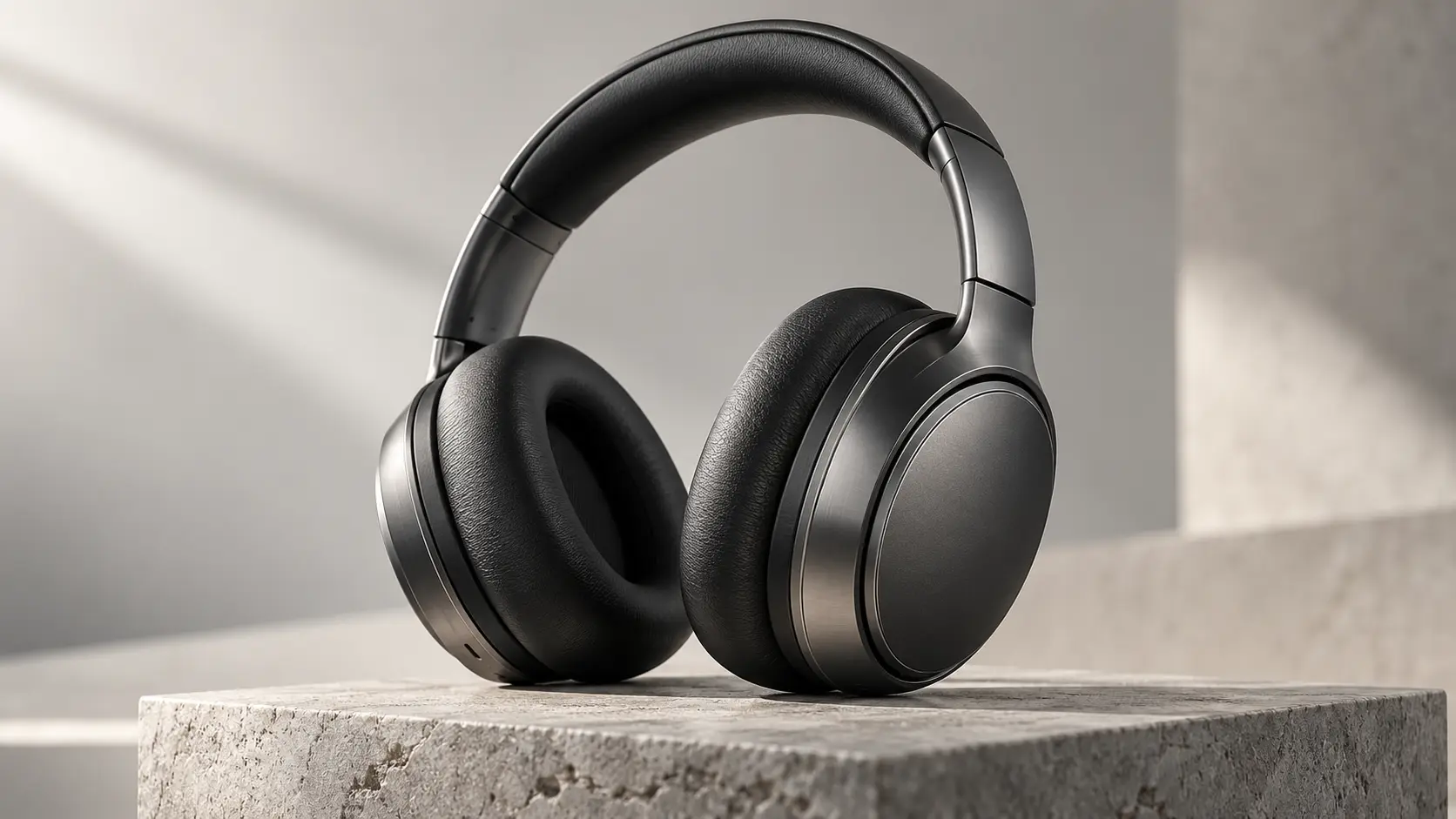 |
Step 2: Upload the image and choose Wan
Open Movmix Image to Video, upload the product image, and select the available Wan video model.
Step 3: Design only the motion you actually need
Video Prompt:
Keep the headphones completely stationary. The camera slowly moves closer from a front three-quarter angle while a soft beam of light gradually passes across the ear cushions and metal frame, revealing the leather and metal textures. Keep the background stable. End with a close-up of the ear cushion details. Keep the headphone shape, color, materials, structure, controls, and proportions completely unchanged throughout the video. Do not redesign the product.
Step 4: Fix the problem, not the whole prompt
If the product changes shape, reduce product movement and move the motion into the camera or lighting.
If the camera is too fast, only change the camera speed.
If the background keeps shifting, explicitly tell the model to keep it completely stable.
That is more useful than rewriting the entire prompt after every failed generation.
Scenario 3: You Want Fashion, Reels, or Character-Focused Social Video
Character video has a completely different failure mode.
With a product, you worry about shape.
With a person, you worry about this:
The person in the first second no longer looks like the same person by the end.
Try Kling or Wan
For fashion, lifestyle, virtual characters, and social-media clips, focus on three things:
Identity consistency + simple action + clear camera movement
For example:
If the action is simple, both Wan and Kling are reasonable options to test.
If the shot starts involving more complex body performance, camera tracking, or several reference assets, Kling becomes more relevant to test.
| Image Prompt | |
|---|---|
| 16:9 horizontal image of anEuropean woman standing inside a modern art gallery corridor, wearing a refined dark gray short jacket, white top, and black trousers, naturally preparing to walk forward, clear facial details, modern architectural lines in the background, soft natural lighting, realistic premium fashion photography, medium-to-full-body composition, no text, no logo, no watermark. | 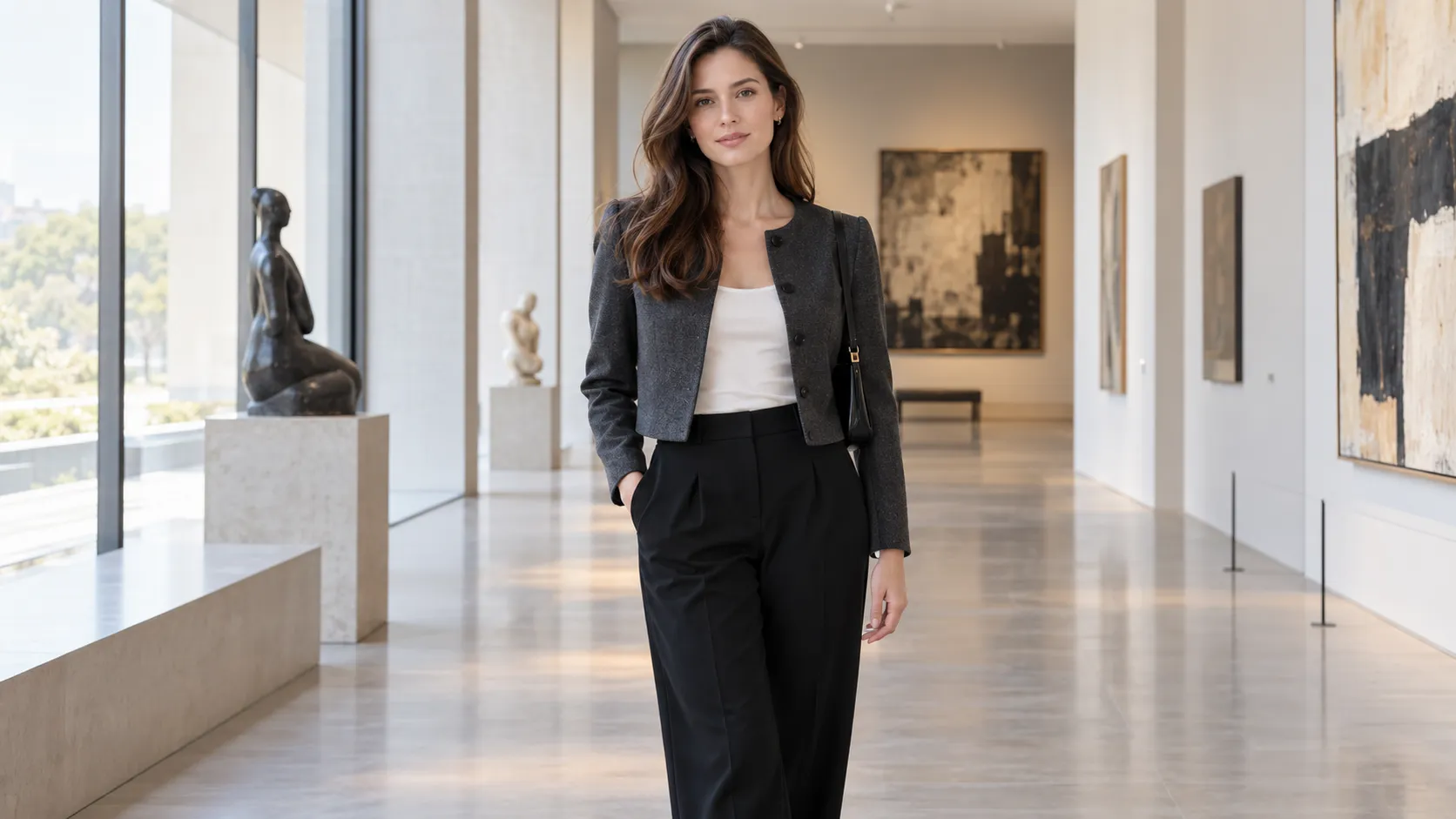 |
Scenario 4: You Have a Character Image and Want to Copy the Motion From Another Video
This is no longer ordinary image-to-video.
You now have two different references doing two different jobs.
The image answers:
Who should perform?
The video answers:
How should they move?
For example, you may have a portrait of one person and a separate sports, dance, or performance video. You want the person in the image to perform the motion from the video.
Try Kling, Seedance, or Wan reference workflows
The most important rule in this scenario is:
Reference Image = WhoReference Video = How
Do not simply tell the model:
“Make it like the reference.”
Tell it exactly what each reference controls.
Full Workflow 2: Transfer Basketball Motion to Another Character
Suppose you have:
Image A: an adult male character
Video B: an athlete performing fast dribbling and a turning movement
The goal is not to regenerate the athlete from Video B.
The goal is to make the character from Image A perform the motion from Video B.
Video Prompt
Use Image A as the character identity and appearance reference. Keep the character's facial features, hairstyle, clothing, body proportions, and identity consistent. Use Video B as the motion, rhythm, and body-movement reference. Make the character from Image A follow the same dribbling rhythm, turning motion, and shifts in body weight shown in Video B. Preserve natural human physics. Do not copy the face or identity of the person in Video B. Follow the camera movement from Video B while keeping the environment stable.
This is one of the video demos worth producing because the result immediately explains something that text alone cannot:
One reference controls identity. Another controls motion.
Scenario 5: You Want a Small Story, Not Just One Action
Once your request starts sounding like this:
The character does A, then B happens, then they notice C, and finally they react.
You are no longer creating a simple motion clip.
You are creating a story.
Try Seedance
For this type of content, the prompt should stop behaving like a collection of visual adjectives.
It should describe a sequence:
What happens first → what changes → how the camera follows → where the scene ends
Full Workflow 3: An Unexpected Discovery at an Observatory
Step 1: Create the first frame
| Image Prompt | Output |
|---|---|
| A 35-year-old adult male astronomy researcher standing inside a quiet mountaintop observatory, wearing a dark blue knit sweater and dark trousers, recording observation data beside a large telescope, a notebook and simple scientific equipment on the desk, clear night sky visible through the observatory dome opening, realistic documentary photography, medium shot, calm natural interior lighting, 16:9. | 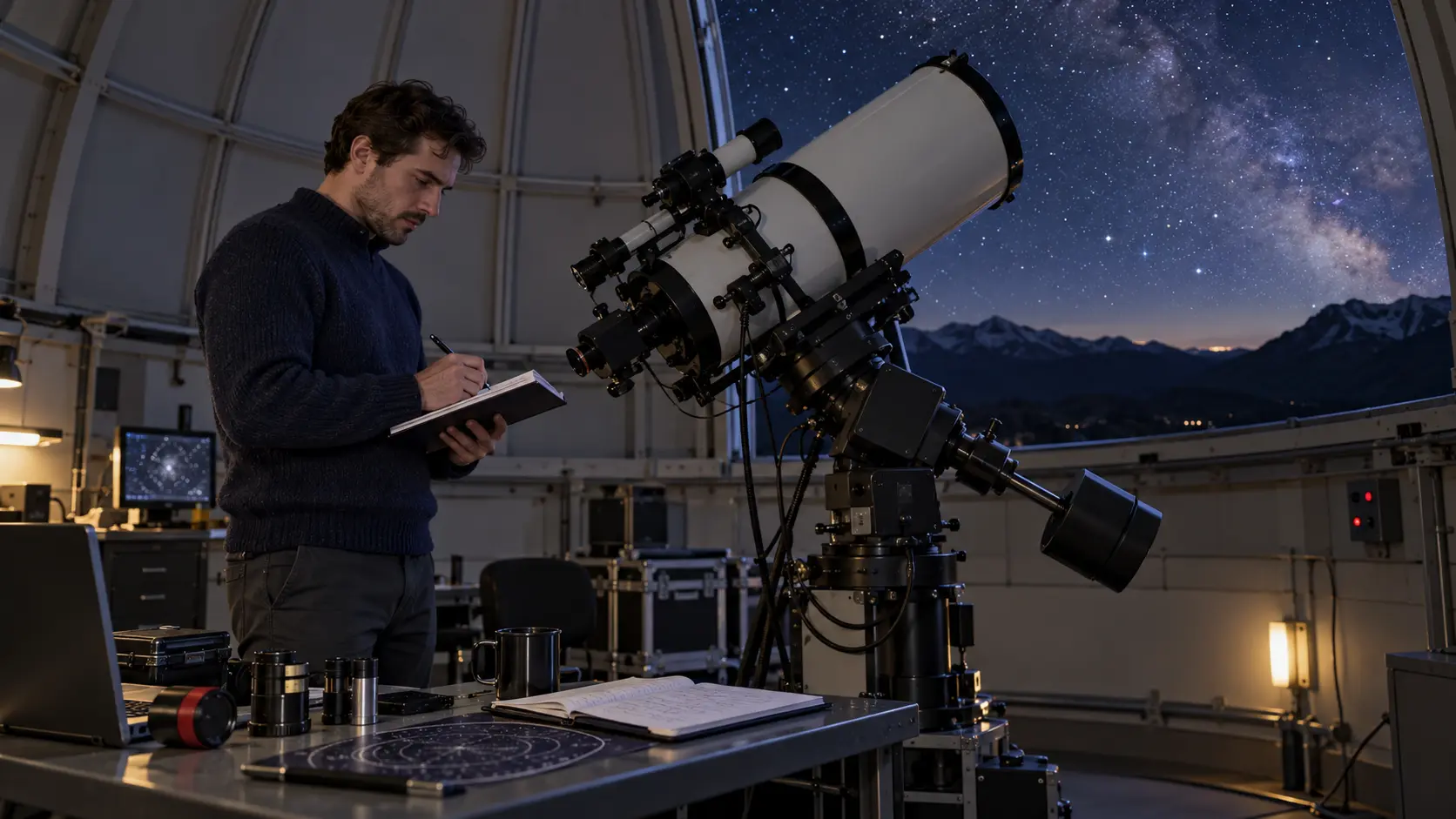 |
Step 2: Choose Seedance
This time, we need more than a single movement.
We need an event.
Video Prompt
The researcher looks down and writes data in the notebook. A short alert sound comes from the nearby equipment. He stops writing, raises his head, looks toward the monitoring device, then quickly walks to the telescope to observe the sky. The camera follows him from the side, then cuts toward his point of view as a bright comet slowly moves across the distant night sky. End with a shot showing both the researcher and the comet outside the observatory window. Keep the researcher's identity, the observatory structure, and the night environment consistent. Add a subtle equipment alert, light writing sounds, and quiet indoor ambience.
The important lesson here is not the prompt itself.
It is knowing when your project has moved from “motion” to “storytelling.”
Scenario 6: Two or More Characters Need to Talk
The moment dialogue enters the scene, your selection criteria change again.
Now the model needs to manage more than attractive visuals.
It also needs to manage:
Character identity, speaker order, voice, timing, and mouth movement
Try Kling or Seedance
Do not simply write:
Two designers discuss a project.
That leaves almost everything undefined.
A better structure is:
Character A speaks first → Character B reacts → Character B answers → Camera changes → Environment remains stable
Once dialogue matters, audio becomes part of the scene logic rather than an optional extra.
You do not need to create a separate demo video here unless dialogue is one of the main features you want to showcase on the site.
Scenario 7: Complex Action, Sports, Performance, or Multiple People
These scenes are where AI video models usually get tested much harder.
Examples include two-person sports, coordinated performance, multiple characters moving at once, physical interactions, or a camera that needs to move around several subjects.
Try Seedance or Kling
The main lesson here is surprisingly simple:
Do not solve complexity by writing one longer sentence.
Break the relationship down.
Instead of:
Two people perform an intense action while the camera moves cinematically.
Define:
Character A starts here.Character B starts there.Character A moves first.Character B responds.They interact at this point.The camera is positioned here.
The more complicated the movement, the more important it becomes to explain who does what.
That is far more useful than adding extra words such as “dynamic,” “epic,” or “high-energy.”
Scenario 8: You Already Have Images, Videos, Audio, and Storyboards
Sometimes the problem is not a lack of material.
It is having too much material.
You may already have:
- Character images
- Environment references
- Motion videos
- Music
- Sound effects
- Storyboard images
At this point, the challenge becomes reference management.
Try Seedance
The key is not uploading as much material as possible.
The key is giving every reference a job.
For example:
Image A controls the character.Image B controls the environment.Video C controls camera movement.Audio D controls the sound style.
If you have not decided what each reference is responsible for, the model has to guess.
And once the model starts guessing, adding more references can actually make the workflow less clear rather than more controlled.
So Which AI Video Model Should You Use?
Do not begin with:
“Is Wan, Seedance, or Kling the strongest?”
Ask three more useful questions instead.
What material do I already have?
Only text? One image? Or images, reference videos, and audio?
What is the hardest part of this video?
Product consistency? Character identity? Motion? Storytelling? Dialogue? Multi-character interaction?
What absolutely cannot go wrong?
The face? Product structure? Motion? Scene continuity?
These questions usually tell you far more than a generic AI video model comparison.
If you only need to turn a product image into a clean commercial shot, you probably do not need to begin with a complicated multi-shot story.
If you want one character to perform the movement from another video, a normal image-to-video workflow is no longer enough.
And when your script starts filling up with words like:
“then,” “after that,” “suddenly,” and “finally”...
you are probably no longer making a simple clip.
You are making a story.
Your model choice should change with the task.
Final Rule: Choose the Video First, Then Choose the Model
The value of having multiple models on Movmix is not simply that there are more buttons to click.
The real value is that different tasks can use different workflows.
Use image models such as GPT Image 2.5, Nano Banana, Grok Image, or Seedream to prepare the visual starting point you actually want.
Then choose Wan, Seedance, Kling, or another available video model based on what the scene needs to do next.
The image decides:
What does it look like?
The video model decides:
What happens next?
And your prompt decides:
How should it happen?
So the next time you are unsure which AI video model to choose, forget the model names for a moment.
Describe the video you actually want to make first.
The right model usually becomes much easier to choose from there.
'%3e%3crect%20y='2.1906'%20width='26'%20height='17.4314'%20rx='1.55981'%20fill='white'/%3e%3c/g%3e%3crect%20x='0.311961'%20y='2.50256'%20width='25.3761'%20height='16.8075'%20rx='1.24784'%20stroke='%2322257C'%20stroke-width='0.623922'/%3e%3c/g%3e%3crect%20x='13.078'%20y='15.5656'%20width='10.8016'%20height='2.49569'%20rx='0.623922'%20fill='%2366B3FF'%20stroke='%2322257C'%20stroke-width='0.623922'/%3e%3crect%20x='-0.311961'%20y='0.311961'%20width='10.8016'%20height='2.49569'%20rx='0.623922'%20transform='matrix(-1%200%200%201%2012.61%2015.2536)'%20fill='%2366B3FF'%20stroke='%2322257C'%20stroke-width='0.623922'/%3e%3crect%20x='10.3093'%20y='13.3231'%20width='4.91339'%20height='6.98013'%20rx='2.45669'%20fill='%2322257C'/%3e%3cpath%20d='M18.9174%200.31543C20.5962%200.268025%2022.1261%200.655527%2023.9487%201.55762C24.0483%201.60695%2024.1137%201.71153%2024.1137%201.8291V16.502C24.1137%2016.7236%2023.8763%2016.891%2023.6499%2016.7979C21.803%2016.0377%2020.2158%2015.6963%2018.4975%2015.7705C16.8915%2015.8399%2015.1907%2016.2732%2013.0776%2017.0332V1.6709C15.4678%200.825877%2017.2746%200.36187%2018.9174%200.31543Z'%20fill='white'%20stroke='%2322257C'%20stroke-width='0.623922'/%3e%3cpath%20d='M15.3008%204.57C16.3536%203.94578%2019.2783%203.20503%2021.8909%203.94608'%20stroke='%2366B3FF'%20stroke-width='0.935883'%20stroke-linecap='round'/%3e%3cpath%20d='M15.3008%207.26054C16.3536%206.63631%2019.2783%205.89557%2021.8909%206.63661'%20stroke='%2366B3FF'%20stroke-width='0.935883'%20stroke-linecap='round'/%3e%3cpath%20d='M15.3008%209.95107C16.3536%209.32684%2019.2783%208.5861%2021.8909%209.32714'%20stroke='%2366B3FF'%20stroke-width='0.935883'%20stroke-linecap='round'/%3e%3cpath%20d='M15.3008%2012.6398C16.3536%2012.0156%2019.2783%2011.2749%2021.8909%2012.0159'%20stroke='%2366B3FF'%20stroke-width='0.935883'%20stroke-linecap='round'/%3e%3cpath%20d='M7.08257%200.31543C5.40384%200.268025%203.87393%200.655527%202.05132%201.55762C1.95165%201.60695%201.88628%201.71153%201.88628%201.8291V16.502C1.88628%2016.7236%202.12373%2016.891%202.35014%2016.7979C4.19702%2016.0377%205.78418%2015.6963%207.50249%2015.7705C9.10852%2015.8399%2010.8093%2016.2732%2012.9224%2017.0332V1.6709C10.5322%200.825877%208.72541%200.36187%207.08257%200.31543Z'%20fill='white'%20stroke='%2322257C'%20stroke-width='0.623922'/%3e%3cpath%20d='M10.6992%204.57C9.64638%203.94578%206.72175%203.20503%204.10907%203.94608'%20stroke='%2366B3FF'%20stroke-width='0.935883'%20stroke-linecap='round'/%3e%3cpath%20d='M10.6992%207.26054C9.64638%206.63631%206.72175%205.89557%204.10907%206.63661'%20stroke='%2366B3FF'%20stroke-width='0.935883'%20stroke-linecap='round'/%3e%3cpath%20d='M10.6992%209.95107C9.64638%209.32684%206.72175%208.5861%204.10907%209.32714'%20stroke='%2366B3FF'%20stroke-width='0.935883'%20stroke-linecap='round'/%3e%3cpath%20d='M10.6992%2012.6398C9.64638%2012.0156%206.72175%2011.2749%204.10907%2012.0159'%20stroke='%2366B3FF'%20stroke-width='0.935883'%20stroke-linecap='round'/%3e%3c/g%3e%3cdefs%3e%3cfilter%20x='0'%20y='2.1906'%20width='26'%20height='17.4314'%20filterUnits='userSpaceOnUse'%20color-interpolation-filters='sRGB'%3e%3cfeFlood%20flood-opacity='0'%20result='BackgroundImageFix'/%3e%3cfeBlend%20mode='normal'%20in='SourceGraphic'%20in2='BackgroundImageFix'%20result='shape'/%3e%3cfeColorMatrix%20in='SourceAlpha'%20type='matrix'%20values='0%200%200%200%200%200%200%200%200%200%200%200%200%200%200%200%200%200%20127%200'%20result='hardAlpha'/%3e%3cfeOffset%20dy='-1.24784'/%3e%3cfeComposite%20in2='hardAlpha'%20operator='arithmetic'%20k2='-1'%20k3='1'/%3e%3cfeColorMatrix%20type='matrix'%20values='0%200%200%200%200.572549%200%200%200%200%200.768627%200%200%200%200%200.976471%200%200%200%201%200'/%3e%3cfeBlend%20mode='normal'%20in2='shape'%20result='effect1_innerShadow_0_4'/%3e%3c/filter%3e%3c/defs%3e%3c/svg%3e)



